

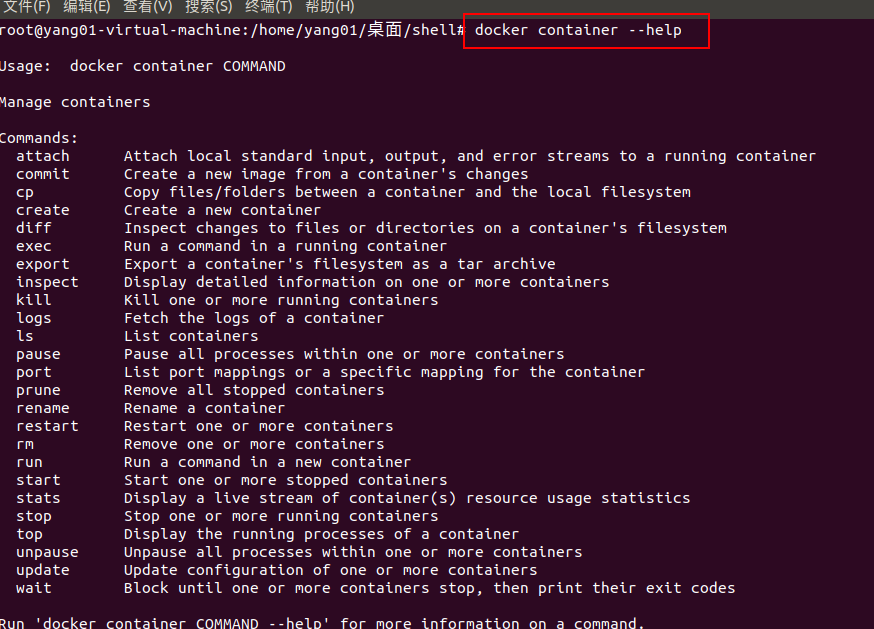
docker_container
查看:docker ps -a 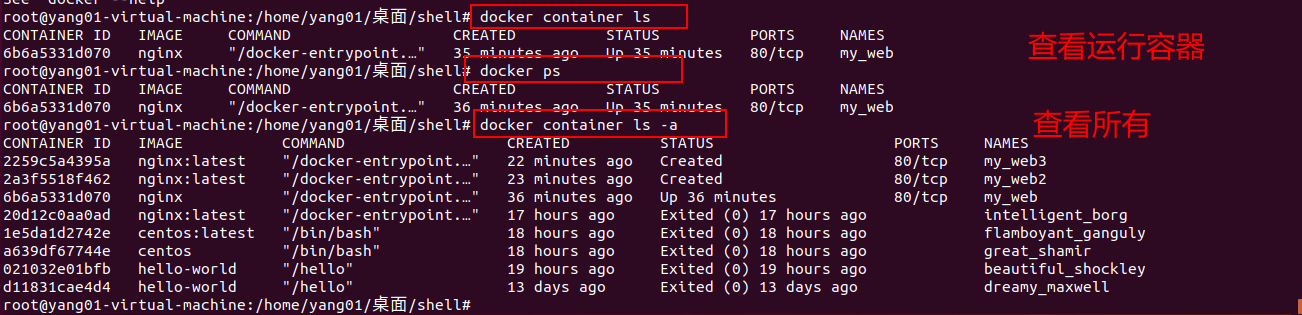
top:查看容器xx的进程信息
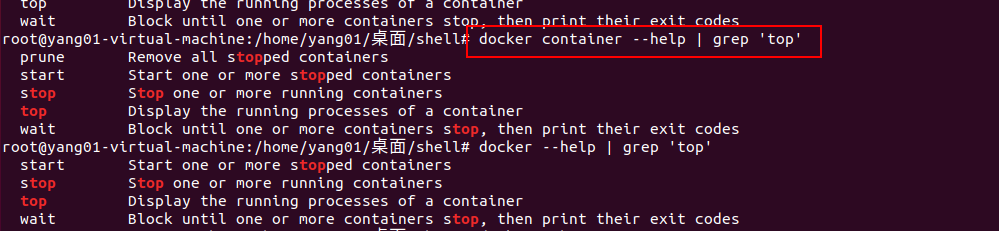

stats:容器使用的系统资源(类似于Linux的top)

先行掌握:
rm:删除容器(加 -f 强制删除)

运行容器:
-d 后台运行;


-p端口映射-【手动指定】(如宿主机中访问容器中的端口,左为宿主机端口,右为容器端口)
curl:
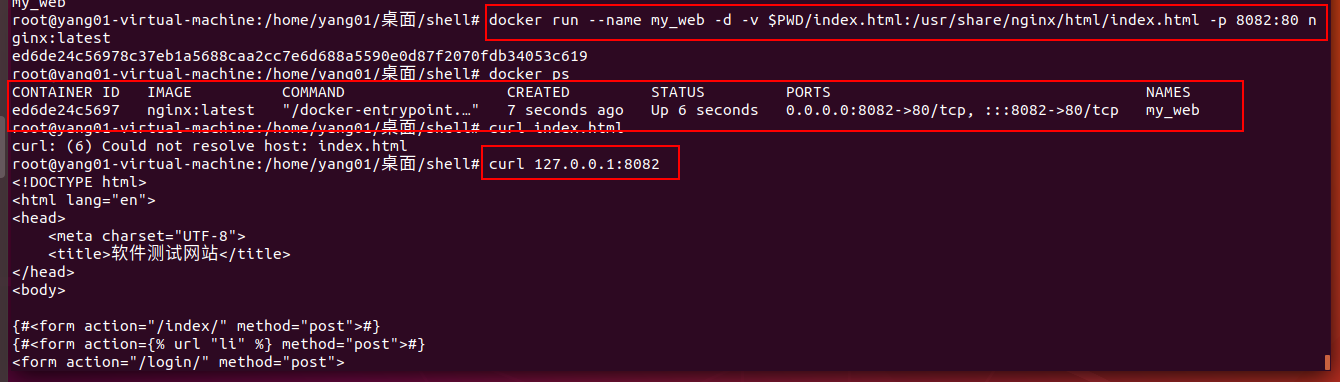
-P:随机端口;docker run --name my_web -d -v $PWD/index.html:/usr/share/nginx/html/index.html -P nginx:latest

-i ,-t
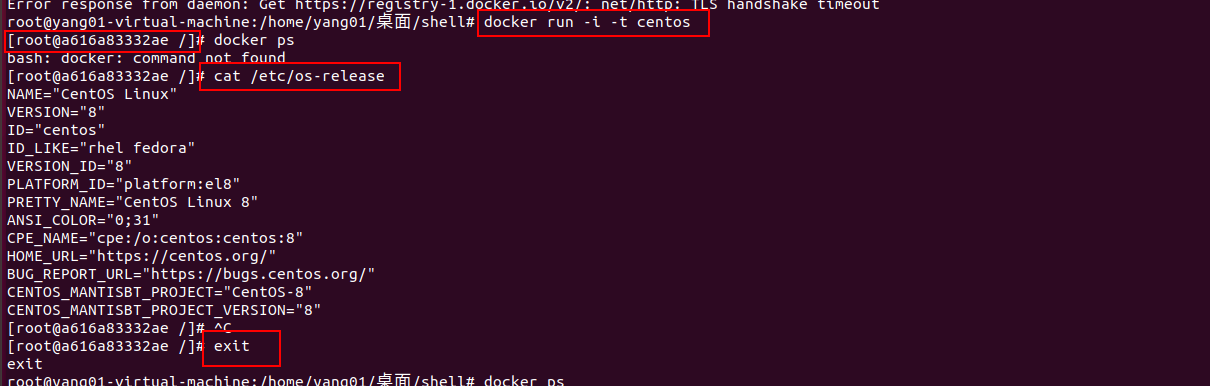
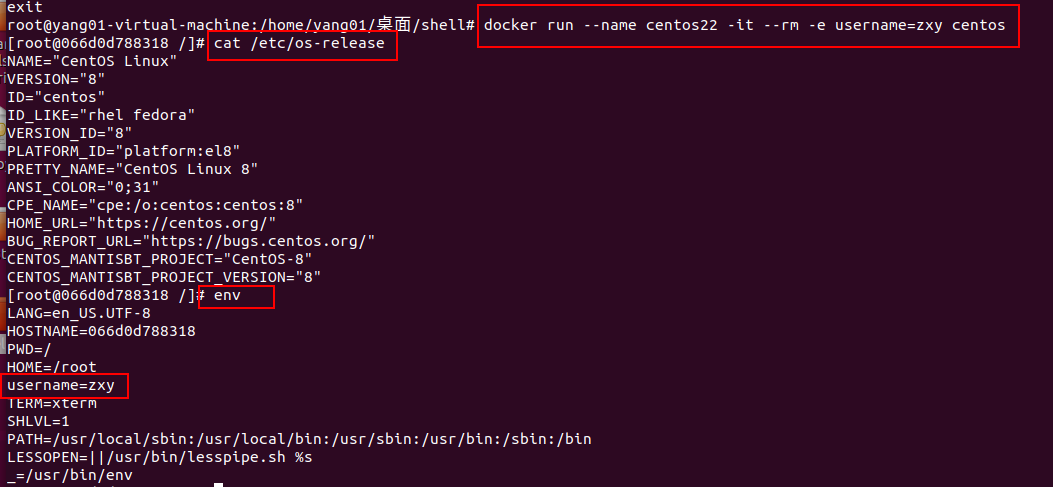
--rm:退出后会将容器自动移除

-e:设置环境变量
-v:docker run --name my_web -d -v $PWD/index.html:/usr/share/nginx/html/index.html -P nginx:latest
宿主机中的共享到容器中
exec
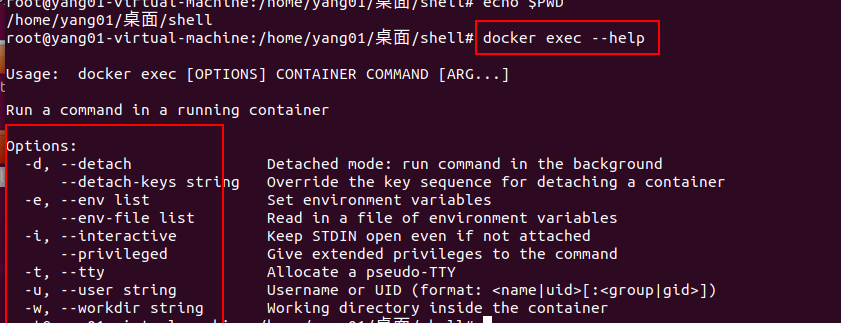
exec进入正在运行的容器,-it交互,/bin/bash 运行的终端命令
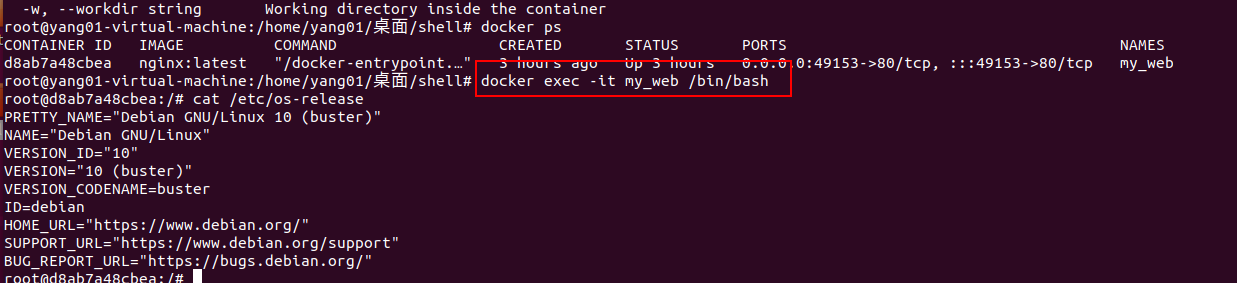
exec中:exit 退出不影响容器状态

停止:

停止后容器重新运行
pause:暂停

暂停后启动:


 浙公网安备 33010602011771号