
IIS WebApi: 文件上传,大小限制,提示413 (Request Entity Too Large)
文章介绍了如何解决IISWebApi在文件上传时遇到的413(RequestEntityTooLarge)错误。方法包括在web.config中调整httpRuntime和requestLimits的参数,以及在IIS管理界面的配置编辑器中进行相应设置,允许更大的文件上传限制。
问题:IIS WebApi文件上传,大小限制,提示413 (Request Entity Too Large)
一:在web.config上配置,按照以下格式,将下列标红加粗的地方,按照对应位置复制到web.config中,即可解决。
注:这两个标红处均要复制,配置!!!
httpRuntime 中 maxRequestLength就是设置你上传文件的大小限制;
requestLimits 中 maxAllowedContentLength就是设置你上传文件的大小限制;
<configuration>
<system.web>
<compilation targetFramework="4.6.1" />
<httpRuntime executionTimeout="600" maxRequestLength="419430400" targetFramework="4.6.1" />
</system.web>
<system.webServer>
<security>
<requestFiltering>
<requestLimits maxAllowedContentLength="419430400" />
</requestFiltering>
</security>
</system.webServer>
</configuration>
二、IIS中配置
① 打开IIS,找到文件上传的项目,选中->功能试图->配置编辑器(如下图)
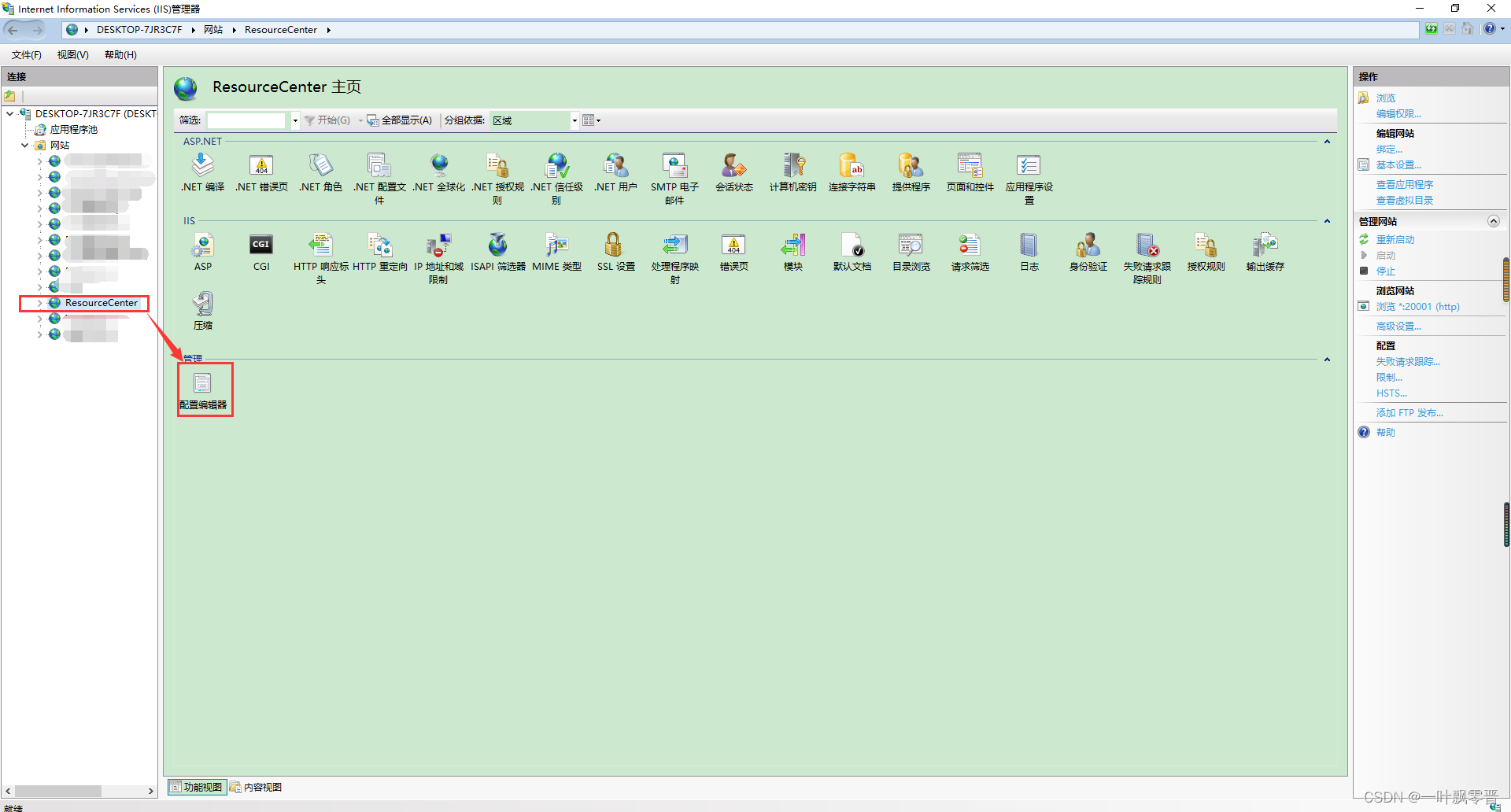
② 修改两处(httpRuntime、requestLimits )


以上就可以解决文件过大无法上传这个问题。

 浙公网安备 33010602011771号