
FFMpegCore 对音视频格式转换
下载Nuget 包FFMpegCore

FFMpeg的官网下载转码程序
点击Dowload
选择对应系统的下载源本次为Windows系统
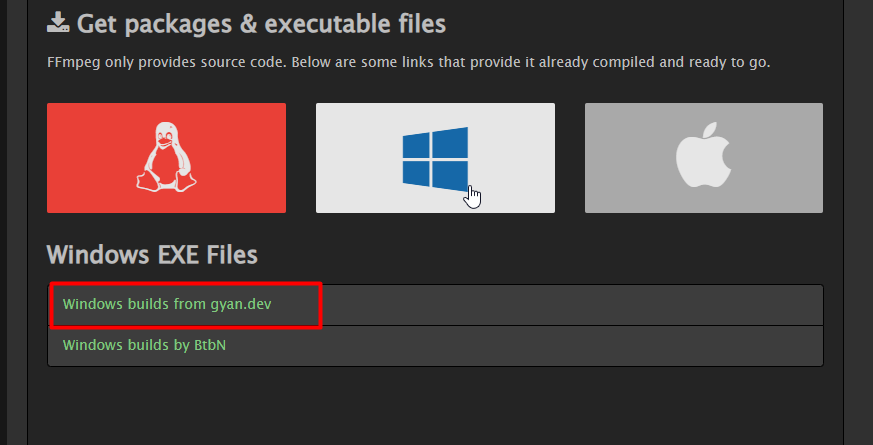
选择Full标记的压缩包

解压后的文件结构
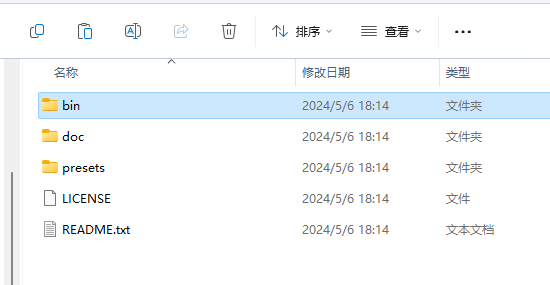
ffmpeg.exe的引入方式有两种
第一种
将bin文件夹下的ffmpeg.exe文件放置在程序项目的根目录下
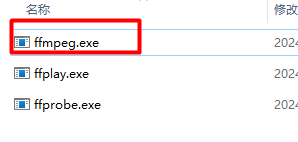
第二种
增加ffmpeg的环境变量,参考--这种方式比较适合多个应用程序都需要使用的情况,但在程序发布的时候,发布环境需要重新布置,相对而言第一中方式更加稳妥
注:不使用以上方式引入ffmpeg.exe会出现以下异常
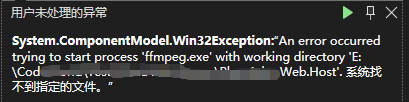
视频格式转换
以下是将.mov转.mp4

/// <summary>
/// 视频格式转换
/// </summary>
/// <param name="path"></param>
/// <returns></returns>
public static bool VideoTypeConvert(string path)
{
    FileInfo fileInfo = new FileInfo(@"E:\素材\panda.mov");
    //转换后视频地址带文件后缀(E:\xx\xx.mp4)以下使用临时文件地址
    var outputFile = Path.Combine(Path.GetTempPath(), $"{Guid.NewGuid()}-" + $"out{VideoType.Mp4.Extension}");
    var success = FFMpegArguments
        .FromFileInput(fileInfo)
        .OutputToFile(outputFile, false)
        .ProcessSynchronously();
    return success;
}
音频格式转换
以下是将.mp3转.aac
 public static bool AudioTypeConvert(string path)
 {
     FileInfo fileInfo = new FileInfo(@"E:\素材\voice.mp3");
     //转换后音频地址带文件后缀(E:\xx\xx.aac)
     var outputFile = Path.Combine(Path.GetTempPath(), $"{Guid.NewGuid()}-" + $"out.aac");
     var success = FFMpegArguments
         .FromFileInput(fileInfo)
         .OutputToFile(outputFile, false)
         .ProcessSynchronously();
     return success;

 }

 浙公网安备 33010602011771号