
常用的css3属性
1.圆角 boder-radius
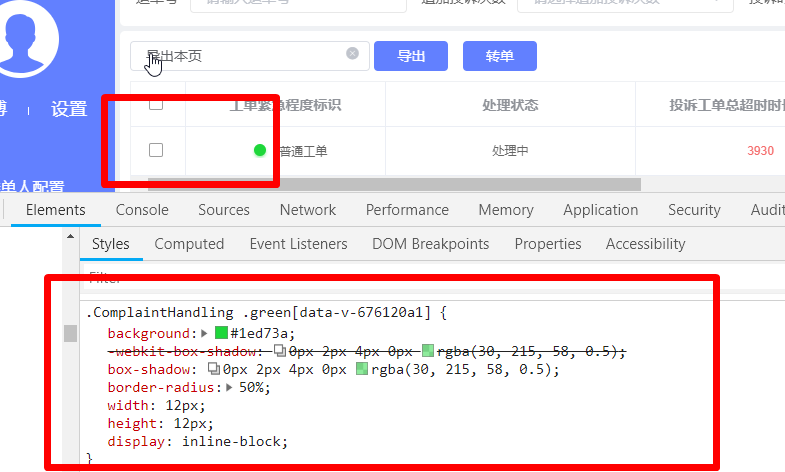
2.阴影 box-shadow :inset offset-x offset-y blur-radius spread-radius
http://www.webfront-js.com/articaldetail/55.html
@1:inset
有inset 则为内阴影,没有insert 则为外阴影,默认为外阴影。
@2:offset-x
横向阴影的大小,正值阴影在右边,负值阴影在左边,0的时候阴影中盒子后面,看不见的,如果有blur-radius值会有模糊效果。
@3:offset-y
纵向阴影的大小,值同offset-x。
@4:blur-radius
阴影的模糊程度,值越大,阴影越模糊。
@5:spread-radius
阴影的扩大缩小,正值时,阴影扩大;负值时,阴影缩小,默认为0,和盒子同样大。借助这个属性可以实现四周阴影和单边阴影
3.渐变
3.1)线性渐变 Linear Gradients
background: linear-gradient(direction, color-stop1, color-stop2, ...);
3.2)径向渐变 Radial Gradients
4.背景
- background-image:url(img_flwr.gif)
- background-size:10% 10% 你指定的大小是相对于父元素的宽度和高度的百分比的大小。
- background-repeat:no-repaet
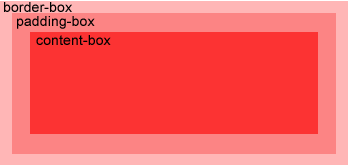
- background-origin:
![]()
- background-position:left bottom 左下角
5.文字控制
5.1)换行
{
word-wrap:break-word; //是否允许换行
word-break: break-all //换行的方式
}

 浙公网安备 33010602011771号