
Javaweb_Session
Session机制
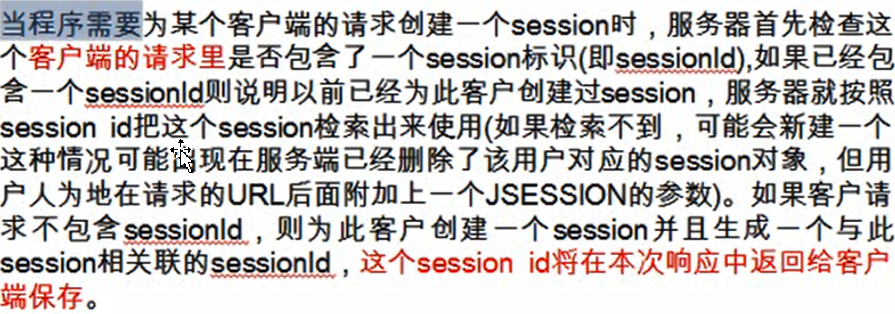
session机制采用的是在服务器端保持HTTP状态信息
示例:持久化Cookie中的JSESSIONID


 1 <%@ page language="java" contentType="text/html; charset=UTF-8"
 2     pageEncoding="UTF-8" session="true"%>
 3 <!DOCTYPE html PUBLIC "-//W3C//DTD HTML 4.01 Transitional//EN" "http://www.w3.org/TR/html4/loose.dtd">
 4 <html>
 5 <head>
 6 <meta http-equiv="Content-Type" content="text/html; charset=UTF-8">
 7 <title>Insert title here</title>
 8 </head>
 9 <body>
10
11     <%= session.getId() %>
12
13     <%
14         Cookie cookie = new Cookie("JSESSIONID", session.getId());
15         cookie.setMaxAge(20);
16         response.addCookie(cookie);
17     %>
18
19 </body>
20 </html>
HttpSession接口
HTTPSession生命周期
创建 HttpSession 对象
对于 JSP
1、若当前的 JSP 是客户端访问的当前 WEB 应用的第一个资源,且 JSP 的 page 指定的 session 属性值为 false,则服务器就不会为 JSP 创建一个 HttpSession 对象;
2、若当前 JSP 不是客户端访问的当前 WEB 应用的第一个资源,且其他页面已经创建一个 HttpSession 对象,则服务器也不会为当前 JSP 页面创建一个 HttpSession 对象,而回会把和当前会话关联的那个 HttpSession 对象返回给当前的 JSP 页面.
page 指令的 session=“false“
当前 JSP 页面禁用 session 隐含变量!但可以使用其他的显式的 HttpSession 对象
对于 Serlvet
若 Serlvet 是客户端访问的第一个 WEB 应用的资源,则只有调用了 request.getSession() 或 request.getSession(true) 才会创建 HttpSession 对象
Serlvet 中获取 HttpSession 对象
1、request.getSession(boolean create):
create 为 false, 若没有和当前 JSP 页面关联的 HttpSession 对象, 则返回 null; 若有, 则返回 HttpSession 对象
create 为 true, 一定返回一个 HttpSession 对象. 若没有和当前 JSP 页面关联的 HttpSession 对象, 则服务器创建一个新的HttpSession 对象返回, 若有, 直接返回关联的.
2、request.getSession(): 等同于 request.getSession(true)
销毁 HttpSession 对象
1、直接调用 HttpSession 的 invalidate() 方法: 该方法使 HttpSession 失效
2、服务器卸载了当前 WEB 应用.
3、超出 HttpSession 的过期时间.
设置 HttpSession 的过期时间: session.setMaxInactiveInterval(5); 单位为秒,默认为30分钟
在 web.xml 文件中设置 HttpSession 的过期时间: 单位为 分钟.
    <session-config>

        <session-timeout>30</session-timeout>

    </session-config>
注意:并不是关闭了浏览器就销毁了 HttpSession.
HttpSession常用方法
1、String getId():获取SessionID
2、int getMaxInactiveInterval():获取session最大时效
3、Object getAttribute(String name):获取指定的属性值
4、void setAttribute(String name, Object value):设置属性值
5、void setMaxInactiveInterval(int interval):设置session过期时间,单位:秒
利用URL重写跟踪Session
Servlet规范中引入一种补充的会话管理机制,允许不支持Cookie的浏览器可以与WEB服务器保持会话
本质:将会话标识号JSESSIONID以参数形式附加在url地址后面
方法:
HTTPServletResponse接口中定义了两个用于URL重写的方法(两个都可以使用)
1、String encodeURL(String url)
2、String encodeRedirectURL(String url)
注意:参数为要跳转的页面路径
利用Session避免表单的重复提交
重复提交的情况
1、在表单提交到一个 Servlet, 而 Servlet 又通过请求转发的方式响应一个 JSP(HTML) 页面,此时地址栏还保留着 Serlvet 的那个路径, 在这个响应页面点击 "刷新"
2、在响应页面没有到达时重复点击 "提交按钮".
3、点击 "返回", 再点击 "提交"
注意:如果使用重定向,地址栏中的url已经变了,到了响应页面时,在点击刷新,不是重复提交
不是重复提交的情况
点击 "返回", "刷新" 原表单页面, 再 "提交"。
避免表单的重复提交
思路:在表单中做一个标记, 提交到 Servlet 时, 检查标记是否存在且是否和预定义的标记一致, 若一致, 则受理请求,并销毁标记
1、仅提供一个隐藏域: <input type="hidden" name="token" value="ab"/>. 行不通: 没有方法清除固定的请求参数.
2、把标记放在 request 中. 行不通, 因为表单页面刷新后, request 已经被销毁, 再提交表单是一个新的 request.
实现思路:
1、在原表单页面, 生成一个随机值
2、在原表单页面, 把 随机值放入 session 属性中
3、在原表单页面, 把 随机值放入到 隐藏域 中.
4、在目标的 Servlet 中: 获取 session 和 隐藏域 中的随机值,比较两个值是否一致: 若一致, 受理请求, 且把 session 域中的 token 属性清除,若不一致, 则直接响应提示页面: "重复提交"
示例:(if you hava time)
index.jsp:提交表单
 1 <%@page import="com.atguigu.javaweb.TokenProcessor"%>
 2 <%@page import="java.util.Date"%>
 3 <%@ page language="java" contentType="text/html; charset=UTF-8"
 4     pageEncoding="UTF-8"%>
 5 <!DOCTYPE html PUBLIC "-//W3C//DTD HTML 4.01 Transitional//EN" "http://www.w3.org/TR/html4/loose.dtd">
 6 <html>
 7 <head>
 8 <meta http-equiv="Content-Type" content="text/html; charset=UTF-8">
 9 <title>Insert title here</title>
10 </head>
11 <body>
12
13     <%--
14         String tokenValue = new Date().getTime() + "";
15         session.setAttribute("token", tokenValue);
16     --%>
17
18     <form action="<%= request.getContextPath() %>/tokenServlet" method="post">
19           <!-- 获取随机数,并添加session属性 -->
20         <input type="hidden" name="COM.ATGUIGU.TOKEN_KEY"
21             value="<%= TokenProcessor.getInstance().saveToken(request) %>"/>
22
23         name: <input type="text" name="name"/>
24         <input type="submit" value="Submit"/>
25     </form>
26
27 </body>
28 </html>
TokenServlet.java
 1 import java.io.IOException;
 2 import javax.servlet.ServletException;
 3 import javax.servlet.http.HttpServlet;
 4 import javax.servlet.http.HttpServletRequest;
 5 import javax.servlet.http.HttpServletResponse;
 6 import javax.servlet.http.HttpSession;
 7
 8 public class TokenServlet extends HttpServlet {
 9
10     private static final long serialVersionUID = 1L;
11
12     protected void doPost(HttpServletRequest request, HttpServletResponse response) throws ServletException, IOException {
13
14         try {
15             Thread.sleep(2000);
16         } catch (InterruptedException e) {
17             e.printStackTrace();
18         }
19
20 //        HttpSession session = request.getSession();
21 //        Object token = session.getAttribute("token");
22 //        String tokenValue = request.getParameter("token");
23 //        System.out.println(token);
24 //        System.out.println(tokenValue);
25 //
26 //        if(token != null && token.equals(tokenValue)){
27 //            session.removeAttribute("token");
28 //        }else{
29 //            response.sendRedirect(request.getContextPath() + "/token/token.jsp");
30 //            return;
31 //        }
32
33         boolean valid = TokenProcessor.getInstance().isTokenValid(request);
34         if(valid){
35             TokenProcessor.getInstance().resetToken(request);
36         }else{
37             response.sendRedirect(request.getContextPath() + "/token/token.jsp");
38             return;
39         }
40
41         String name = request.getParameter("name");
42         //访问数据库服务器...
43         System.out.println("name: " + name);
44
45         //request.getRequestDispatcher("/token/success.jsp").forward(request, response);
46         response.sendRedirect(request.getContextPath() + "/token/success.jsp");
47     }
48
49 }
TokenProcessor .java:为Session中设置的随机属性值
  1 import javax.servlet.http.HttpServletRequest;
  2 import javax.servlet.http.HttpSession;
  3
  4 import java.security.MessageDigest;
  5 import java.security.NoSuchAlgorithmException;
  6
  7 public class TokenProcessor {
  8
  9     private static final String TOKEN_KEY = "COM.ATGUIGU.TOKEN_KEY";
 10
 11     private static final String TRANSACTION_TOKEN_KEY = "TRANSACTION_TOKEN_KEY";
 12
 13     private static TokenProcessor instance = new TokenProcessor();
 14
 15     private long previous;
 16
 17     protected TokenProcessor() {
 18         super();
 19     }
 20
 21     public static TokenProcessor getInstance() {
 22         return instance;
 23     }
 24
 25     public synchronized boolean isTokenValid(HttpServletRequest request) {
 26         return this.isTokenValid(request, false);
 27     }
 28
 29     public synchronized boolean isTokenValid(HttpServletRequest request,
 30             boolean reset) {
 31         HttpSession session = request.getSession(false);
 32
 33         if (session == null) {
 34             return false;
 35         }
 36
 37         String saved = (String) session.getAttribute(TRANSACTION_TOKEN_KEY);
 38
 39         if (saved == null) {
 40             return false;
 41         }
 42
 43         if (reset) {
 44             this.resetToken(request);
 45         }
 46
 47         String token = request.getParameter(TOKEN_KEY);
 48
 49         if (token == null) {
 50             return false;
 51         }
 52
 53         return saved.equals(token);
 54     }
 55
 56     public synchronized void resetToken(HttpServletRequest request) {
 57         HttpSession session = request.getSession(false);
 58
 59         if (session == null) {
 60             return;
 61         }
 62
 63         session.removeAttribute(TRANSACTION_TOKEN_KEY);
 64     }
 65
 66     public synchronized String saveToken(HttpServletRequest request) {
 67         HttpSession session = request.getSession();
 68         String token = generateToken(request);
 69
 70         if (token != null) {
 71             session.setAttribute(TRANSACTION_TOKEN_KEY, token);
 72         }
 73
 74         return token;
 75     }
 76
 77     public synchronized String generateToken(HttpServletRequest request) {
 78         HttpSession session = request.getSession();
 79
 80         return generateToken(session.getId());
 81     }
 82
 83     public synchronized String generateToken(String id) {
 84         try {
 85             long current = System.currentTimeMillis();
 86
 87             if (current == previous) {
 88                 current++;
 89             }
 90
 91             previous = current;
 92
 93             byte[] now = new Long(current).toString().getBytes();
 94             MessageDigest md = MessageDigest.getInstance("MD5");
 95
 96             md.update(id.getBytes());
 97             md.update(now);
 98
 99             return toHex(md.digest());
100         } catch (NoSuchAlgorithmException e) {
101             return null;
102         }
103     }
104
105     private String toHex(byte[] buffer) {
106         StringBuffer sb = new StringBuffer(buffer.length * 2);
107
108         for (int i = 0; i < buffer.length; i++) {
109             sb.append(Character.forDigit((buffer[i] & 0xf0) >> 4, 16));
110             sb.append(Character.forDigit(buffer[i] & 0x0f, 16));
111         }
112
113         return sb.toString();
114     }
115 }
HTTPSession之验证码
意义:防止恶意提交
示例:利用Session实现一次性的验证码
ValidateColorServlet .java :生成图片的java类,并将生成的随机值放入Session
  1 import java.awt.Color;
  2 import java.awt.Font;
  3 import java.awt.Graphics2D;
  4 import java.awt.image.BufferedImage;
  5 import java.io.IOException;
  6 import java.util.Random;
  7
  8 import javax.imageio.ImageIO;
  9 import javax.servlet.ServletException;
 10 import javax.servlet.ServletOutputStream;
 11 import javax.servlet.http.HttpServlet;
 12 import javax.servlet.http.HttpServletRequest;
 13 import javax.servlet.http.HttpServletResponse;
 14
 15 public class ValidateColorServlet extends HttpServlet {
 16
 17     public static final String CHECK_CODE_KEY = "CHECK_CODE_KEY";
 18
 19     private static final long serialVersionUID = 1L;
 20
 21     //设置验证图片的宽度, 高度, 验证码的个数
 22     private int width = 152;
 23     private int height = 40;
 24     private int codeCount = 6;
 25
 26     //验证码字体的高度
 27     private int fontHeight = 4;
 28
 29     //验证码中的单个字符基线. 即:验证码中的单个字符位于验证码图形左上角的 (codeX, codeY) 位置处
 30     private int codeX = 0;
 31     private int codeY = 0;
 32
 33     //验证码由哪些字符组成
 34     char [] codeSequence = "ABCDEFGHIJKLMNOPQRSTUVWXYZabcdefghijklmnopqrstuvwxyz23456789".toCharArray();
 35
 36     //初始化验证码图形属性
 37     public void init(){
 38         fontHeight = height - 2;
 39         codeX = width / (codeCount + 2);
 40         codeY = height - 4;
 41     }
 42
 43     public void service(HttpServletRequest request, HttpServletResponse response)
 44             throws ServletException, IOException {
 45         //定义一个类型为 BufferedImage.TYPE_INT_BGR 类型的图像缓存
 46         BufferedImage buffImg = null;
 47         buffImg = new BufferedImage(width, height, BufferedImage.TYPE_3BYTE_BGR);
 48
 49         //在 buffImg 中创建一个 Graphics2D 图像
 50         Graphics2D graphics = null;
 51         graphics = buffImg.createGraphics();
 52
 53         //设置一个颜色, 使 Graphics2D 对象的后续图形使用这个颜色
 54         graphics.setColor(Color.WHITE);
 55
 56         //填充一个指定的矩形: x - 要填充矩形的 x 坐标; y - 要填充矩形的 y 坐标; width - 要填充矩形的宽度; height - 要填充矩形的高度
 57         graphics.fillRect(0, 0, width, height);
 58
 59         //创建一个 Font 对象: name - 字体名称; style - Font 的样式常量; size - Font 的点大小
 60         Font font = null;
 61         font = new Font("", Font.BOLD, fontHeight);
 62         //使 Graphics2D 对象的后续图形使用此字体
 63         graphics.setFont(font);
 64
 65         graphics.setColor(Color.BLACK);
 66
 67         //绘制指定矩形的边框, 绘制出的矩形将比构件宽一个也高一个像素
 68         graphics.drawRect(0, 0, width - 1, height - 1);
 69
 70         //随机产生 15 条干扰线, 使图像中的认证码不易被其它程序探测到
 71         Random random = null;
 72         random = new Random();
 73         graphics.setColor(Color.GREEN);
 74         for(int i = 0; i < 55; i++){
 75             int x = random.nextInt(width);
 76             int y = random.nextInt(height);
 77             int x1 = random.nextInt(20);
 78             int y1 = random.nextInt(20);
 79             graphics.drawLine(x, y, x + x1, y + y1);
 80         }
 81
 82         //创建 randomCode 对象, 用于保存随机产生的验证码, 以便用户登录后进行验证
 83         StringBuffer randomCode;
 84         randomCode = new StringBuffer();
 85
 86         for(int i = 0; i < codeCount; i++){
 87             //得到随机产生的验证码数字
 88             String strRand = null;
 89             strRand = String.valueOf(codeSequence[random.nextInt(36)]);
 90
 91             //把正在产生的随机字符放入到 StringBuffer 中
 92             randomCode.append(strRand);
 93
 94             //用随机产生的颜色将验证码绘制到图像中
 95             graphics.setColor(Color.BLUE);
 96             graphics.drawString(strRand, (i + 1)* codeX, codeY);
 97         }
 98
 99         //再把存放有所有随机字符的 StringBuffer 对应的字符串放入到 HttpSession 中
100         request.getSession().setAttribute(CHECK_CODE_KEY, randomCode.toString());
101
102         //禁止图像缓存
103         response.setHeader("Pragma", "no-cache");
104         response.setHeader("Cache-Control", "no-cache");
105         response.setDateHeader("Expires", 0);
106
107         //将图像输出到输出流中
108         ServletOutputStream sos = null;
109         sos = response.getOutputStream();
110         ImageIO.write(buffImg, "jpeg", sos);
111         sos.close();
112     }
113 }
index.jsp:提交表单数据
 1 <%@ page language="java" contentType="text/html; charset=UTF-8"
 2     pageEncoding="UTF-8"%>
 3 <!DOCTYPE html PUBLIC "-//W3C//DTD HTML 4.01 Transitional//EN" "http://www.w3.org/TR/html4/loose.dtd">
 4 <html>
 5 <head>
 6 <meta http-equiv="Content-Type" content="text/html; charset=UTF-8">
 7 <title>Insert title here</title>
 8 </head>
 9 <body>
10
11     <font color="red">
12         <%= session.getAttribute("message") == null ? "" : session.getAttribute("message")%>
13     </font>
14     <form action="<%= request.getContextPath() %>/checkCodeServlet" method="post">
15         name: <input type="text" name="name"/>
16         checkCode: <input type="text" name="CHECK_CODE_PARAM_NAME"/>
17         <img alt="" src="<%= request.getContextPath() %>/validateColorServlet">
18         <input type="submit" value="Submit"/>
19     </form>
20
21 </body>
22 </html>
CheckCodeServlet.java:
 1 import java.io.IOException;
 2 import javax.servlet.ServletException;
 3 import javax.servlet.http.HttpServlet;
 4 import javax.servlet.http.HttpServletRequest;
 5 import javax.servlet.http.HttpServletResponse;
 6
 7 public class CheckCodeServlet extends HttpServlet {
 8
 9     private static final long serialVersionUID = 1L;
10
11     protected void doPost(HttpServletRequest request, HttpServletResponse response) throws ServletException, IOException {
12
13         //1. 获取请求参数: CHECK_CODE_PARAM_NAME
14         String paramCode = request.getParameter("CHECK_CODE_PARAM_NAME");
15
16         //2. 获取 session 中的 CHECK_CODE_KEY 属性值
17         String sessionCode = (String)request.getSession().getAttribute("CHECK_CODE_KEY");
18
19         System.out.println(paramCode);
20         System.out.println(sessionCode);
21
22         //3. 比对. 看是否一致, 若一致说明验证码正确, 若不一致, 说明验证码错误
23         if(!(paramCode != null && paramCode.equals(sessionCode))){
24             request.getSession().setAttribute("message", "验证码不一致!");
25             response.sendRedirect(request.getContextPath() + "/check/index.jsp");
26             return;
27         }
28
29         System.out.println("受理请求!");
30
31     }
32
33 }
zwy

 浙公网安备 33010602011771号