
读完这篇文章,你需要知道:
- Maven是什么
- hibernate是什么
- 使用Junit进行测试
- 让Idea自动创建数据库映射文件
- 在Idea中可视化数据库
步骤记录:
1.在idea的创建项目界面,选择maven,并选择quickstart项目,点击next
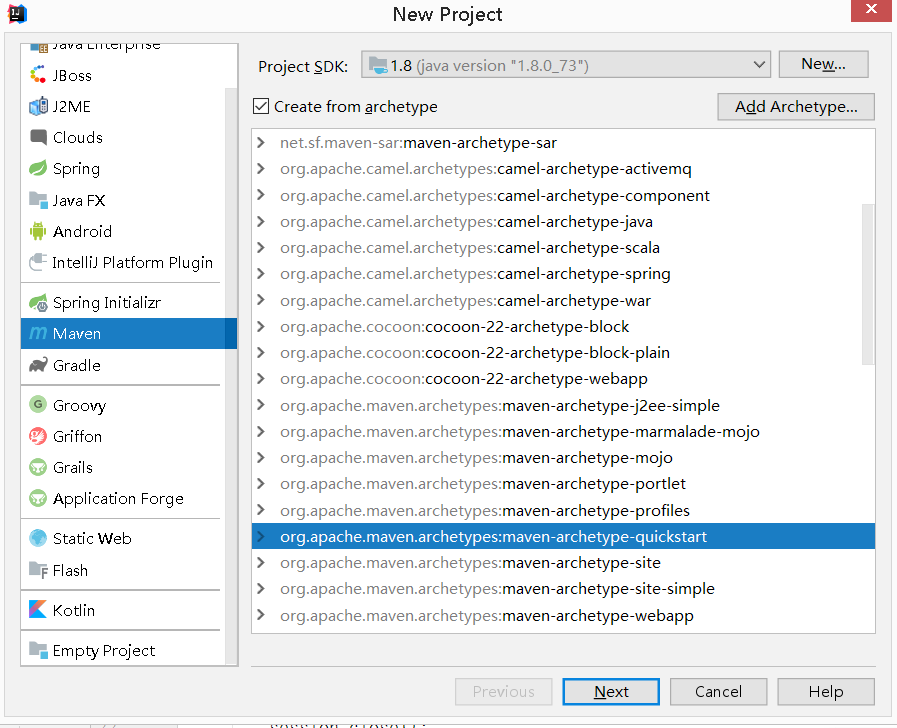
2.接下来的GroupId、ArtifactId,然后再配置Maven的目录、配置文件、以及本地仓库目录;最后点击finish完成。
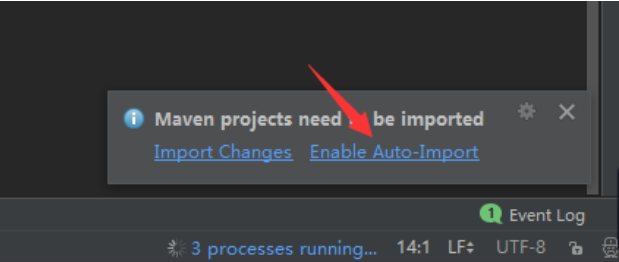
3.进入项目界面后,选择Maven自动导入包,如下图,最后等待初始化完成。
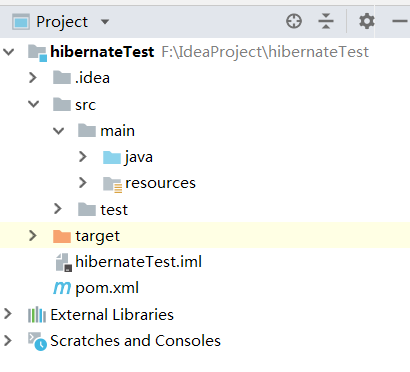
4.初始化完成后,可以看到目录带src文件夹。接下来就要对pom.xml进行配置,让Maven自动下载所需要的依赖包。
5.打开pom.xml进行添加所需要的依赖包,代码如下:
<?xml version="1.0" encoding="UTF-8"?>

<project xmlns="http://maven.apache.org/POM/4.0.0" xmlns:xsi="http://www.w3.org/2001/XMLSchema-instance"
  xsi:schemaLocation="http://maven.apache.org/POM/4.0.0 http://maven.apache.org/xsd/maven-4.0.0.xsd">
  <modelVersion>4.0.0</modelVersion>

  <groupId>com.zwk</groupId>
  <artifactId>hibernateTest</artifactId>
  <version>1.0-SNAPSHOT</version>

  <name>hibernateTest</name>
  <!-- FIXME change it to the project's website -->
  <url>http://www.example.com</url>

  <properties>
    <project.build.sourceEncoding>UTF-8</project.build.sourceEncoding>
    <maven.compiler.source>1.7</maven.compiler.source>
    <maven.compiler.target>1.7</maven.compiler.target>
  </properties>

  <dependencies>
   <!-- 添加junit依赖-->
    <dependency>
      <groupId>junit</groupId>
      <artifactId>junit</artifactId>
      <version>4.11</version>
      <scope>test</scope>
    </dependency>
    <!--添加mysql驱动-->
    <dependency>
      <groupId>mysql</groupId>
      <artifactId>mysql-connector-java</artifactId>
      <version>5.1.39</version>
    </dependency>

    <!--添加hibernate依赖包-->
    <dependency>
      <groupId>org.hibernate</groupId>
      <artifactId>hibernate-core</artifactId>
      <version>4.2.5.Final</version>
    </dependency>
    <dependency>
      <groupId>org.hibernate</groupId>
      <artifactId>hibernate-c3p0</artifactId>
      <version>4.2.5.Final</version>
    </dependency>
  <!--添加C3P0-->
    <dependency>
      <groupId>c3p0</groupId>
      <artifactId>c3p0</artifactId>
      <version>0.9.1.2</version>
    </dependency>
  </dependencies>

  <build>
    <pluginManagement><!-- lock down plugins versions to avoid using Maven defaults (may be moved to parent pom) -->
      <plugins>
        <plugin>
          <artifactId>maven-clean-plugin</artifactId>
          <version>3.0.0</version>
        </plugin>
        <!-- see http://maven.apache.org/ref/current/maven-core/default-bindings.html#Plugin_bindings_for_jar_packaging -->
        <plugin>
          <artifactId>maven-resources-plugin</artifactId>
          <version>3.0.2</version>
        </plugin>
        <plugin>
          <artifactId>maven-compiler-plugin</artifactId>
          <version>3.7.0</version>
        </plugin>
        <plugin>
          <artifactId>maven-surefire-plugin</artifactId>
          <version>2.20.1</version>
        </plugin>
        <plugin>
          <artifactId>maven-jar-plugin</artifactId>
          <version>3.0.2</version>
        </plugin>
        <plugin>
          <artifactId>maven-install-plugin</artifactId>
          <version>2.5.2</version>
        </plugin>
        <plugin>
          <artifactId>maven-deploy-plugin</artifactId>
          <version>2.8.2</version>
        </plugin>
      </plugins>
    </pluginManagement>
  </build>
</project>
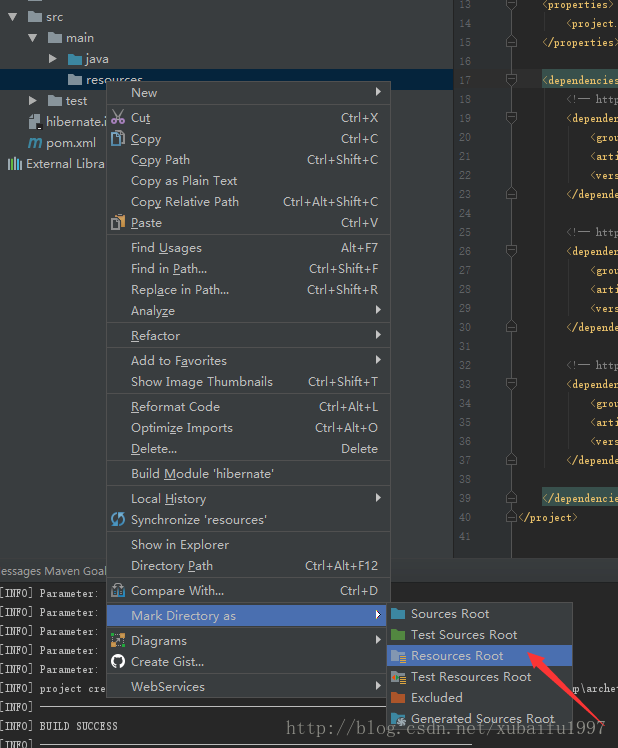
6.对项目目录进行必要的配置
- 在main目录下添加resources文件夹,并且设置为resource
- 在test目录下添加resources文件夹,并设置为test-resource
7.添加hibernate的配置文件hibernate.cfg.xml
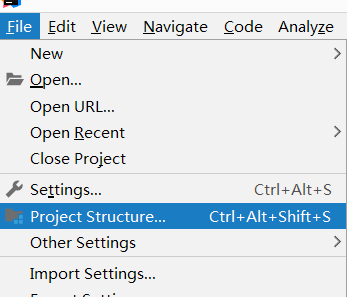
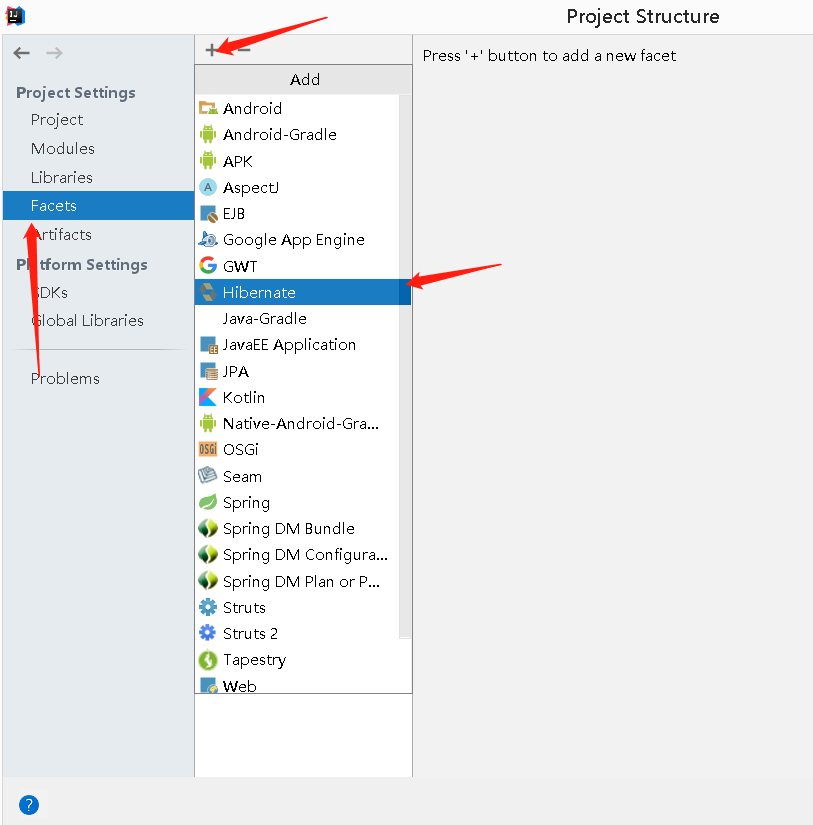
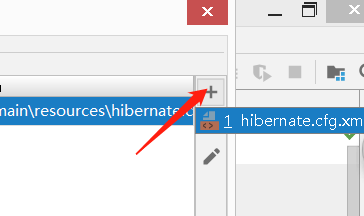
8. 配置hibernate.cfg.xml配置
<?xml version='1.0' encoding='utf-8'?>
<!DOCTYPE hibernate-configuration PUBLIC
    "-//Hibernate/Hibernate Configuration DTD//EN"
    "http://www.hibernate.org/dtd/hibernate-configuration-3.0.dtd">
<hibernate-configuration>
  <session-factory>
    <property name="connection.username">root</property>
    <property name="connection.password">zwkkwz</property>
    <property name="connection.driver_class">com.mysql.jdbc.Driver</property>
    <property name="connection.url">jdbc:mysql://localhost/mytest</property>
    <!--  数据库方言  -->
    <property name="dialect">org.hibernate.dialect.MySQLDialect</property>
    <!--  显示sql语句  -->
    <property name="show_sql">true</property>
    <!--  格式化sql语句  -->
    <property name="format_sql">true</property>

<property name="hibernate.connection.provider_class">
  org.hibernate.service.jdbc.connections.internal.C3P0ConnectionProvider
</property>
    <property name="hibernate.c3p0.min_size">5</property>
    <!-- 连接池中最大连接数 -->
    <property name="hibernate.c3p0.max_size">20</property>
    <!-- 设定数据库连接超时时间,以秒为单位。如果连接池中某个数据库连接处于空闲状态且超过timeout秒时,就会从连接池中移除 -->
    <property name="hibernate.c3p0.timeout">120</property>
    <!-- 设置数据库 -->
    <property name="hibernate.c3p0.idle_test_period">3000</property>

    <mapping class="com.zwk.UserEntity"></mapping>
  </session-factory>
</hibernate-configuration>
9.打开Idea的数据库可视化工具,连接Mysql
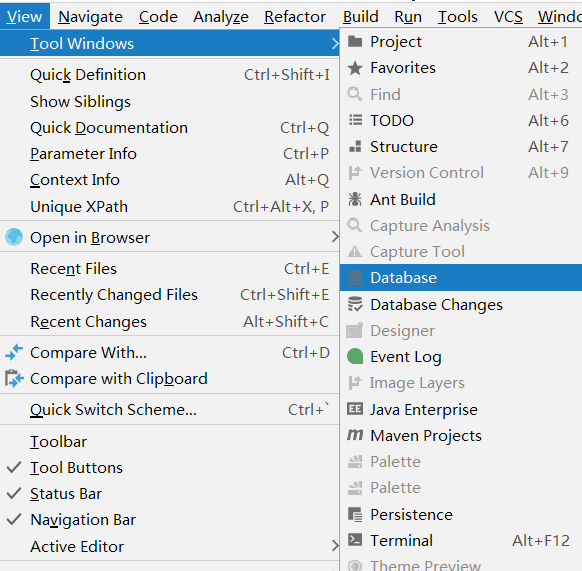
接下来就是输入用户名和密码连接mysql并建表。
10.生成hibernate的数据库映射类
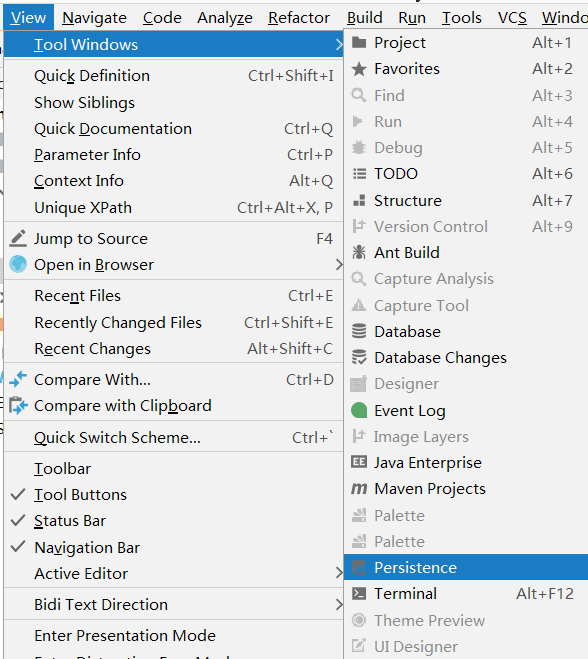
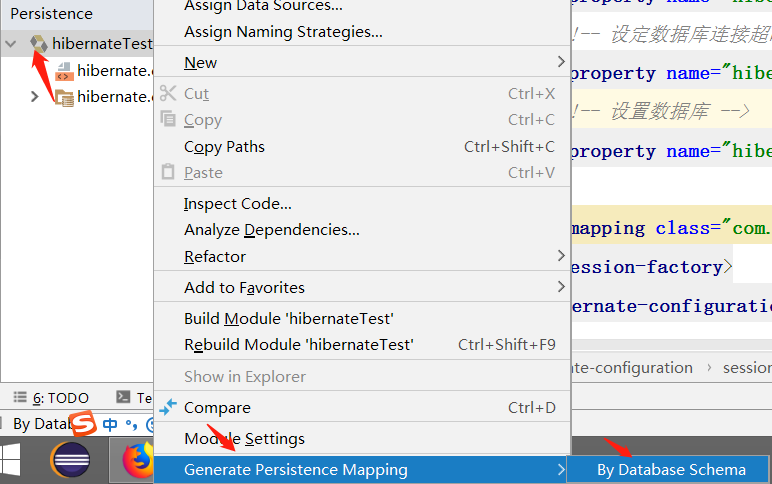
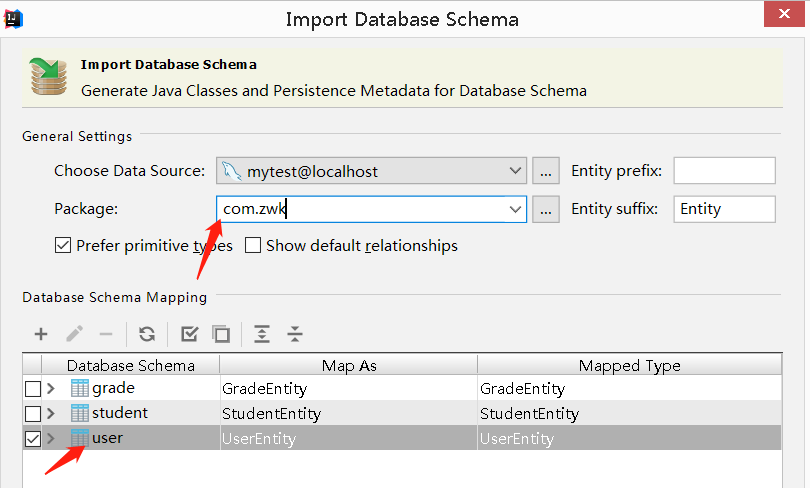
11.给映射类加一个无参构造方法,有参构造方法可加可不加,如图: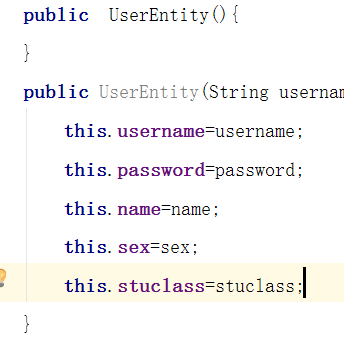
12.配置hibernate.cfg.xml,添加刚刚生成的类
13.进行单元测试
- @Before:测试程序运行之前的准备操作
- @Test:测试程序运行
- @After:测试程序运行后
import com.zwk.UserEntity;
import org.hibernate.Session;
import org.hibernate.SessionFactory;
import org.hibernate.Transaction;
import org.hibernate.cfg.Configuration;

public class Test
{
    public static void test(){
        Configuration configuration=new Configuration().configure();
        SessionFactory sessionFactory=configuration.buildSessionFactory();
        Session session=sessionFactory.openSession();
        Transaction t=session.beginTransaction();
        UserEntity u=new UserEntity();
        u.setName("124");
        u.setPassword("123");
        u.setSex("12");
        u.setStuclass("12");
        u.setUsername("214");
        session.save(u);
        t.commit();
        session.close();


    }
    public static void main(String[] args){
        test();
        System.out.println("12");

    }
}
运行测试,成功。

 浙公网安备 33010602011771号