
逻辑:打开微信小程序,默认首先展示的是/pages/index/index页面,所以我们的欢迎页面写在index页面中,然后在欢迎页面通过点击跳转到首页/pages/home/index页面,由于首页是tab页面,故需要通过switchTab进行跳转,而不能用navigateTo进行跳转。
一、编写欢迎页
index.wxml
<view>
    <!-- 轮播图 开始 -->
    <view class="index_swiper">
        <swiper
         indicator-dots="true"
         indicator-color="rgba(0,0,0,.3)"
         autoplay="true"
         interval="5000"
         duration="1000"
         circular="true"
        >
            <swiper-item wx:for="{{swiperList}}" wx:key="id">
                <navigator url="{{item.navigate_url}}" open-type="{{item.open_type}}">
                    <image
                     src="{{item.image_src}}"
                     mode="scaleToFill"
                     lazy-load="false"
                    ></image>
                </navigator>
            </swiper-item>
        </swiper>
    </view>
    <!-- 轮播图 结束 -->
  <view class="moto-container" bindtap="navigateToHome">
    <text class="moto">跳过</text>
  </view>
</view>
index.js
// pages/index/index.js
Page({

  /**
   * 页面的初始数据
   */
  data: {
    swiperList: [
        {
            id: 1,
            image_src: "http://ip:8981/welcome-img1.png",
            navigate_url: "/pages/home/index",
            open_type: "switchTab"
        },
        {
            id: 2,
            image_src: "http://ip:8981/welcome-img2.png",
            navigate_url: "/pages/home/index",
            open_type: "switchTab"
        },
        {
            id: 3,
            image_src: "http://ip:8981/welcome-img3.png",
            navigate_url: "/pages/home/index",
            open_type: "switchTab"
        }
    ],
  },
  navigateToHome:function(e){
    //获取data-name传递的参数
    wx.switchTab({
      url: '/pages/home/index'
    });
  },
  /**
   * 生命周期函数--监听页面加载
   */
  onLoad(options) {

  },
})
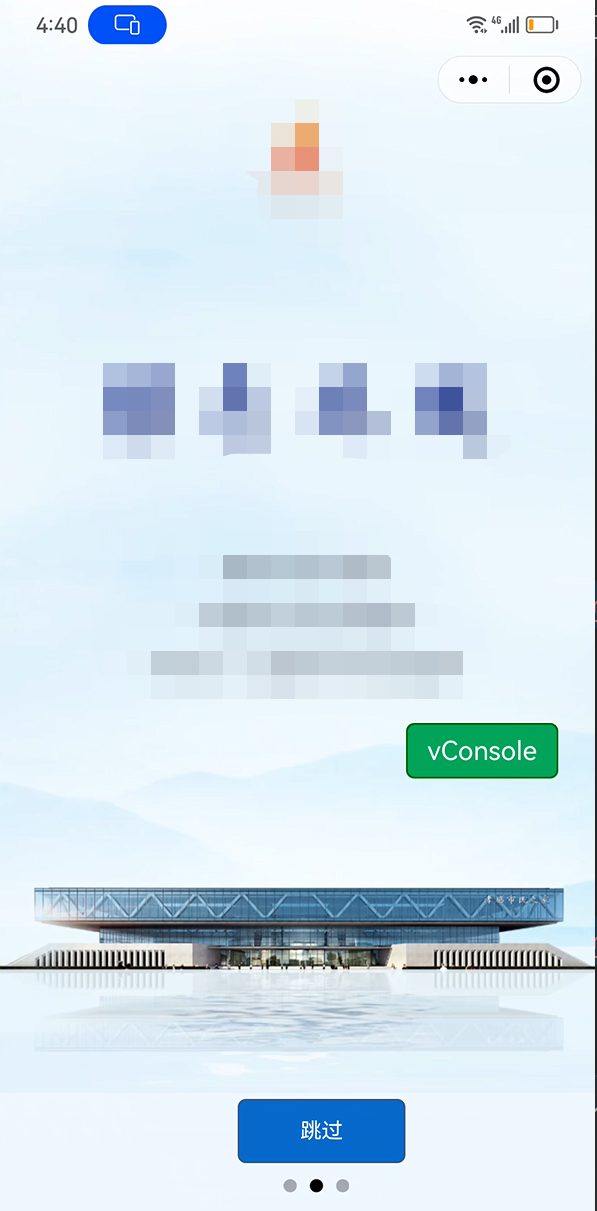
注意:用wx.switchTab跳转到tab页面。
效果如下:

 浙公网安备 33010602011771号