
测试 | pytest 测试框架详解
1、安装、更新pytest。(可在命令行输入此命令 或者是 pycharm的Terminal。)
pip install pytest。pip install -U pytest (pytest 命令行区别大小写)。
2、pytest 命令执行当前文件夹以及子文件夹下所有以test_开头的文件。
3、pytest **.py 执行某一个文件。(根目录相对路径)。
4、pytest -v -s (-v详细信息,-s打印信息)***.py。
5、如果assert断言有多个,第一个断言失败之后文件不执行。用pytest.assume()断言。
6、pytest -q (quite)***.py 静默执行 只得到测试结果。
7、pytest ***.py::类名::测试用例函数名 执行某一个测试用例函数。
8、失败后停止 -x
9、--maxfail = 5 失败到达5个停止
10、指定执行某个测试用例类下面的测试用例函数 pytest -k 类名
11、失败后重新运行 --reruns = 3 重试3次 、 --reruns-delay = 5 延时5秒再试
安装库文件 pytest-rerunfailures 或 pip install pytest-rerunfailures
pytest -v -s --reruns = 3 **.py --reruns-delay = 5
12、多进程运行pytest **.py -n 2 (两个进程)
安装 pytest-xdist 库文件
13、mark 标记(支持自定义标记)
a.跳过某些用例 @pytest.mark.skip('跳过原因')
b.冒烟用例 ( 执行某些条用例 )
测试用例函数上加:
@pytest.mark.maoyan(smoke)
执行以下命令运行冒烟用例:
pytest -m maoyan(smoke) **.py
c.参数化 @pytest.mark.parametrize("x,y,r",list)
数据格式: list = [(1,1,2),(1,1,22),(1,4,5)]
@pytest.mark.parametrize("x,y,r",list)
def test_add(self,x,y,r):
pass
14、setup 与 teardown 函数 (开始函数、结束函数)
函数级别:setup 与 teardown
类级别:setup_class 与 teardown_class
15、pytest测试报告 安装pytest-html库 或 pip install pytest-html
执行命令时 添加属性 报告的保存路径 --html=./report/result.html
16、fixture 标签
场景:测试之前准备工作:准备测试数据 读取数据库;给测试用例函数传递数据。
@pytest.fixture()
参数:
scope 作用域: 测试用例函数(function)、类(class)、py文件(moudle)
params 列表 : [{键值对,键值对},{},{}]
autouse 自动调用 fixture 默认false
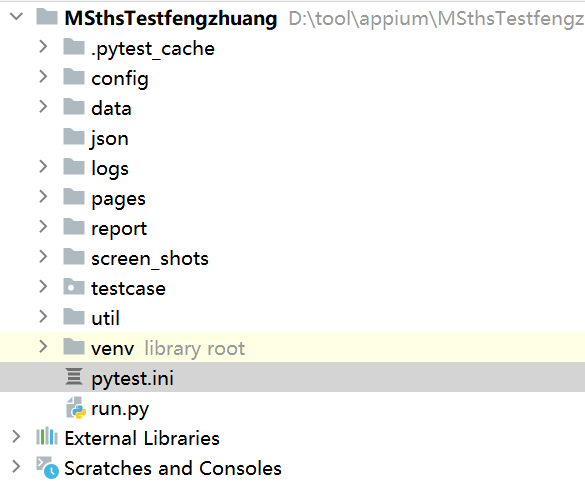
17、 pytest.ini(此文件在项目的跟目录下才能生效。)
[pytest]
addopts = 指令
testpaths = ../testcase
python_files = test_*.py
python_classes = Test*
python_functions = test_*

 浙公网安备 33010602011771号