Google双向认证
1.Goodle Authenticator介绍
一般直接通过ssh输入密码连接服务器,很容易出现暴力破解情况,所以我们可以结合google的动态认证+ssh密码,这样能够提升登陆的安全性。
2.Google Authenticator安装部署
1.安装依赖:
	yum -y install pam-devel libpng-devel autoconf automake libtool
2.下载Google apm插件:
	官方地址:
		wget https://github.com/google/google-authenticator-libpam/archive/1.04.tar.gz
	个人地址:
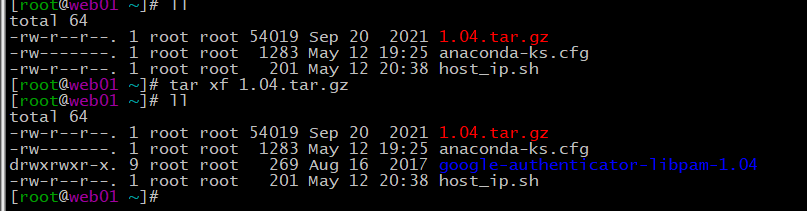
		wget http://test.driverzeng.com/other/1.04.tar.gz
![]()
3.解压压缩包
![]()
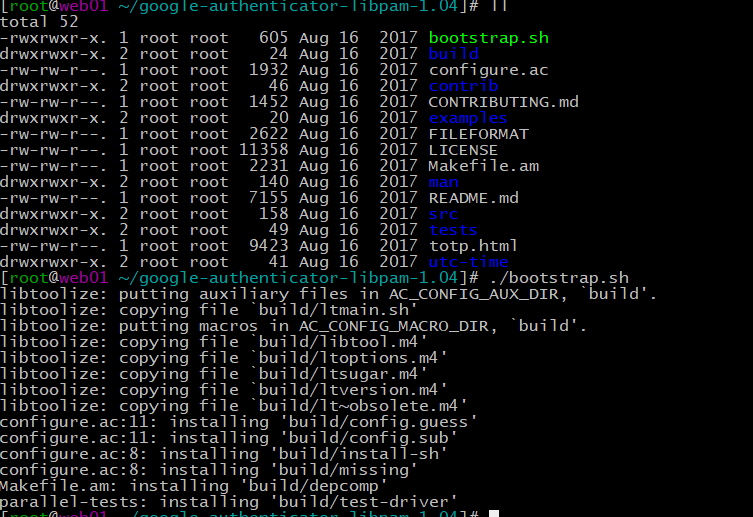
4.进入目录构建代码:./bootstrap.sh
![]()
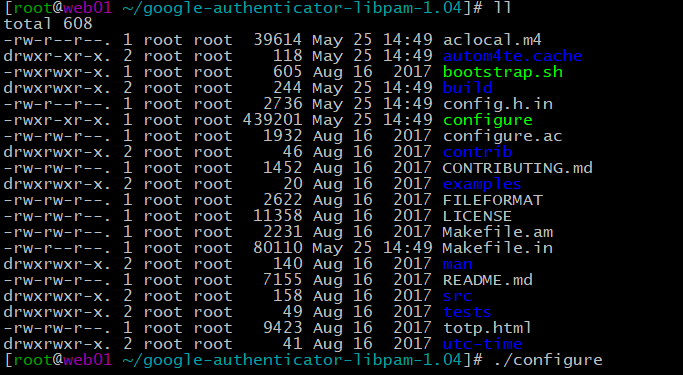
5.生成:./configurc
![]()
6.编译与安装:make && make install
7.检查插件是否安装成功
	[root@web01 ~/google-authenticator-libpam-1.04]# ll /usr/local/lib/security/
    total 136
    -rwxr-xr-x. 1 root root   1021 May 25 14:52 pam_google_authenticator.la
    -rwxr-xr-x. 1 root root 133552 May 25 14:52 pam_google_authenticator.so
8.将安装好的插件拷贝到系统库文件中
	 cp /usr/local/lib/security/pam_google_authenticator
.so /lib64/security/
9.生成初始google认证识别码:google-authenticator
	# 认证令牌随时间变化
	Do you want authentication tokens to be time-based (y/n)
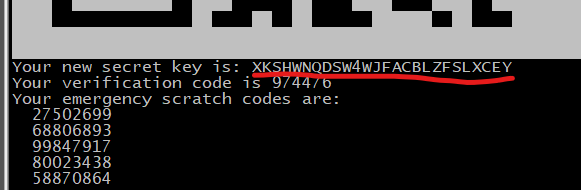
	# 使用google身份验证器扫描此二维码或输入认证码
![]()
Do you want me to update your "/root/.google_authenticator" file? (y/n) y

Do you want to disallow multiple uses of the same authentication
token? This restricts you to one login about every 30s, but it increases
your chances to notice or even prevent man-in-the-middle attacks (y/n) y

By default, a new token is generated every 30 seconds by the mobile app.
In order to compensate for possible time-skew between the client and the server,
we allow an extra token before and after the current time. This allows for a
time skew of up to 30 seconds between authentication server and client. If you
experience problems with poor time synchronization, you can increase the window
from its default size of 3 permitted codes (one previous code, the current
code, the next code) to 17 permitted codes (the 8 previous codes, the current
code, and the 8 next codes). This will permit for a time skew of up to 4 minutes
between client and server.
Do you want to do so? (y/n) y

If the computer that you are logging into isn't hardened against brute-force
login attempts, you can enable rate-limiting for the authentication module.
By default, this limits attackers to no more than 3 login attempts every 30s.
Do you want to enable rate-limiting? (y/n) y
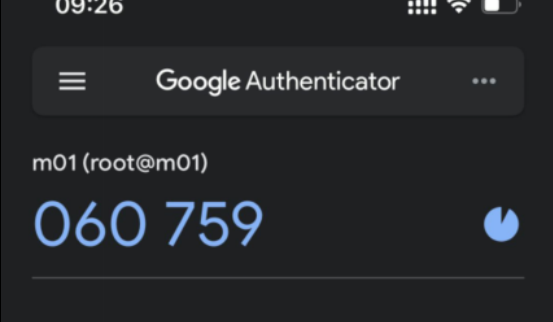
## 手机上生成的动态认证令牌
![]()
10.将google 2FA接入到SSH
	1.修改ssh认证配置:vim /etc/pam.d/sshd
	auth required pam_google_authenticator.so
	2.修改ssh配置文件,关联Google认证,关闭GSSAPI认证和反向解析
	 69 ChallengeResponseAuthentication yes
	 79 GSSAPIAuthentication no
	 115 UseDNS no
11.重启配置文件
	systemctl restart sshd
12.重新连接
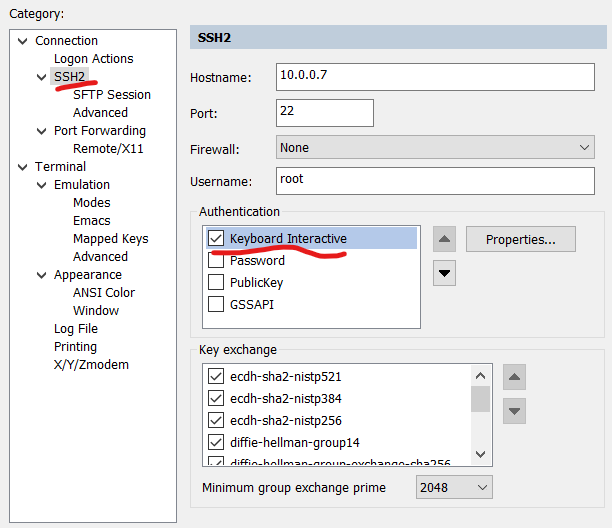
	1.修改属性,将Keyboard Interactive移至最上面并将其他三个取消勾选
![]()
	2.连接
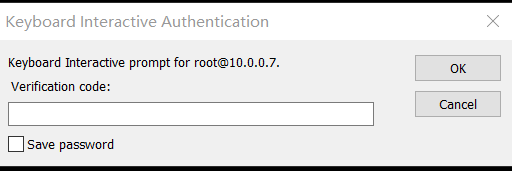
		## 输入动态认证码
![]()
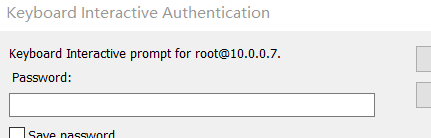
## 输入密码
![]()
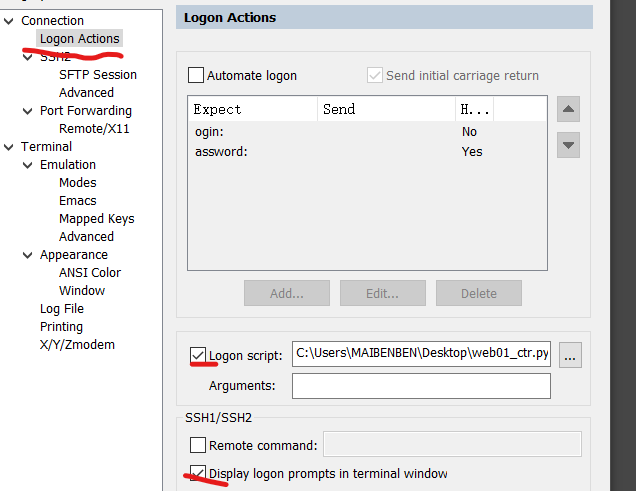
3.使用python脚本免交互登录CTR
1.先编写python脚本
# $language = "python"
# $interface = "1.0"
import hmac, base64, struct, hashlib, time,re

#获取当前脚本所在的tab对象
objTab = crt.GetScriptTab()
#objTab = crt.GetActiveTab()
objTab.Screen.Synchronous = True
objTab.Screen.IgnoreEscape = True
#获取终端名字
tabName=objTab.Caption
reIp=r'\d{1,3}\.\d{1,3}\.\d{1,3}\.\d{1,3}'
hostIp=re.findall(reIp,tabName)[0]
secretKey="google密码认证"

def calGoogleCode(secretKey):
    #secreKey 需要是8的倍数
    t = int(time.time())//30
    lens = len(secretKey)
    lenx = 8 - (lens % 4 if lens % 4 else 4)
    secretKey += lenx * '='
    key = base64.b32decode(secretKey)
    msg = struct.pack(">Q", t)
    googleCode = hmac.new(key, msg, hashlib.sha1).digest()
    o = ord(str(googleCode[19])) & 15
    googleCode = str((struct.unpack(">I", googleCode[o:o+4])[0] & 0x7fffffff) % 1000000)
    return googleCode.zfill(6)

def get_string(objTab,szStart,szPrompt):
    objTab.Screen.WaitForStrings(szStart)
    return objTab.Screen.ReadString(szPrompt)
def send_string(objTab,waitString,strings,selfSleepTime=20):
    objTab.Screen.WaitForStrings(waitString)
    time.sleep(0.0001)
    for i in strings:
        crt.Sleep(5)
        objTab.Screen.Send(i)
    # time.sleep(0.0001)
    objTab.Screen.WaitForStrings(strings)
    if strings[-1] != '\r':
        objTab.Screen.Send('\r')
    #msg(objTab.Screen.ReadString('[ q ]'))
    # time.sleep(0.0001)

def send_pass(objTab,waitString,strings):
    objTab.Screen.WaitForStrings(waitString)
    for i in strings:
        crt.Sleep(5)
        objTab.Screen.Send(i)
    if strings[-1] != '\r':
        objTab.Screen.Send('\r')
    time.sleep(0.01)

#发送2fa
send_pass(objTab,'Verification code:',calGoogleCode(secretKey))
## 发送密码
send_pass(objTab,'Password: ','1')   # '1' 是服务器的密码
#发送登录ip
send_string(objTab,'Opt> ',hostIp)

#objTab.Screen.WaitForStrings("[MFA auth]: ","")
#if objTab.Screen.WaitForStrings("Opt> ",1):
#    #发送登录ip  克隆会话,不需要二次验证码
#    send_string(objTab,'Opt> ',hostIp)
#else:
#    #发送2fa
#    send_pass(objTab,'[MFA auth]: ',calGoogleCode(secretKey))
#    #发送登录ip
#    send_string(objTab,'Opt> ',hostIp)
2.修改属性
![]()
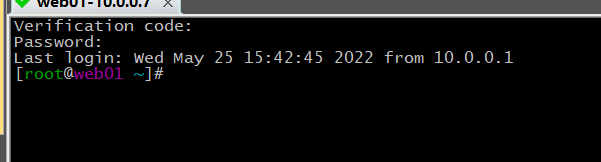
3.登录
![]()



 浙公网安备 33010602011771号