


springboot使用outlook发送邮件
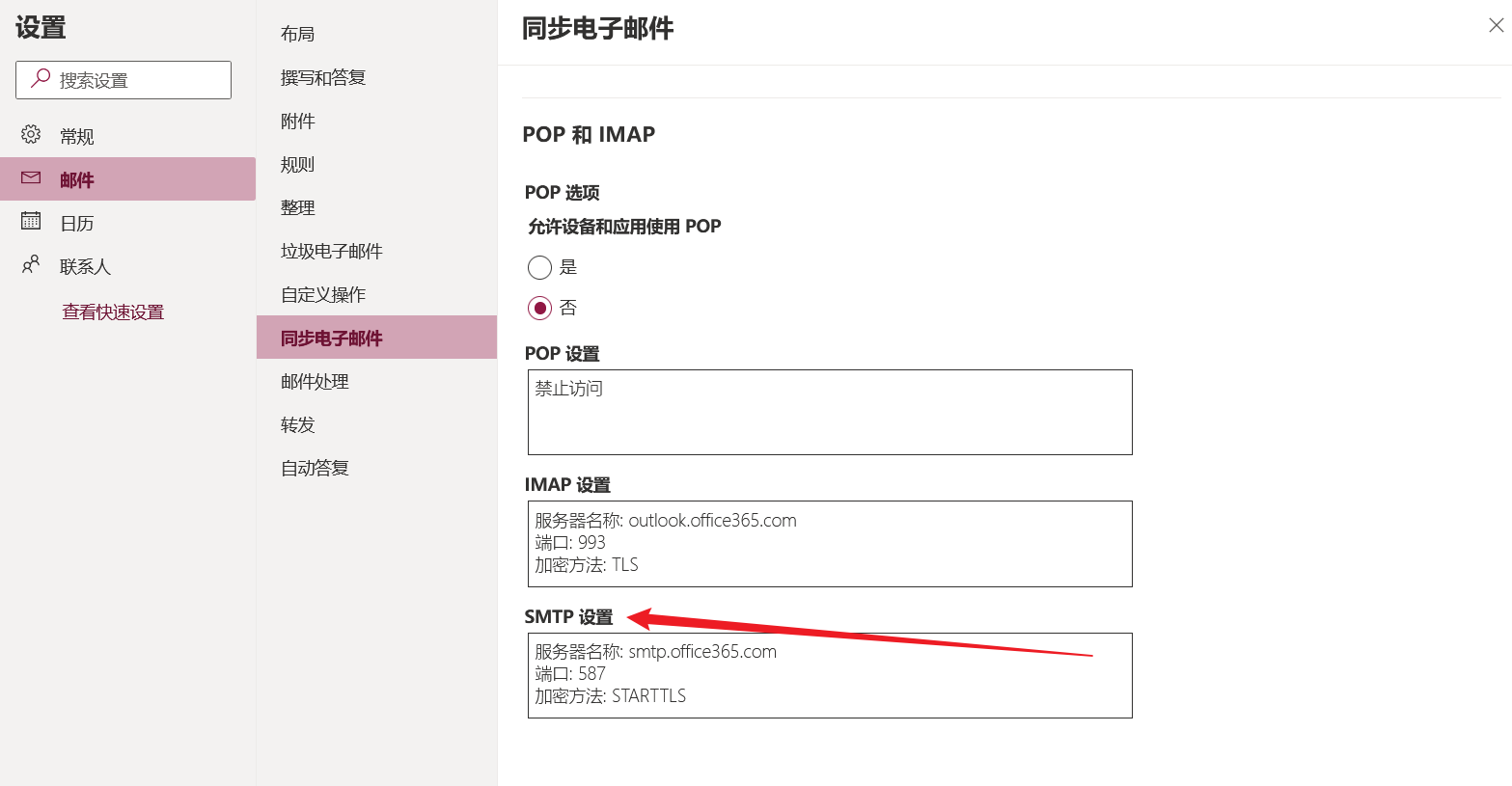
1、开启SMTP
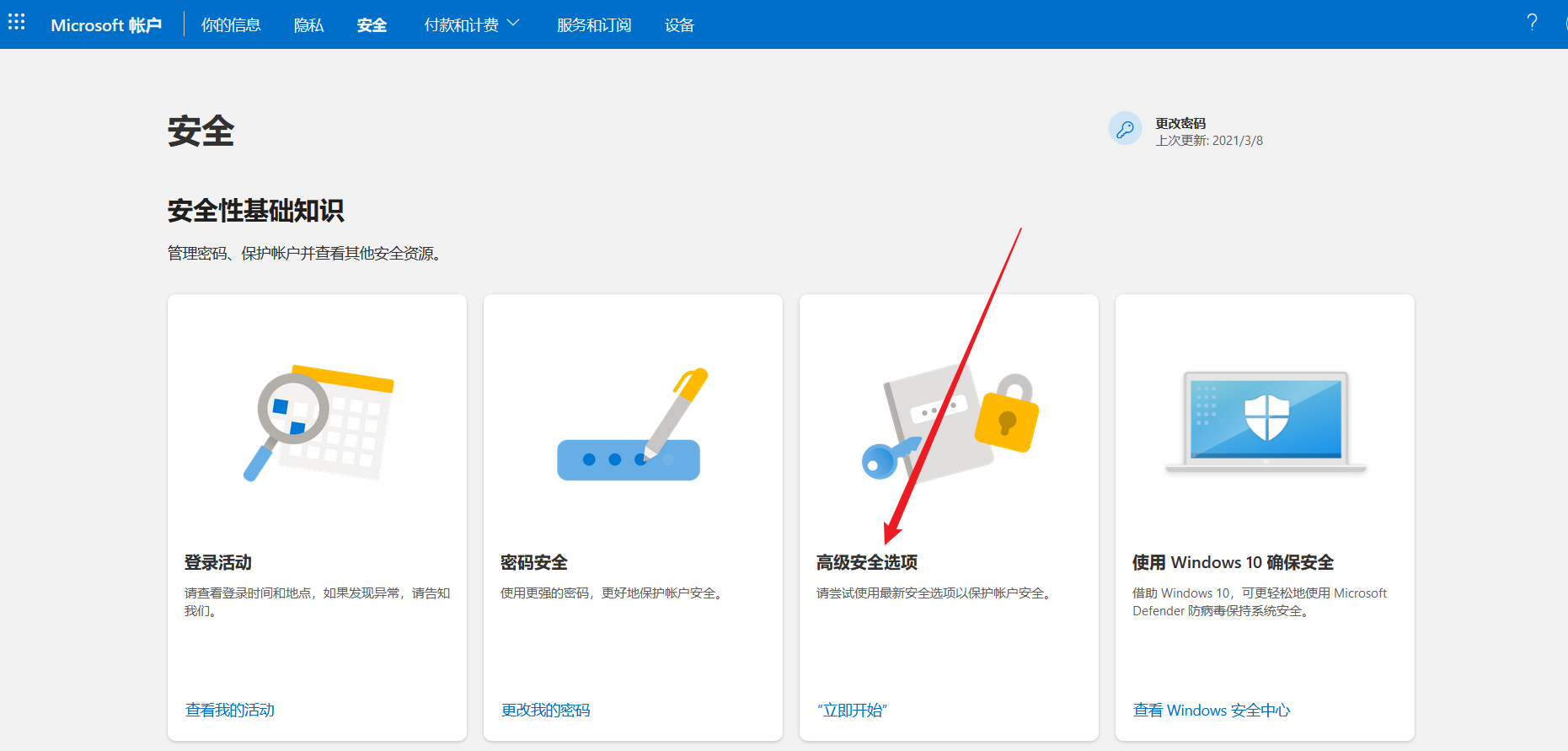
2、获得应用密码

3、导入依赖
  <dependency>
     <groupId>org.springframework.boot</groupId>
     <artifactId>spring-boot-starter-mail</artifactId>
  </dependency>
4、配置文件
spring.mail.username=xxxxxxx@outlook.com
# 此password为应用密码,非登录密码
spring.mail.password=xxxxxxxx
spring.mail.host=smtp.office365.com
spring.mail.port=587
# 自定义属性
spring.mail.properties.mail.smtp.auth=true
spring.mail.properties.mail.smtp.starttls.enable=true
spring.mail.properties.mail.smtp.ssl.socketFactory.class=com.sun.mail.util.MailSSLSocketFactory
spring.mail.properties.mail.smtp.ssl.socketFactory.fallback=false
spring.mail.default-encoding=UTF-8
5、测试
@SpringBootTest
class Springboot14MailApplicationTests {


    @Resource
    JavaMailSenderImpl mailSender;

    @Test
    public void contextLoads() {
        //邮件设置1:一个简单的邮件
        SimpleMailMessage message = new SimpleMailMessage();
        message.setSubject("通知");
        message.setText("今晚7:30开会");

        message.setTo("1173203827@qq.com");
        message.setFrom("xxxx@outlook.com");
        mailSender.send(message);
    }

}

 浙公网安备 33010602011771号