
CSS 学习笔记
什麽是CSS
如何学习
1、CSS是什麽
2、CSS怎么用(快速入门)
3、CSS选择器(重点+难点)
4、美化网页(文字,阴影,超链接,列表,渐变……)
5、盒子模型
6、浮动
7、定位
8、网页动画(特效效果)
1.1什麽是CSS
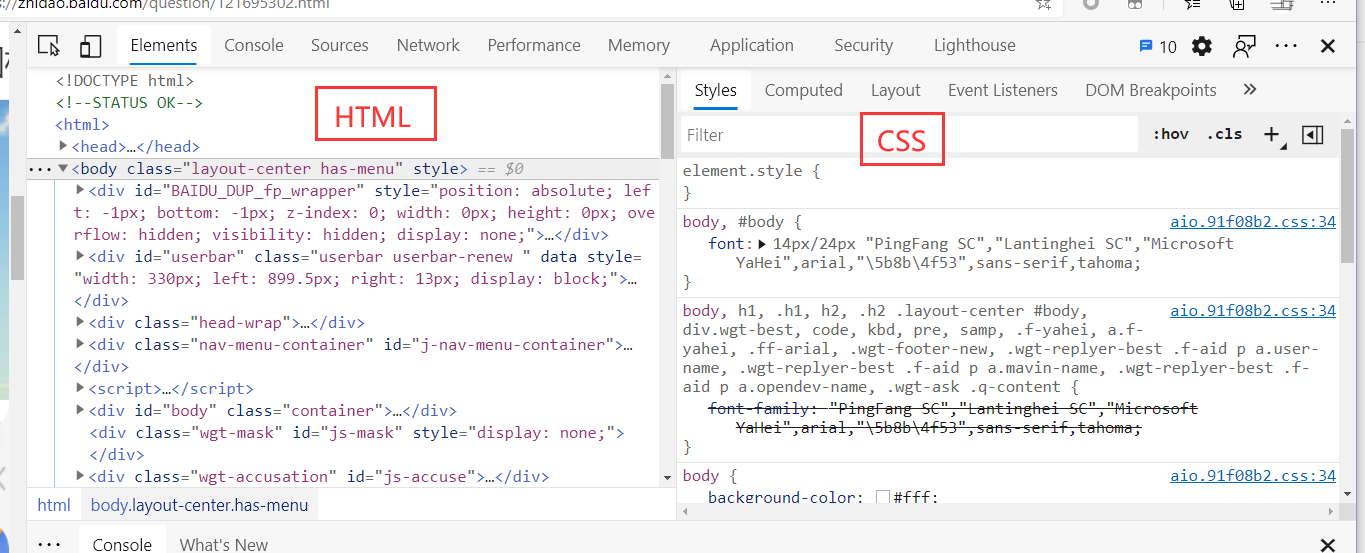
Cascading Style Sheet 层叠级联样式表
CSS:表现(美化网页)
字体,颜色,边距,高度,宽度,背景图片,网页定位,网页浮动
1.2发展史
CSS1.0
CSS2.0 DIV(块)+ CSS,HTML 与CSS结构分离的思想,网页变得简单,SEO(搜索引擎)
CSS2.1 浮动 ,定位
CSS3.0 圆角,阴影,动画..浏览器兼容性~
1.3快速入门
或者
<link rel="stylesheet" href="css/style.css">
养成习惯:在demo里面建一个CSS文件夹,外面是index.html文件
CSS语法: 每一个语句最好以分号结尾
选择器{
	声明1;
	声明2;
	声明3;
}
CSS的优势:
1、内容和表现分离
2、网页结构表现统一,可以实现复用
3、样式十分丰富
4、建议使用独立于html的CSS文件
5、利用SEO,容易被搜索引擎收录
1.4CSS的n种导入形式
最简单的:
<h1 style="color: red"> </h1>
内部样式:
外部样式:新建一个CSS文件link进来
优先级:就近原则
拓展:外部样式两种写法
- CSS3 链接式, 加载完再显示
- CSS2.1 导入式 先加载html再渲染,必须加入style标签中
<style>
	@import url("css/style.css");
</style>
2.选择器
2.1 、基本选择器
1、标签选择器 选择一类标签 标签{}
2、类选择器 选择所有class一样的标签 .类名{}
3、id 选择器 选择id的标签 #id{}
id > class > 标签
2.1.1 标签选择器:
<style>
	/*会选择到页面上所有的这个标签的元素*/
	h1{
		color : #000000;
		backbround : #111111;
	}
</style>
2.1.2 类选择器: 让每一个元素都有一个class属性,通过这个class选择,好处:可以多个标签归类,是同一个class
	.zzw{
		color : #000000;
		backbround : #111111;
	}
2.1.3 ID选择器: 让每一个元素,ID不能复用,全球唯一
#id1{
	color : #000000;
	backbround : #111111;
}
不遵循就近原则,固定的
2.2 层次选择器
0、层次选择器不改变自身的样式
1、后代选择器 : 再某个元素后面 祖爷爷、爸爸,你,孙子,全部子孙都会变style
/*后代选择器*/
body p{
    background: red;
}
2、子选择器:在某个元素后面的第一代子类。
/*子选择器*/
body>p{
    background: red;
}
3、相邻兄弟选择器 只有一个,而且是下面
.class1 + p{

}
4、通用选择器 当前选中元素的向下的所有兄弟元素
.class1 ~ p{

}
2.3结构伪类选择器
<!DOCTYPE html>
<html lang="en">
<head>
    <meta charset="UTF-8">
    <title>Title</title>


    <style>
        /*ul li的第一个子元素*/
        ul li:first-child{
            background: aqua;
        }
        /*ul li的最后子元素*/
        ul li:last-child{
            background: aqua;
        }

        /*选中p1 定位到父元素找到当前的第一个元素*/
        /*选择当前P元素的父级元素,选中父级元素的第一个,并且是当前元素才生效!*/
        p:nth-child(1){
        }

        /*选中父元素:下的p元素的第二个,类型*/
        p:nth-of-type(2){
            background: yellow;
        }
    </style>

</head>
<body>
    <p>p1</p>
    <p>p2</p>
    <p>p3</p>
    <ul>
        <li>li1</li>
        <li>li2</li>
        <li>li3</li>
    </ul>
</body>
</html>
2.4 属性选择器
<!DOCTYPE html>
<html lang="en">
<head>
    <meta charset="UTF-8">
    <title>Title</title>


    <style>
        .demo a{
            float: left;
            display: block;
            height: 50px;
            width: 50px;
            background: aqua;
            border-radius: 10px;
            text-align: center;
            color: gold;
            text-decoration: none;
            margin-right: 5px;
            font: bold 20px/50px Arial;
        }

        /*id = first的元素*/
        a[id=first]{
            background: blue;
        }
        /*存在id属性的元素 a[]{}  属性名 = 属性值(正则)*/
        a[id]{
            background: yellow;
        }
        /*class 中有 links 的元素*/
        /*  属性值可以加引号可以不加引号
        *=相对等于
        =绝对等于
        ^=匹配正则 以什麽开始
        $=匹配正则 以什麽结尾
        */
        a[class*='links']{
            background: red;
        }

        a[href^=http]{
            background: beige;
        }

        a[href$=png]{
            background: gray;
        }

    </style>

</head>
<body class="demo">

<a href="http://www.baidu.com" class="links item first" id="first"> 1 </a>
<a href="images/123.html" class="links item" > 2 </a>
<a href="images/123.png" class="links item" > 3</a>
<a href="images/123.jpg" class="links item" > 4 </a>
<a href="abc" class="links item" > 5 </a>
<a href="/a.pdf" class="links item" > 6 </a>
<a href="/abc.pdf" class="links item" > 7 </a>
<a href="/abc.doc" class="links item" > 8 </a>
<a href="http://www.baidu.com" class="links item" > 9 </a>
<a href="http://www.baidu.com" class="links item last" id = "last" > 10 </a>


</body>
</html>

3、美化网页元素
3.1为什么要美化网页
1、有效的传递页面信息
2、美化网页,网页漂亮,才能吸引用户
3、凸显网页的主题
4、提高用户体验度
约定俗成
<span>标签

<div> 标签
3.2 文本样式,行样式
<!DOCTYPE html>
<html lang="en">
<head>
    <meta charset="UTF-8">
    <title>Title</title>

    <!--
        font-family:字体
        font-size:字体大小
        font-weight:字体粗细
        字体风格:
        font: 风格 粗体 大小 哪个字体
    -->
    <!--
        段落:
        行高:line-height
        首行缩进:text-indent  : 2em
        块的高度:height
        行高和块儿的高度一致,就可以上下居中

        下划线:text-decoration:underline
        中划线:text-decoration:line-through

        图片和文字垂直对齐: 选中文字和图片,一起进行vertical-align:middle

		阴影颜色,水平偏移,垂直偏移,阴影半径
		:shadow
    -->
    <style>
        body{
            font-family:楷体;
        }
        h1{
            font-size: 50px;
        }
        .demo p{
            font-weight: bold;
        }
    </style>

</head>
<body class="demo">

<h1>故事介绍</h1>

<p>
    bbbbb
</p>
<p>
    bbbbbbbb
</p>

</body>
</html>
3.4 文本,阴影,超链接伪类
<style>
	a{/*超链接有默认的颜色*/
		text-decoration:none;
		color:#000000;
	}
	a:hover{/*鼠标悬浮的状态*/
		color:orange;
	}
	a:active{/*鼠标按住未释放的状态*/
		color:green
	}
	a:visited{/*点击之后的状态*/
		color:red
	}
</style>
阴影
/*	第一个参数:表示水平偏移
	第二个参数:表示垂直偏移
	第三个参数:表示模糊半径
	第四个参数:表示颜色
*/
text-shadow:5px 5px 5px 颜色
3.6 列表
/*list-style{
	none:去掉原点
	circle:空心圆
	decimal:数字
	square:正方形
}*/
ul li{
	height:30px;
	list-style:none;
	text-indent:1em;
}
a{
	text-decoration:none;
	font-size:14px;
	color:#000;
}
a:hover{
	color:orange;
	text-decoration:underline
}
/*放在div中,作为导航栏*/
<div id="nav"></div>
#nav{
	width:300px;
}
3.7、背景
- 背景颜色:background
- 背景图片
background-image:url("");/*默认是全部平铺的*/
background-repeat:repeat-x/*水平平铺*/
background-repeat:repeat-y/*垂直平铺*/
background-repeat:no-repeat/*不平铺*/
3.综合使用
background:red url("图片相对路劲") 270px 10px no-repeat
background-position:/*定位:背景位置*/
3.8、渐变
网址:https://www.grablent.com
径向渐变、圆形渐变
4、盒子模型
4.1什么是盒子模型
- margin:外边距
- padding:内边距
- border:边框
4.2、边框
border:粗细 样式 颜色
-
边框的粗细
-
边框的样式
-
边框的颜色
4.3、外边距----妙用:居中
margin-left/right/top/bottom–>表示四边,可分别设置,也可以同时设置如下
margin:0 0 0 0/*分别表示上、右、下、左;从上开始顺时针*/
/*例1:居中*/
margin:0 auto /*auto表示左右自动*/
/*例2:*/
margin:4px/*表示上、右、下、左都为4px*/
/*例3*/
margin:10px 20px 30px/*表示上为10px,左右为20px,下为30px*/
盒子的计算方式:
margin+border+padding+内容的大小
总结:
body总有一个默认的外边距 margin:0
常见操作:初始化
margin:0;
padding:0;
text-decoration:none;
4.4、圆角边框----border-radius
border-radius有四个参数(顺时针),左上开始
圆圈:圆角=半径

 浙公网安备 33010602011771号