
SpringBoot学习笔记(1)——第一个SpringBoot程序
一、创建方式
- 可以在官网https://start.spring.io直接下载后,导入idea开发
- 直接使用idea创建SpringBoot项目
二、idea快速创建
1. 如下图所示创建项目:
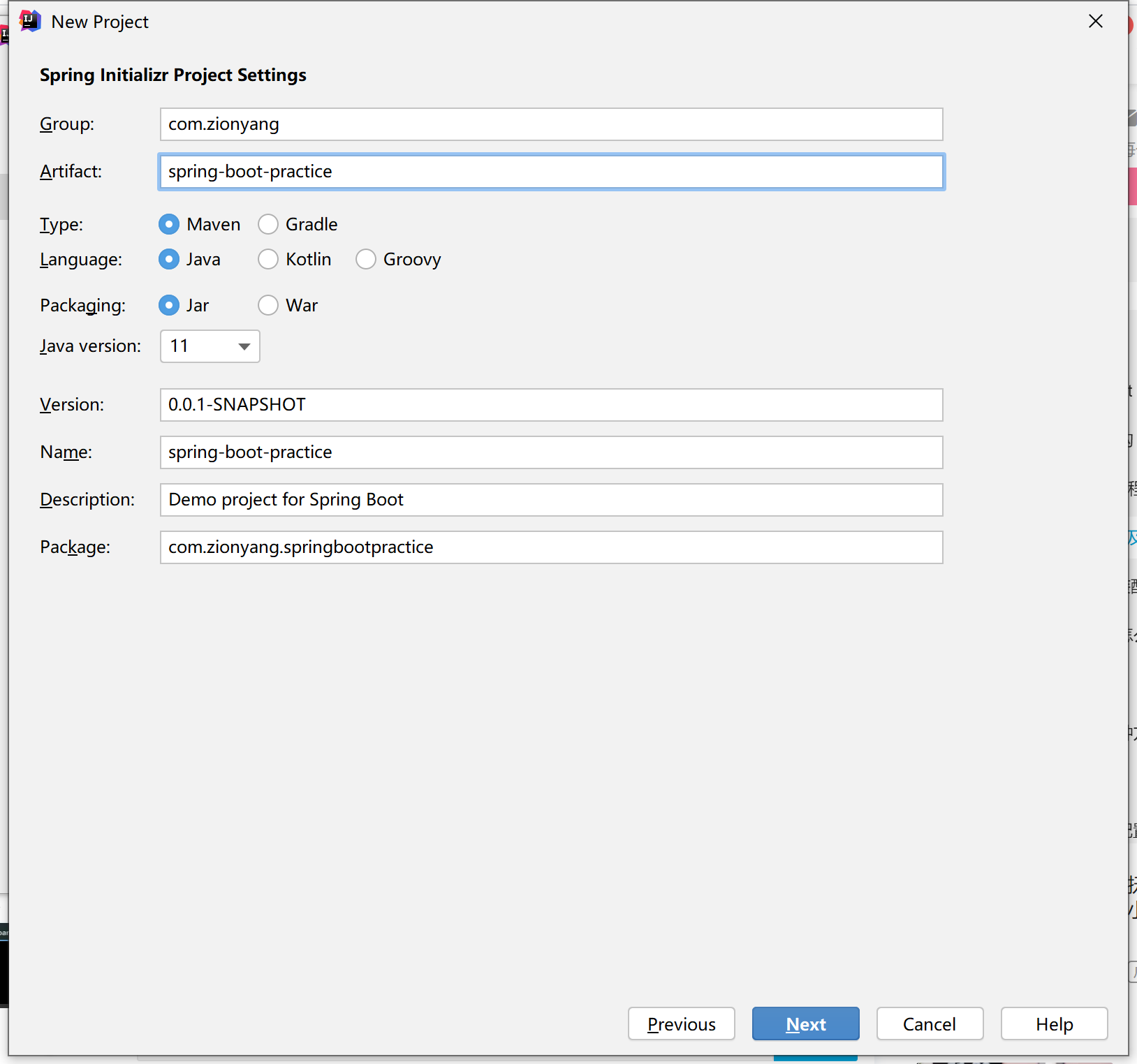
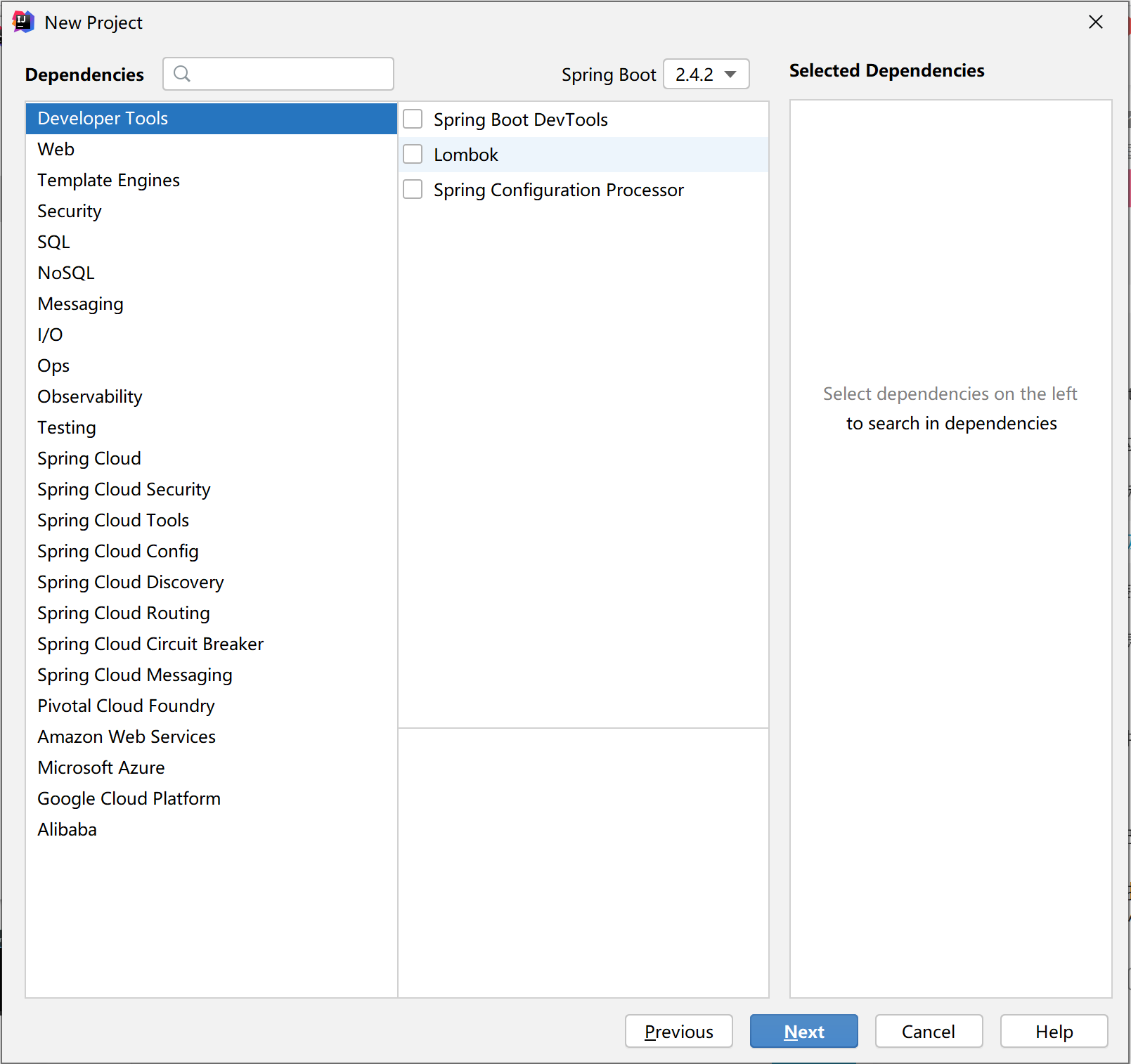
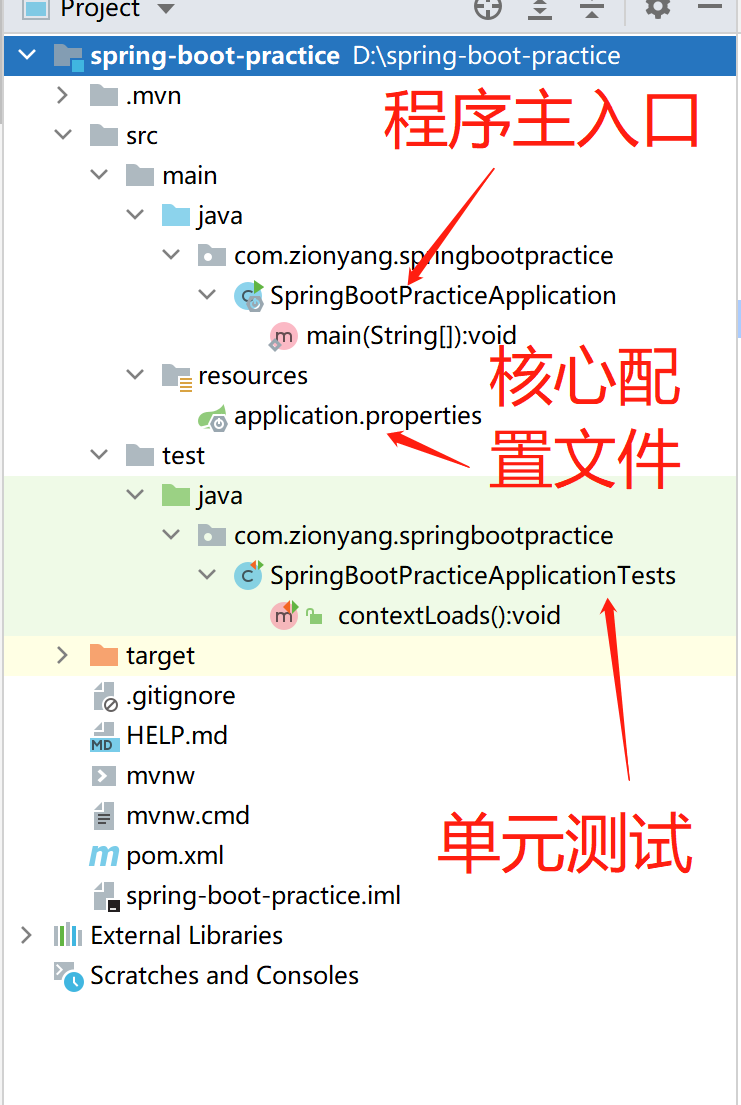
2. 程序的目录结构如下:
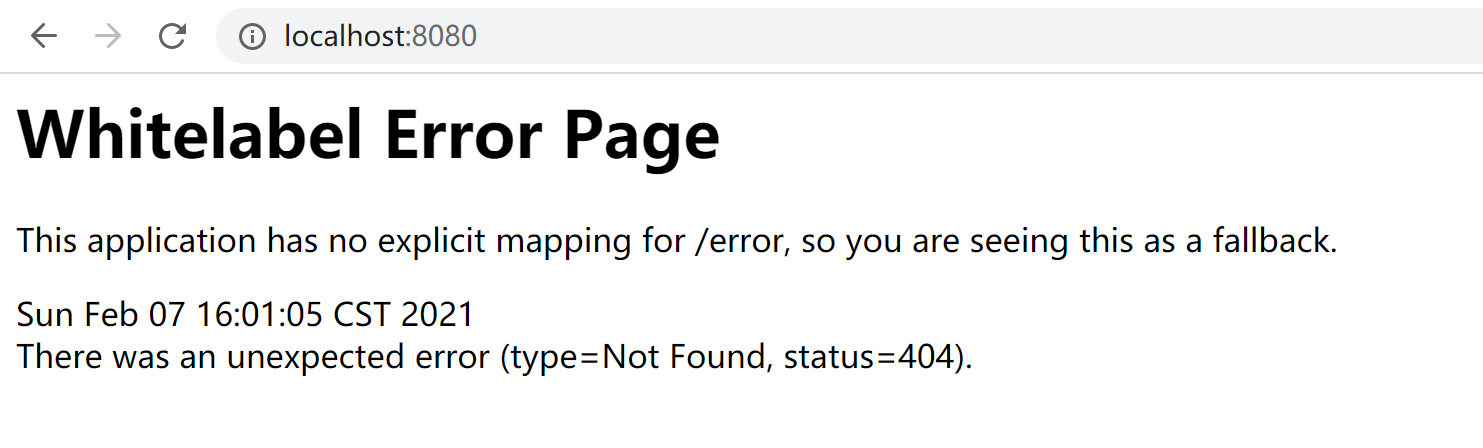
3. 下载好所有的依赖后,启动项目,浏览器访问 localhost:8080:出现如下界面,证明启动成功
4. 注意在pom.xml中要加入这个依赖,否则启动项目会自动停止。
<dependency>
    <groupId>org.springframework.boot</groupId>
    <artifactId>spring-boot-starter-web</artifactId>
</dependency>
5. 看一下pom.xml内容
<?xml version="1.0" encoding="UTF-8"?>
<project xmlns="http://maven.apache.org/POM/4.0.0" xmlns:xsi="http://www.w3.org/2001/XMLSchema-instance"
         xsi:schemaLocation="http://maven.apache.org/POM/4.0.0 https://maven.apache.org/xsd/maven-4.0.0.xsd">
    <modelVersion>4.0.0</modelVersion>
    <parent>
        <groupId>org.springframework.boot</groupId>
        <artifactId>spring-boot-starter-parent</artifactId>
        <version>2.4.2</version>
        <relativePath/> <!-- lookup parent from repository -->
    </parent>
    <groupId>com.zionyang</groupId>
    <artifactId>spring-boot-practice</artifactId>
    <version>0.0.1-SNAPSHOT</version>
    <name>spring-boot-practice</name>
    <description>Demo project for Spring Boot</description>
    <properties>
        <java.version>11</java.version>
        <project.build.sourceEncoding>UTF-8</project.build.sourceEncoding>
    </properties>
    <dependencies>
        <!--   spring-boot-starter:所有spring-boot依赖都是这个开头   -->
        <dependency>
            <groupId>org.springframework.boot</groupId>
            <artifactId>spring-boot-starter</artifactId>
        </dependency>

        <dependency>
            <groupId>org.springframework.boot</groupId>
            <artifactId>spring-boot-starter-test</artifactId>
            <scope>test</scope>
        </dependency>

        <!--   web依赖:tomcat,disPatchServlet,xml等     -->
        <dependency>
            <groupId>org.springframework.boot</groupId>
            <artifactId>spring-boot-starter-web</artifactId>
        </dependency>
    </dependencies>

    <build>
        <!--   打jar包插件    -->
        <plugins>
            <plugin>
                <groupId>org.springframework.boot</groupId>
                <artifactId>spring-boot-maven-plugin</artifactId>
            </plugin>
        </plugins>
    </build>
</project>
6. 创建一个controller,与启动类同级
@RestController
public class HelloController {

    @RequestMapping("hello")
    public String Hello() {
        return "hello";
    }
}
访问 http://localhost:8080/hello,即可看到页面显示hello。
7. 可在application.properties中修改端口号
# 核心配置文件
# 修改端口号
server.port=8081

 浙公网安备 33010602011771号