

vim 的配置文件 ctags cscope
set nu 是指设置行号,但这只能让本次的编辑显示行号,要想让每次编辑都显示行号就要设置配置文件。
cd ~/
ls -al
就可以显示出 .vimrc 文件,这是普通用户的vim配置文件,root用户的vim 配置文件在 /etc/.vimrc 中
如果普通用户没有配置文件,可以新建一个,或者将root用户的配置文件复制过来,然后做适当修改。
“ 号,表示注释
sytax on 表示语法高亮
set cursorline 表示光标一栏突出。即 ,颜色会有变化。
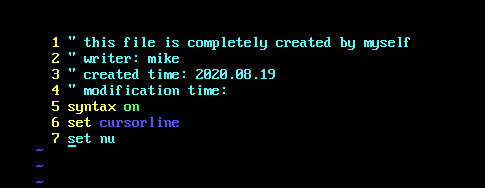
下面是我自己的.vimrc 文件
  1
  2 syntax on
  3
  4
  5 set nu
  6
  7
  8
  9 " 下一行自动与上一行对其
 10 set autoindent
 11
 12
 13 "设置tap 键的空格数量
 14 set tabstop=4
 15
 16
 17 "光标所在的一行会突出
 18 set cursorline
 19
 20
 21 "搜索时自动高亮
 22 set hlsearch
 23
 24 "设置搜索时不区分大小写
 25 set ignorecase
 26
 27
 28
 29
 30 "状态栏 1 表示开启, 2表示常亮
 31 set laststatus=2
 32
 33
 34
 35
 36
 37 "设置的是ctags
 38 set tags=tags;
 39 set autochdir


3
 44 " 设置的是cscope的浏览窗口
 45
 46
 47 set cscopequickfix=s-,c-,d-,i-,t-,e-
 48
 49 "设置的是状态栏的显示信息
 50 set statusline=%F%m%r%h%w\ [FORMAT=%{&ff}]\ [TYPE=%Y]\ [POS=%04l,%04v][%p%%]\ [LEN=%L]
 51
 52
 53 " 这样就可以在任意的目录上使用cscope 了。
 54
 55 if has("cscope")
 56         set csprg=/usr/bin/cscope
 57         set csto=1
 58         set cst
 59         set nocsverb
 60         set cspc=3
 61         "add any database in current dir
 62         if filereadable("cscope.out")
 63                 cs add cscope.out
 64         "else search cscope.out elsewhere
 65         else
 66                 let cscope_file=findfile("cscope.out", ".;")
 67                 let cscope_pre=matchstr(cscope_file, ".*/")
 68                         if !empty(cscope_file) && filereadable(cscope_file)
 69                                 exe "cs add" cscope_file cscope_pre
 70                 endif
 71         endif
 72         set csverb
 73 endif
 74
 75
值得注意的是 statusline 的设置方法
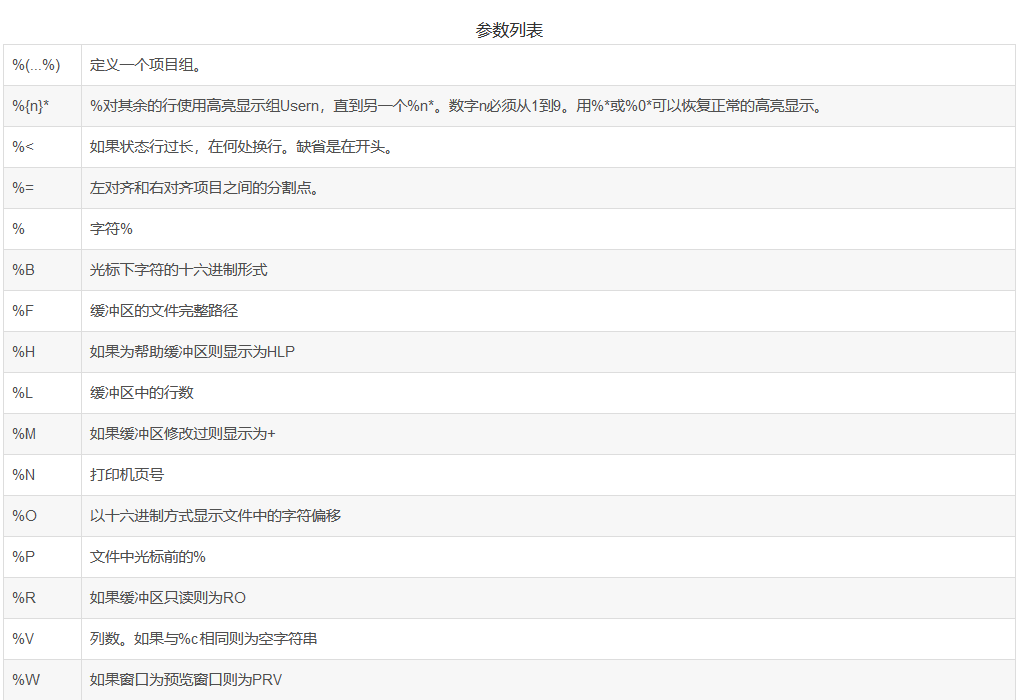


statusline 中的 [ ] , 以及 \ 没搞明白什么意思。
关于ctags 的这是点。
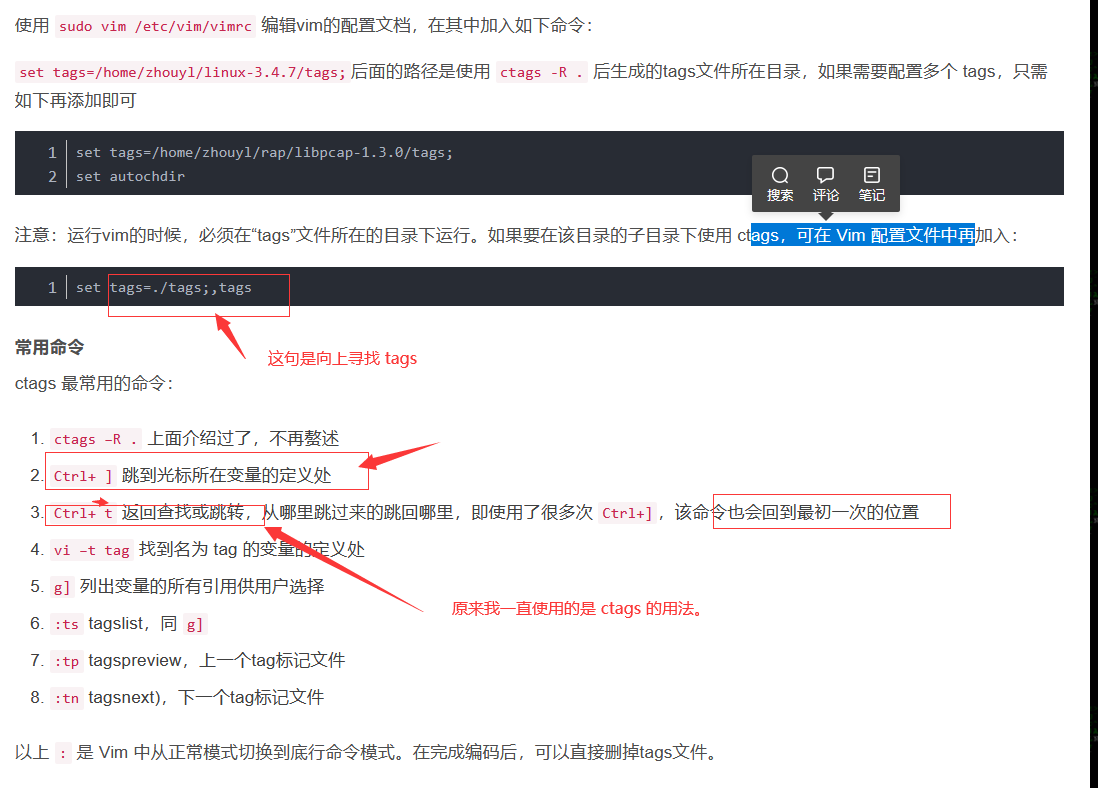
对于ctags 的设置, 上面那两行已经够用了,如果当前的目录下生成 tags 文件, 那么你进入当前目录的子目录同样可以搜索。
但是, 关于cscope 的vimrc 的设置就不是那么简单了。 下面的设置, 只能在当前目录下跳转,换句话说就是不能用。必须要按照上面的设置的方法才能够在子目录中使用。
if has("cscope")
set csprg=/usr/local/bin/cscope
set csto=0
set cst
set nocsverb
" add any database in current directory
if filereadable("cscope.out")
cs add cscope.out
" else add database pointed to by environment
elseif $CSCOPE_DB != ""
cs add $CSCOPE_DB
endif
set csverb
endif
我觉得关键的地方是 , 对于生成的 cscope.out 的寻找。
在使用 cscope 的时候,需要在根目录输入 :

这样生成 cscope.out , cscope.in.out .文件,
在使用tags 的时候,也需要 ctags -R *
关于ctags 的安装
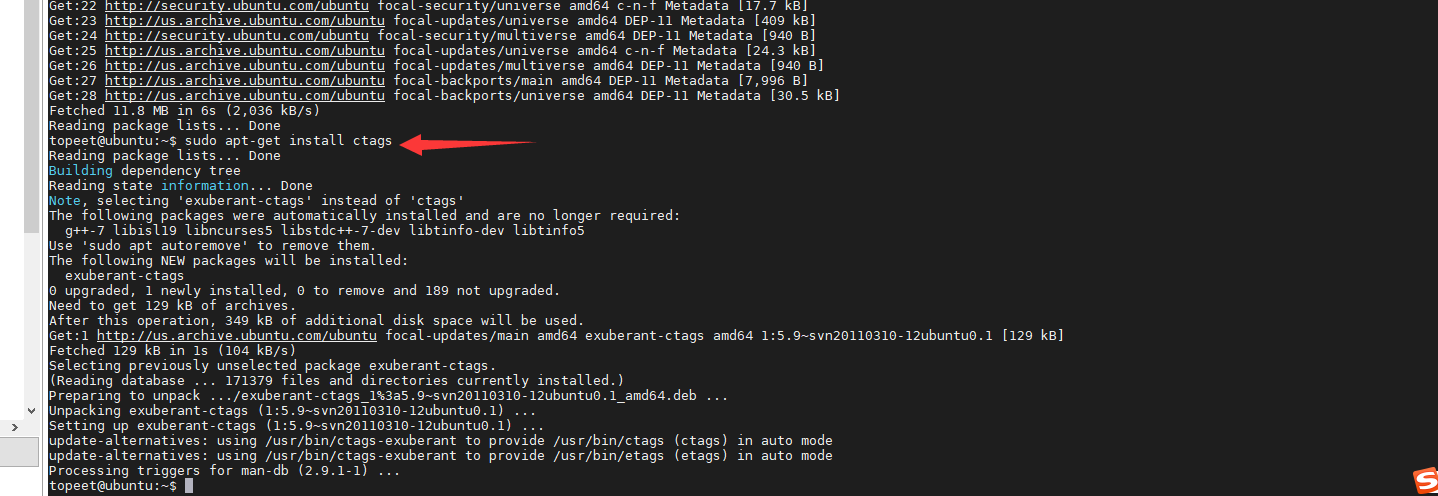
关于 ctags 的使用

关于cscope 的ubuntu 的安装。

关于 cscope 的 使用。
网上的截图:
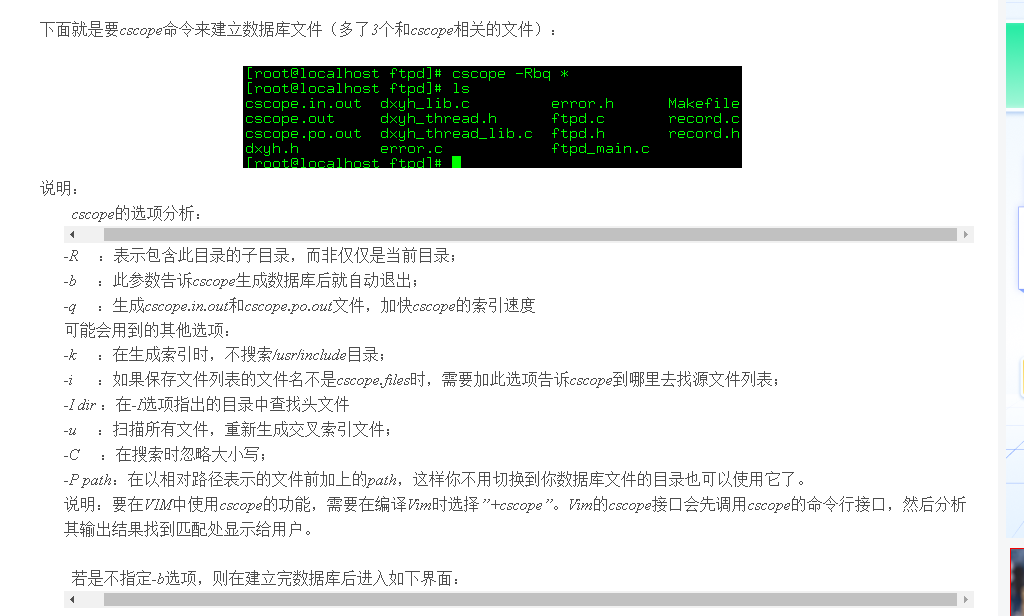
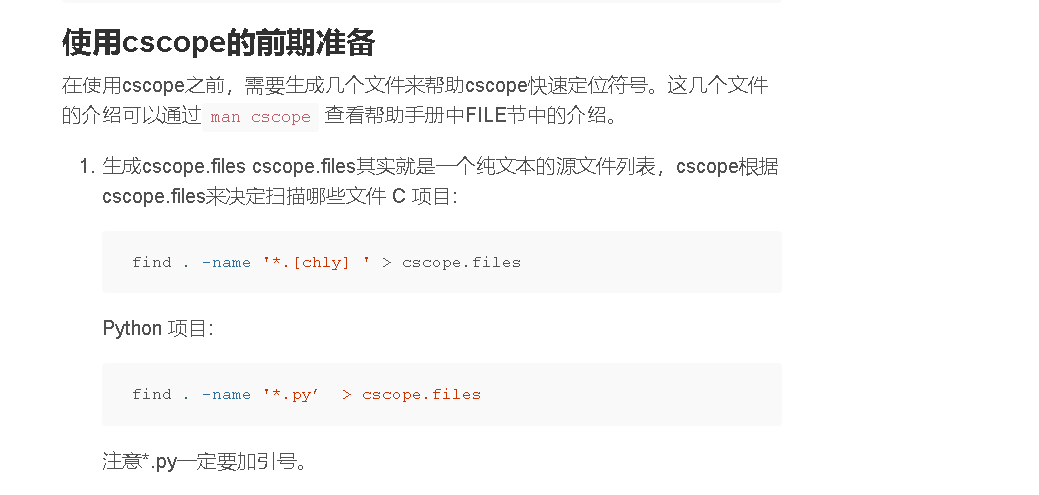
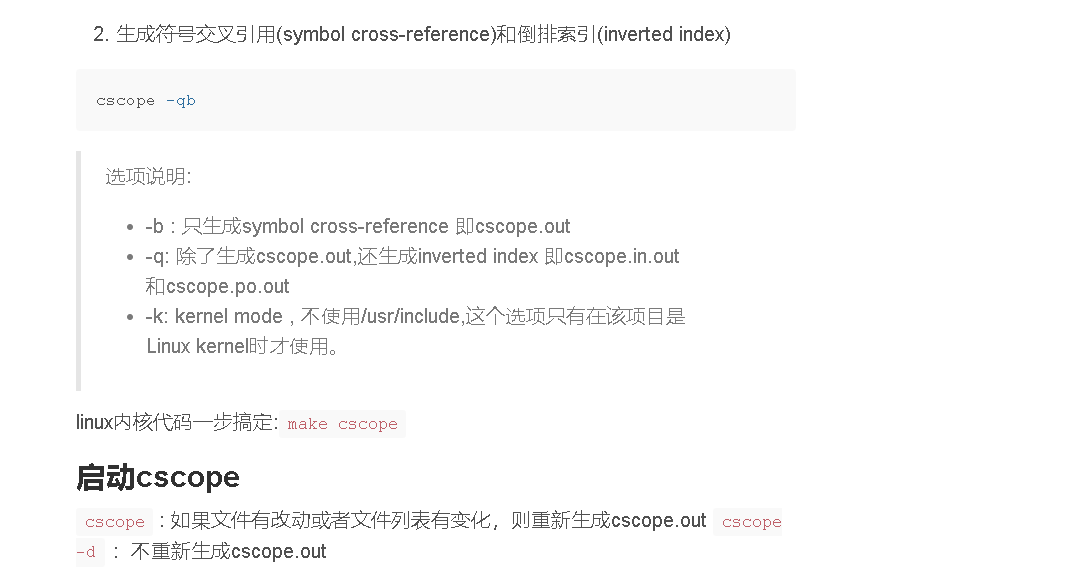
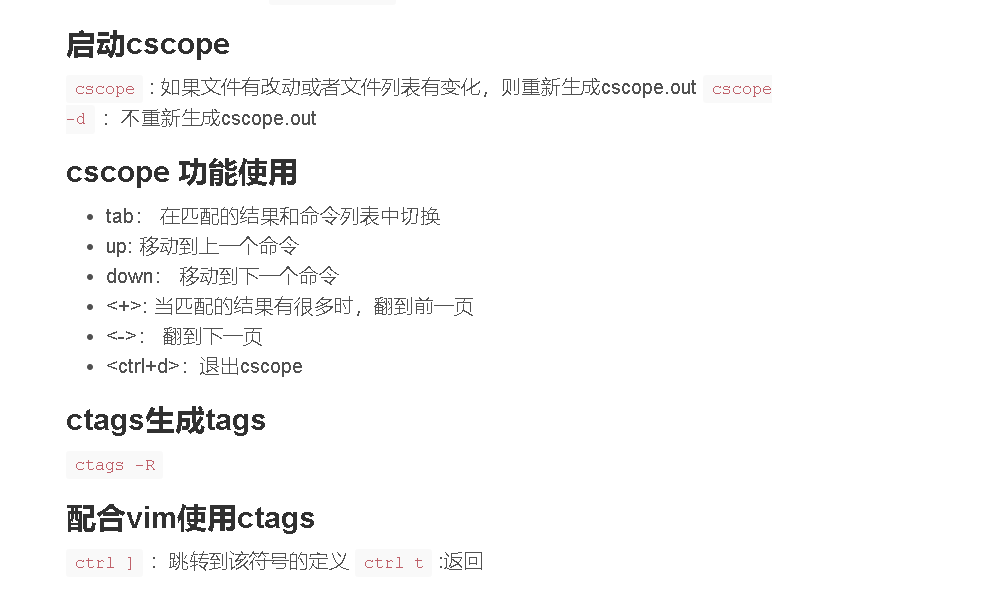
我实际的操作。
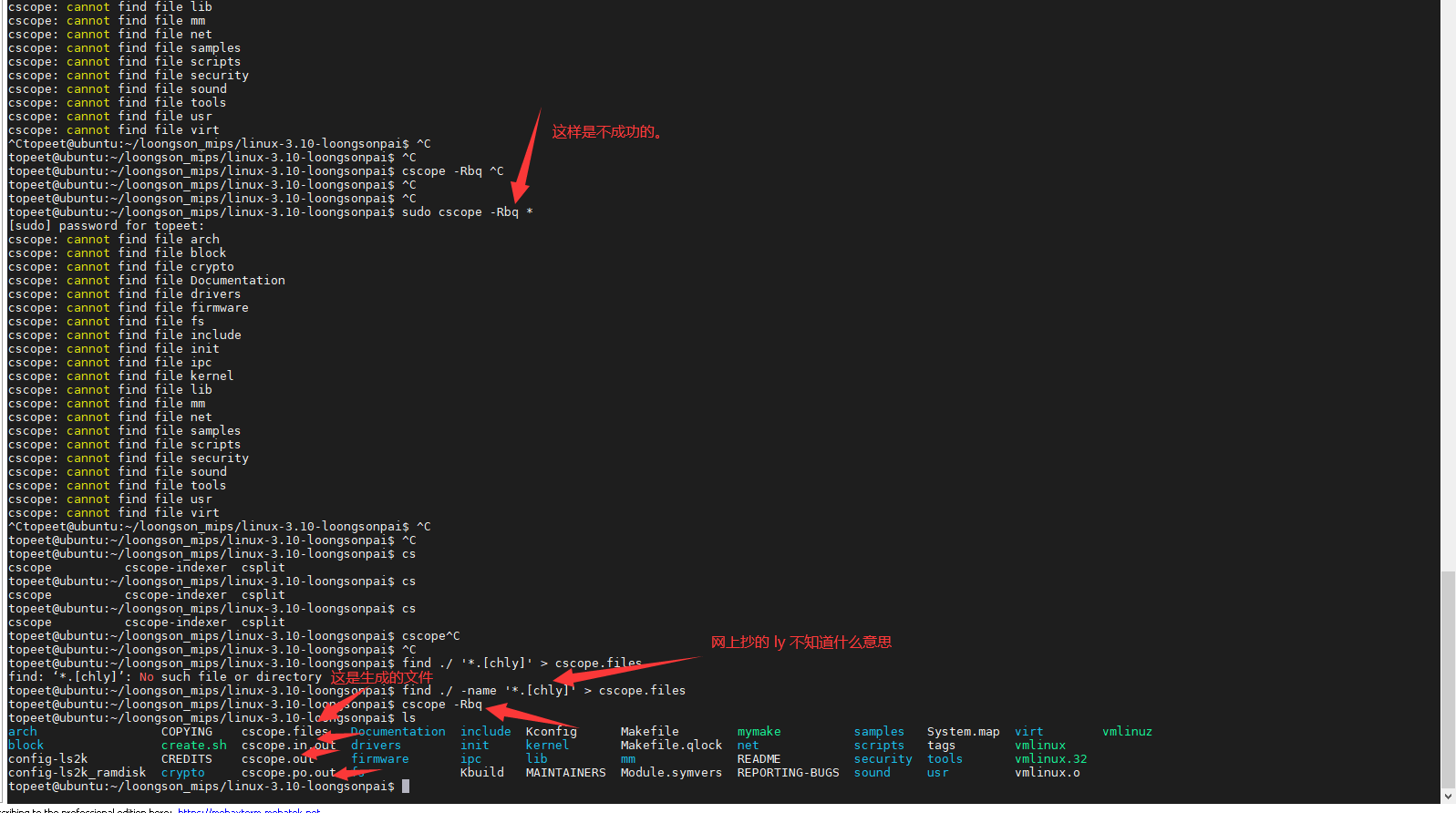
然后, 按照上面的步骤, 在 .vimrc 里面添加内容。

接下来是关于 cscope 的使用的方法。
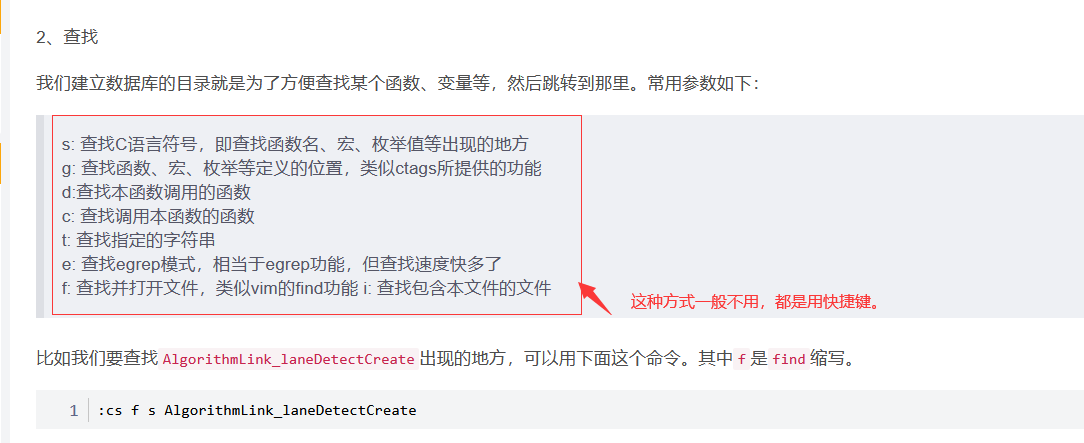
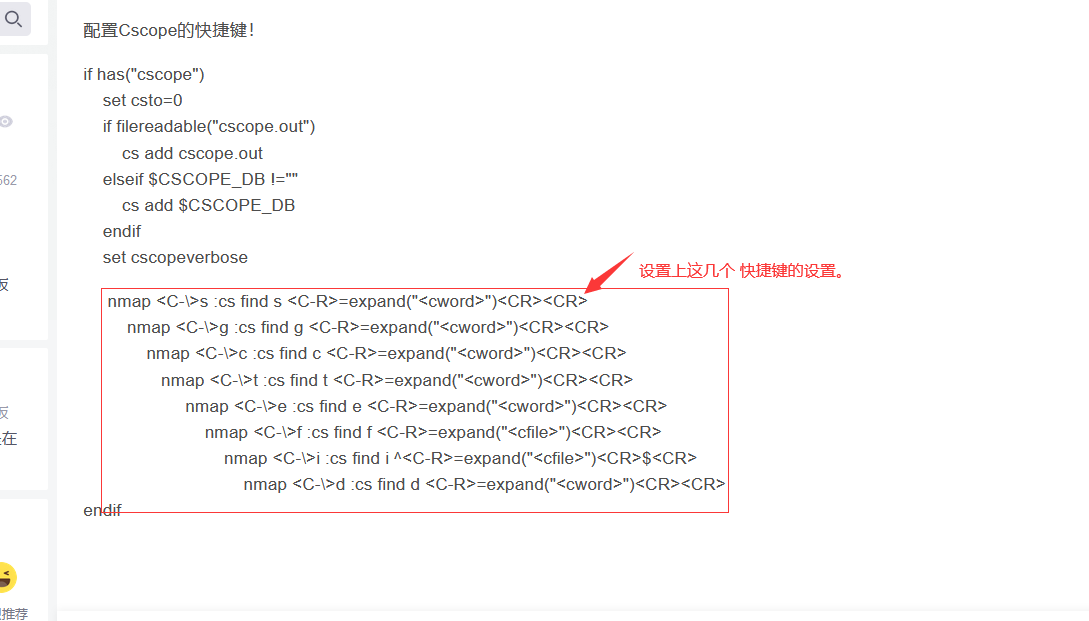
 75 "expand("<cword>") 代表获取光标下的单词
 76         nmap <C-\>s :cs find s <C-R>=expand("<cword>")<CR><CR>
 77         nmap <C-\>g :cs find g <C-R>=expand("<cword>")<CR><CR>
 78         nmap <C-\>c :cs find c <C-R>=expand("<cword>")<CR><CR>
 79         nmap <C-\>t :cs find t <C-R>=expand("<cword>")<CR><CR>
 80         nmap <C-\>e :cs find e <C-R>=expand("<cword>")<CR><CR>
 81         nmap <C-\>f :cs find f <C-R>=expand("<cfile>")<CR><CR>
 82         nmap <C-\>i :cs find i <C-R>=expand("<cfile>")<CR><CR>
 83         nmap <C-\>d :cs find d <C-R>=expand("<cword>")<CR><CR>
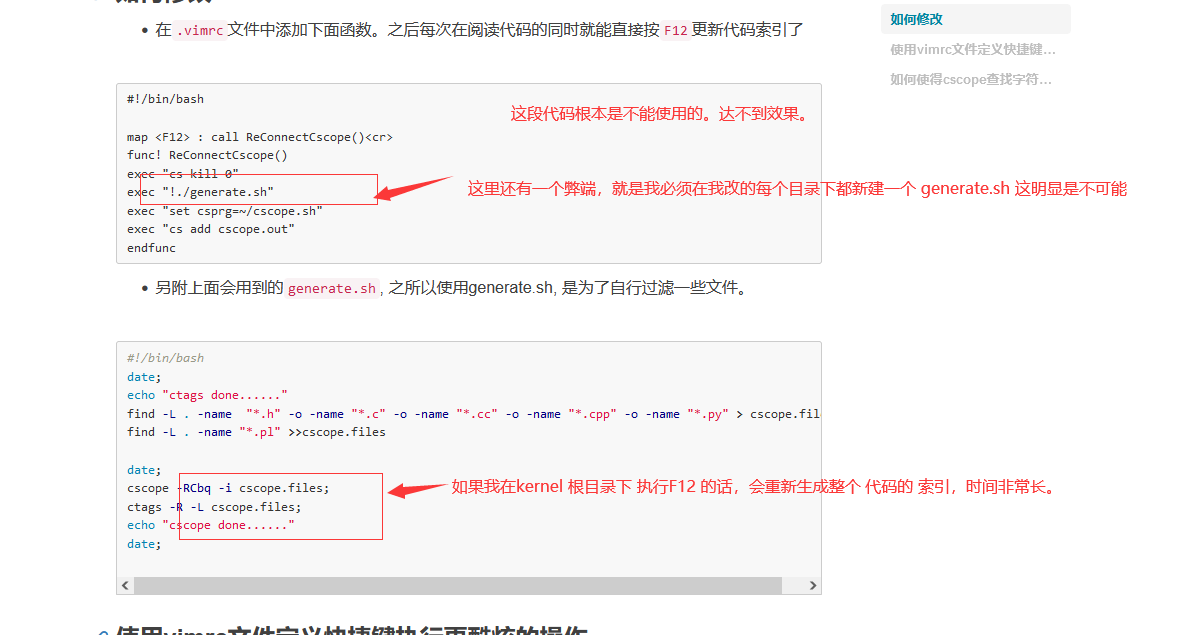
这样来实时更新索引是不现实的。

 浙公网安备 33010602011771号