
爬虫(六)多线程爬虫
创建多线程类
import threading # 引入多线程模块
import time

def run(name):
    print(name,"线程执行了!")
    time.sleep(5)


# 创建2个线程对象
t1 = threading.Thread(target=run,args=("t1",))
t2 = threading.Thread(target=run,args=("t2",))


# 启动线程
t1.start()
t2.start()


# 等待子线程执行完毕后再继续执行主线程后的内容
t1.join()
t2.join()

使用threading 模块创建线程
创建一个新的子类继承threading、Thread
实例化后调用 start() 方法启动新线程,即它调用了线程的 run() 方法
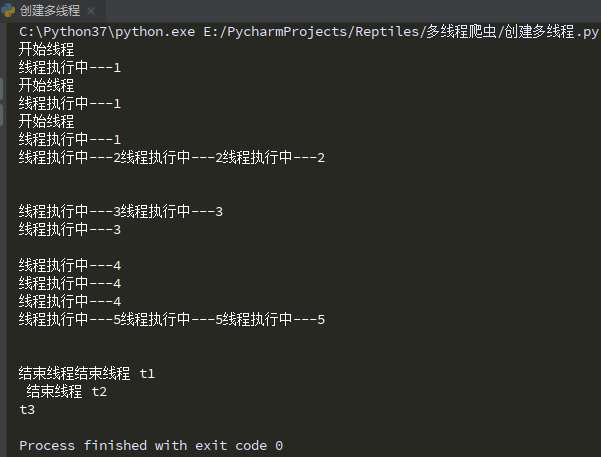
import threading # 引入多线程模块
import time

class myThread(threading.Thread):
    def __init__(self,name):
        threading.Thread.__init__(self)
        self.name = name

    def run(self):
        print('开始线程')
        print('线程执行中---1')
        time.sleep(1)
        print('线程执行中---2')
        time.sleep(1)
        print('线程执行中---3')
        time.sleep(1)
        print('线程执行中---4')
        time.sleep(1)
        print('线程执行中---5')
        time.sleep(1)
        print('结束线程',self.name)

# 创建线程
t1 = myThread("t1")
t2 = myThread("t2")
t3 = myThread("t3")

# 开启线程
t1.start()
t2.start()
t3.start()

t1.join()
t2.join()
t3.join()
队列
队列Queue
Queue 是python标准集中的线程安全的实现
提供了一个适用于多线程编程的先进先出的数据结构
即队列
用来在生产者和消费者之间的信息传递
对于资源,加锁是个重要的环节
因为python原生的list,dict等,都是非线程安全的
而Queue,是线程安全的,因此在满足使用条件下,建议使用队列
import queue


# 创建队列
q = queue.Queue(maxsize=10) # 队列最多对象数是10

for i in range(1,11):
    q.put(i) # 往队列里放值

# 判断队列是否为空,循环取出所有值
while not q.empty():
    print(q.get())

实战:多线程糗事百科爬虫
# 使用了线程库
import threading
# 队列
import queue
import os
import time
import requests
from lxml import etree

# https://www.qiushibaike.com/8hr/page/1/
# https://www.qiushibaike.com/8hr/page/2/
# https://www.qiushibaike.com/8hr/page/3/

# 爬取网页线程--获取段子列表所在的网页,放进队列

file = os.path.abspath(__file__)    # 1、获取当前文件路径
path = file.split('多线程爬虫')[0]   # 2、获取共同路径部分


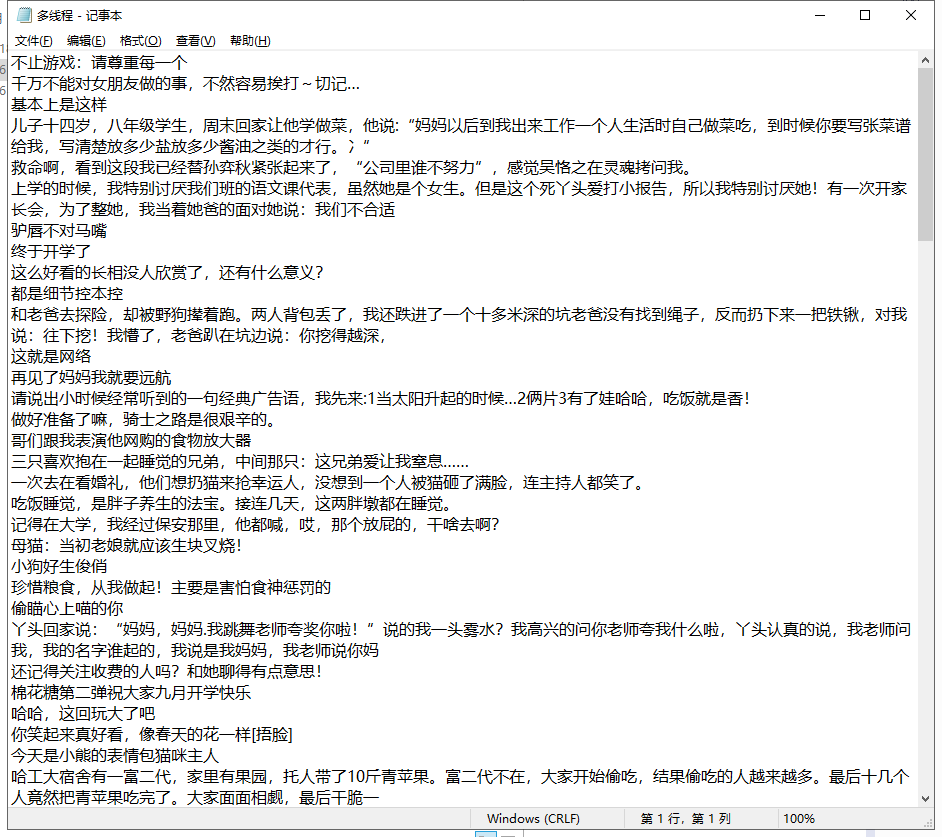
filepath = path + '多线程爬虫/多线程.txt'


class Thread1(threading.Thread):
    def __init__(self, threadName, pageQueue, dataQueue):
        threading.Thread.__init__(self)
        self.threadName = threadName  # 线程名
        self.pageQueue = pageQueue  # 页码
        self.dataQueue = dataQueue  # 数据队列
        self.headers = {
            "User-Agent": "Mozilla/5.0 (Windows NT 10.0; Win64; x64) AppleWebKit/537.36 (KHTML, like Gecko) Chrome/85.0.4183.83 Safari/537.36 Edg/85.0.564.44"}

    def run(self):
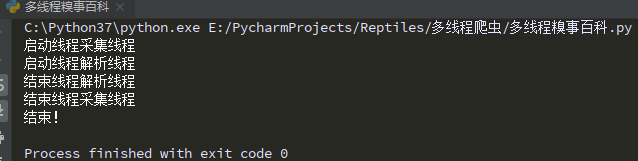
        print("启动线程" + self.threadName)
        while not flag1:
            try:
                page = self.pageQueue.get()
                url = "https://www.qiushibaike.com/8hr/page/" + str(page) + "/"
                content = requests.get(url, headers=self.headers).text
                time.sleep(0.5)
                self.dataQueue.put(content)  # 将数据放入数据队列中
            except Exception as e:
                pass
        print("结束线程" + self.threadName)

# 解析网页线程--从队列中拿到列表网页,进行解析,并存储到本地


class Thread2(threading.Thread):
    def __init__(self, threadName, dataQueue,filename):
        threading.Thread.__init__(self)
        self.threadName = threadName  # 线程名
        self.filename = filename  # 文件名
        self.dataQueue = dataQueue  # 数据队列

    def run(self):
        print("启动线程" + self.threadName)
        while not flag2:
            try:
                data1 = self.dataQueue.get()
                html = etree.HTML(data1)
                node_list = html.xpath('//div/a[@class="recmd-content"]')
                for node in node_list:
                    data = node.text
                    self.filename.write(data + '\n')
            except Exception as e:
                pass
        print("结束线程" + self.threadName)


flag1 = False  # 判断页码队列中是否为空
flag2 = False  # 判断数据队列中是否为空


def main():
    # 页码队列
    pageQueue = queue.Queue(10)

    for i in range(1, 11):
        pageQueue.put(i)
    # 存放采集结果的数据队列
    dataQueue = queue.Queue()
    # 保存到本地的文件
    filename = open(filepath, "a")

    t1 = Thread1("采集线程", pageQueue, dataQueue)
    t1.start()
    t2 = Thread2("解析线程", dataQueue, filename)
    t2.start()

    # 当pageQueue为空时,结束采集线程
    while not pageQueue.empty():
        pass
    global flag1
    flag1 = True

    # 当dataQueue为空时,结束解析线程
    while not dataQueue.empty():
        pass
    global flag2
    flag2 = True

    t1.join()
    t2.join()

    filename.close()
    print("结束!")


if __name__ == '__main__':
    main()
机器视觉体验-识别车牌号
人工智能:停车场管理系统-车进入停车场拍一张照片,通过这张照片就能把车牌号记录到本地;从停车场出去的时候再拍一张照片,把照片里的车牌号记录下来和进入停车场的车牌号进行匹配,计算出时间差来计算停车费。
安装第三方插件
pip install baidu-aip
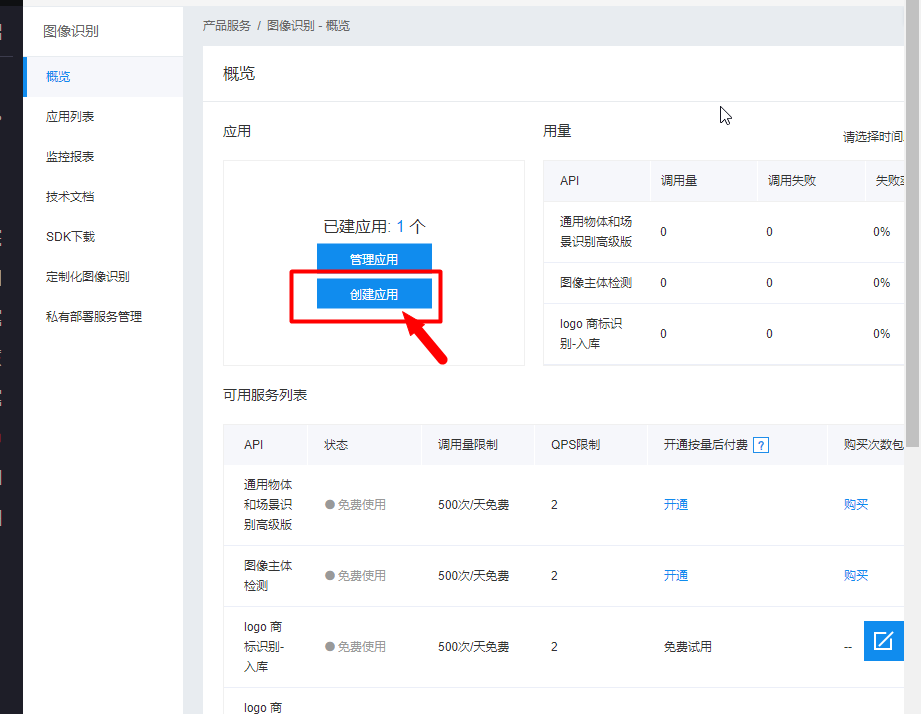
使用百度AI开发平台的接口来识别

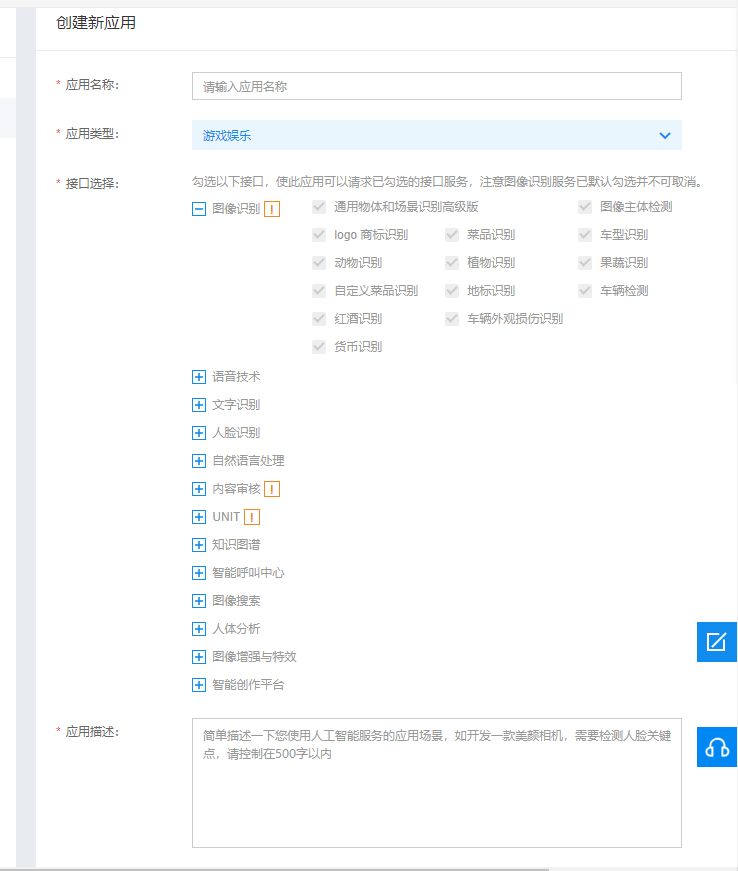

import os
from aip import AipOcr
import re


file = os.path.abspath(__file__)    # 1、获取当前文件路径
path = file.split('多线程爬虫')[0]   # 2、获取共同路径部分


file1path = path + '多线程爬虫/aa.jpg'
file2path = path+ '多线程爬虫/bb.jpg'


APP_ID='22570407'
API_KEY='zh2SZGwHXG9dtMv4u7z8AynW'
SECRET_KEY='41jLzyhs1U656U5mm549nLzj8j1qZFkI'

client = AipOcr(APP_ID,API_KEY,SECRET_KEY)

with open(file2path,'rb') as f:
    image = f.read()

data = str(client.basicGeneral(image)).replace(" ","")

pat = re.compile(r"{'words':'(.*?)'}")

result = pat.findall(data)[0]

print(result)


 浙公网安备 33010602011771号