
Linux服务管理
Linux服务管理
实验目标:
通过本实验掌握centos7/rhel7下systemctld工具的使用,包含配置服务自启动、立即启动、立即停止、重启、查看状态等。
实验步骤:
1、查看打印服务是否运行,如果在运行则停止该服务
2、使打印服务不在开机时自动启动
参考命令:
systemctl start cups 开启打印服务
systemctl stop cups 关闭打印服务
systemctl restart cups 重启打印服务
systemctl enable cups 允许打印服务开机自动运行
systemctl disable cups 禁止打印服务开机自动运行
systemctl status cups 查看打印服务运行状态
cups为打印服务,同样可用于dhcp,httpd,named,vsftpd,firewalld等各种服务
1、 关闭打印服务
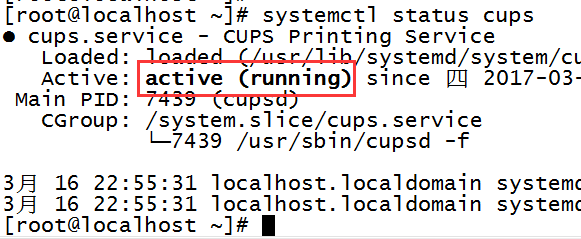
先查看打印服务是运行状态,通过systemctl命令关闭打印服务
[root@localhost ~]# systemctl stop cups
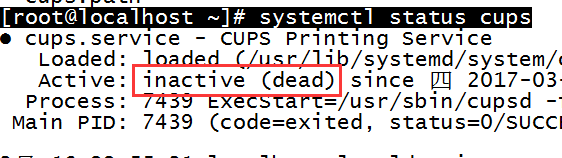
2、 禁止打印服务开机启动



 浙公网安备 33010602011771号