
STM32L452VE使用Cortex-Debug
1、在VsCode安装CorTex-Debug
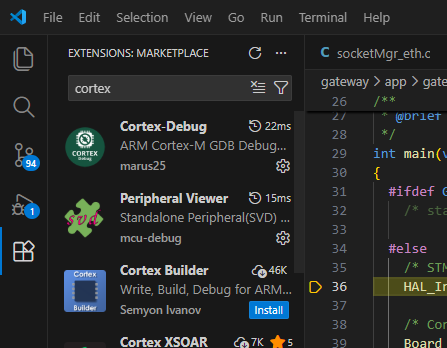
2、配置D:\WirelessSensor.vscode\launch.json,如下
{
"version": "0.2.0",
"configurations": [
    {
        "name": "Cortex Debug",
        "cwd": "${workspaceFolder}",
        //"executable": "./build/t55y_ninja_tgt_win_gcc12/bin/Debug/T55YFW.elf",
        // "executable": "./build/t55y_ninja_tgt_win_gcc12/bin/Release/T55YFW.elf",
       //"executable": "./build/bl_ninja_tgt_win_gcc12/bin/Debug/T55YBootloader.elf",
       "executable": "./gatewayTarget/dbg/bin/gateway_fw.elf",
    //    D:\WirelessSensor\gatewayTarget\dbg\bin
        "request": "launch",
        "type": "cortex-debug",
        "runToEntryPoint": "main",
        "servertype": "jlink",
        "device": "STM32L452VE",
        // "gdbPath": "./toolchains/Windows/gcc-12.2/bin/arm-none-eabi-gdb.exe",
        // "gdbPath": "./toolchains/arm-none-eabi-gcc-9.2.1/bin/arm-none-eabi-gdb.exe",
        "gdbPath": "./toolchains/arm-gnu-toolchain-15.2/bin/arm-none-eabi-gdb.exe",
        // D:\WirelessSensor\toolchains\arm-gnu-toolchain-15.2\bin
        //#D:\WirelessSensor\toolchains\arm-none-eabi-gcc-9.2.1\bin
       // "preLaunchTask": "build"
       "liveWatch": {
        "enabled": true,
        "samplesPerSecond": 20,
        }
    },
    {
        "name": "(gdb) 启动",
        "type": "cppdbg",
        "request": "launch",
        "program": "输入程序名称,例如 ${workspaceFolder}/a.exe",
        "args": [],
        "stopAtEntry": false,
        "cwd": "${fileDirname}",
        "environment": [],
        "externalConsole": false,
        "MIMode": "gdb",
        "miDebuggerPath": "/path/to/gdb",
        "setupCommands": [
            {
                "description": "为 gdb 启用整齐打印",
                "text": "-enable-pretty-printing",
                "ignoreFailures": true
            },
            {
                "description": "将反汇编风格设置为 Intel",
                "text": "-gdb-set disassembly-flavor intel",
                "ignoreFailures": true
            }
        ]
    }
]
}
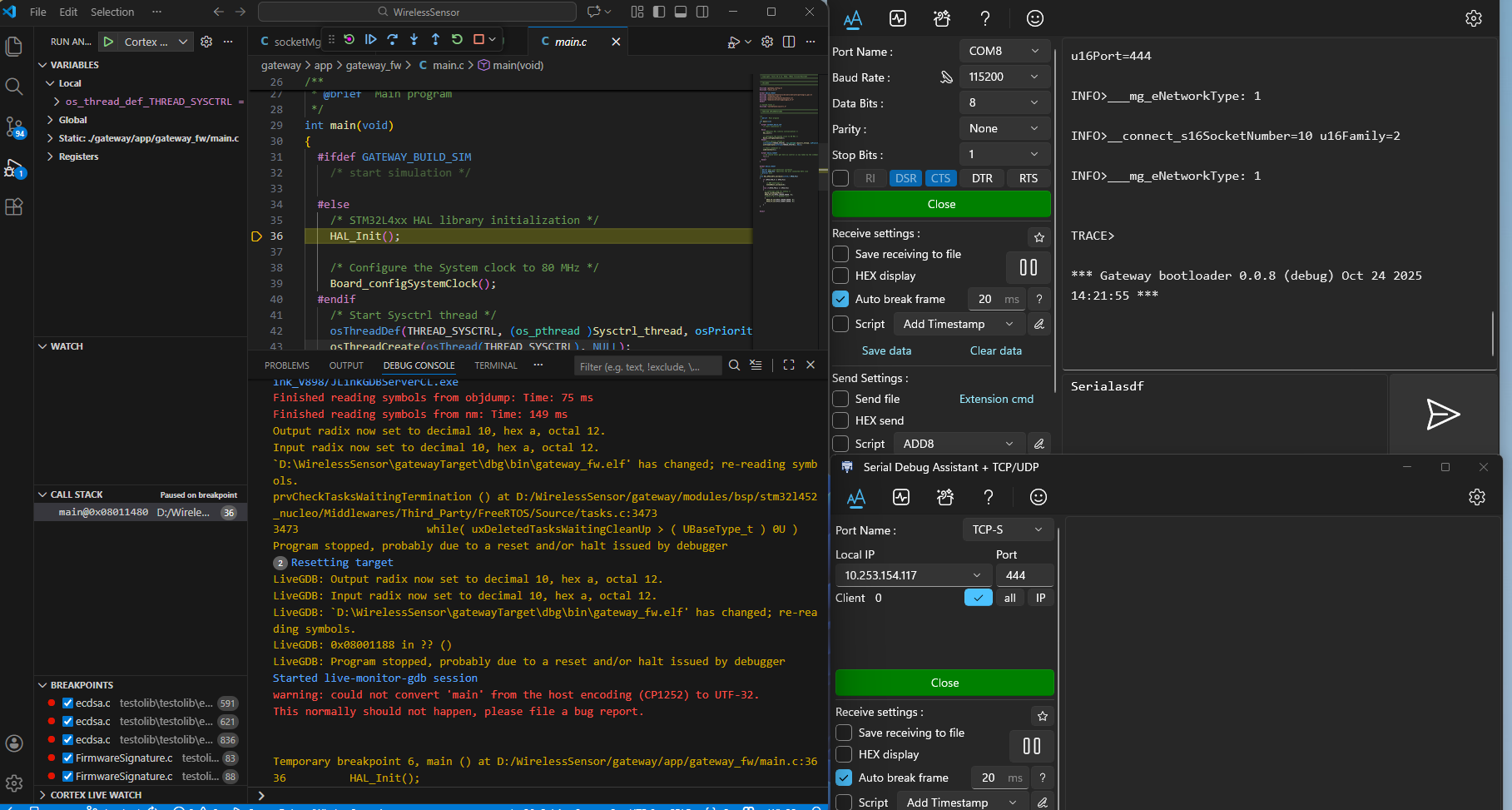
3、点击debug界面如下

 浙公网安备 33010602011771号