IDEA修改选中行背景色 - mac电脑 - 2022年7月
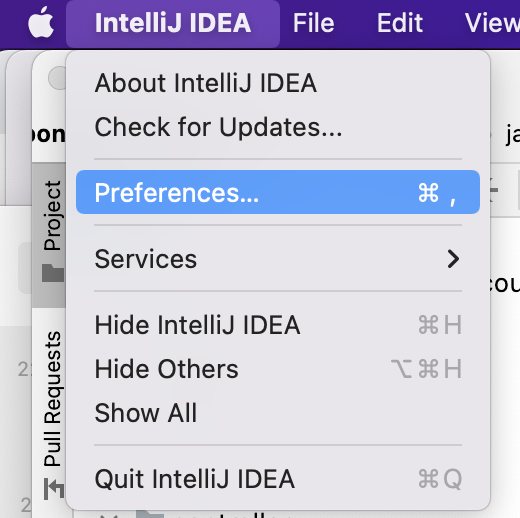
第一步:Intellij IDEA -> Preferences:
第二步:
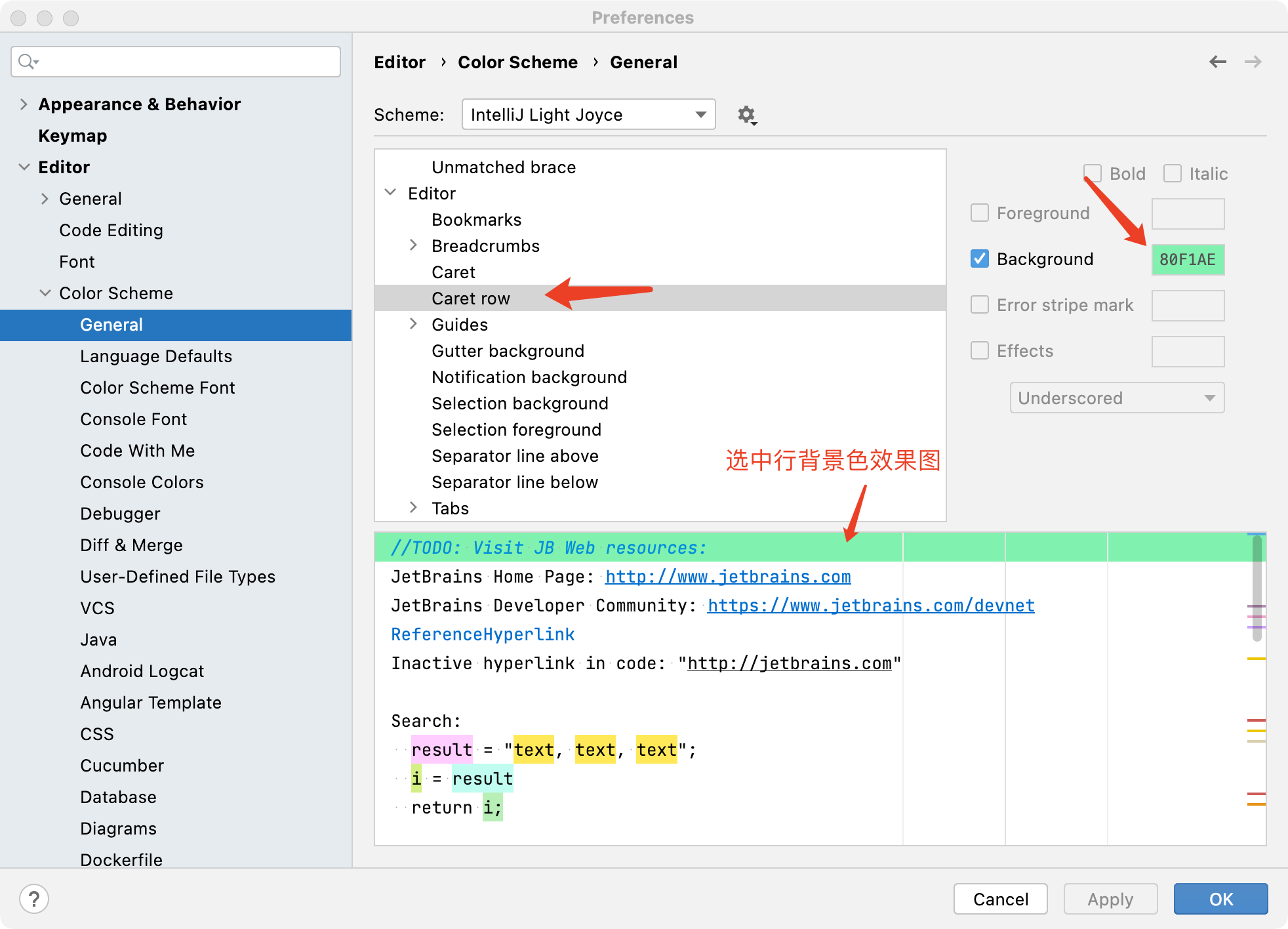
左边菜单选中:Editor -> Color Scheme -> General
右边内容选中:Editor -> Caret row -> (勾选) Background -> 设置勾选框后面的颜色
end.


第一步:Intellij IDEA -> Preferences:
第二步:
左边菜单选中:Editor -> Color Scheme -> General
右边内容选中:Editor -> Caret row -> (勾选) Background -> 设置勾选框后面的颜色
end.

 浙公网安备 33010602011771号