
Windows注册jar服务
一、 将java jar包和下载的WinSW.NET4.exe放在同一个文件夹目录下
二、 重命名WinSW.NET4.exe为shiro.exe

三、编辑shiro.xml文件
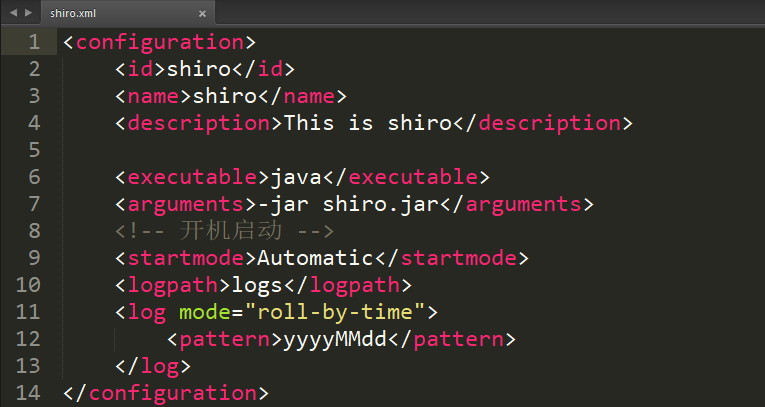
<configuration>
    <id>shiro</id>
    <name>shiro</name>
    <description>This is shiro</description>

    <executable>java</executable>
    <arguments>-jar shiro.jar</arguments>
    <!-- 开机启动 -->
    <startmode>Automatic</startmode>
    <logpath>logs</logpath>
    <log mode="roll-by-time">
        <pattern>yyyyMMdd</pattern>
    </log>
</configuration>
四、执行以下cmd命令
注册服务:shiro.exe install
启动命令: net start shiro
停止命令:net stop shiro
删除命令: sc delete shiro
作者:[一柒微笑]

 浙公网安备 33010602011771号