

DeepSeek本地安装
✅ My System Information
OS: Ubuntu 22.04
CPU: Intel i5-12600KF
GPU: NVIDIA GTX 3060 (12GB VRAM)
CUDA Version: 12.1
cuDNN Version: 9.0.100
Python Version: 3.8.20 (Anaconda)
PyTorch Version: 12.1 (CUDA-enabled)
Since my Ubuntu 22.04 + RTX 3060 (12GB VRAM) + CUDA 12.1 + cuDNN 9.0.100 + PyTorch 12.1 setup is well-prepared, the best way to install DeepSeek locally is via Ollama.
This method is easy, optimized, and ensures proper GPU acceleration without manually handling model weights.
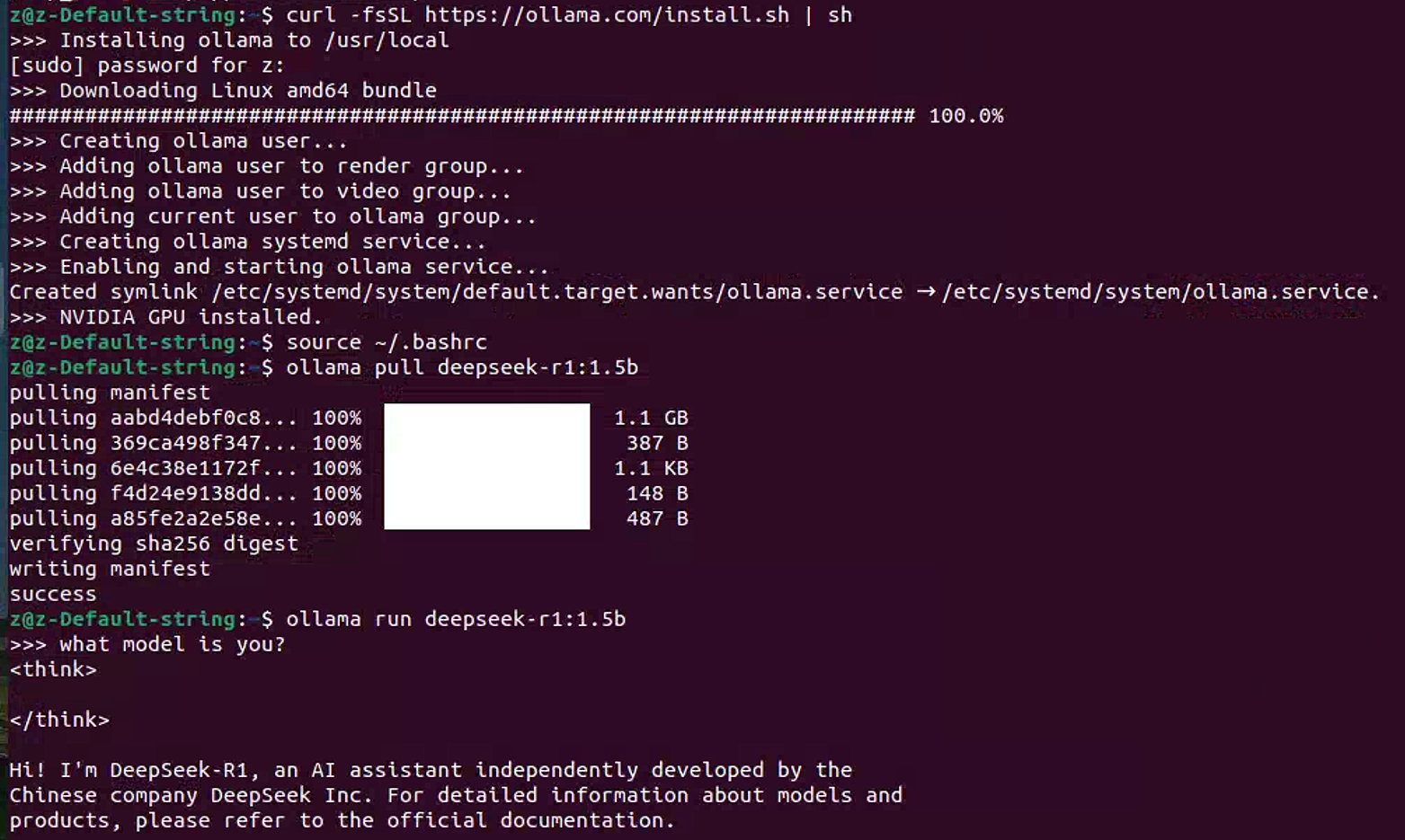
1. Open a terminal and run:
curl -fsSL https://ollama.com/install.sh | sh
2. Restart your shell:
source ~/.bashrc
3. Download DeepSeek Model
ollama pull deepseek-r1:1.5b
If I want a larger model and can manage VRAM usage:
ollama pull deepseek-r1
4: Run DeepSeek Locally**
Start the DeepSeek model:
ollama run deepseek-r1:1.5b
For the larger model:
ollama run deepseek-r1
本文来自博客园,作者:z_s_s,转载请注明原文链接:https://www.cnblogs.com/zhoushusheng/p/18763266

 浙公网安备 33010602011771号