绘制线框三角形
def triangleWireframed(self, v0, v1, v2, color):
        self.line(v0[0], v0[1], v1[0], v1[1], color)
        self.line(v1[0], v1[1], v2[0], v2[1], color)
        self.line(v2[0], v2[1], v0[0], v0[1], color)
绘制线框三角形 2(按顶点的 y 轴坐标排序,为扫描线算法做准备)
def triangleWireframed2(self, v0, v1, v2):  # recognize different borders
        vertices = [v0, v1, v2]
        vertices.sort(key=lambda x: x[1])
        self.line(
            vertices[0][0],
            vertices[0][1],
            vertices[1][0],
            vertices[1][1],
            [1.0, 0.0, 0.0],
        )
        self.line(
            vertices[1][0],
            vertices[1][1],
            vertices[2][0],
            vertices[2][1],
            [0.0, 1.0, 0.0],
        )
        self.line(
            vertices[2][0],
            vertices[2][1],
            vertices[0][0],
            vertices[0][1],
            [0.0, 0.0, 1.0],
        )
扫描线算法 / Line Sweeping Algorithm
def triangle1(self, v0, v1, v2, color):  # line sweeping algorithm
        vertices = [v0, v1, v2]
        vertices.sort(key=lambda x: x[1])

        # 1. draw the contour
        self.triangleWireframed(v0, v1, v2, color)

        # 2. fill the triangle
        slopeInv2 = (vertices[0][0] - vertices[2][0]) / (
            vertices[0][1] - vertices[2][1]
        )

        for i in range(2):
            v0 = vertices[i]
            v1 = vertices[i + 1]
            v2 = vertices[(i + 2) % 3]
            if v0[1] != v1[1]:
                slopeInv1 = (v1[0] - v0[0]) / (v1[1] - v0[1])
                for y in Utils.fRange(v0[1] + 1, v1[1]):
                    self.line(
                        slopeInv1 * (y - v0[1]) + v0[0],
                        y,
                        slopeInv2 * (y - vertices[0][1]) + vertices[0][0],
                        y,
                        color,
                    )

        # 3. (optional) highlight the contour for test
        self.triangleWireframed(vertices[0], vertices[1], vertices[2], [1.0, 0.0, 0.0])
基于包围盒 & 重心坐标(Barycentric Coordinates)
def triangle2(self, v0, v1, v2, color):  # based on barycentric coordinates
        # 1. Find the bounding box of the given triangle
        minX = min(v0[0], v1[0], v2[0])
        maxX = max(v0[0], v1[0], v2[0])
        minY = min(v0[1], v1[1], v2[1])
        maxY = max(v0[1], v1[1], v2[1])

        # 2. For every pixels inside the triangle, draw it

        def insideTriangle(x, y, v0, v1, v2):
            vec1 = [v2[0] - v0[0], v2[0] - v1[0], v2[0] - x]
            vec2 = [v2[1] - v0[1], v2[1] - v1[1], v2[1] - y]
            res = [  # res = cross_product(vec1, vec2)
                vec1[1] * vec2[2] - vec1[2] * vec2[1],
                vec1[2] * vec2[0] - vec1[0] * vec2[2],
                vec1[0] * vec2[1] - vec1[1] * vec2[0],
            ]
            u = res[0] / -res[2]
            v = res[1] / -res[2]
            return u > 0 and v > 0 and u + v < 1

        for x in Utils.fRange(minX, maxX):
            for y in Utils.fRange(minY, maxY):
                if insideTriangle(x, y, v0, v1, v2):
                    self.setPixel(x, y, color)

        # 3. (optional) highlight the contour for test
        self.triangleWireframed(v0, v1, v2, [1.0, 0.0, 0.0])
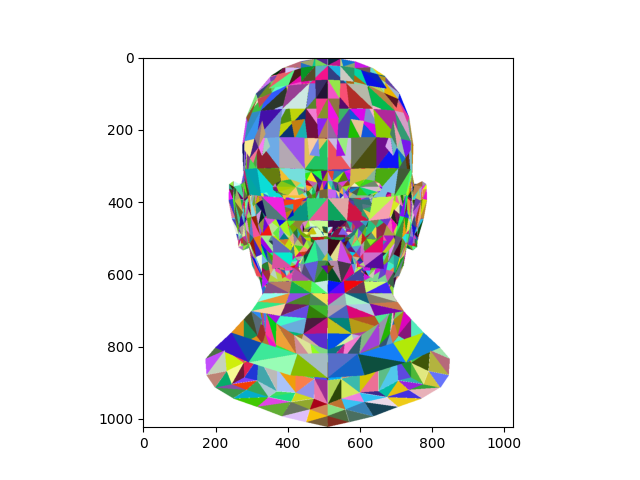
测试
![image]()


 浙公网安备 33010602011771号