

Centos7上Mysql-5.7忘记root密码的解决方法
在工作中由于工作交接不完善,导致数据库root登录密码忘记,本文将介绍Mysql5.7数据库忘记root密码时的解决方法
一、更改Mysql的主配置文件,my.cnf配置文件,在[mysqld]下添加skip-grant-tables
[root@zhong ~]# vim /etc/my.cnf
[mysqld]
skip-grant-tables
二、重启mysql服务,这边我用的源码安装的,yum源安装的可以用:systemctl restart mysql
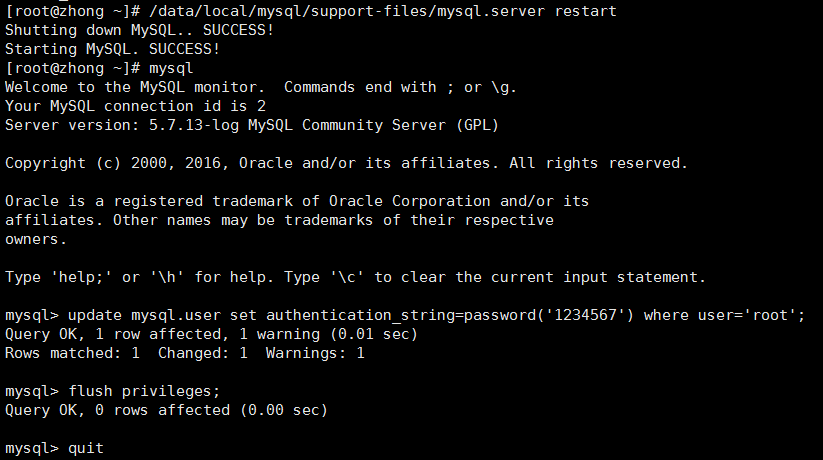
[root@zhong ~]# /data/local/mysql/support-files/mysql.server restart
Shutting down MySQL.. SUCCESS!
Starting MySQL. SUCCESS!
[root@zhong ~]# mysql
Welcome to the MySQL monitor.  Commands end with ; or \g.
Your MySQL connection id is 2
Server version: 5.7.13-log MySQL Community Server (GPL)

Copyright (c) 2000, 2016, Oracle and/or its affiliates. All rights reserved.

Oracle is a registered trademark of Oracle Corporation and/or its
affiliates. Other names may be trademarks of their respective
owners.

Type 'help;' or '\h' for help. Type '\c' to clear the current input statement.

mysql> update mysql.user set authentication_string=password('1234567') where user='root';
Query OK, 1 row affected, 1 warning (0.01 sec)
Rows matched: 1  Changed: 1  Warnings: 1

mysql> flush privileges;
Query OK, 0 rows affected (0.00 sec)

mysql> quit
Bye
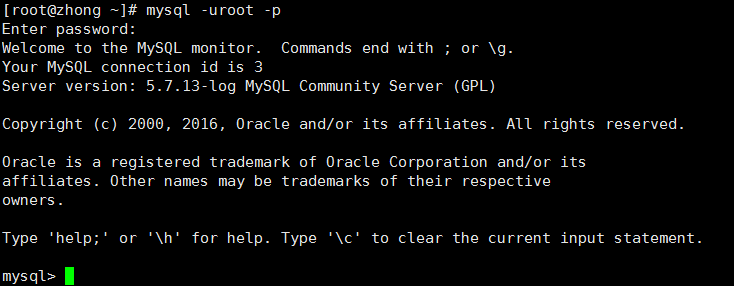
[root@zhong ~]# mysql -uroot -p
Enter password:
Welcome to the MySQL monitor.  Commands end with ; or \g.
Your MySQL connection id is 3
Server version: 5.7.13-log MySQL Community Server (GPL)

Copyright (c) 2000, 2016, Oracle and/or its affiliates. All rights reserved.

Oracle is a registered trademark of Oracle Corporation and/or its
affiliates. Other names may be trademarks of their respective
owners.

Type 'help;' or '\h' for help. Type '\c' to clear the current input statement.

mysql>
三、最后记得将Mysql主配置文件中skip-grant-tables去掉,然后重启一下mysql就可以啦!
***************安静学习,屌丝逆袭***************

 浙公网安备 33010602011771号