
c#调用Bartender标签模板打印
目的:通过Bartender软件的模板,开发一个通用行的打印模板
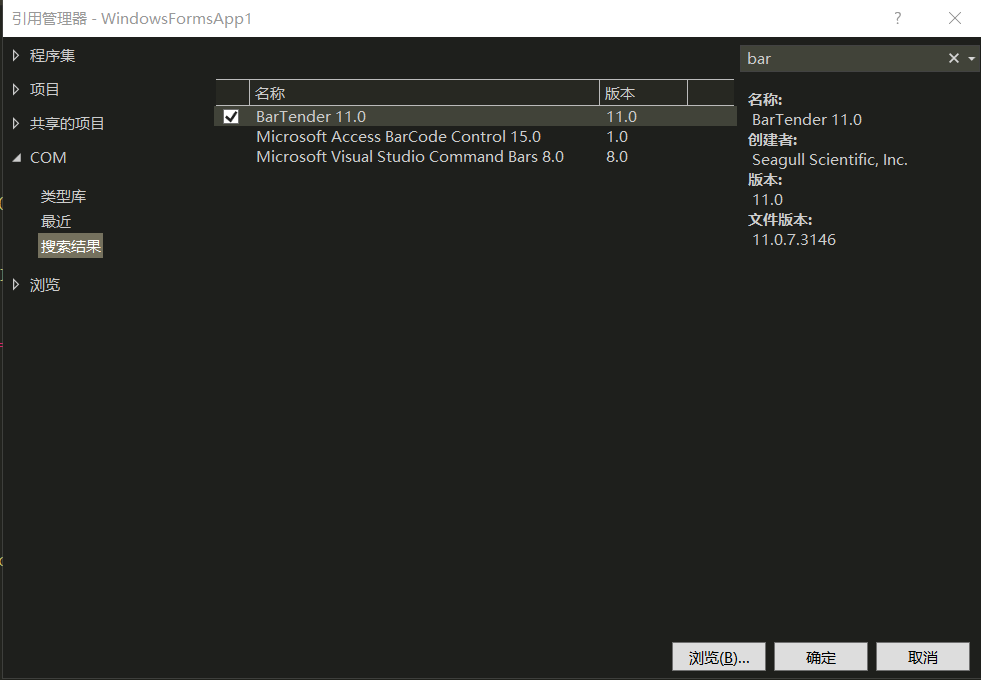
1.先在电脑上装好Bartender软件,然后在VS项目中,添加引用 ,选择COM组件,搜索Bartender,确定引用BarTender 11.0
2.在项目中创建BarTenderPrint类
/// <summary>
    /// 打印标签类
    /// </summary>
    public class BarTenderPrint
    {
        /// <summary>
        /// 打开标签文件
        /// </summary>
        public static BarTender.Application btApp = new BarTender.Application();

        /// <summary>
        /// BarTender运行软件
        /// </summary>
        public static BarTender.Format btFormat = new BarTender.Format();


        /// <summary>
        /// 打印
        /// </summary>
        /// <param name="printerName">打印机名称</param>
        /// <param name="btFileName">打印文件</param>
        /// <param name="dict">内容字典</param>
        /// <param name="CopiesOfLabel">打印数量</param>
        public static bool Print(string printerName, string btFileName, Dictionary<string, string> dict, int CopiesOfLabel)
        {
            try
            {
                btFormat = btApp.Formats.Open(btFileName);
                btFormat.PrintSetup.Printer = printerName;
                btFormat.IdenticalCopiesOfLabel = CopiesOfLabel;
                foreach (var item in dict)
                {
                    btFormat.SetNamedSubStringValue(item.Key, item.Value);
                }
                btFormat.PrintOut(false, false);
                //不保存标签退出
                btFormat.Close(BarTender.BtSaveOptions.btDoNotSaveChanges);
                return true;
            }
            catch (Exception ex)
            {
                MessageBox.Show("【打印机"+ printerName+"】", ex.Message);
                return false;
            }

        }
    }
3.调用打印函数
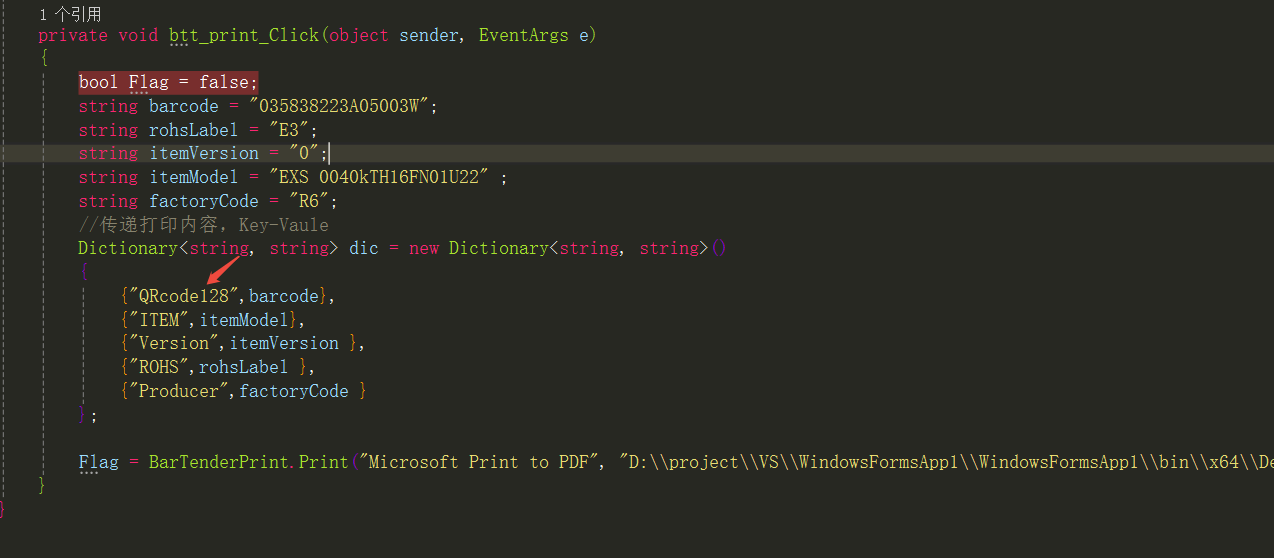
        private void btt_print_Click(object sender, EventArgs e)
        {
            bool Flag = false;
            string barcode = "035838223A05003W";
            string rohsLabel = "E3";
            string itemVersion = "0";
            string itemModel = "EXS 0040kTH16FN01U22" ;
            string factoryCode = "R6";
            //传递打印内容,Key-Vaule
            Dictionary<string, string> dic = new Dictionary<string, string>()
            {
                {"QRcode128",barcode},
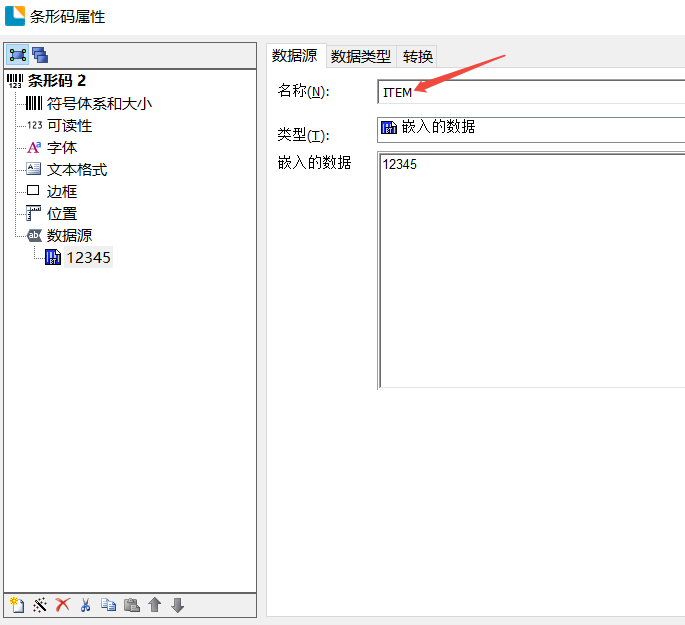
                {"ITEM",itemModel},
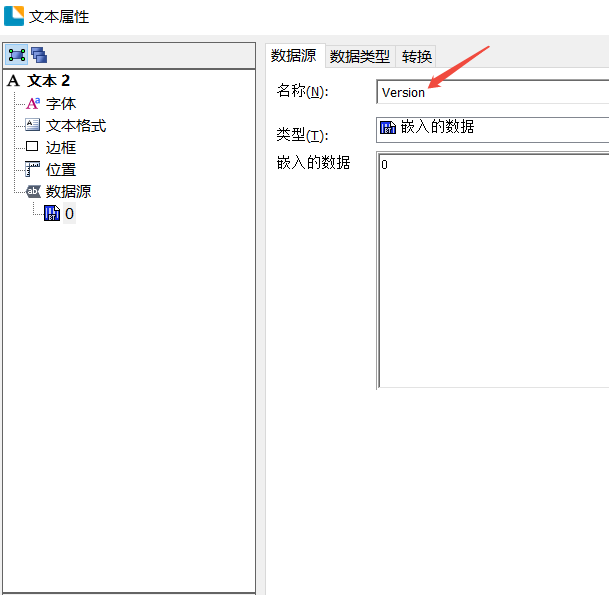
                {"Version",itemVersion },
                {"ROHS",rohsLabel },
                {"Producer",factoryCode }
            };

            Flag = BarTenderPrint.Print("Microsoft Print to PDF", "D:\\project\\VS\\WindowsFormsApp1\\WindowsFormsApp1\\bin\\x64\\Debug\\模板\\模板1.btw", dic, 1);//表示有一个名称为SN的打印机,然后打印模板的路径,打印内容,打印数量
        }
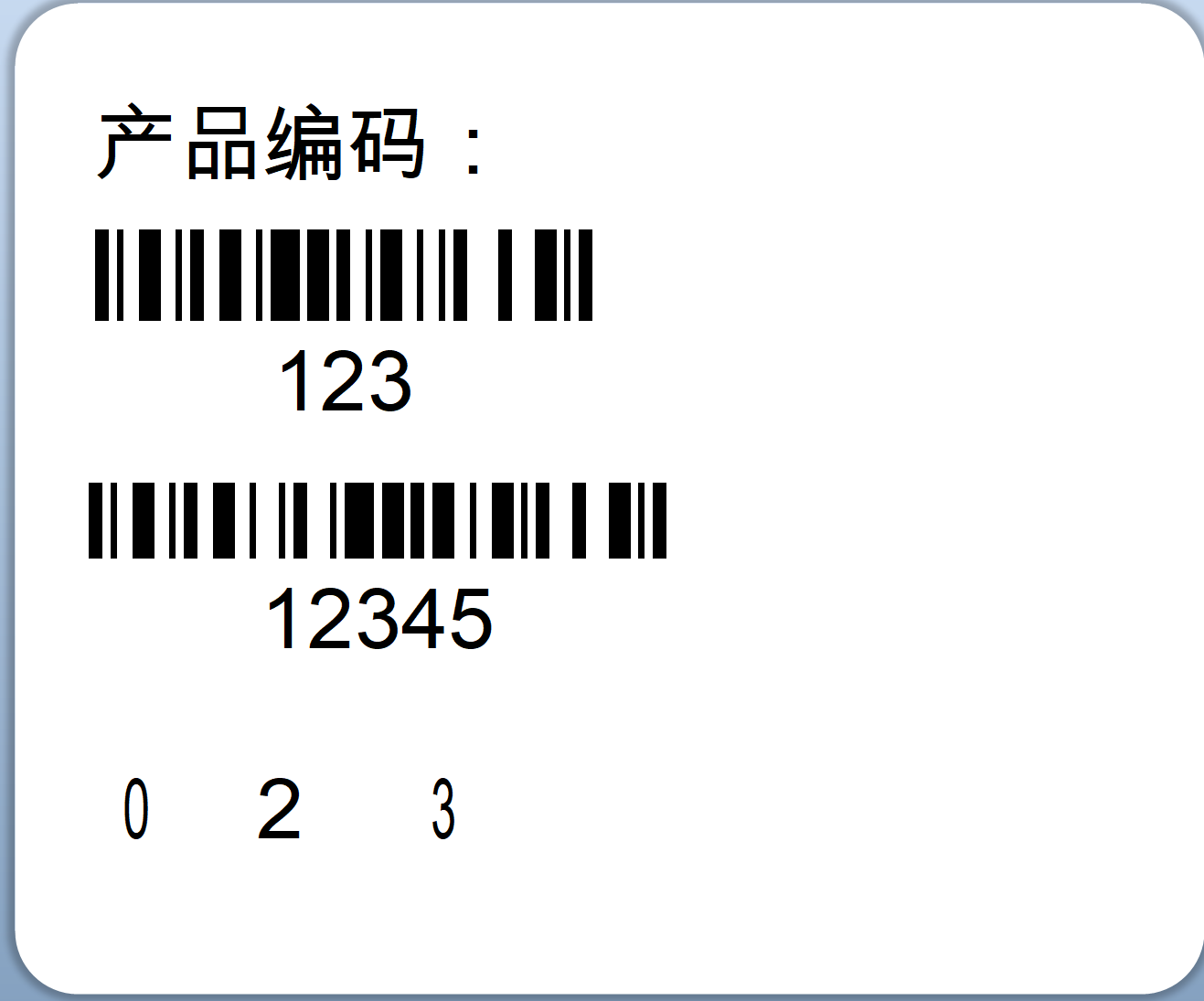
4.打印模板
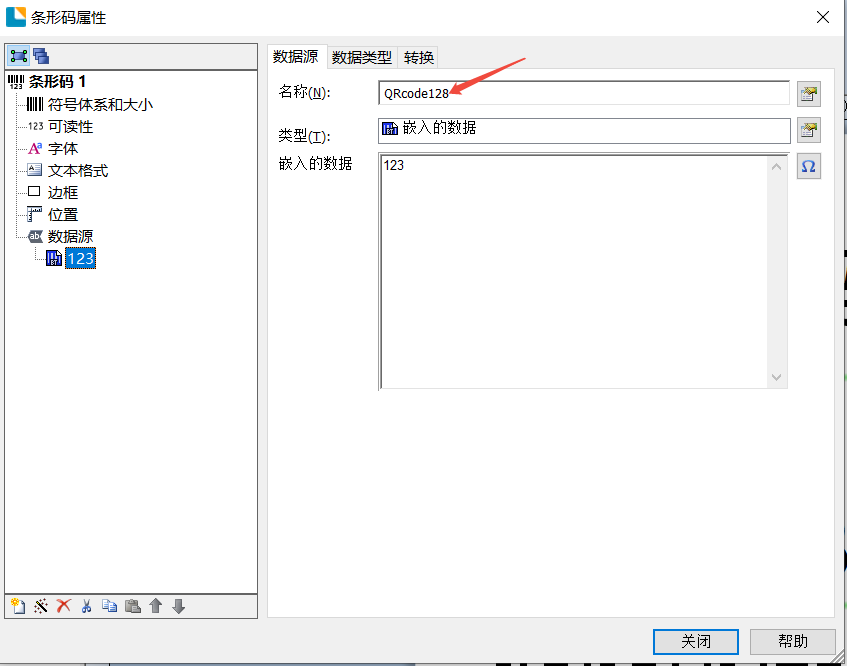
若想标签内容可修改,数据源里的字段名称需要对应字典里面的KEY,标签里的内容才会对应字典里面的value值

 浙公网安备 33010602011771号