
【Git】常用命令:add,commit,reflog,log,status,reset --hard,
常用命令
| 命令 | 描述 |
|---|---|
| git init | 初始化本地库 |
| git status | 查看本地库状态 |
| git add 文件名 | 添加到暂存区 |
| git commit -m “日志信息” 文件名 | 提交到本地库 |
| git reflog | 查看历史记录 |
| git reset --hard 版本号 | 版本穿梭 |
1.常用命令
1.1 设置用户签名
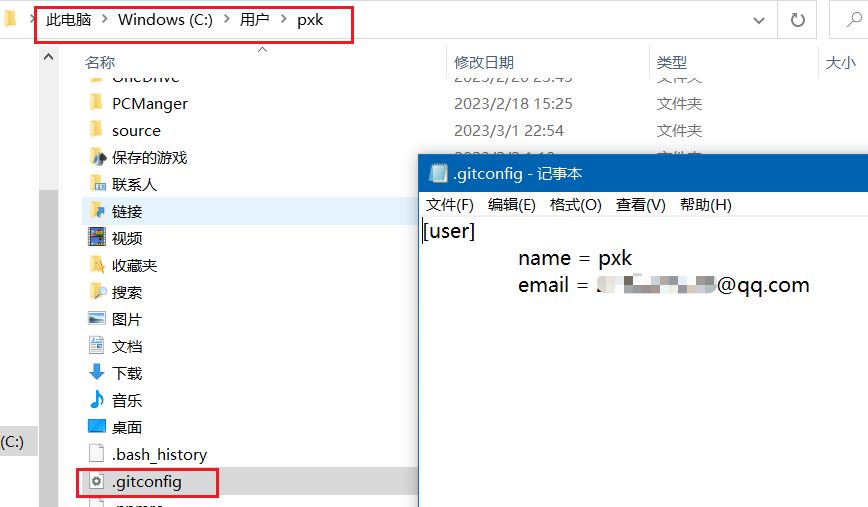
用来确定代码是谁提交的,Git首次安装必须设置用户签名,否则无法提交代码。
git config --global user.name 用户名
git config --global user.email 邮箱
查看设置好的用户签名
1.2 初始化本地库
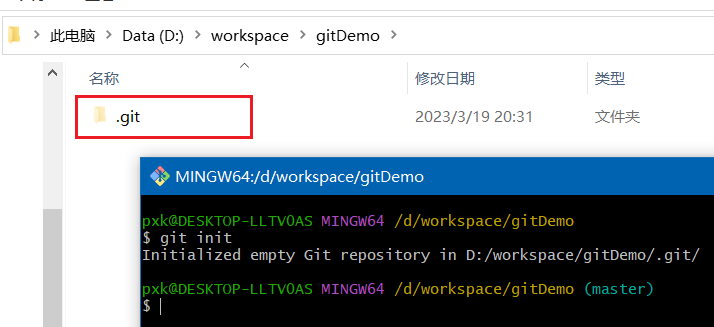
在一个空文件夹下右键执行该命令,发现这个文件夹下多了一个.git文件夹
git init
1.3 查看本地库状态
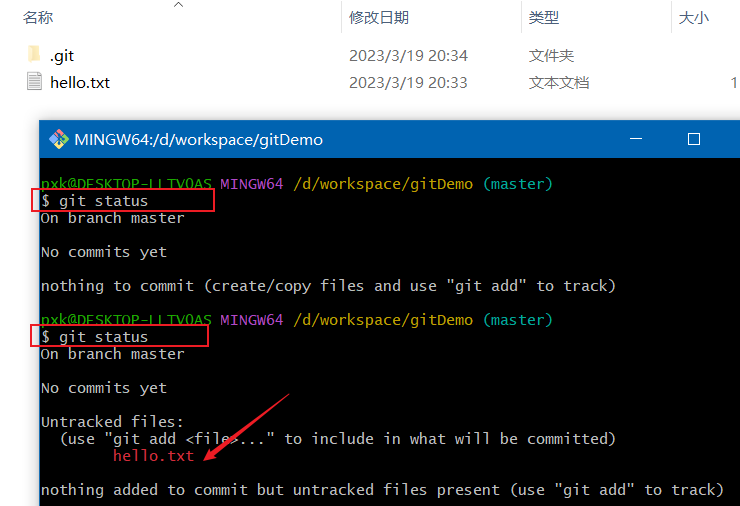
添加hello.txt后再查看状态,提示hello.txt没有添加到暂存区
git status
1.4 添加暂存区
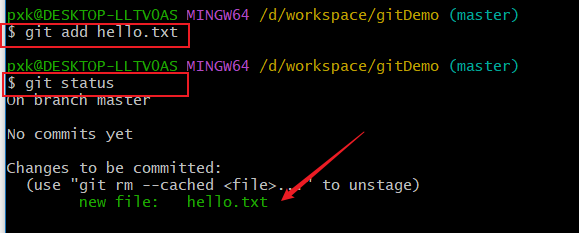
(1)将hello.txt添加暂存区
git add hello.txt
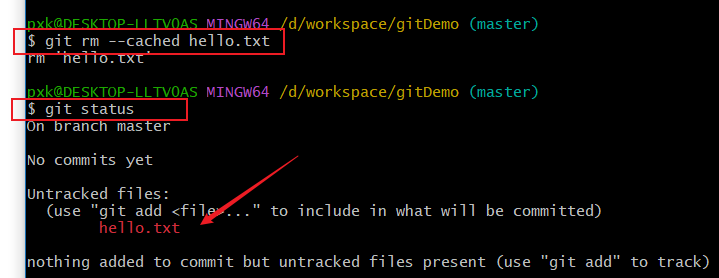
(2)删除暂存区的hello.txt,工作区的hello.txt还在,可以再次添加到暂存区
git rm --cached hello.txt
1.5 提交本地库
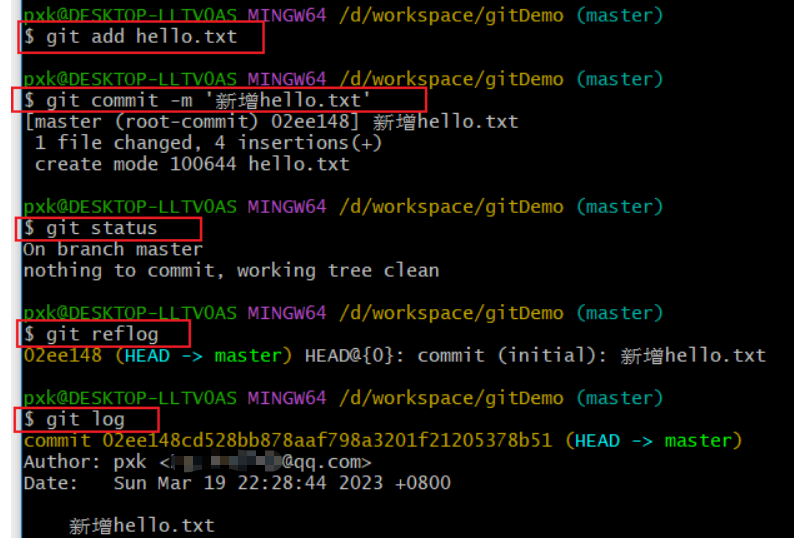
git commit -m '新增hello.txt'
提交后再查看状态,日志提示没有东西可提交了,git reflog可以查看版本信息,版本号为02ee148,git log查看详细日志信息。
1.6 修改文件
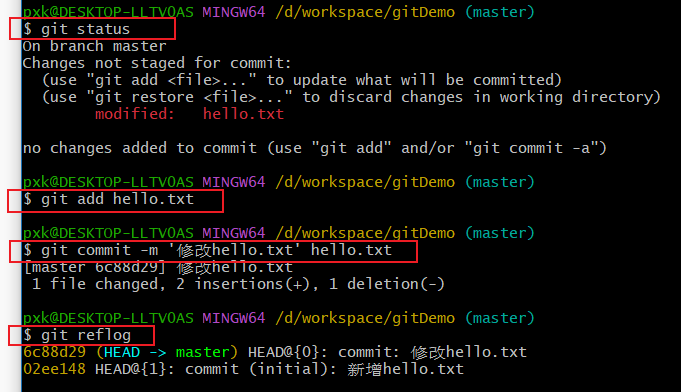
修改hello.txt文件的内容
git status
git add hello.txt
git commit -m '修改hello.txt' hello.txt
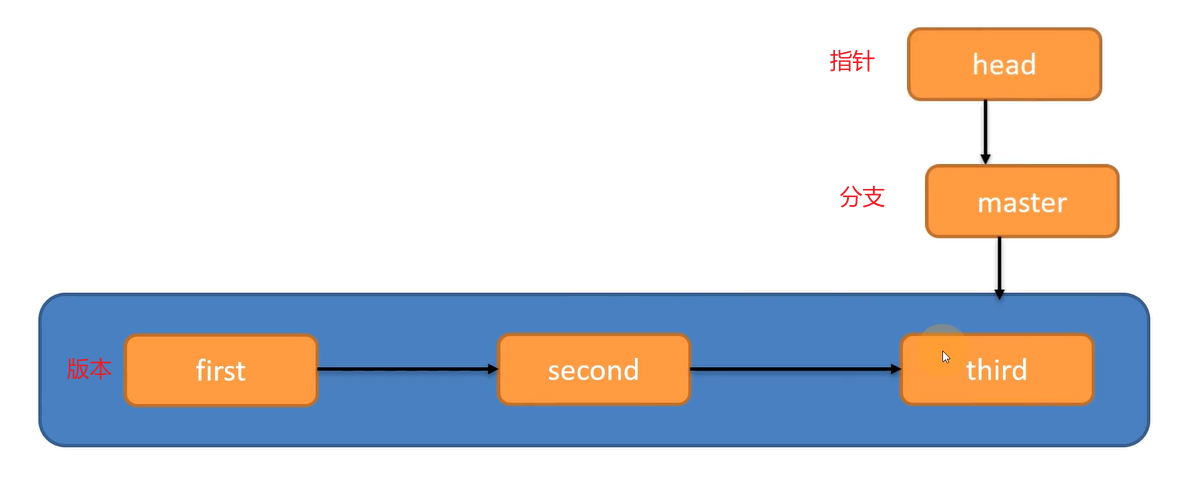
git reflog     #查看版本信息,发现有两个版本,指针指向第二个版本
1.7 版本信息
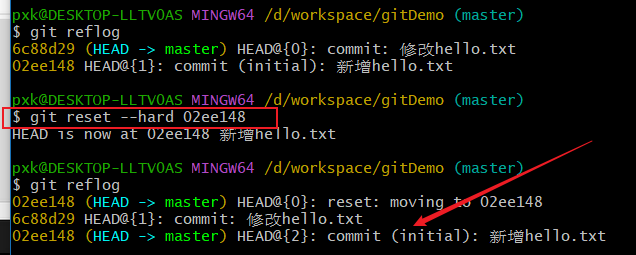
git reflog		#查看版本信息
git log		#查看详细版本信息
git reset --hard 02ee148	#版本穿梭,切换后工作区的hello.txt也会变
版本切换的原理

 浙公网安备 33010602011771号