
第二天 开始写hello world了!
1 public class hello {
2     public static void main(String[] args) {
3         System.out.println("hello,world!");
4     }
5 }

以上,是第一个代码,打印出hello world在屏幕上。
如何在一个空项目创建一个新模组
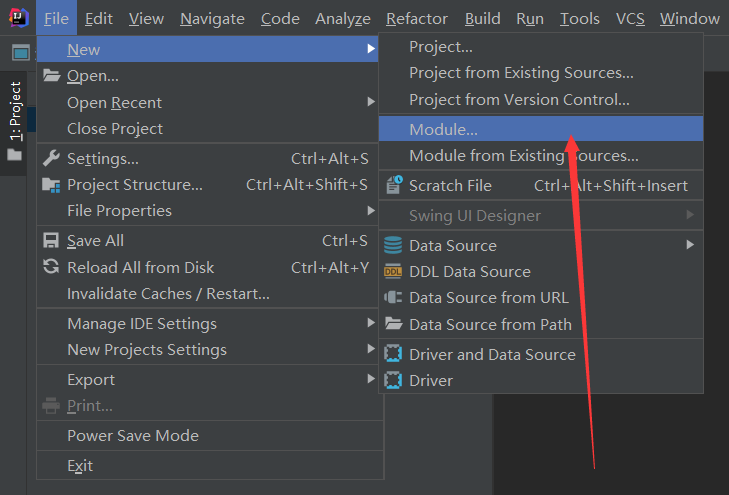
配置开发环境
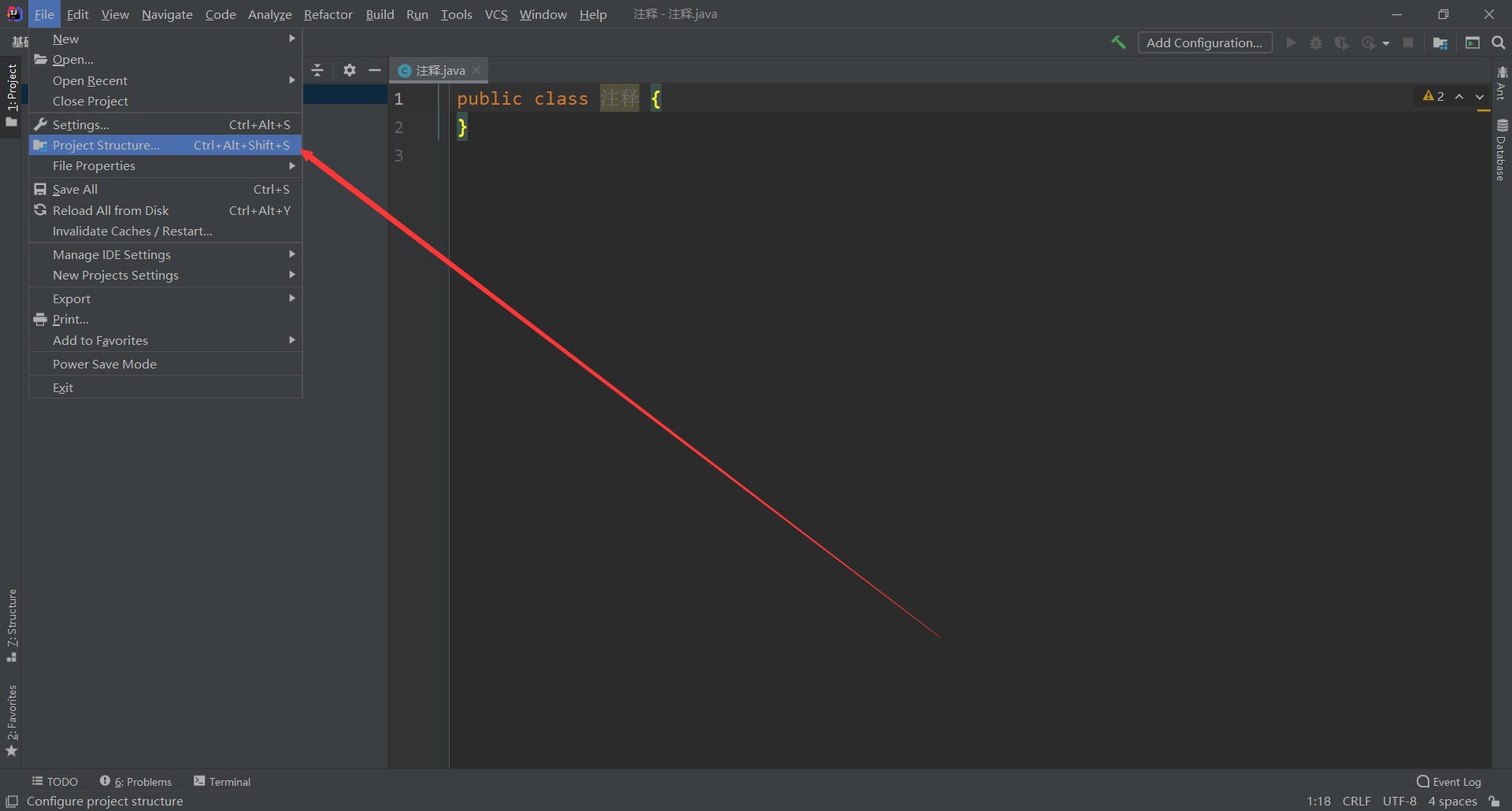
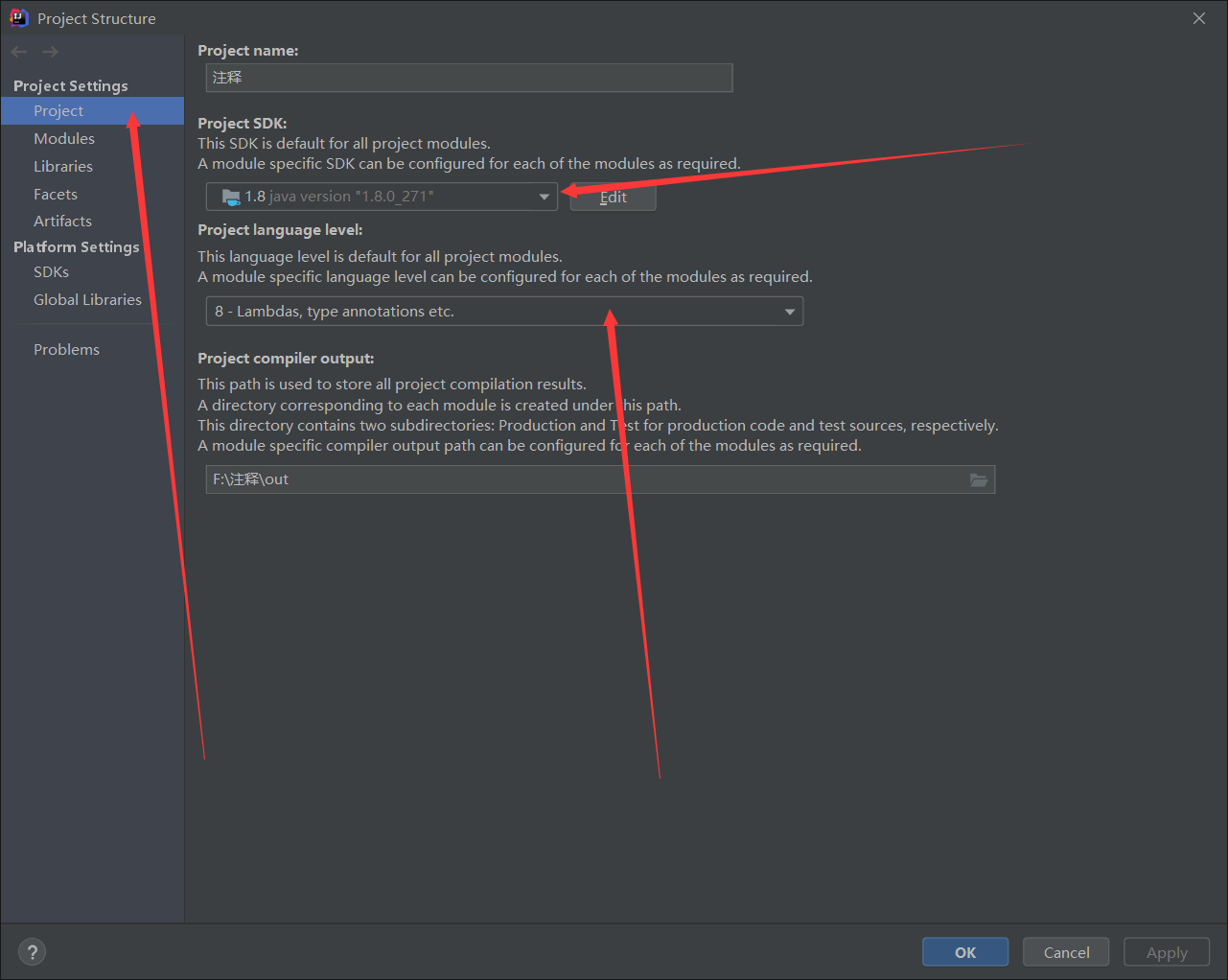
必须配置完毕才可以写程序
关于写程序的快捷输入:
psvm:快速创建主函数
sout:快速创建打印输出
如此一来就可以写出开头的hello world程序来了。
如何写注释
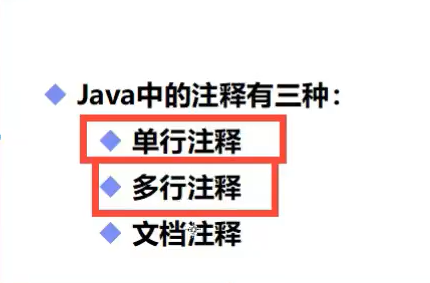
例如
1 public class 注释 {
2     public static void main(String[] args) {
3         //单行注释
4         System.out.println("hello,world!");
5     }
6 }
在//后可以写单行注释
注释不会被执行,只是用来写给写代码的人看的。
1 public class 注释 {
2     public static void main(String[] args) {
3         //单行注释
4         //输出一个hello world!
5         System.out.println("hello,world!");
6     }
7 }
以上两个代码都只会输出一个hello world!
多行注释的格式是/* 注释 */
例如
 1 public class 注释 {
 2     public static void main(String[] args) {
 3         //多行注释
 4         /*
 5
 6         注释
 7
 8          */
 9
10         System.out.println("hello,world!");
11     }
12 }
这样就完成我们的多行注释了。
文档注释(不常用)
/** 注释 */
 1 public class 注释 {
 2     public static void main(String[] args) {
 3         //javadoc:文档注释
 4         /**
 5          * @description helloworld
 6          * @author 学java 黯夜
 7          */
 8
 9
10         System.out.println("hello,world!");
11     }
12 }
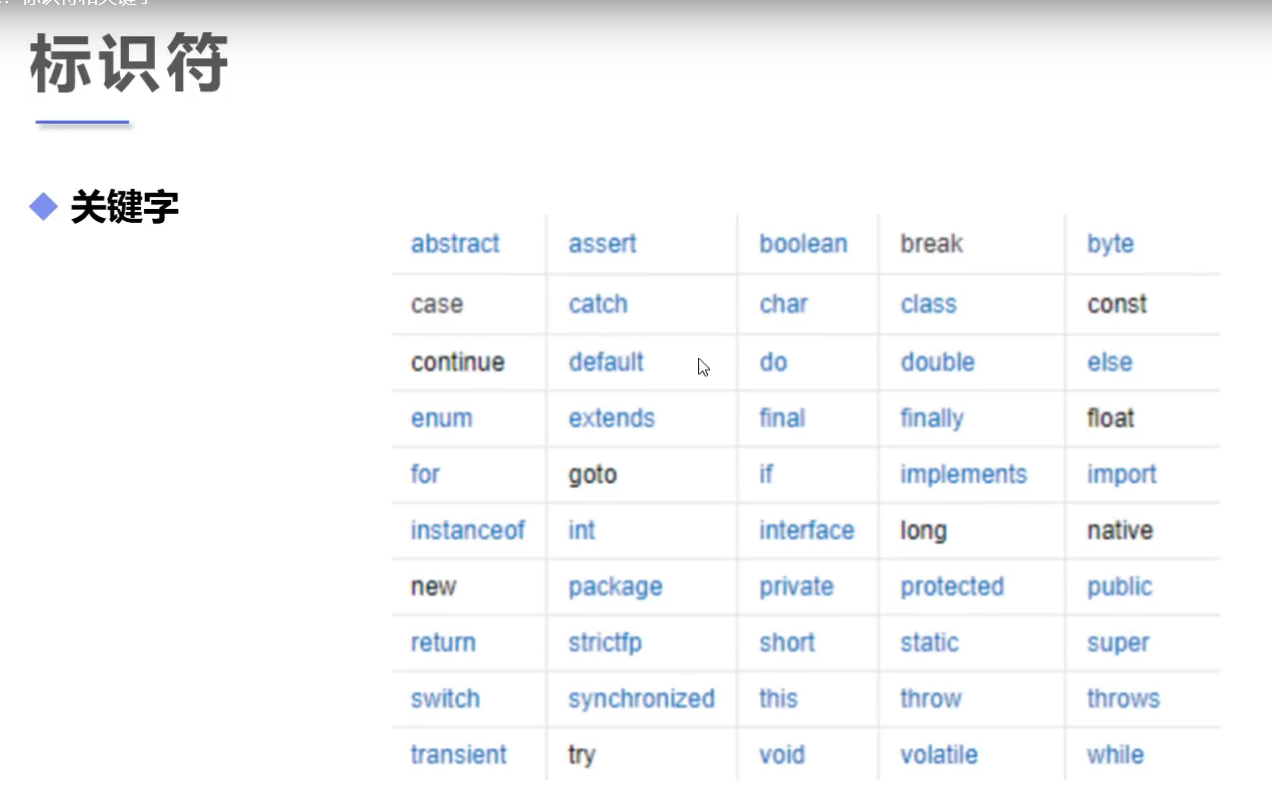
常用的关键字
标识符注意事项
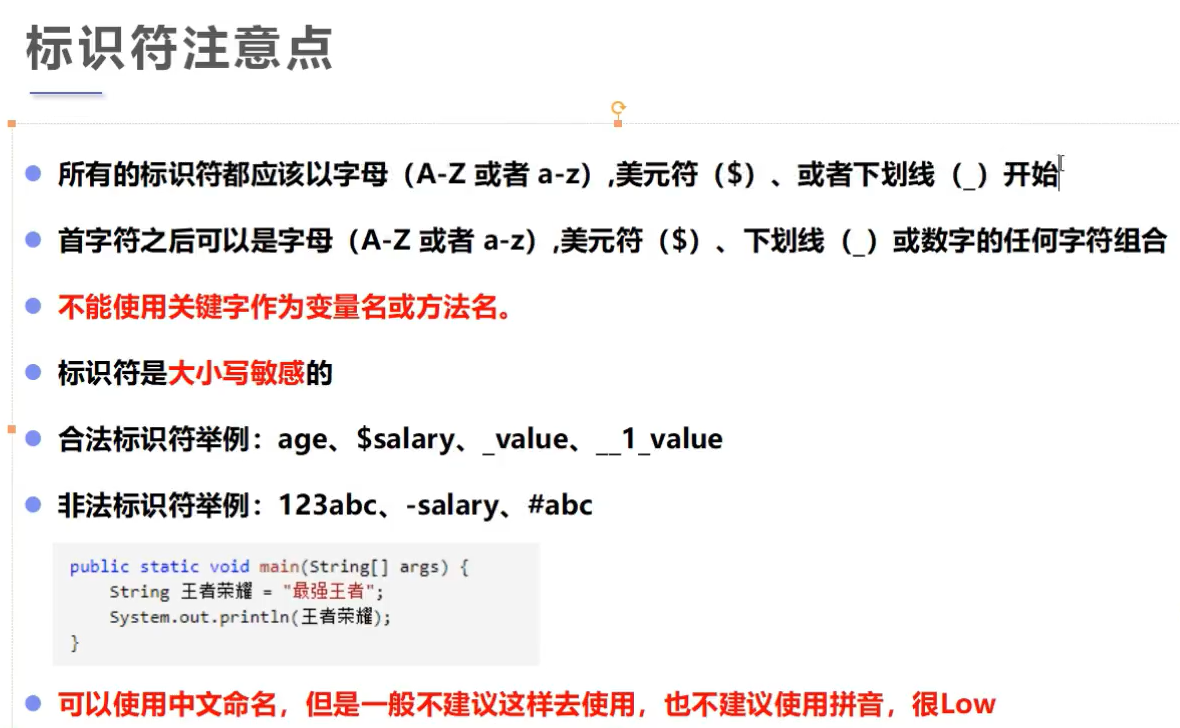
例如
1 public class 注释 {
2     public static void main(String[] args) {
3         String student = "钟浩航";//定义变量
4
5         System.out.println(student);
6     }
7 }
输出结果

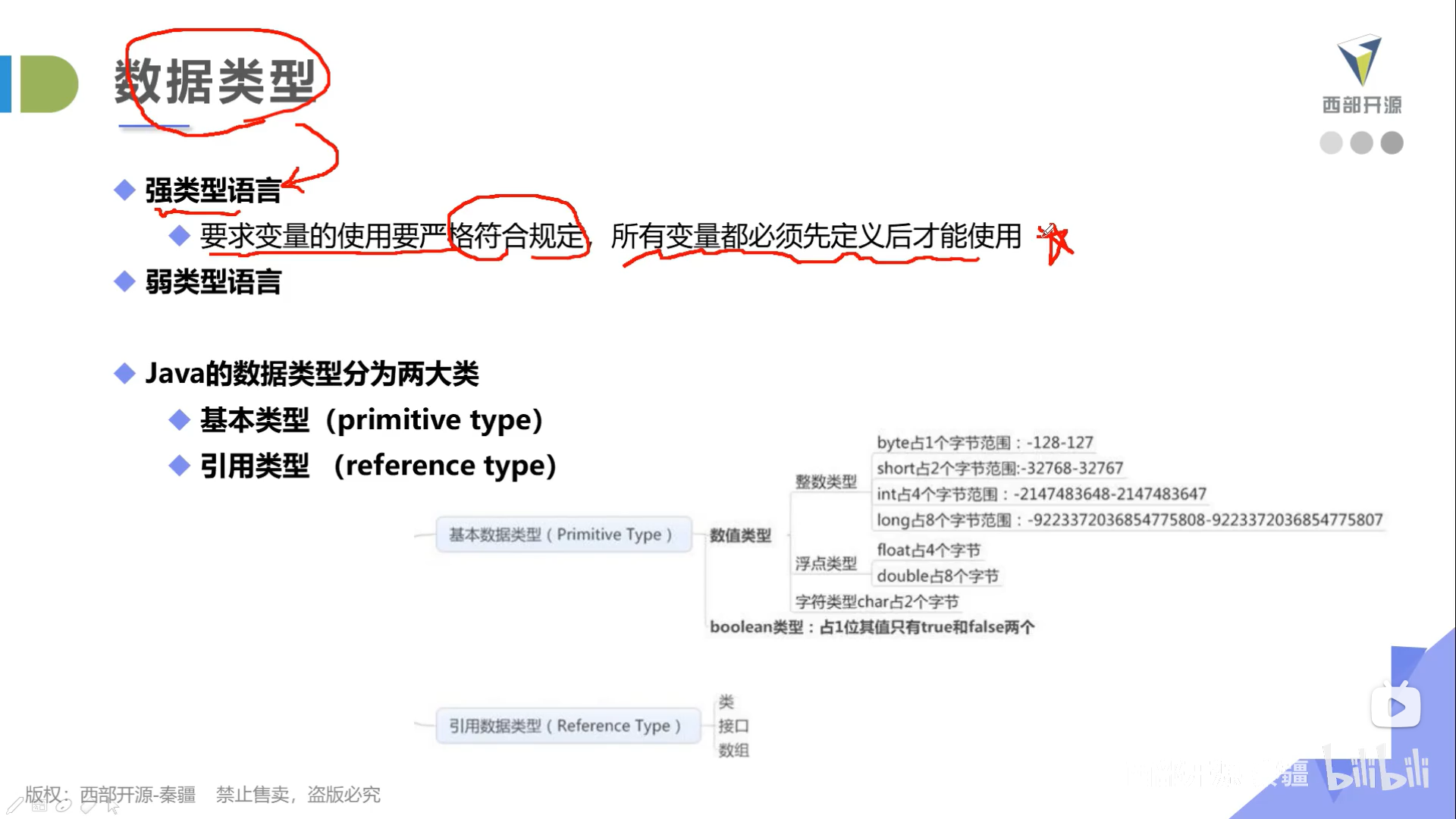
数据类型

 浙公网安备 33010602011771号