
谷歌(Google)浏览器显示内存不足,无法打开此网页
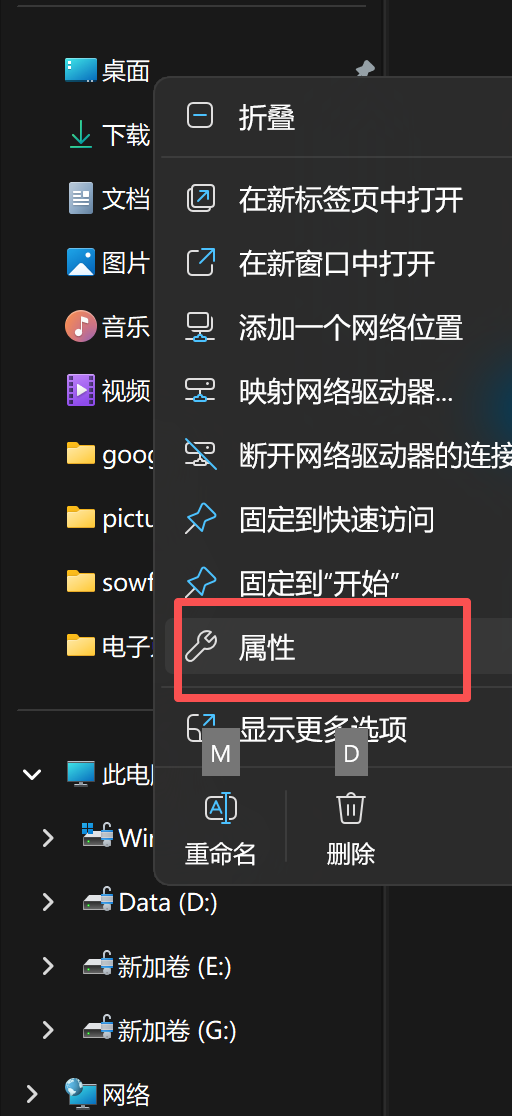
此电脑 -> 属性 -> 高级系统设置:
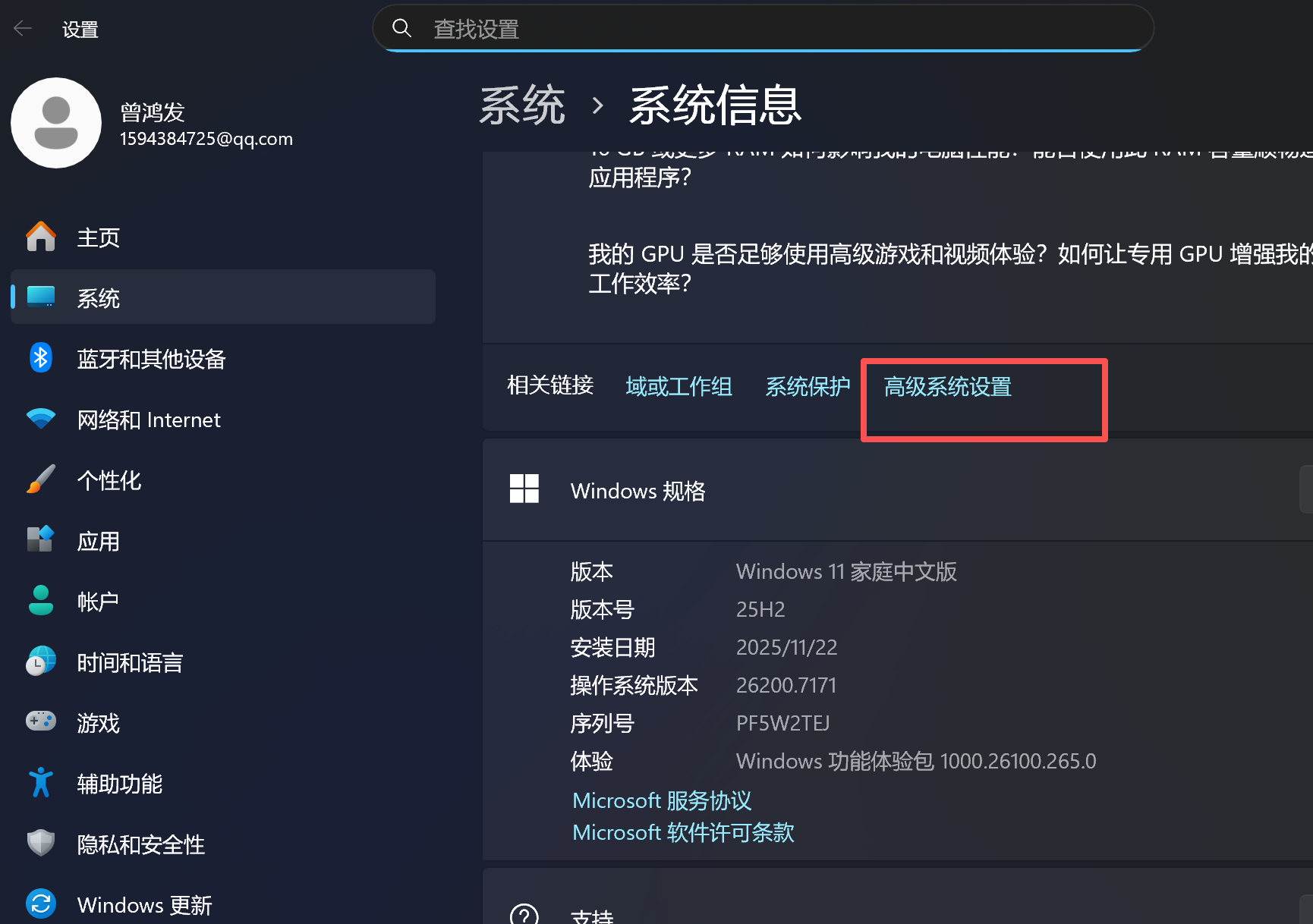
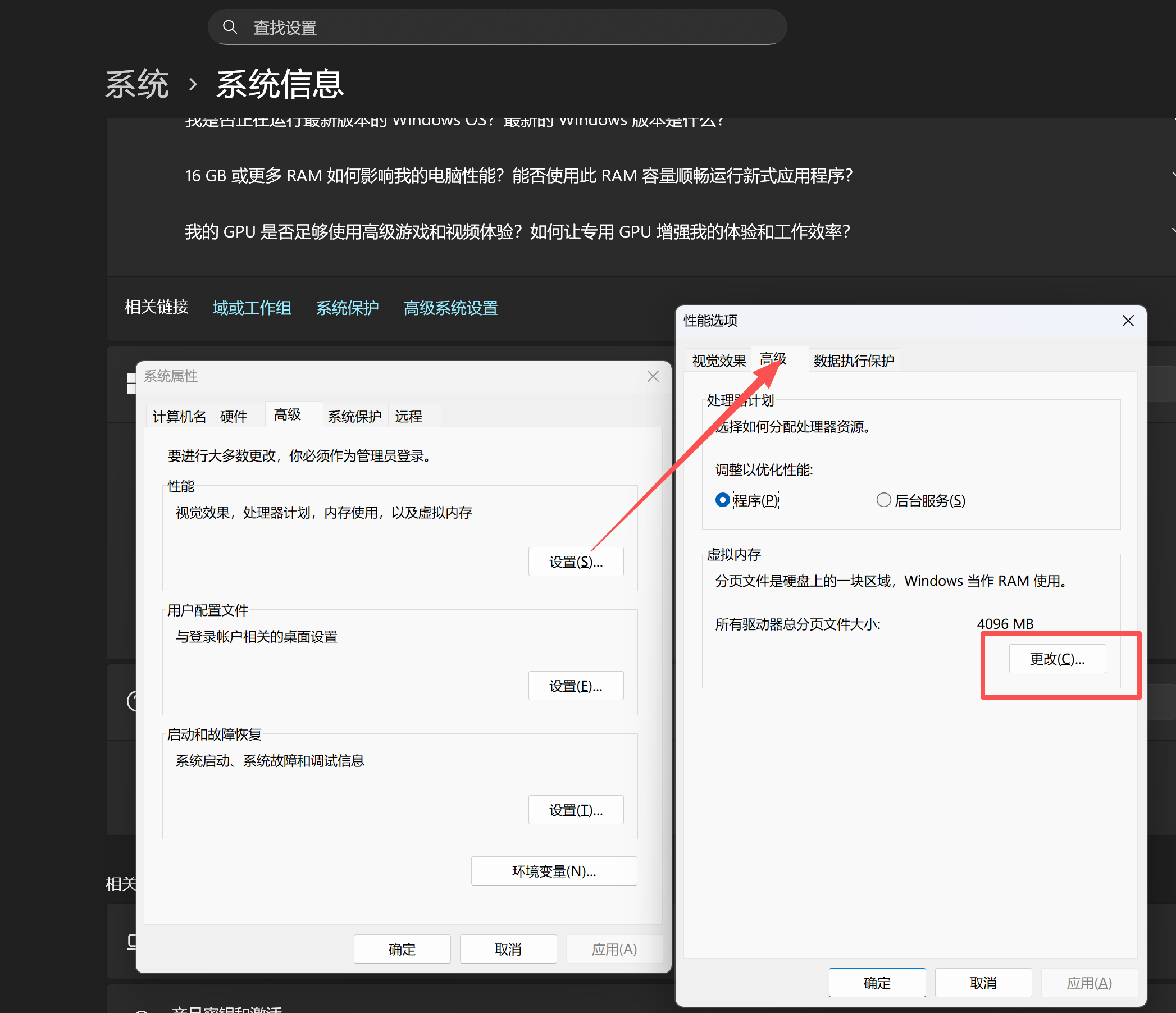
高级 -> 性能 -> 设置 -> 高级 -> 更改:
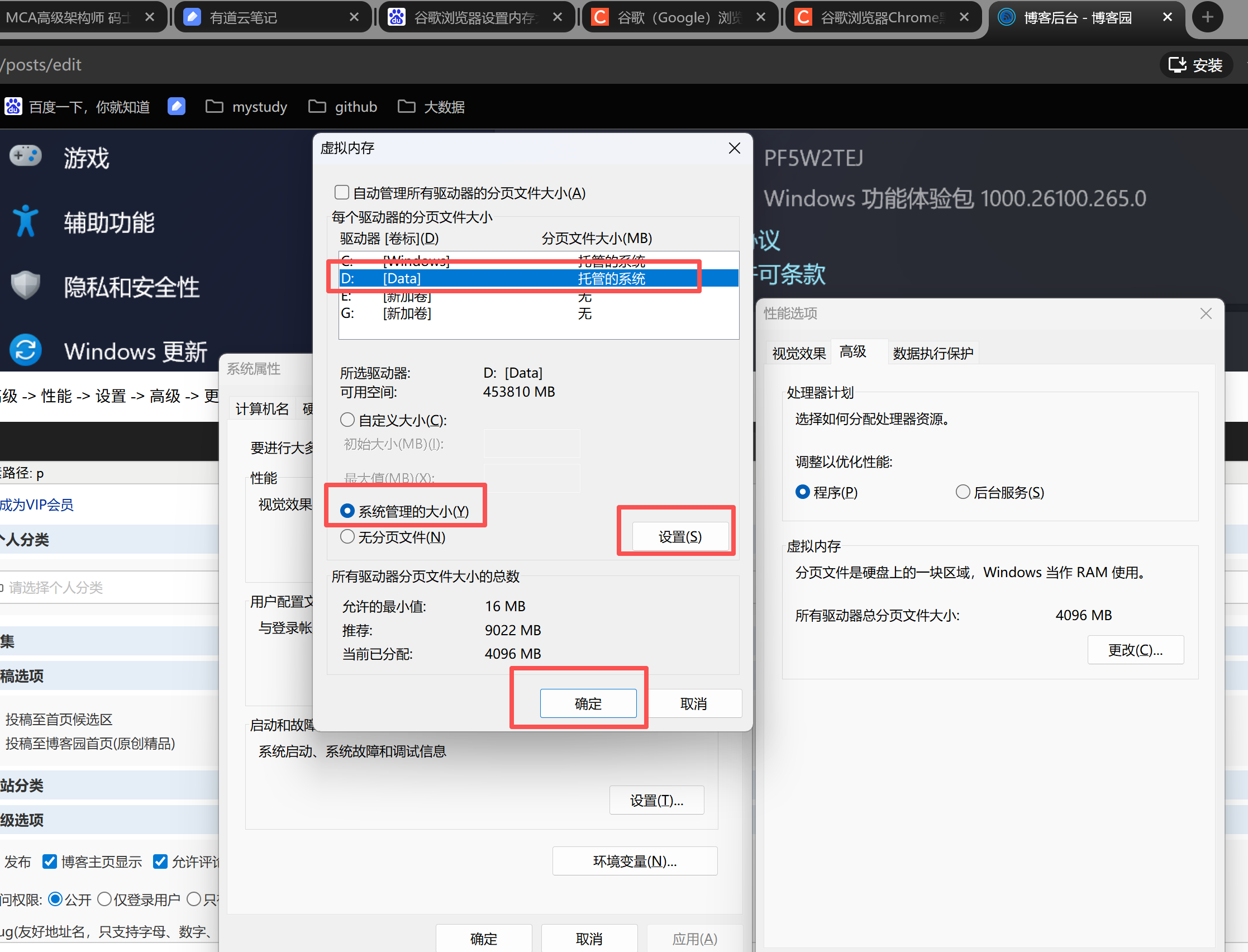
选择一个盘符,选择系统管理的大小,点击设置,点击确定:
参考:https://blog.csdn.net/weixin_43042683/article/details/121734697
此电脑 -> 属性 -> 高级系统设置:
高级 -> 性能 -> 设置 -> 高级 -> 更改:
选择一个盘符,选择系统管理的大小,点击设置,点击确定:
参考:https://blog.csdn.net/weixin_43042683/article/details/121734697

 浙公网安备 33010602011771号