
TLQ8_X86_64_安装
服务端
[root@localhost ~]# adduser tlq
[root@oracle ~]# su - tlq
[tlq@oracle tlqsoft]$ tar -xvf  R_TLQ8.1.11.0_Linux2.6.32-431_X86_64.tar
设置环境变量
[tlq@oracle ~]$ cat /home/tlq/TLQ8/setp >> .bash_profile
[tlq@oracle ~]$ vim  ~/.bash_profile
[tlq@oracle ~]$ source ~/.bash_profile
[tlq@oracle ~]$ env|grep TLQ
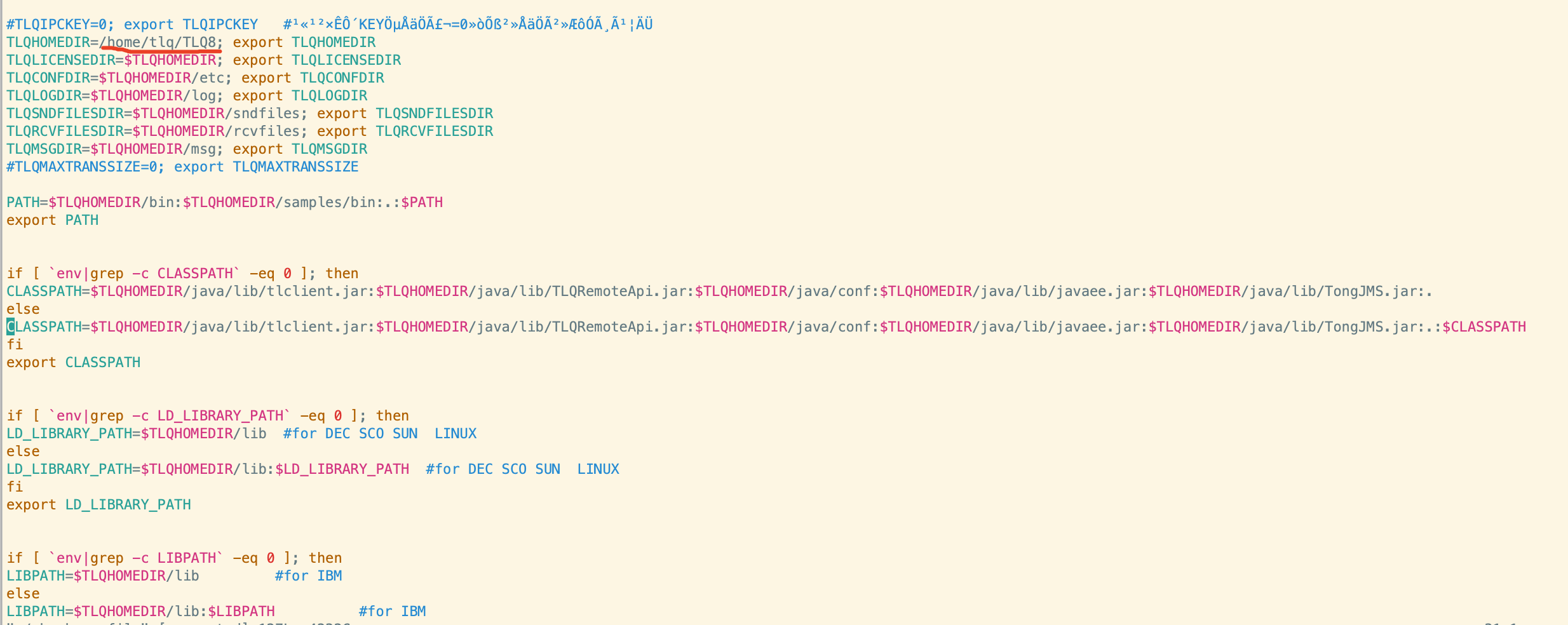
启动服务
[tlq@oracle ~]$ tlq
[tlq@oracle ~]$ tlq -cstop -y
[tlq@oracle ~]$ tlq -cabort –y
[tlq@oracle ~]$ tlq -cabort -y -wl
[tlq@oracle ~]$  ps -ef | grep tlq
客户端
客户端给服务端发送消息

 浙公网安备 33010602011771号