

1、手机上效果预览
不知道为啥上传后是如此的高糊画质(手机画质很好)
微信小程序日常生活首页手机效果演示
2、开发者工具效果图
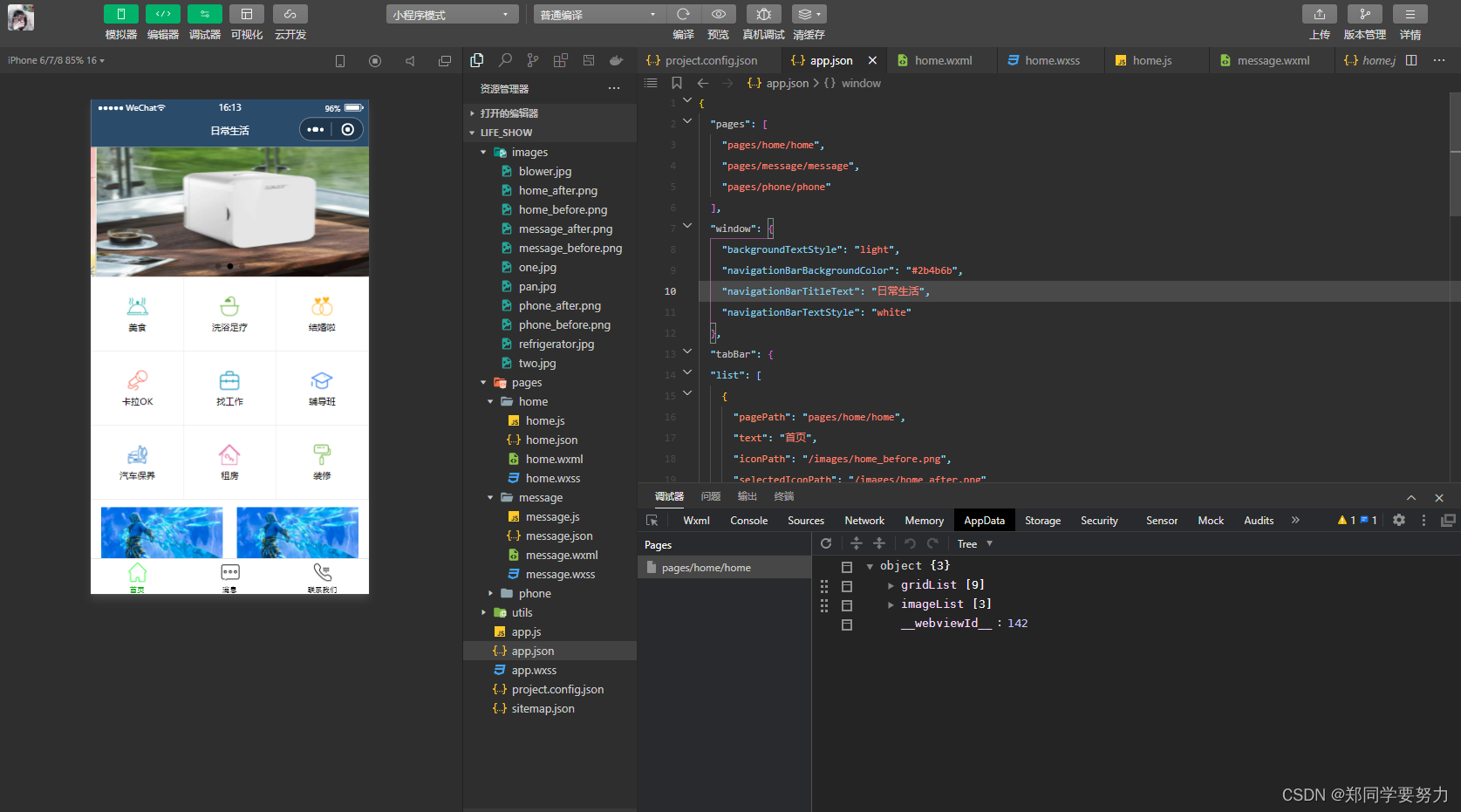
3、真机调试
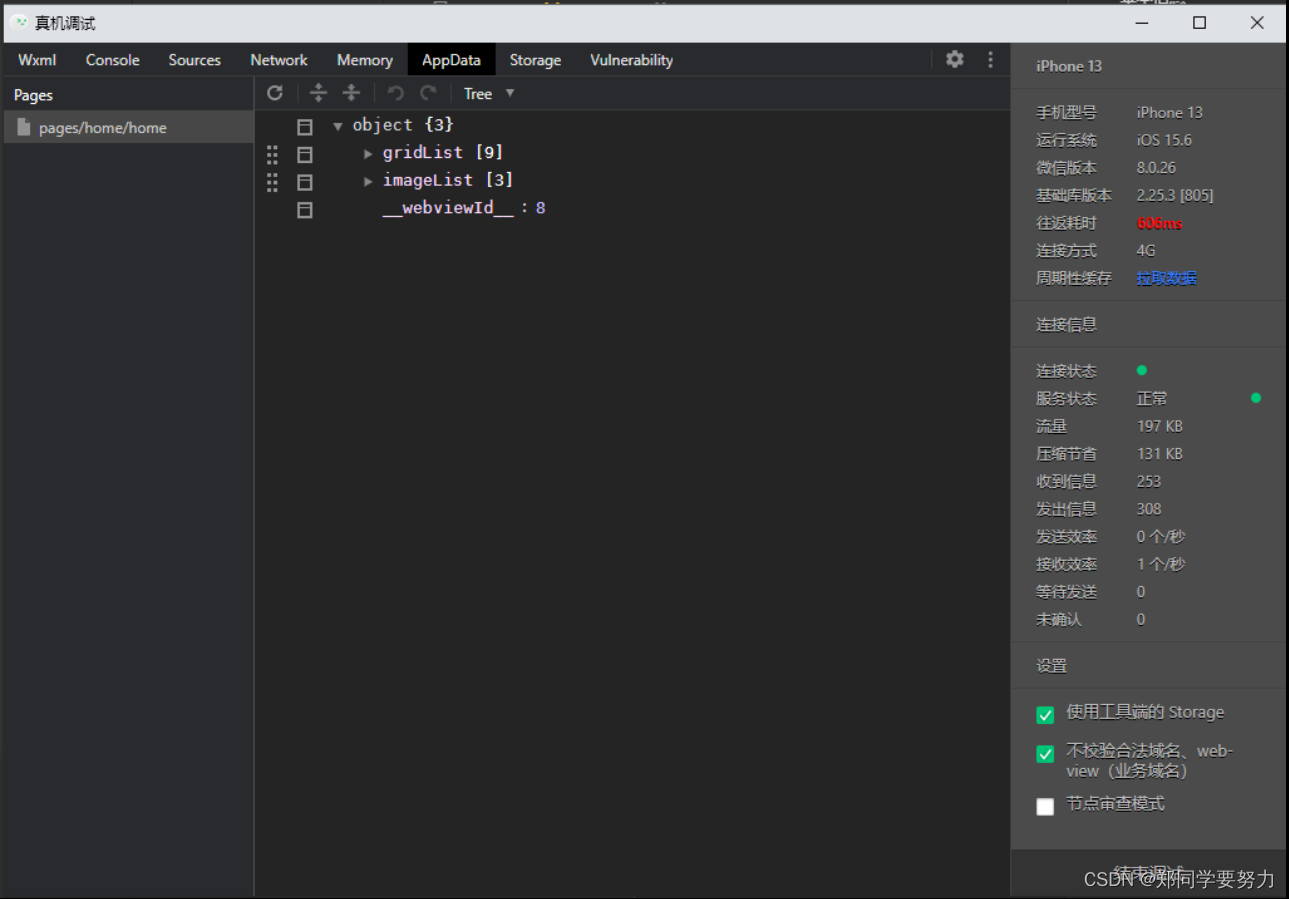
4、项目的目录结构
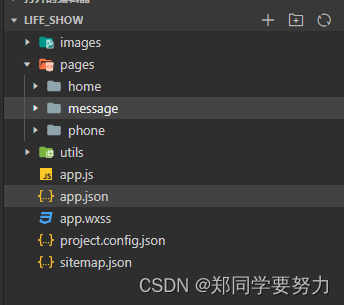
5、核心代码
5.1 app.json
{
  "pages": [
    "pages/home/home",
    "pages/message/message",
    "pages/phone/phone"
  ],
  "window": {
    "backgroundTextStyle": "light",
    "navigationBarBackgroundColor": "#2b4b6b",
    "navigationBarTitleText": "日常生活",
    "navigationBarTextStyle": "white"
  },
  "tabBar": {
  "list": [
    {
      "pagePath": "pages/home/home",
      "text": "首页",
      "iconPath": "/images/home_before.png",
      "selectedIconPath": "/images/home_after.png"

    },
    {
      "pagePath": "pages/message/message",
      "text": "消息",
      "iconPath": "/images/message_before.png",
      "selectedIconPath": "/images/message_after.png"
    },
    {
      "pagePath": "pages/phone/phone",
      "text": "联系我们",
      "iconPath": "/images/phone_before.png",
      "selectedIconPath": "/images/phone_after.png"
    }
  ]

  },
  "style": "v2",
  "sitemapLocation": "sitemap.json"

}
5.2 首页的代码
<!--pages/home/home.wxml-->
<!-- <text>pages/home/home.wxml</text> -->
<!-- 轮播图区域 -->
<swiper autoplay circular indicator-dots>
  <swiper-item wx:for="{{imageList}}" wx:key="id">
      <image src="{{item.image}}"></image>
  </swiper-item>
</swiper>

<!-- 九宫格 -->
<view class="grid-list">
  <view class="grid-item" wx:for="{{ gridList}}" wx:key="id">
    <image src="{{item.icon}}"></image>
    <text>{{item.name}}</text>
  </view>
</view>

<!-- 图片区域 -->
<view class="img-box">
 <image src="/images/two.jpg" mode="widthFix"></image>
 <image src="/images/two.jpg" mode="widthFix"></image>
</view>
5.3 对应的数据
// pages/home/home.js
Page({

  /**
   * 页面的初始数据
   */
  data: {
    // 存放轮播图数据的列表
    imageList:[
      {id:1,image:"/images/one.jpg"},
      {id:2, image:"/images/refrigerator.jpg"},
      {id:3, image:"/images/pan.jpg"}
    ],

    // 存放九宫格数据的列表
    gridList:[]

  },

  //获取九宫格数据的方法
  getGridList(){
    wx.request({
      url: 'https://www.escook.cn/categories',
      method: 'GET',
      success: (res) =>{
        this.setData({
          gridList: res.data
        })
      }

    })
  },

  /**
   * 生命周期函数--监听页面加载
   */
  onLoad: function (options) {
    this.getGridList()

  },

  /**
   * 生命周期函数--监听页面初次渲染完成
   */
  onReady: function () {

  },

  /**
   * 生命周期函数--监听页面显示
   */
  onShow: function () {

  },

  /**
   * 生命周期函数--监听页面隐藏
   */
  onHide: function () {

  },

  /**
   * 生命周期函数--监听页面卸载
   */
  onUnload: function () {

  },

  /**
   * 页面相关事件处理函数--监听用户下拉动作
   */
  onPullDownRefresh: function () {

  },

  /**
   * 页面上拉触底事件的处理函数
   */
  onReachBottom: function () {

  },

  /**
   * 用户点击右上角分享
   */
  onShareAppMessage: function () {

  }
})
6、友情提示
- 1、需要配置导航栏的效果(在app.json中进行配置 在windows中配置)
- 2、配置tabBar效果(在app.json中进行配置、需要额外增加tabBar)
- 3、实现轮播图效果(知道
swiper的使用、可以创建数组对象、图片地址可以是项目中的静态资源图片、也可以是联网图片(这里是项目中的静态资源)) - 4、实现九宫格效果(数据来自网络请求 (需要掌握网络请求相关的知识))
- 5、实现图片布局
7、完整的项目代码
地址链接:https://download.csdn.net/download/weixin_43304253/86401914

 浙公网安备 33010602011771号