

linux驱动之按键(合众恒跃RK3506平台)
一、驱动配置
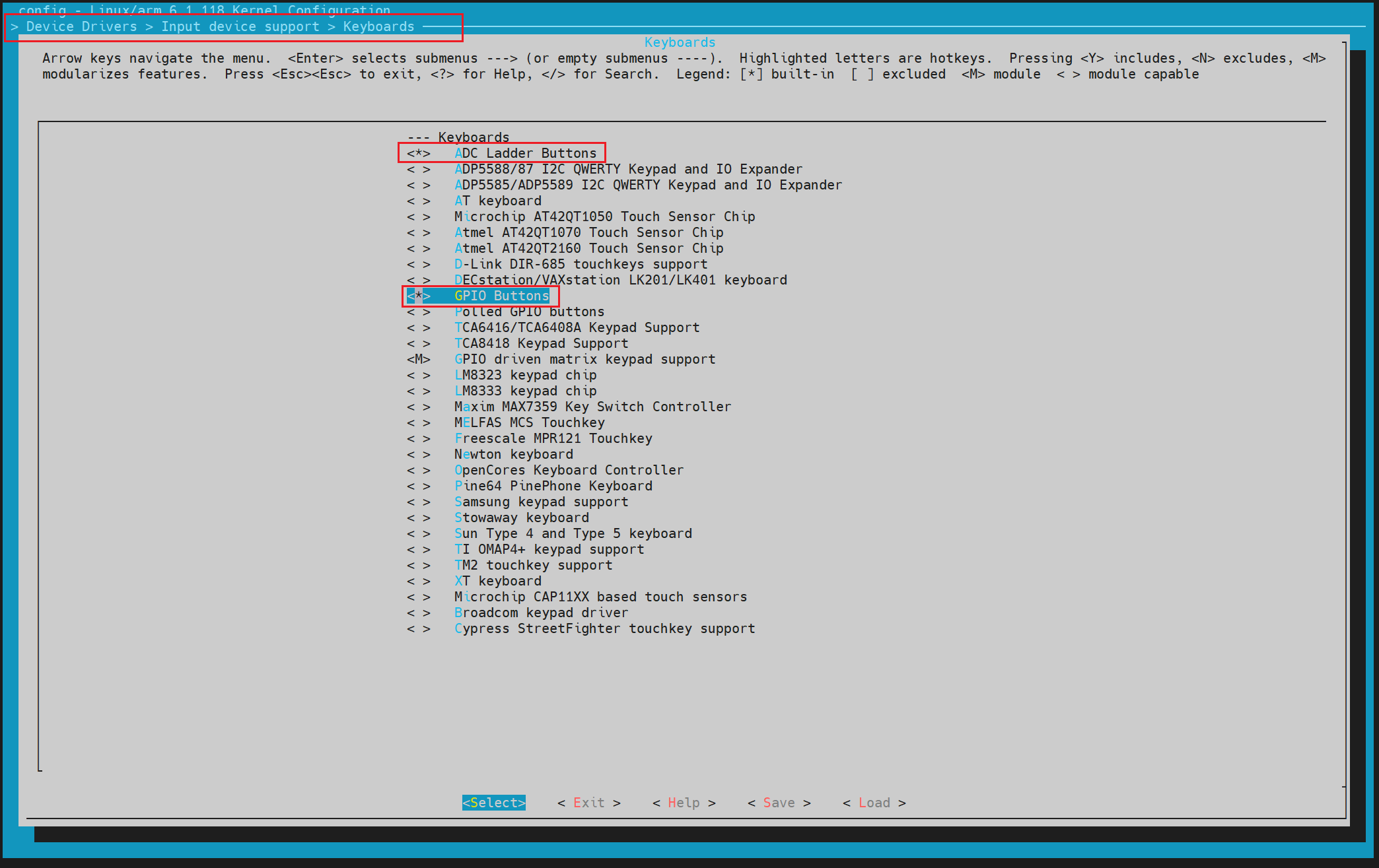
Device Drivers  --->
  Input device support  --->
    Keyboards  --->
      [*]ADC Ladder Buttons
      [*]GPIO Buttons
两种按键,一种是ADC按键,一个ADC引脚即可实现多按键检测
另外一种就是GPIO按键,一个引脚控制一个按键,还有按键矩阵,8个gpio可以监测16个按键(4*4)
二、设备树配置
1.ADC按键设备树
user_adc_keys: user-adc-keys {
	compatible = "adc-keys";
	io-channels = <&saradc 3>;
	io-channel-names = "buttons";
	keyup-threshold-microvolt = <1800000>;
	poll-interval = <100>;

	/* SW2 */
	vol-up-key {
		label = "volume up";
		linux,code = <KEY_VOLUMEUP>;
		press-threshold-microvolt = <410000>;
	};

	/* SW3 */
	vol-down-key {
		label = "volume down";
		linux,code = <KEY_VOLUMEDOWN>;
		press-threshold-microvolt = <870000>;
	};
};
2.ADC按键测试
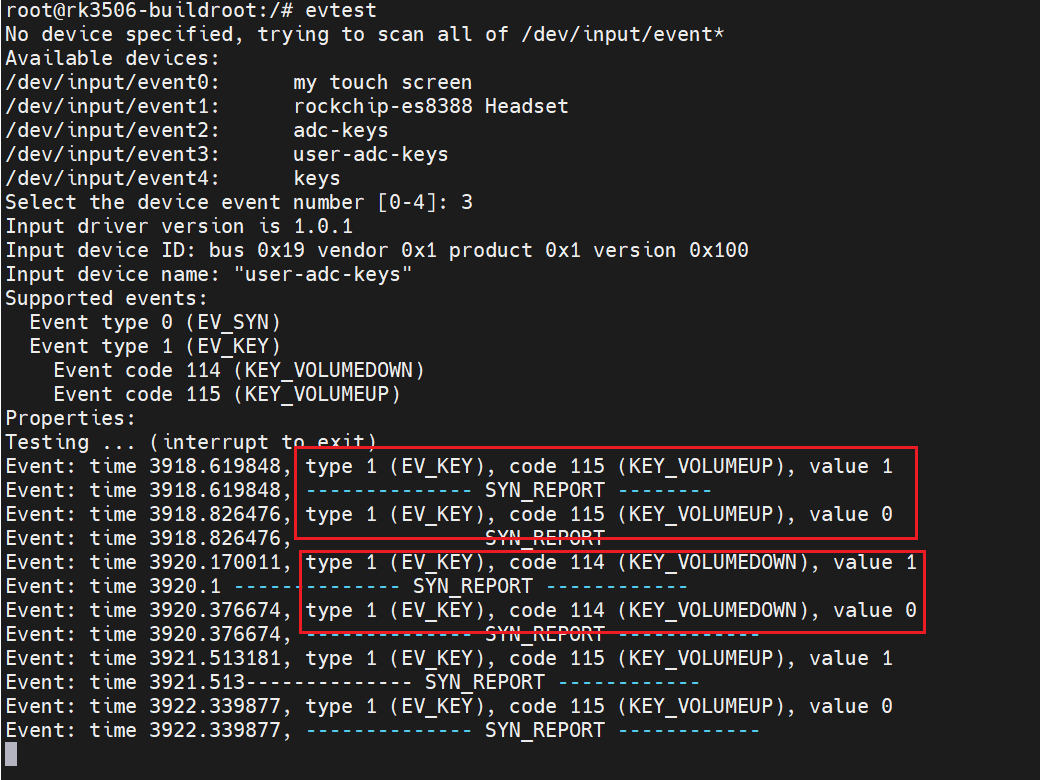
3.GPIO按键设备树
这是放在根节点下的
keys:keys {
	compatible = "gpio-keys";
	pinctrl-names = "default";
	pinctrl-0 = <&button_pins>;
	autorepeat;

	key_down:key_down {
		label = "KEY_DOWN";
		linux,code = <KEY_DOWN>;
		gpios = <&gpio0 RK_PC1 GPIO_ACTIVE_LOW>;
		debounce-interval = <100>;
	};

	key_enter:key_enter {
		label = "KEY_ENTER";
		linux,code = <KEY_ENTER>;
		gpios = <&gpio0 RK_PC0 GPIO_ACTIVE_LOW>;
		debounce-interval = <100>;
	};

	key_up:key_up {
		label = "KEY_UP";
		linux,code = <KEY_UP>;
		gpios = <&gpio0 RK_PB6 GPIO_ACTIVE_LOW>;
		debounce-interval = <100>;
	};

};
pinctrl设置引脚功能和内部上拉
&pinctrl {
	gpio-keys {
		button_pins: button-pins {
			rockchip,pins = <
				0  RK_PC1  RK_FUNC_GPIO  &pcfg_pull_up
				0  RK_PC0  RK_FUNC_GPIO  &pcfg_pull_up
				0  RK_PB6  RK_FUNC_GPIO  &pcfg_pull_up
			>;
		};
	};

};
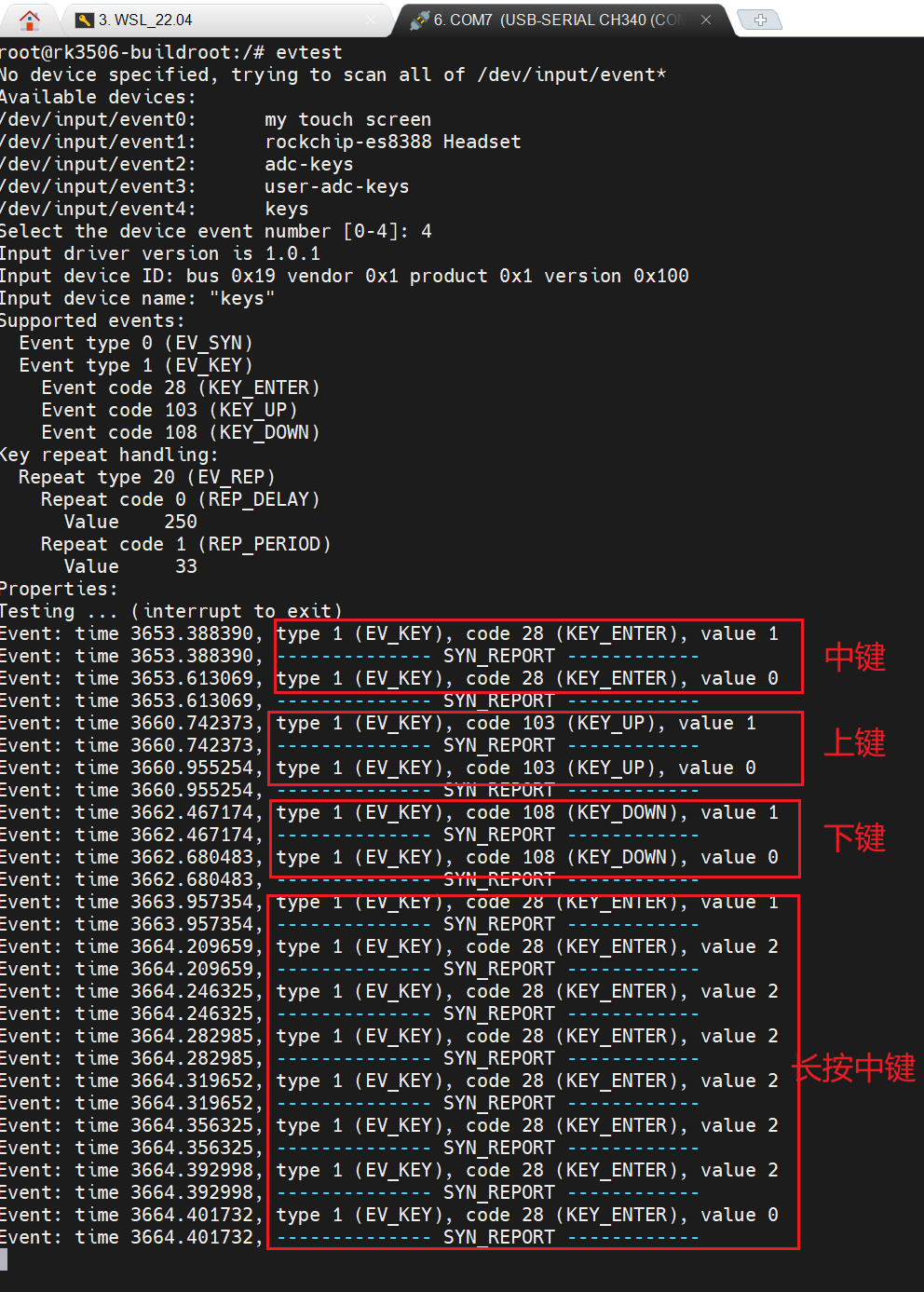
4.GPIO按键测试
三、踩坑经过
首先是引脚一定要对
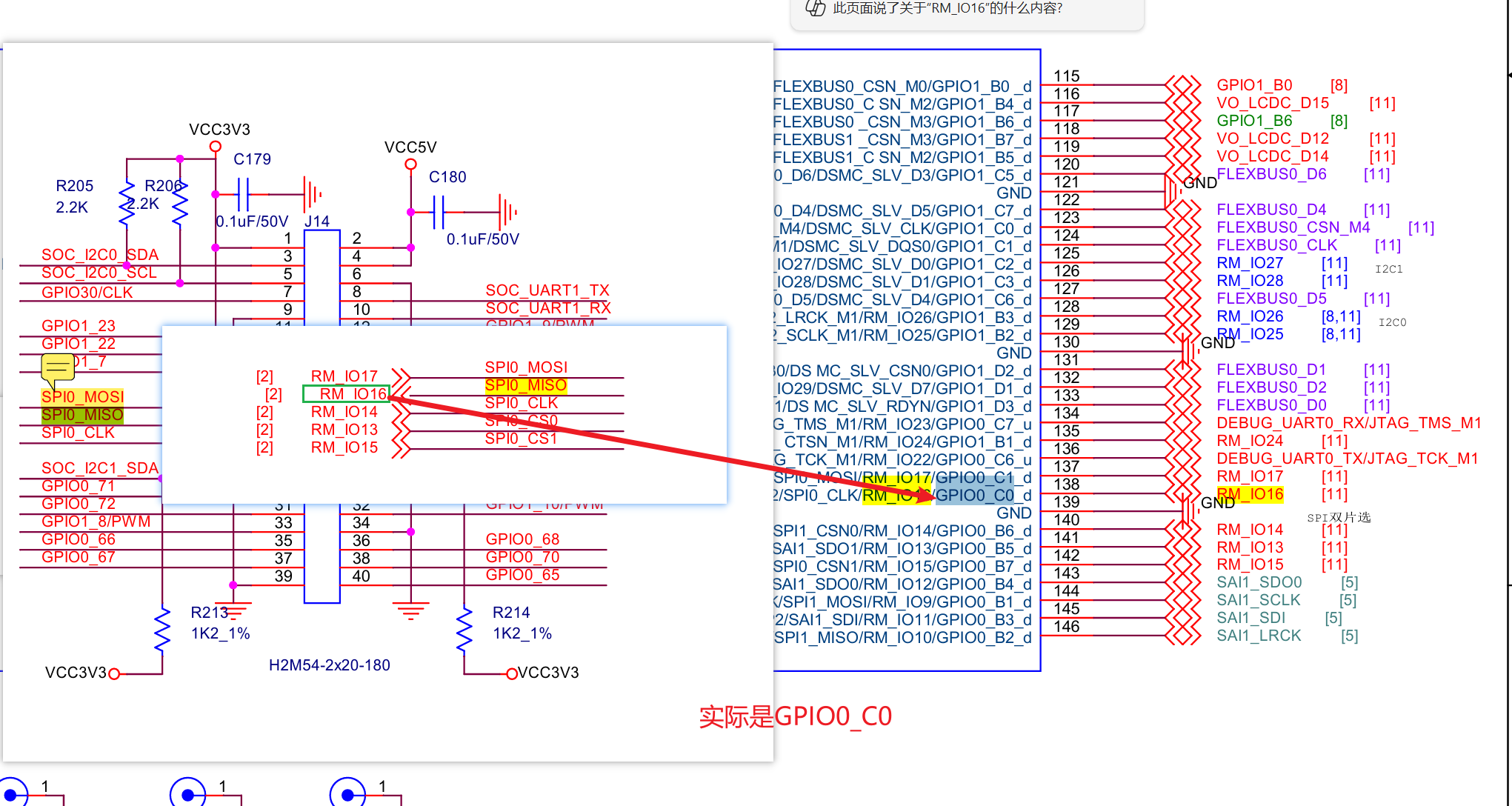
其次原理图排针引脚名称与CPU上引脚名称不一致导致按键键值错位
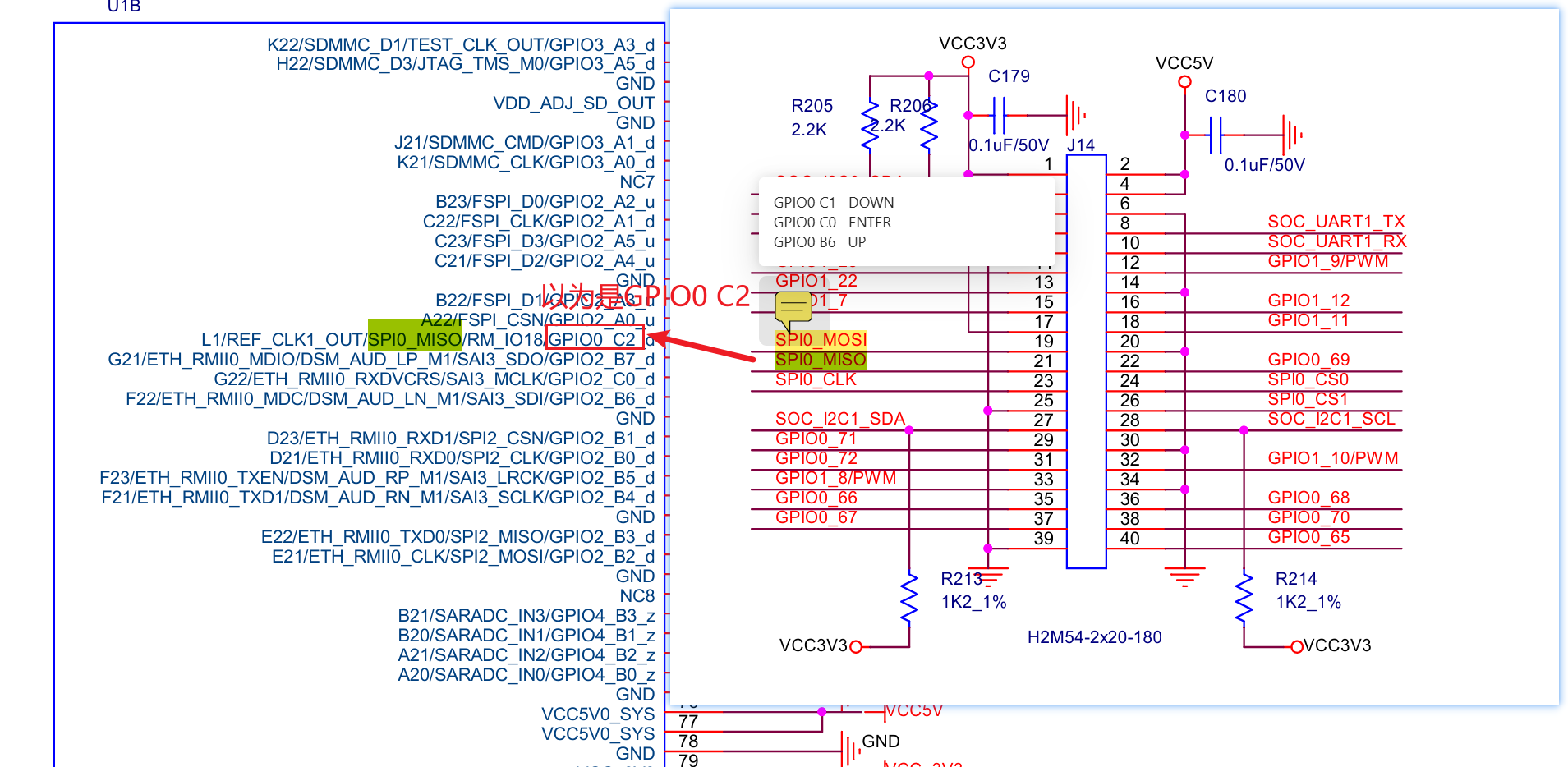
实际的引脚

 浙公网安备 33010602011771号