

前端01-HTML基础
HTML解释器:浏览器
主体内容
 1 <!DOCTYPE html>
 2 <html lang="en">
 3 <head>
 4     <meta charset="UTF-8">
 5     <title>Title</title>
 6 </head>
 7 <body>
 8
 9 </body>
10 </html>
HTML标签中分为两种标签:1.自闭和标签 2.主动闭合标签
(一)head
1.1 <title></title>tab标签
1.2 <link />标签
link标签定义文档与外部资源的关系。
1 <head>
2     <meta charset="UTF-8">
3     <title>tab标题</title>
4     <link rel="shortcut icon" href="https://img0.baidu.com/it/u=3738662069,2433997067&fm=26&fmt=auto&gp=0.jpg">
5 </head>
展示如下图:

(二)body
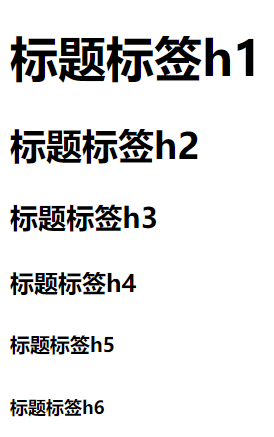
2.1 <h1> - <h6>标题标签
<h1> 定义最大的标题。<h6> 定义最小的标题
1 <body>
2     <h1>标题标签h1</h1>
3     <h2>标题标签h2</h2>
4     <h3>标题标签h3</h3>
5     <h4>标题标签h4</h4>
6     <h5>标题标签h5</h5>
7     <h6>标题标签h6</h6>
8 </body>
展示如下图:
2.2 <div></div>块级标签
div又叫白板标签,特点:无论自己内容有多大,都占一整行
2.3 <span></span>行内标签
span又叫白板标签,特点:自己内容有多大就占多大
div和span没有被css修饰,所以叫白板标签
2.4 <input />输入框标签
1 <body>
2     <input type="text">
3     <input type="text" value="用户名">
4     <input type="text" placeholder="请输入用户名">
5     <input type="password" value="123456" placeholder="请输入密码">
6     <input type="button" value="登录-button">
7     <input type="submit" value="登录-submit">
8 </body>
展示如下图:

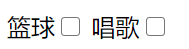
1 <body>
2     篮球<input type="checkbox" value="1" name="sex">
3     唱歌<input type="checkbox" value="2" name="sex">
4 </body>
展示如下图:
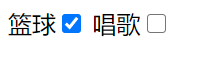
1 <body>
2     篮球<input type="checkbox" value="1" name="sex" checked="checked">
3     唱歌<input type="checkbox" value="2" name="sex">
4 </body>
展示如下图:
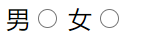
1 <body>
2     男<input type="radio" value="1" name="sex">
3     女<input type="radio" value="2" name="sex">
4 </body>
展示如下图:
1 <body>
2 <form action="http://www.baidu.com">
3     篮球<input type="checkbox" value="1" name="sex">
4     唱歌<input type="checkbox" value="2" name="sex">
5      <input type="reset">
6 </form>
7 </body>
展示如下图:

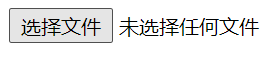
1 <body>
2         <input type="file">
3 </body>
展示如下图:
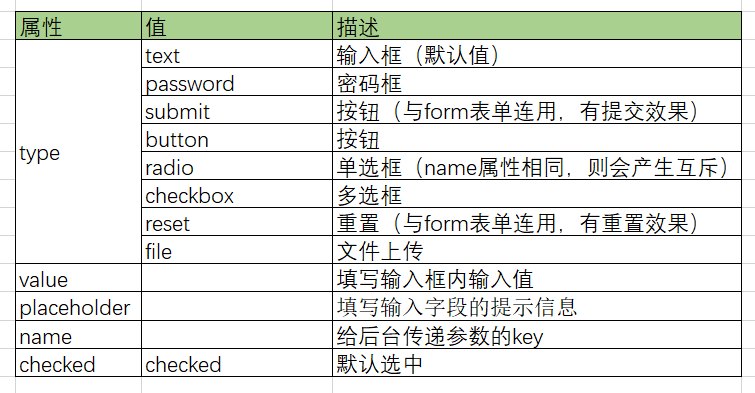
属性:
2.5 <form></form>表单标签
承载input输入的一些内容做提交操作,提交数据分为get提交和post提交,get提交在url上挂参数(默认),post提交在body中
1 <body>
2 <form action="http://www.baidu.com">
3     <input type="text" value="小白" name="username">
4     <input type="button" value="登录-button">
5     <input type="submit" value="登录-submit">
6 </form>
7 </body>
展示如下图:


1 <body>
2 <form action="http://www.baidu.com" method="post">
3     <input type="text" value="小白" name="username">
4     <input type="submit" value="登录-submit">
5 </form>
6 </body>
属性:

2.6 <label></label>
<label> 标签的 for 属性与input标签中的 id 属性相同。如果您在 label 元素内点击文本,就会触发此控件。
1 <body>
2 <label for="male">用户名</label>
3 <input type="text" id="male">
4 </body>
属性:

2.7 <textatea></textatea>多行文本标签
多行文本 textarea 默认值在标签之间
1 <body>
2 <textatea>默认值</textatea>
3 </body>
2.8 <select></select>下拉选择框标签
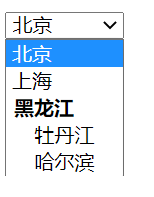
select option 下拉框标签 默认选择在option上增加selected size属性显示多少个 多选属性:multiple
 1 <body>
 2 <select name="city" id="">
 3     <option value="1">北京</option>
 4     <option value="2">上海</option>
 5     <optgroup label="黑龙江">
 6         <option value="3">牡丹江</option>
 7         <option value="4">哈尔滨</option>
 8     </optgroup>
 9 </select>
10 </body>
展示如下图:
2.9 <a></a>超链接标签

超链接 href属性为跳转的地址,target属性为以什么方式跳转"_blank"新tab跳转,a标签还可以做锚点,通过id进行对应关系的映射 去掉a标签的下划线通过属性text-decoration:none
1 <body>
2 <a href="http://www.baidu.com" target="_blank">跳转百度</a>
3 </body>
属性:

2.10 <img /> 图片标签
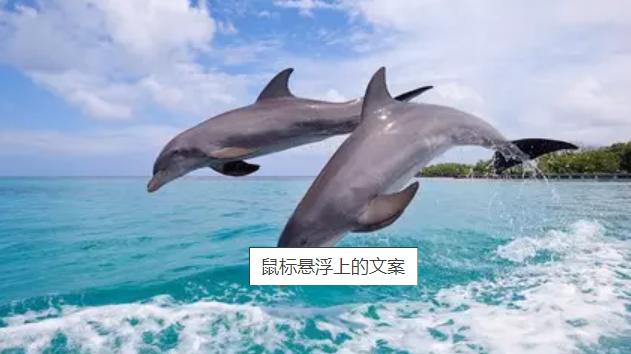
<img> 标签有两个必需的属性:scr属性和 alt属性。
1 <body>
2 <img src="https://img0.baidu.com/it/u=3738662069,2433997067&fm=26&fmt=auto&gp=0.jpg" alt="图片加载失败" title="鼠标悬浮上的文案">
3 </body>
展示如下图:

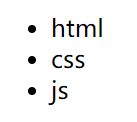
2.11 <ul></ul>列表标签
1 <body>
2 <ul>
3     <li>html</li>
4     <li>css</li>
5     <li>js</li>
6 </ul>
7 </body>
展示如下图:
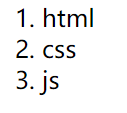
2.12 <ol></ol>列表标签
1 <body>
2 <ol>
3     <li>html</li>
4     <li>css</li>
5     <li>js</li>
6 </ol>
7 </body>
展示如下图:
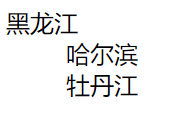
2.13 <dl></dl>分层列表标签
1 <body>
2 <dl>
3     <dt>黑龙江</dt>
4     <dd>哈尔滨</dd>
5     <dd>牡丹江</dd>
6 </dl>
7 </body>
展示如下图:
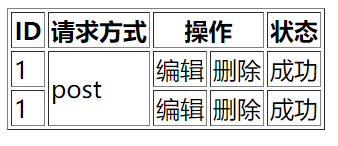
2.14 <table></table>表格标签
thead:表头 th:表头行 tbody:内容 tr:行 td:列 boder:表格的边框 coslpan:td占几列 rowspan:tr占几列
 1 <body>
 2 <table border="1">
 3     <thead>
 4         <th>ID</th>
 5         <th>请求方式</th>
 6         <th colspan="2">操作</th>
 7         <th>状态</th>
 8     </thead>
 9     <tbody>
10         <tr>
11             <td>1</td>
12             <td rowspan="2">post</td>
13             <td>编辑</td>
14             <td>删除</td>
15             <td>成功</td>
16         </tr>
17             <tr>
18             <td>1</td>
19             <td>编辑</td>
20             <td>删除</td>
21             <td>成功</td>
22         </tr>
23     </tbody>
24 </table>
25 </body>
展示如下图:

 浙公网安备 33010602011771号