
5-2 路由设计及左侧公用导航菜单开发
目录:
- 项目目录结构
- 路由设置
- 自适应边框设置
- 公共组件设置
- Main.vue导入 Aside.vue的菜单
一、项目目录结构
我们创建公共组件目录和视图组件目录
...
-src
    -common   //公共组目录
        -Aside.vue   //边框
        -Header.vue  //底部
    -views     //主视图目录
        -Main.vue  //主视图 -> 导入Aside.vue和Header.vue
    -App.vue
    -main.js
    -routes.js
....
二、路由设置
编辑main.js
import Vue from 'vue'
import App from './App'
import VueRouter from 'vue-router'
import routes from './routes.js'
import store from './store/index.js'

//全局配置
import http from '@/api/config'
import mock from './mock'
//第三方配置
import ElementUI from 'element-ui';
import 'element-ui/lib/theme-chalk/index.css';

Vue.config.productionTip = false;

Vue.use(VueRouter);
Vue.use(ElementUI);
Vue.prototype.$http = http;

const router = new VueRouter({
  routes
});

/* eslint-disable no-new */
new Vue({
  router,
  store,
  render: h => h(App),
}).$mount('#app');
routes.js 路由设置
/*
* 路由配置
*/

//懒加载
const Main = () => import('@/views/Main.vue');


let routes = [
  {
    path: '/',
    component: Main
  }
];

export default routes;
三、自适应边框设置
App.vue设置:height: 97.5vh; /*vh:代表着屏幕高度,100vh表示100%屏幕高度*/
<template>
  <div id="app">
      <!--占位符设置-->
      <router-view></router-view>
  </div>
</template>

<script>
export default {
  name: 'App'
}
</script>

<style>
  #app{
    height: 97.5vh; /*vh:代表着屏幕高度,100vh表示100%屏幕高度*/
  }
</style>
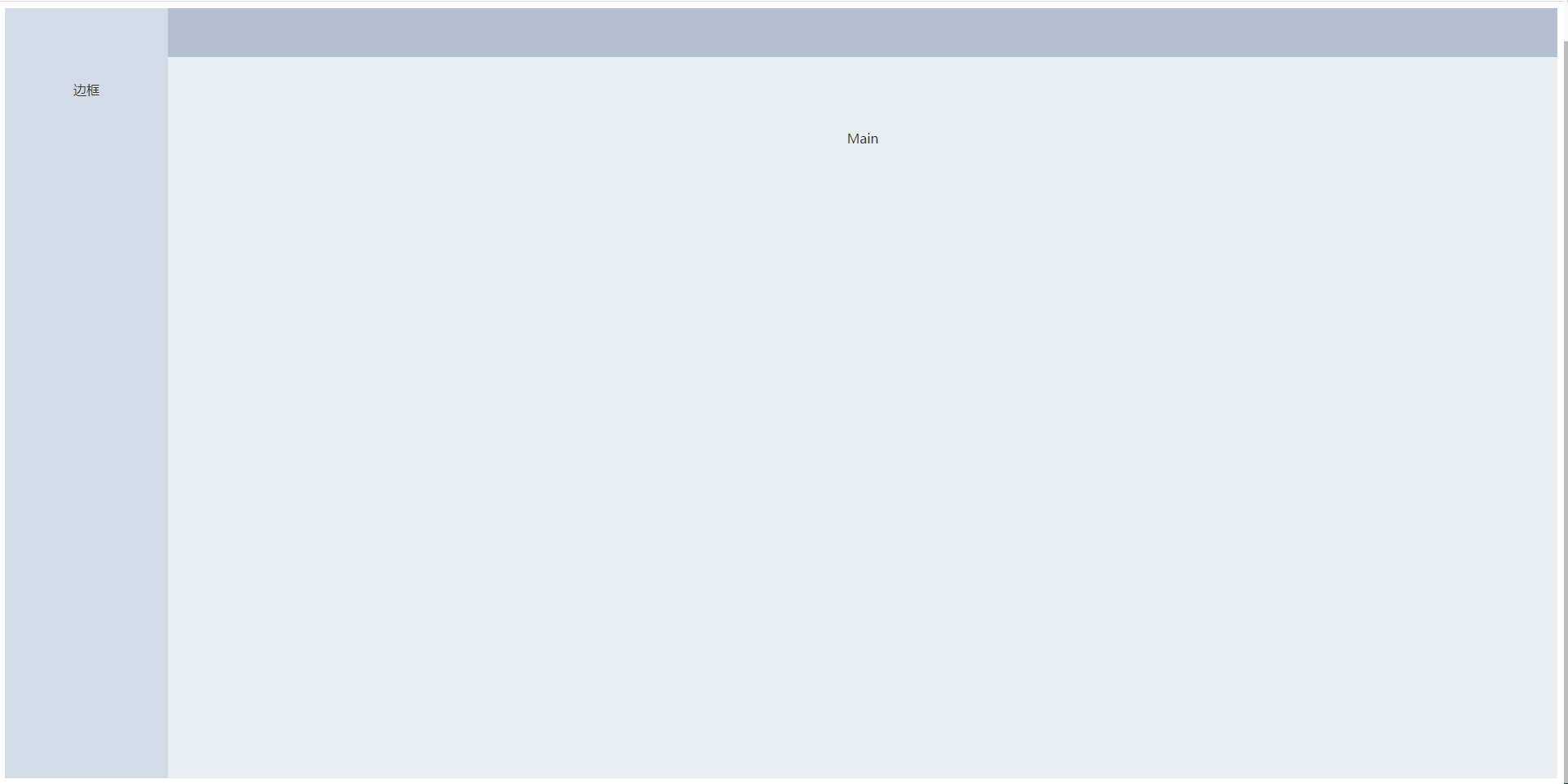
Main.vue设置:<el-container style="height: 100%">
<template>
    <el-container style="height: 100%">
      <el-aside width="200px">aside</el-aside>
      <el-container>
        <el-header>header</el-header>
        <el-main>Main</el-main>
      </el-container>
    </el-container>
</template>

<script>
</script>

<style scoped>  /*这个样式仅仅是调试用的,正式使用的时候,需要去掉*/
  .el-header{
    background-color: #B3C0D1;
    color: #333;
    text-align: center;
    line-height: 60px;
  }
  .el-aside {
    background-color: #D3DCE6;
    color: #333;
    text-align: center;
    line-height: 200px;
  }
  .el-main {
    background-color: #E9EEF3;
    color: #333;
    text-align: center;
    line-height: 160px;
  }
</style>
呈现的效果如下:布局成功
四、 公共组件设置
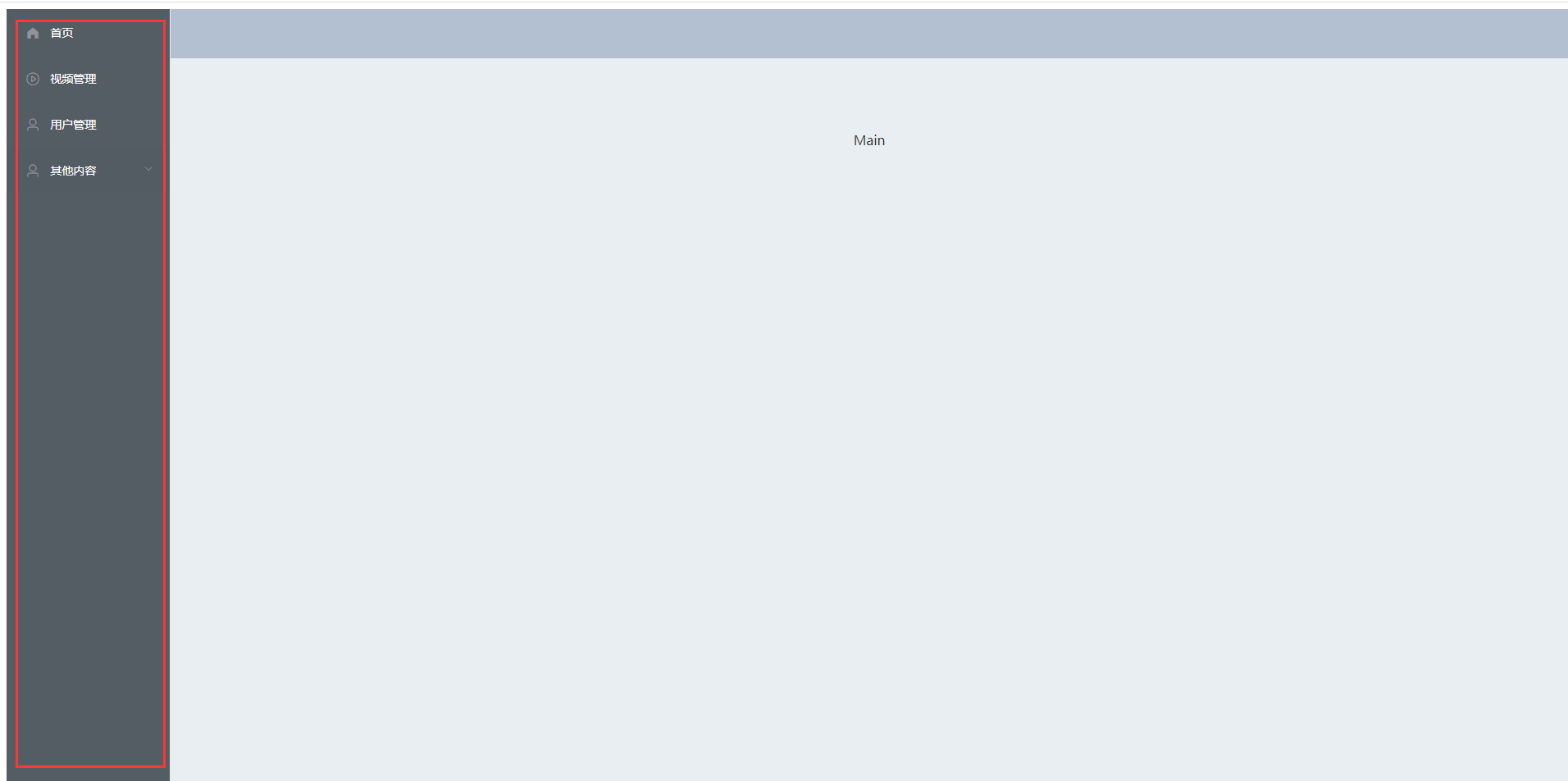
Aside.vue组件的设置,Aside使用的是 elementui的自定义颜色的
<template>
  <!--background-color自定义颜色-->
  <el-menu default-active="2" class="el-menu-vertical-demo" background-color="#545c64" text-color="#fff" active-text-color="#ffd04b">
    <h3 v-show="!isCollage">高高后台管理系统</h3>
  <h3 v-show="isCollage">高高</h3>
    <el-menu-item :index="item.path" v-for="item in noChildren" :key="item.path">
      <i :class="'el-icon-' + item.icon"></i>
      <span slot="title">{{ item.label }}</span>
    </el-menu-item>
    <el-submenu index="index" v-for="(item,index) in hasChildren" :key="index">
      <template slot="title">
        <i :class="'el-icon-' + item.icon"></i>
        <span>{{item.label}}</span>
      </template>
      <el-menu-item-group>
        <el-menu-item :index="subItem.path" v-for="(subItem,subIndex) in item.children" :key="subIndex">{{subItem.label}}</el-menu-item>
      </el-menu-item-group>
    </el-submenu>
  </el-menu>
</template>

<script>
    export default {
        computed: {  //计算属性,判断有无子菜单
          noChildren(){
            return this.asideMenu.filter(item => !item.children)
          },
          hasChildren(){
            return this.asideMenu.filter(item => item.children)
          },
        },
        data(){ //用数据的方式来定义菜单
          return {
            asideMenu:[
              {
                path: '/',
                label: '首页',
                icon: 's-home'  //element-ui 的icon的图标
              },
              {
                path: '/video',
                label: '视频管理',
                icon: 'video-play'
              },
              {
                path: '/user',
                label: '用户管理',
                icon: 'user'
              },
              {
                label: '其他内容',
                icon: 'user',
                children:[
                  {
                    path: '/page1',
                    label: '页面1',
                    icon: 'setting',
                  },
                  {
                    path: '/page2',
                    label: '页面2',
                    icon: 'setting',
                  }
                ],
                index: ''
              }
            ]
          }
        }
    }
</script>

<style scoped>
  .el-menu {
    height: 100%;
    border: none;
  }
 .el-menu h3 {
  color: #ffffff;
  text-align: center;
  line-height: 48px;
 }
</style>
height: 100%; 表示全占屏幕:
五、Main.vue导入 Aside.vue的菜单
<template>
    <el-container style="height: 100%">
      <el-aside width="200px"><Aside></Aside></el-aside>
      <el-container>
        <el-header><Header></Header></el-header>
        <el-main>Main</el-main>
      </el-container>
    </el-container>
</template>

<script>
  import Header from '../common/Header.vue'
  import Aside from '../common/Aside.vue'
  export default {
    components:{
      Header,
      Aside
    }
  }
</script>

<style scoped>
  .el-header{
    background-color: #B3C0D1;
    color: #333;
    text-align: center;
    line-height: 60px;
  }
 /*正式的使用时去掉*/
  /*.el-aside {*/
  /*  background-color: #D3DCE6;*/
  /*  color: #333;*/
  /*  text-align: center;*/
  /*  line-height: 200px;*/
  /*}*/
  .el-main {
    background-color: #E9EEF3;
    color: #333;
    text-align: center;
    line-height: 160px;
  }
</style>

 浙公网安备 33010602011771号