


第五次作业
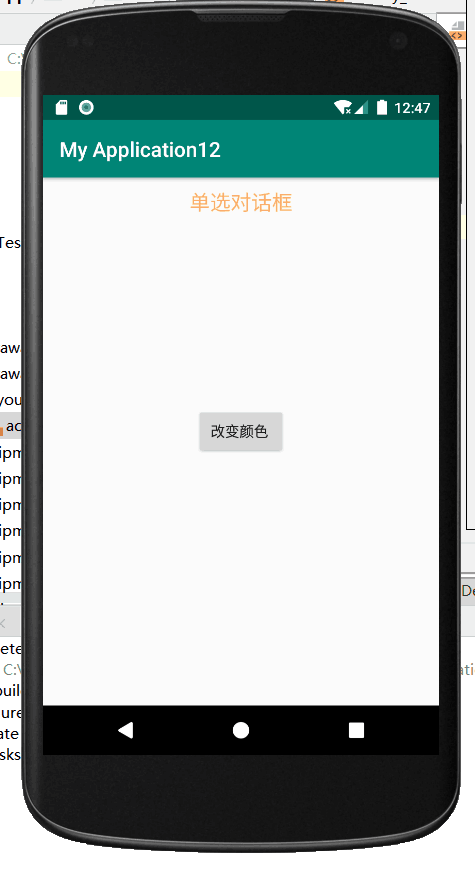
<?xml version="1.0" encoding="utf-8"?>
<RelativeLayout xmlns:android="http://schemas.android.com/apk/res/android"
    xmlns:app="http://schemas.android.com/apk/res-auto"
    xmlns:tools="http://schemas.android.com/tools"
    android:layout_width="match_parent"
    android:layout_height="match_parent"
    android:id="@+id/beijing"
    tools:context="com.example.myapplication12.MainActivity">

    <TextView
        android:id="@+id/tv"
        android:layout_width="match_parent"
        android:layout_height="wrap_content"
        android:gravity="center"
        android:keepScreenOn="true"
        android:text="单选对话框"
        android:layout_marginTop="10dp"
        android:textSize="20sp"
        android:textColor="#FFFDB371" />

    <Button
        android:id="@+id/bu"
        android:layout_width="wrap_content"
        android:layout_height="wrap_content"
        android:layout_centerHorizontal="true"
        android:layout_marginTop="222dp"
        android:text="改变颜色 "
        />
</RelativeLayout>
package com.example.myapplication12;

import android.annotation.SuppressLint;
import android.support.v7.app.AppCompatActivity;
import android.os.Bundle;
import android.app.AlertDialog;
import android.content.DialogInterface;
import android.graphics.Color;
import android.util.Log;
import android.view.Menu;
import android.view.MenuItem;
import android.view.View;
import android.widget.Button;
import android.widget.LinearLayout;
public class MainActivity extends AppCompatActivity implements View.OnClickListener{

    @Override
    protected void onCreate(Bundle savedInstanceState) {
        super.onCreate(savedInstanceState);
        setContentView(R.layout.activity_main);
        Button wbu = (Button) findViewById(R.id.bu);
        wbu.setOnClickListener(this);
    }

    @SuppressLint("ResourceType")
    @Override
    public boolean onCreateOptionsMenu(Menu menu) {
        // Inflate the menu; this adds items to the action bar if it is present.
        getMenuInflater().inflate(R.menu.main,menu);
        return true;
    }

    @Override
    public boolean onOptionsItemSelected(MenuItem item) {
        // Handle action bar item clicks here. The action bar will
        // automatically handle clicks on the Home/Up button, so long
        // as you specify a parent activity in AndroidManifest.xml.
        int id = item.getItemId();
        if (id == R.id.actions) {
            return true;
        }
        return super.onOptionsItemSelected(item);
    }
    String color;
    @Override
    public void onClick(View v) {

        // TODO Auto-generated method stub
        AlertDialog dialog;
        AlertDialog.Builder builder = new AlertDialog.Builder(this)
                .setTitle("设置颜色") //设置标题
                .setIcon(R.drawable.ic_launcher_background)
                .setSingleChoiceItems(new String[]{ "默认","红色", "蓝色",
                        "绿色"}, 0,new DialogInterface.OnClickListener() {
                    public void onClick(DialogInterface dialog, int which) {
                        // 点单选按钮时发生的事件,这里which表示你点的单选按钮是第几个
                        switch (which) {
                            case 0:
                                color="#ffffff";
                                break;
                            case 1:
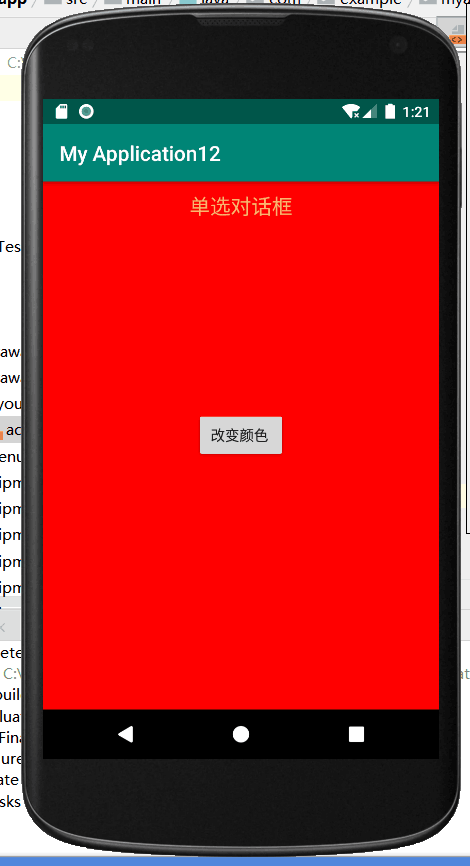
                                color="#ff0000";
                                break;
                            case 2:
                                color="#add8e6";
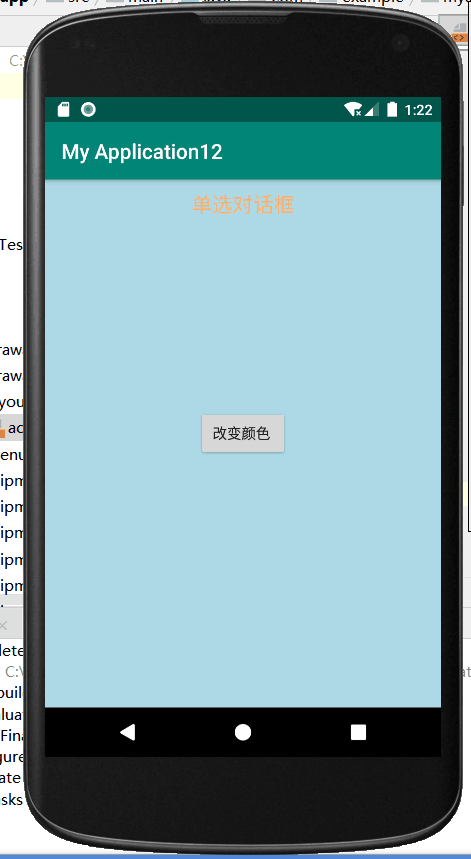
                                break;
                            default:
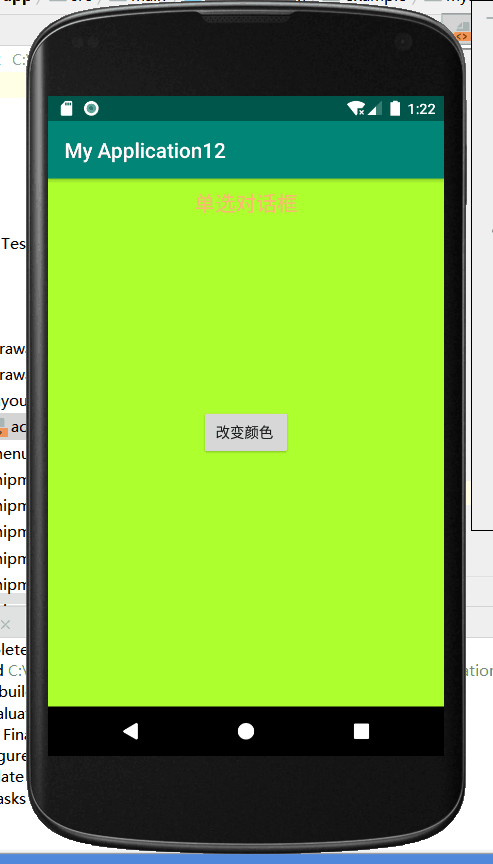
                                color="#adff2f";
                                break;
                        }

                    }
                })
                .setPositiveButton("确定", new DialogInterface.OnClickListener() {
                    @Override
                    public void onClick(DialogInterface dialog, int which) {
                        //点确定按钮时发生的事件
                        (findViewById(R.id.beijing)).setBackgroundColor(Color.parseColor(color));

                    }
                })//添加“确定”按钮
                .setNegativeButton("取消", new DialogInterface.OnClickListener() {
                    @Override
                    public void onClick(DialogInterface dialog, int which) {
                        dialog.dismiss();
                    }
                });
        dialog = builder.create();
        dialog.show();
    }
}

 浙公网安备 33010602011771号