


Idea 常用设置
一, 配置Idea
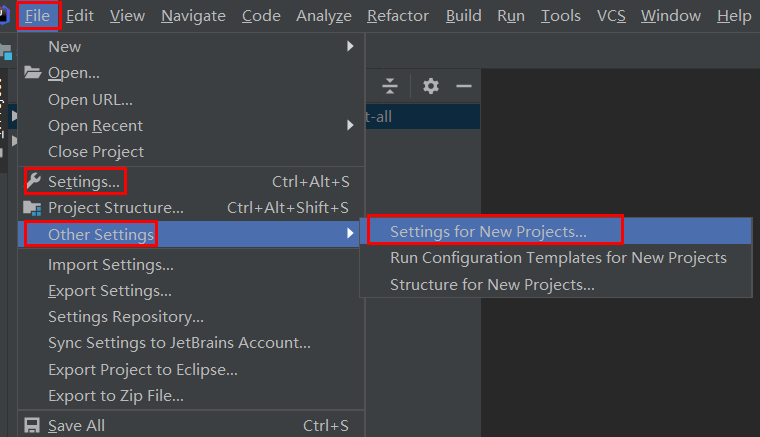
两种进入配置方式
a,File --> Setting,只配置当前项目,当再新建一个项目时需要再重新配置
b,Ohter Setting --> Setting For New Project,默认的全局配置
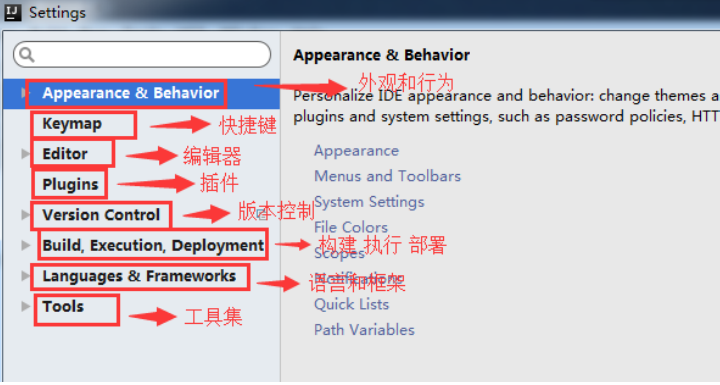
1,目录结构
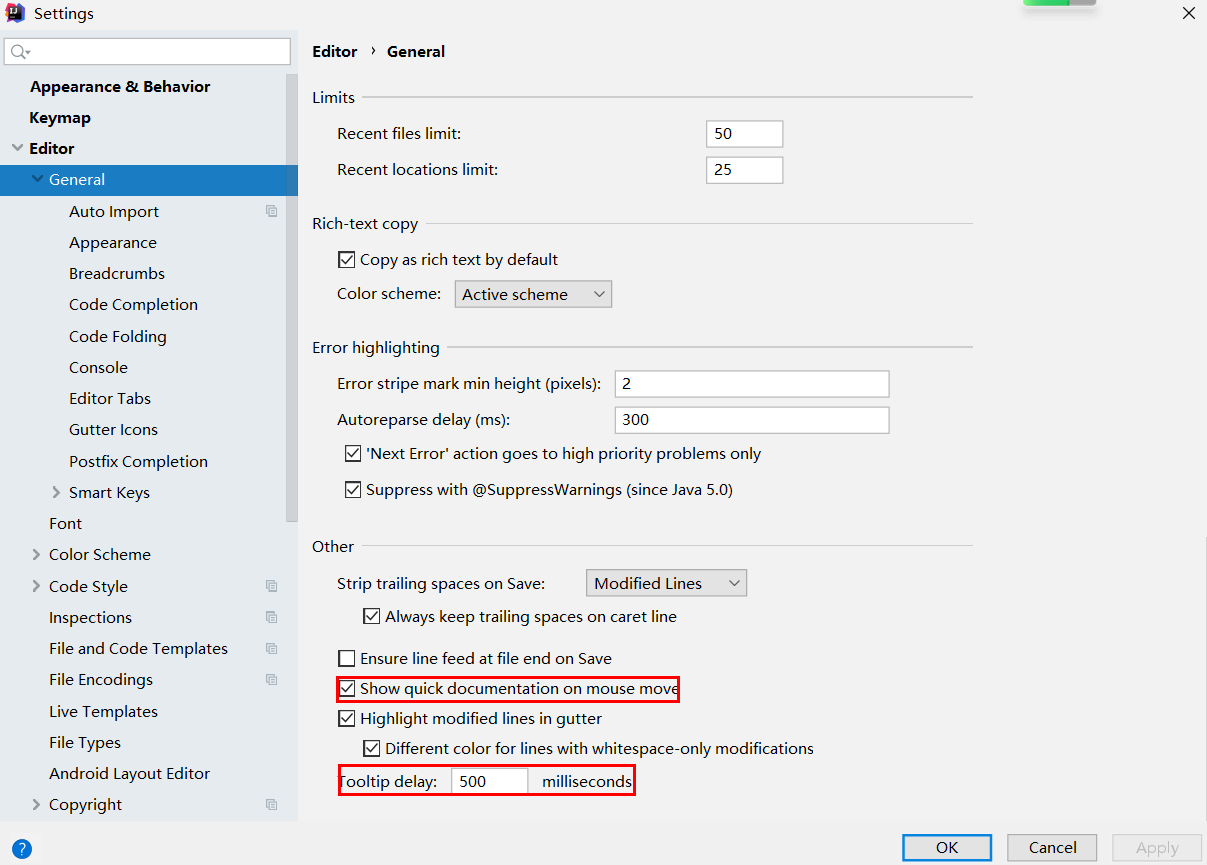
2,设置鼠标悬浮提示
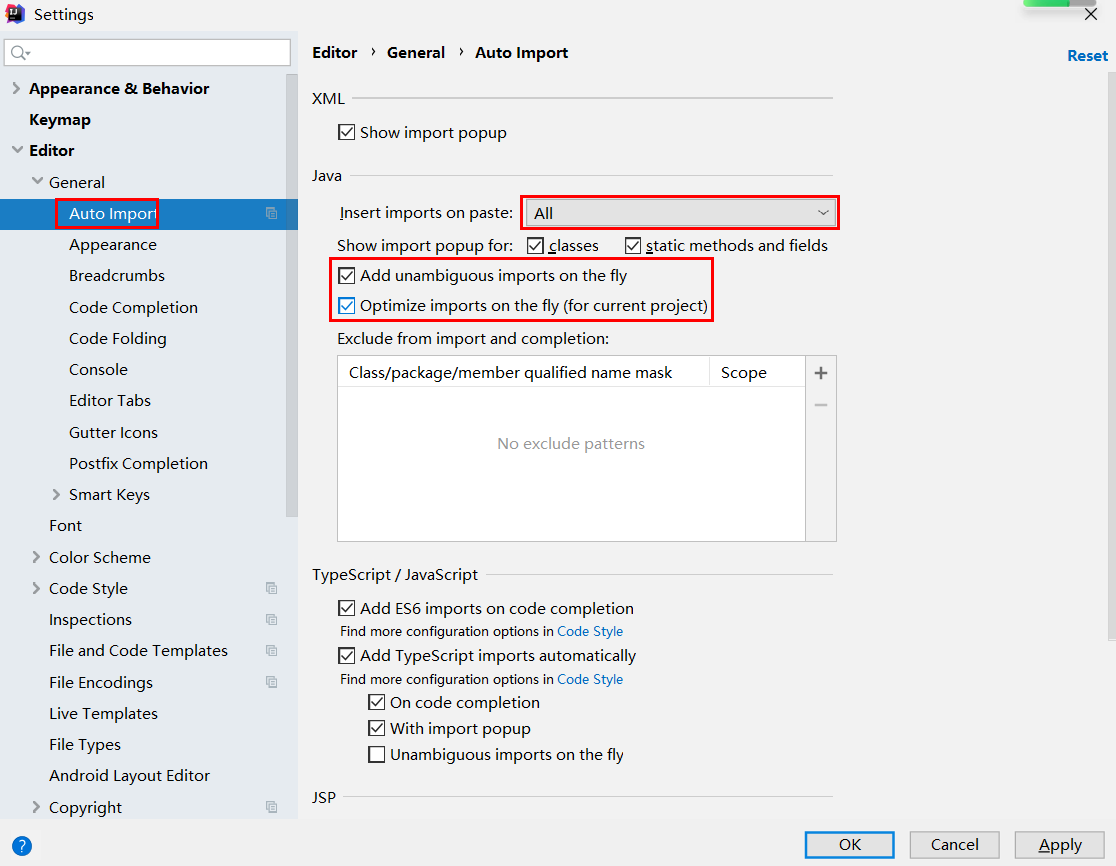
3,自动导包功能
Add unambiguous imports on the fly:自动导入不明确的结构
Optimize imports on the fly:自动帮我们优化导入的包
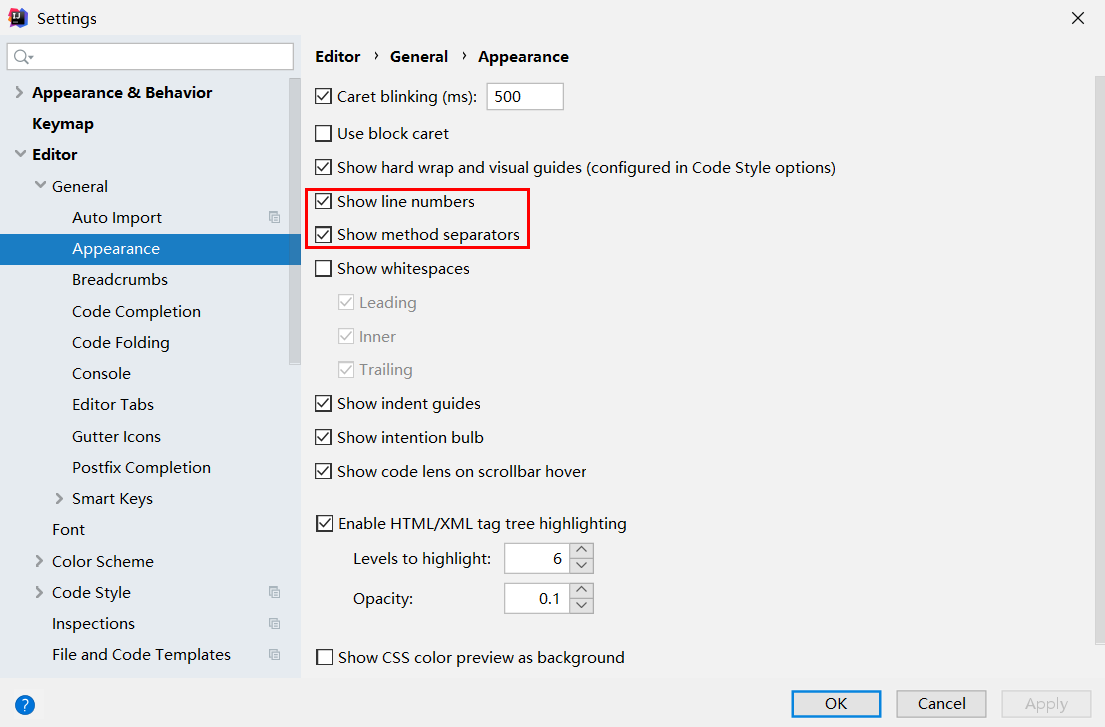
4,设置显示行号和方法间的分隔符
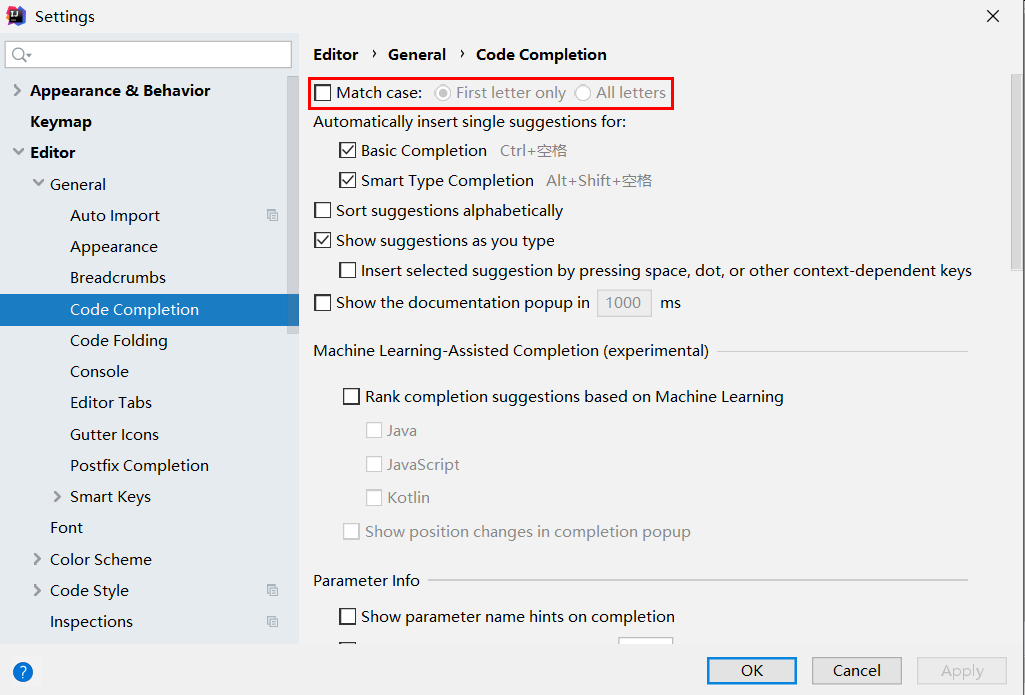
5,忽略大小写提示
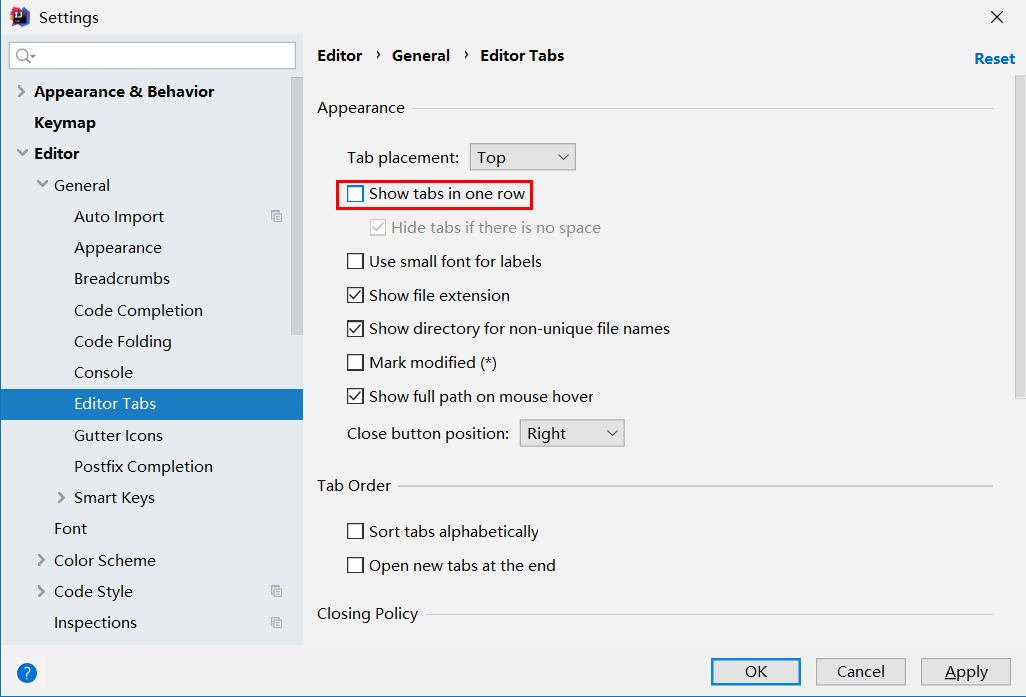
6,设置取消单行显示 tabs 的操作
在打开很多文件的时候,IntelliJ IDEA 默认是把所有打开的文件名 Tab 单行显示的。但是我个人现在的习惯是使用多行,多行效率比单行高,因为单行会隐藏超过界面部分 Tab,这样找文件不方便
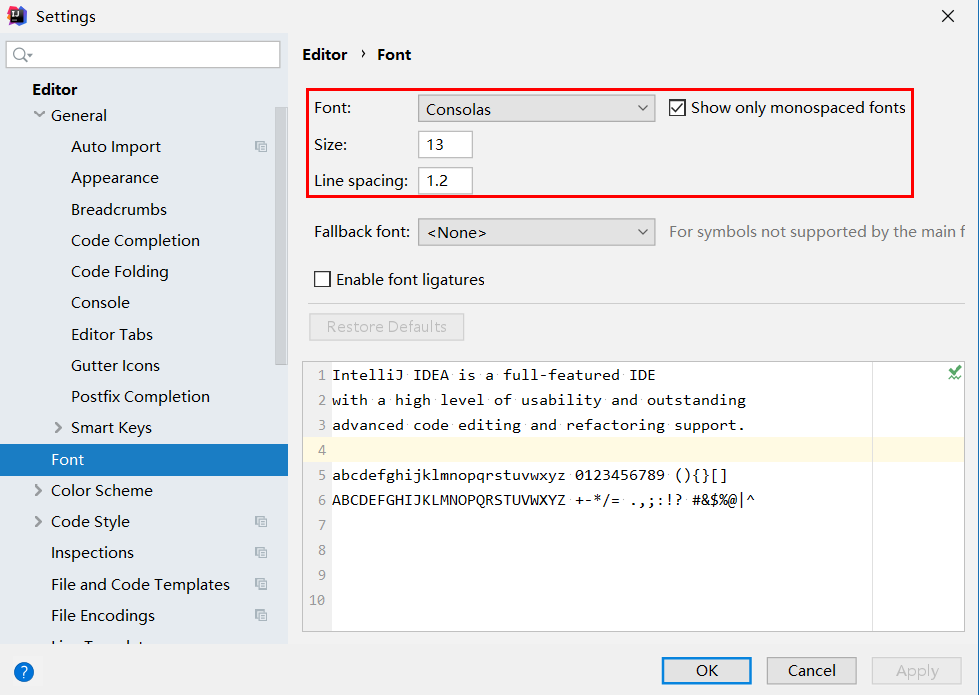
7, 设置默认 的 字体、字体大小、字体行间距
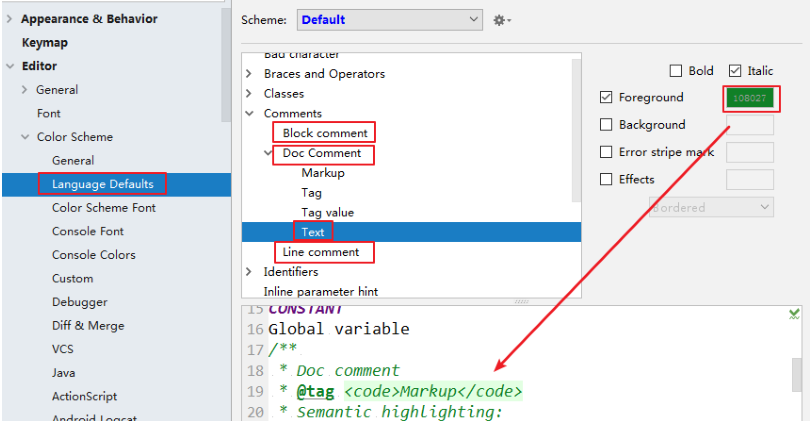
8, 修改代码 中 注释的字体颜色
Doc Comment – Text:修改文档注释的字体颜色
Block comment:修改多行注释的字体颜色
Line comment:修改当行注释的字体颜色
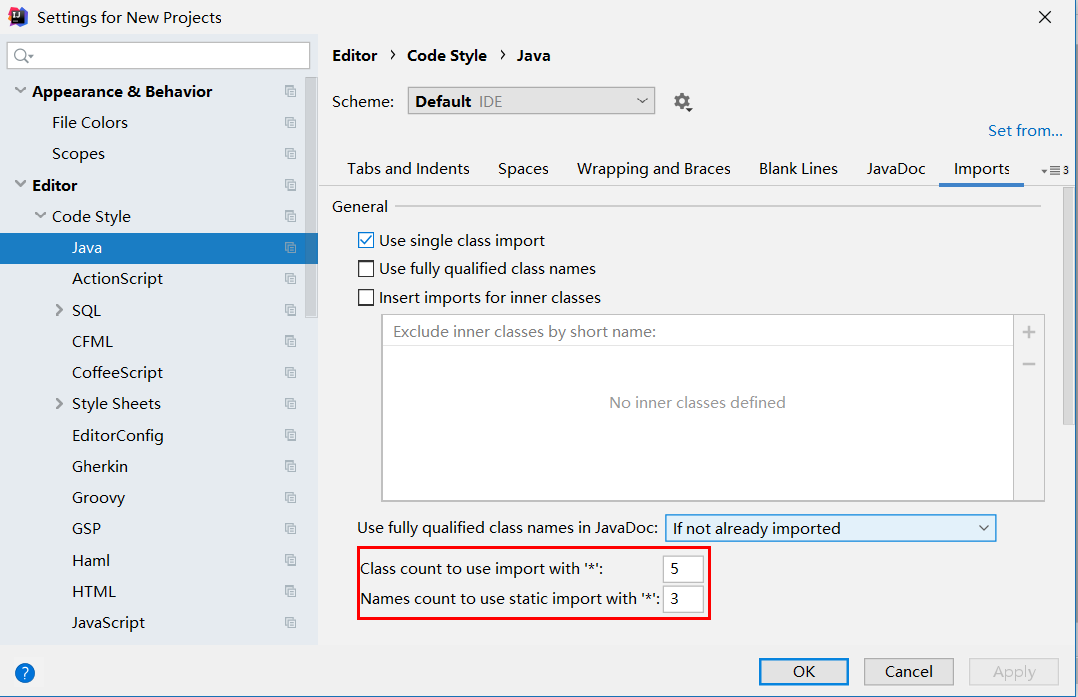
9,设置超过指定 import 个数,改为* ( 可忽略)
10,修改类头的文档注释信息
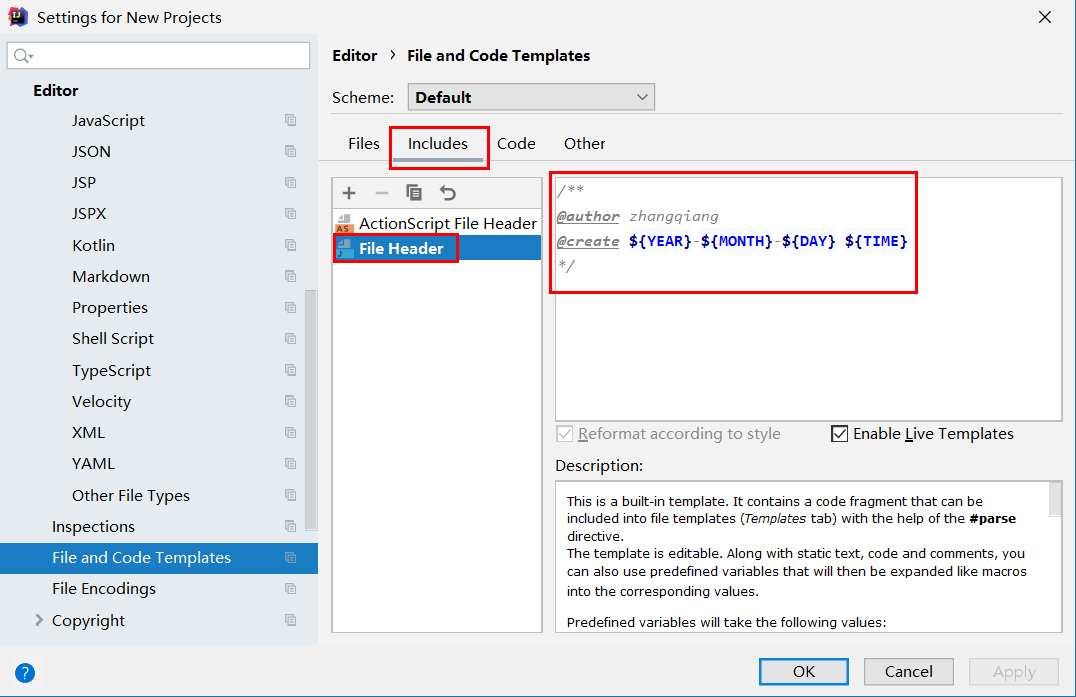
常用的预设的变量,这里直接贴出官网给的
${PACKAGE_NAME} - the name of the target package where the new class or interface will be created.
${PROJECT_NAME} - the name of the current project.
${FILE_NAME} - the name of the PHP file that will be created.
${NAME} - the name of the new file which you specify in the New File dialog box during the file creation.
${USER} - the login name of the current user.
${DATE} - the current system date.
${TIME} - the current system time.
${YEAR} - the current year.
${MONTH} - the current month.
${DAY} - the current day of the month.
${HOUR} - the current hour.
${MINUTE} - the current minute.
${PRODUCT_NAME} - the name of the IDE in which the file will be created.
${MONTH_NAME_SHORT} - the first 3 letters of the month name. Example: Jan, Feb, etc.
${MONTH_NAME_FULL} - full name of a month. Example: January, February, etc.
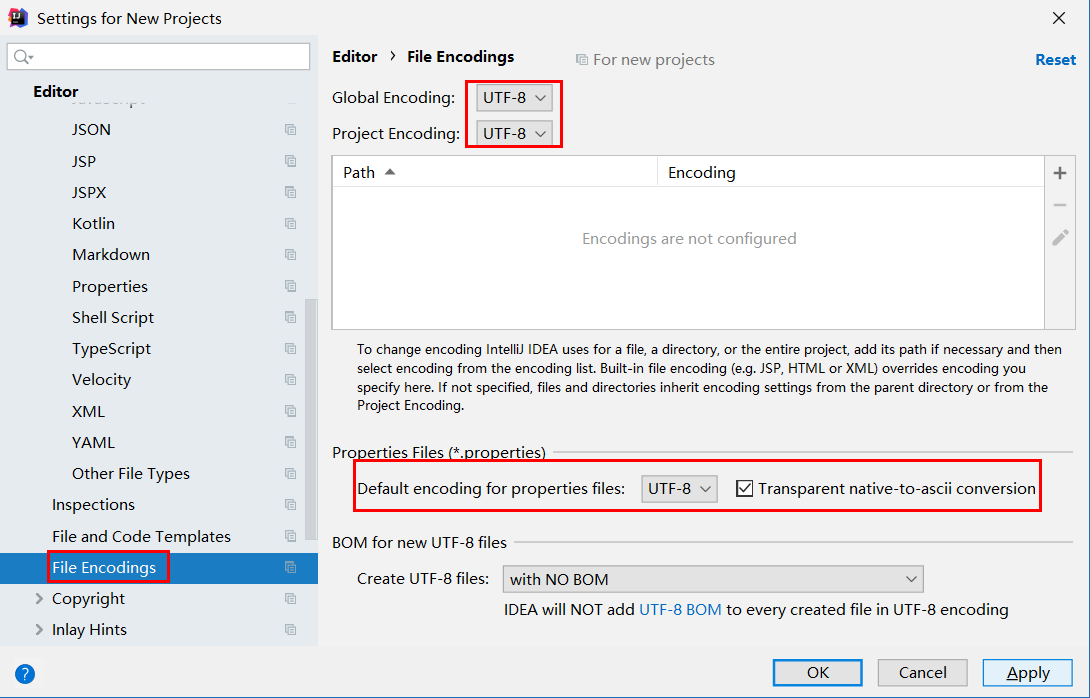
11,设置项目文件编码
说明:Transparent native-to-ascii conversion 主要用于转换 ascii,一般都要勾选,不然 Properties 文件中的注释显示的都不会是中文。
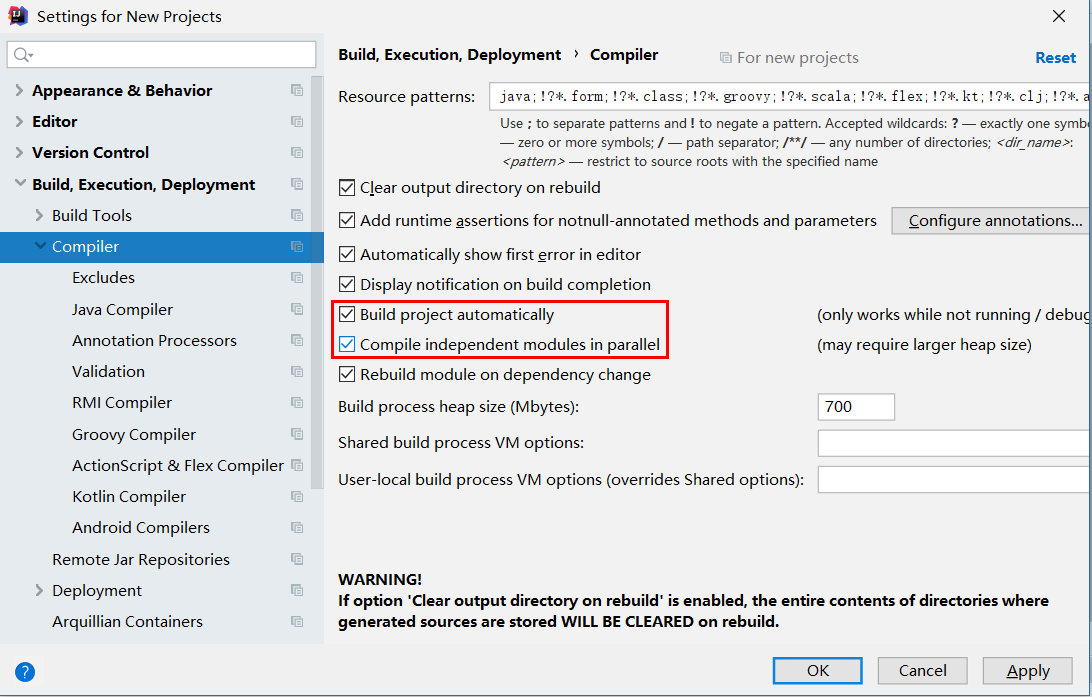
12 , 设置自动编译
构建就是以我们编写的 java 代码、框架配置文件、国际化等其他资源文件、JSP 页面和图片等资源作为“原材料”,去“生产”出一个可以运行的项目的过程
Intellij Idea 默认状态为不自动编译状态,Eclipse 默认为自动编译:很多朋友都是从 Eclipse 转到 Intellij 的,这常常导致我们在需要操作 class 文件时忘记对修改后的 java 类文件进行重新编译,从而对旧文件进行了操作。
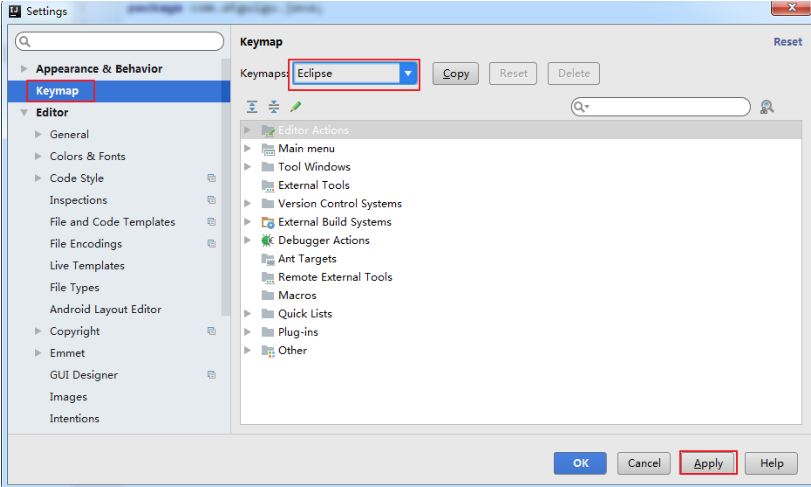
13,设置快捷为 Eclipse 的快捷键
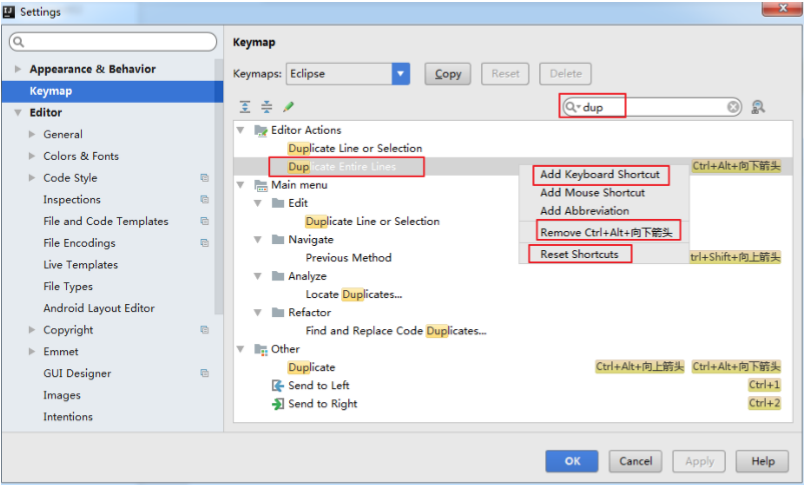
13,通过 快捷键功能 修改快捷键设置
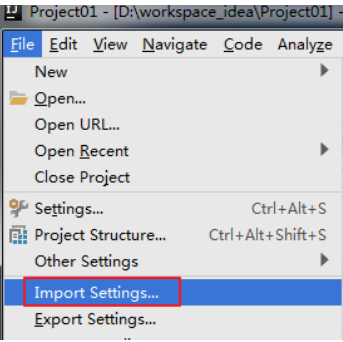
14,导入已有的设置
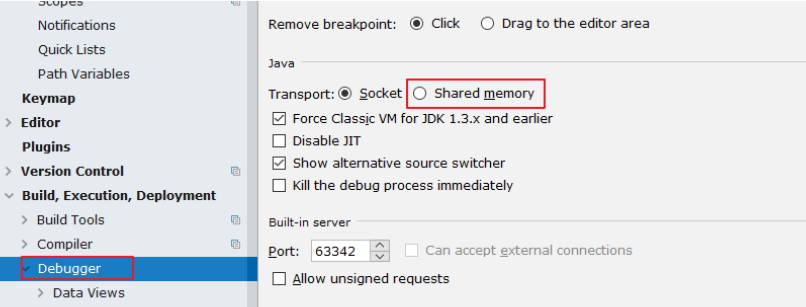
15, Debug 的设置
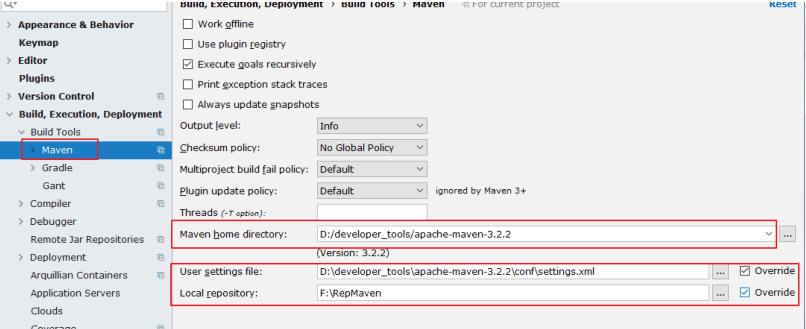
16,配置 Maven
maven 的下载 – 解压 – 环境变量的配置这里就赘述了,下面直接整合 Maven。选择自己 Maven 的目录,和 settings文件,然后配置自己的仓库 reposiroty。
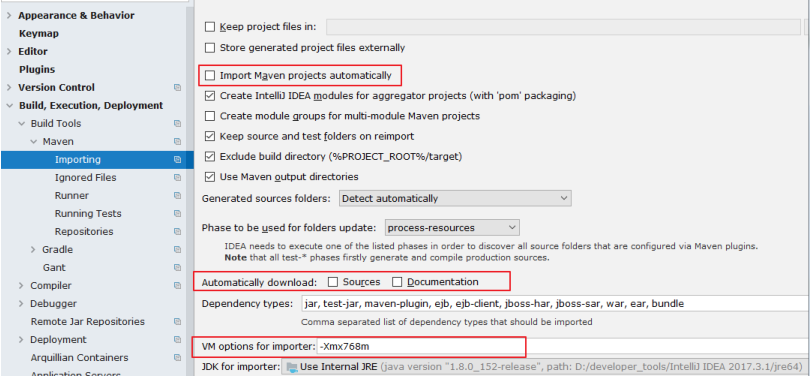
Import Maven projects automatically:表示 IntelliJ IDEA 会实时监控项目的 pom.xml 文件,进行项目变动设置。
Automatically download:在 Maven 导入依赖包的时候是否自动下载源码和文档。默认是没有勾选的,也不建议勾选,原因是这样可以加快项目从外网导入依赖包的速度,如果我们需要源码和文档的时候我们到时候再针对某个依赖包进行联网下载即可。IntelliJ IDEA支持直接从公网下载源码和文档的。
VM options for importer:可以设置导入的 VM 参数。一般这个都不需要主动改,除非项目真的导入太慢了我们再增大此参数

 浙公网安备 33010602011771号