

小程序开发
使用说明

注册小程序
https://mp.weixin.qq.com/
下载小程序编辑器
https://developers.weixin.qq.com/miniprogram/dev/devtools/stable.html
截流、分页、loading
// pages/shoplist/shoplist.js
Page({
  /**
   * 页面的初始数据
   */
  data: {
    page: 1,
    limit: 8,
    total: 0,
    text: '',
    shopList: [],
    isLoading: false
  },
getShops(cd){
  this.setData({
    isLoading: true
  })

  wx.showLoading({
    title: '页面加载中',
  })

  wx.request({
    url: 'http://127.0.0.1:8000/youhuiquan',
    method: "GET",
    data: {
      page: this.data.page,
      limit: this.data.limit,
    },
    success: (res)=>{
      console.log(res.data.list)
      this.setData({
        shopList: res.data.list,
        total: res.data.totalCount
      })
    },
    complete: ()=>{
      wx.hideLoading()
      this.setData({
        isLoading: false
      })
      // wx.stopPullDownRefresh()
      cd && cd()
    }
  })
},
  /**
   * 生命周期函数--监听页面加载
   */
  onLoad(options) {
    this.setData({
      text: options.text
    }),
    this.getShops()
  },

  /**
   * 生命周期函数--监听页面初次渲染完成
   */
  onReady() {
    wx.setNavigationBarTitle({
      title: this.data.text
    })


  },

  /**
   * 生命周期函数--监听页面显示
   */
  onShow() {

  },

  /**
   * 生命周期函数--监听页面隐藏
   */
  onHide() {

  },

  /**
   * 生命周期函数--监听页面卸载
   */
  onUnload() {

  },

  /**
   * 页面相关事件处理函数--监听用户下拉动作
   */
  onPullDownRefresh() {
    this.setData({
      page: 1,
      total: 0,
      shopList: [],
    })
    this.getShops(()=>{
      wx.stopPullDownRefresh()
    })
  },

  /**
   * 页面上拉触底事件的处理函数
   */
  onReachBottom() {
    console.log('触底。。。')
    if(this.data.page * this.data.limit>=this.data.total){
      wx.showToast({
        title: '数据加载完毕',
        icon: 'none'
      })
      return
    }
    if(this.data.isLoading) return
    this.setData({
      page: this.data.page+1
    })
    this.getShops()
  },

  /**
   * 用户点击右上角分享
   */
  onShareAppMessage() {

  }
})
自定义组件
注册组件
局部,xx.json
"usingComponents": {
"my_test": "/components/test/test"
},
全局,app.json
"usingComponents": {
"my_test": "/components/test/test"
},
样式
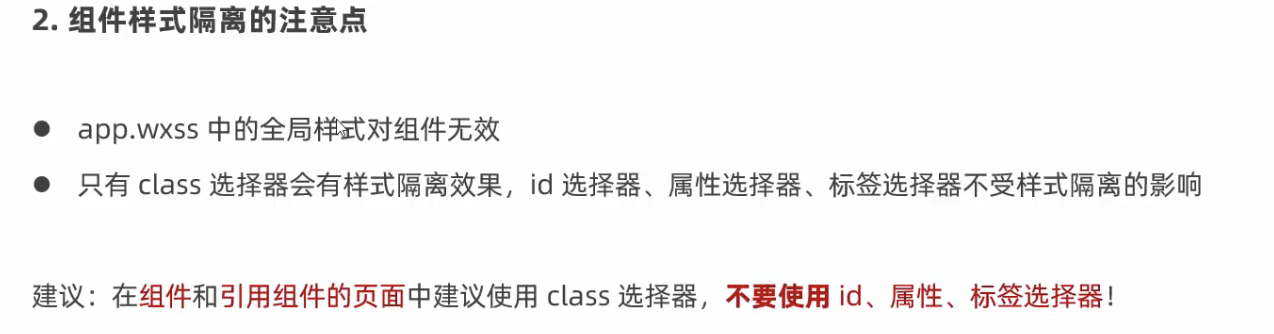
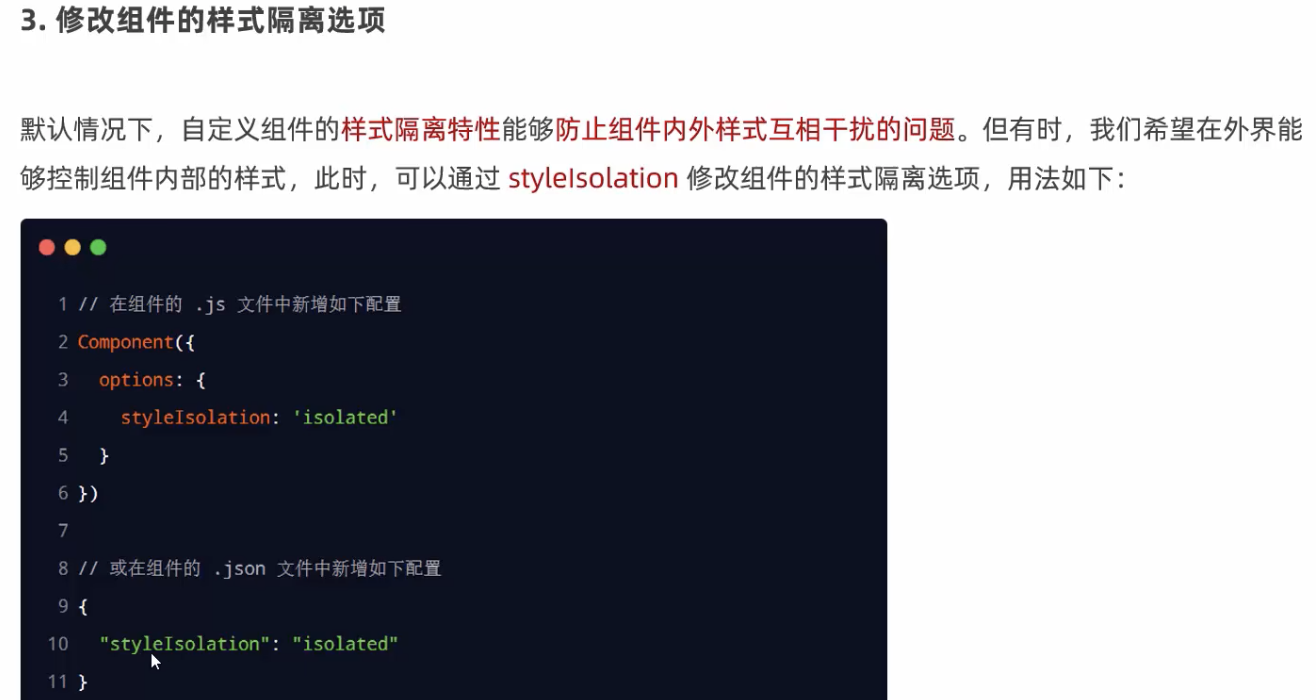
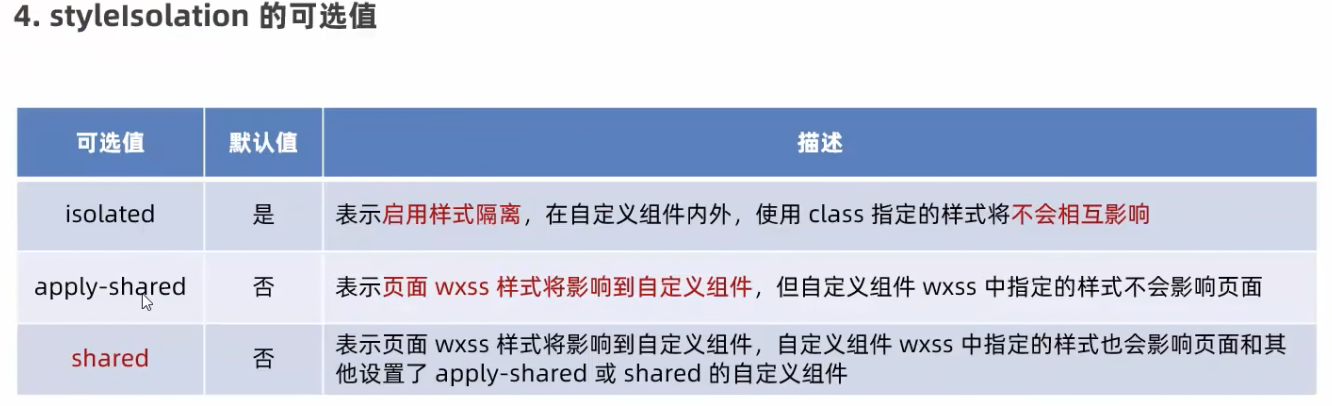
自定义的样式,class 用隔离样式作用
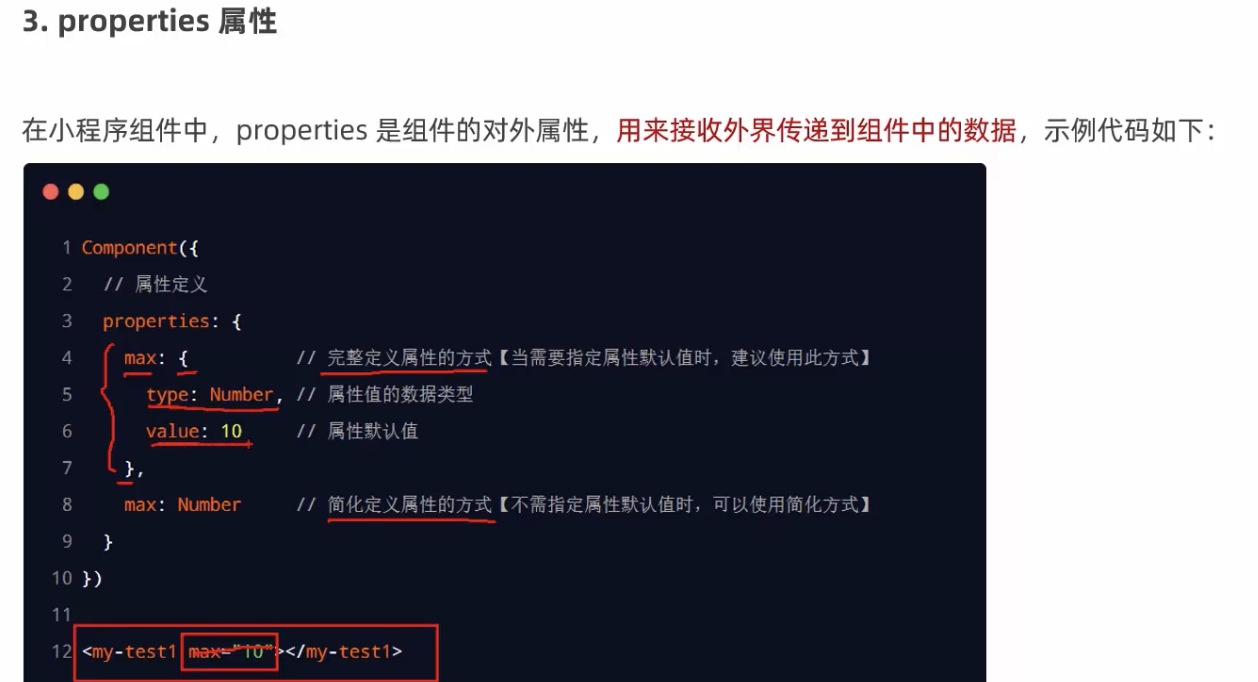
properties
obervers 监听
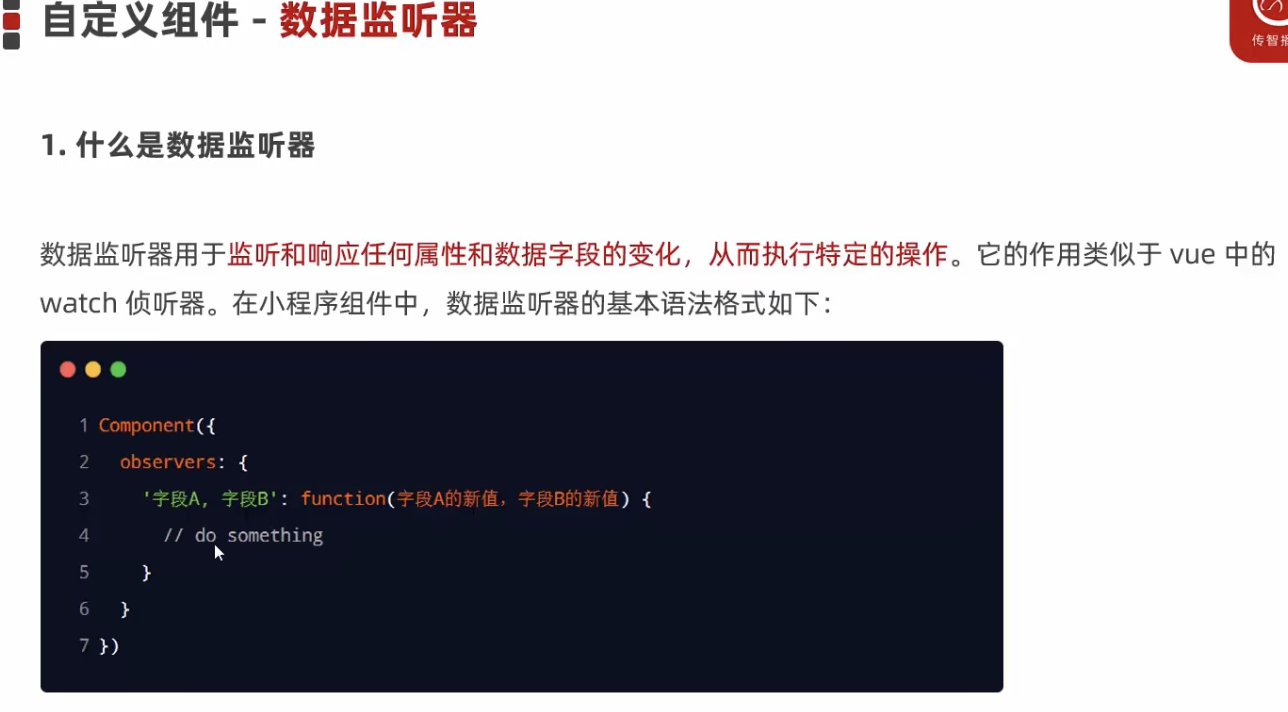
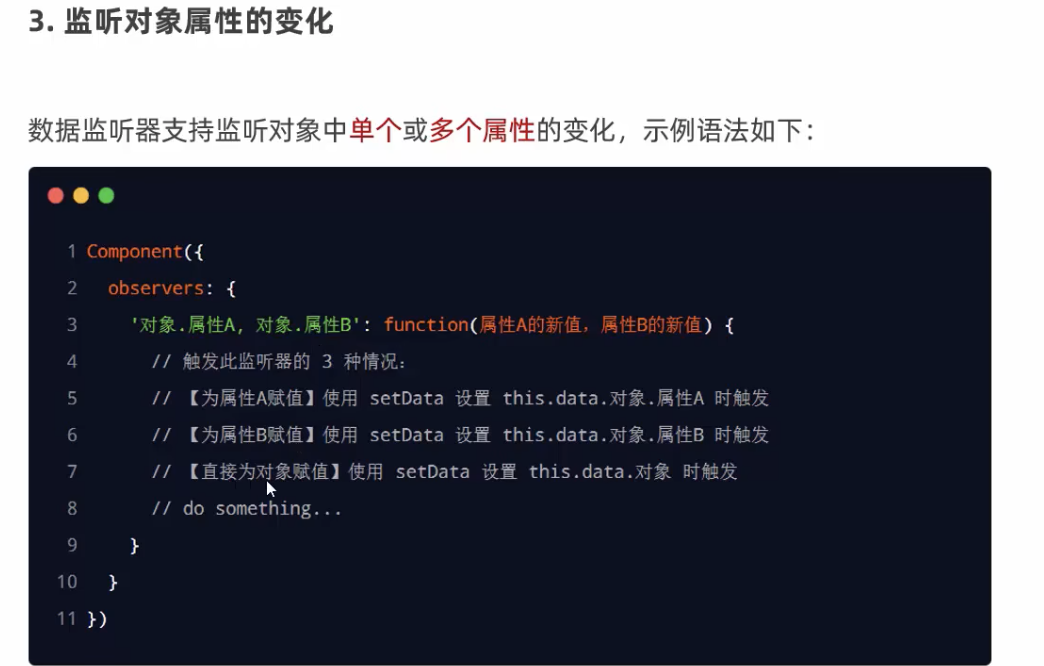
  observers: {
    'rgb.**': function(obj){
      this.setData({
        fullColor: `${obj.r},${obj.b},${obj.g}`
      })
    }
  }
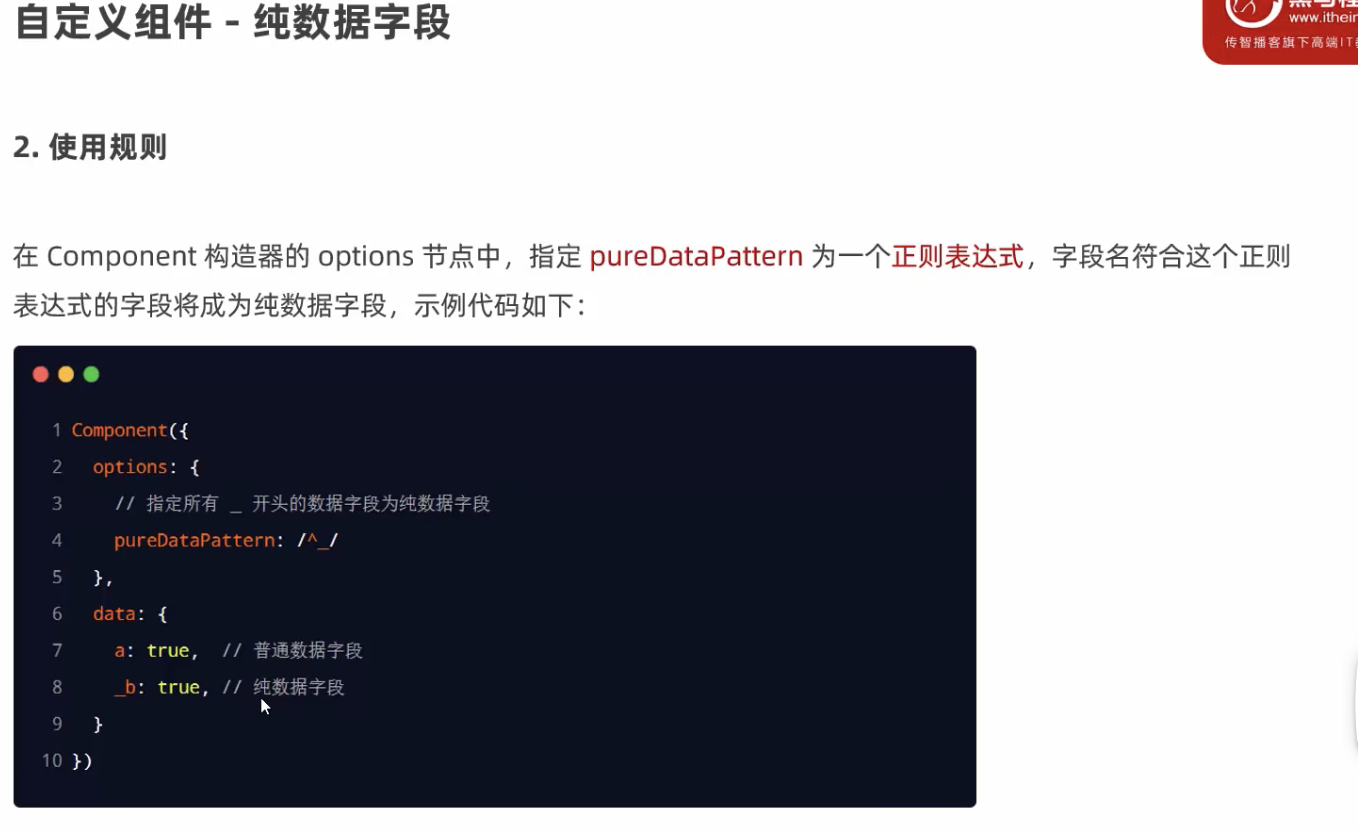
纯数据字段
字段不能渲染,只做逻辑处理,提高性能。
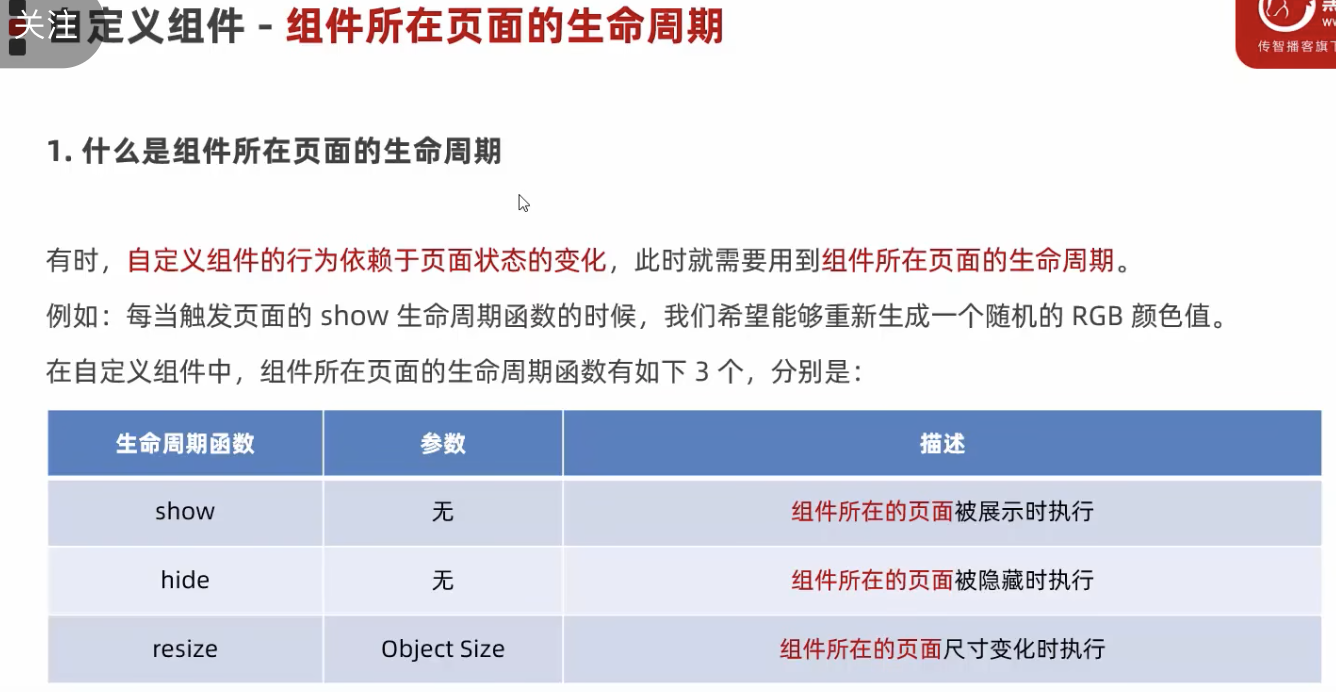
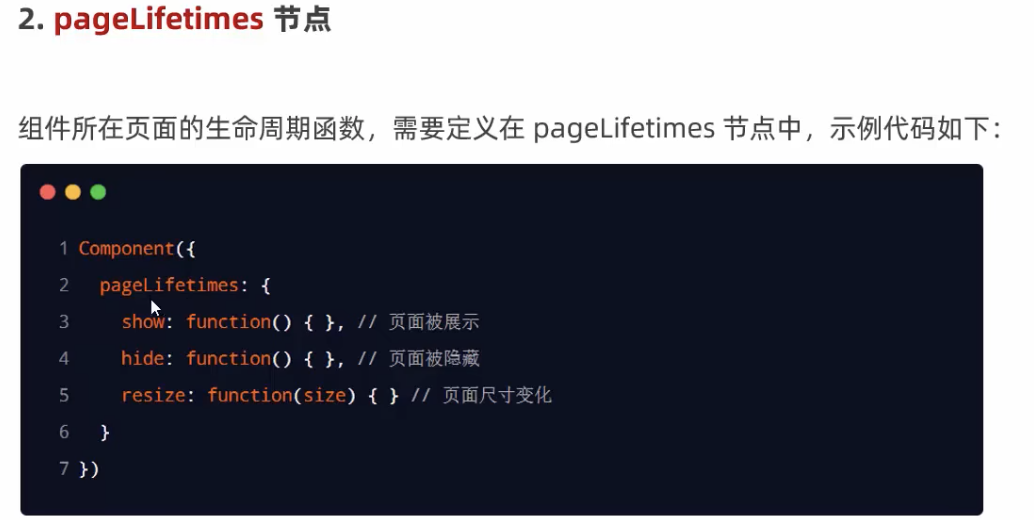
生命周期
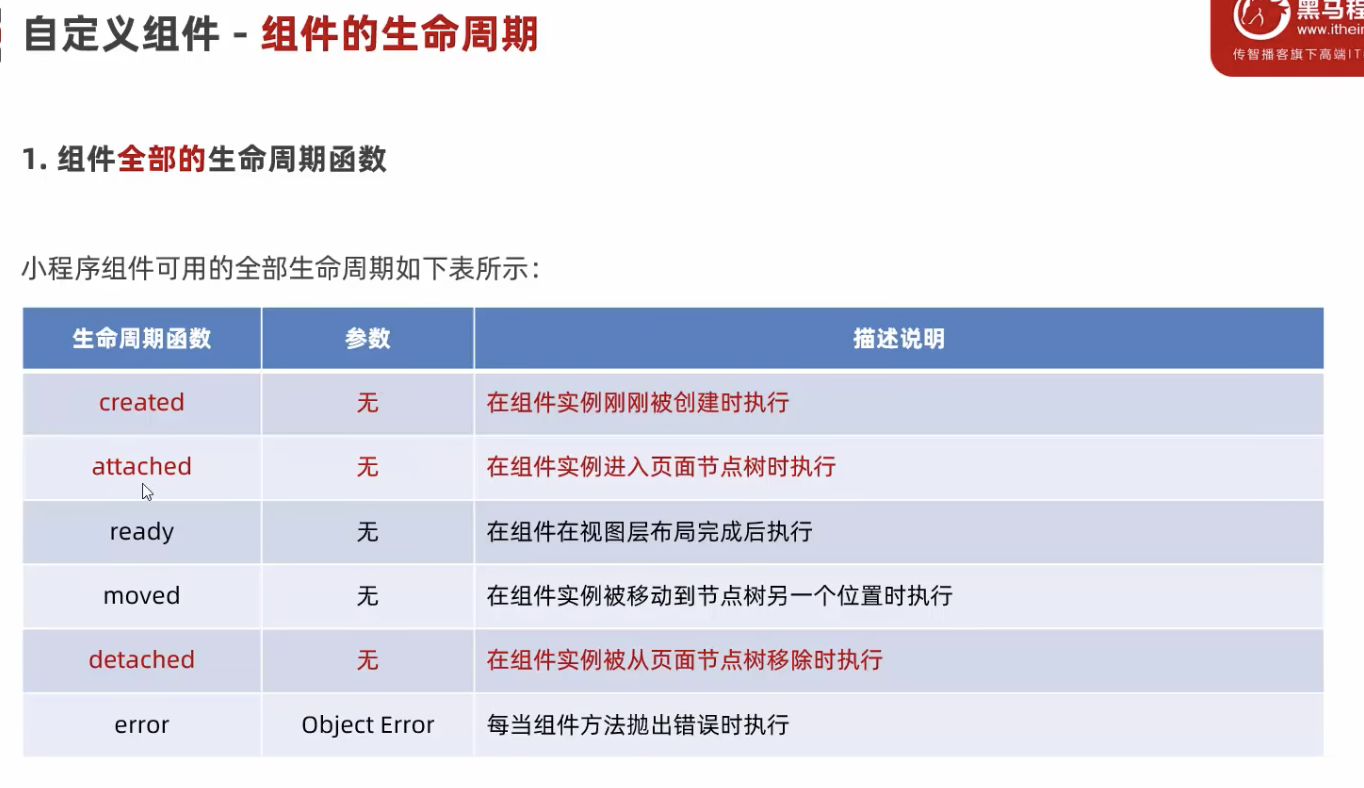
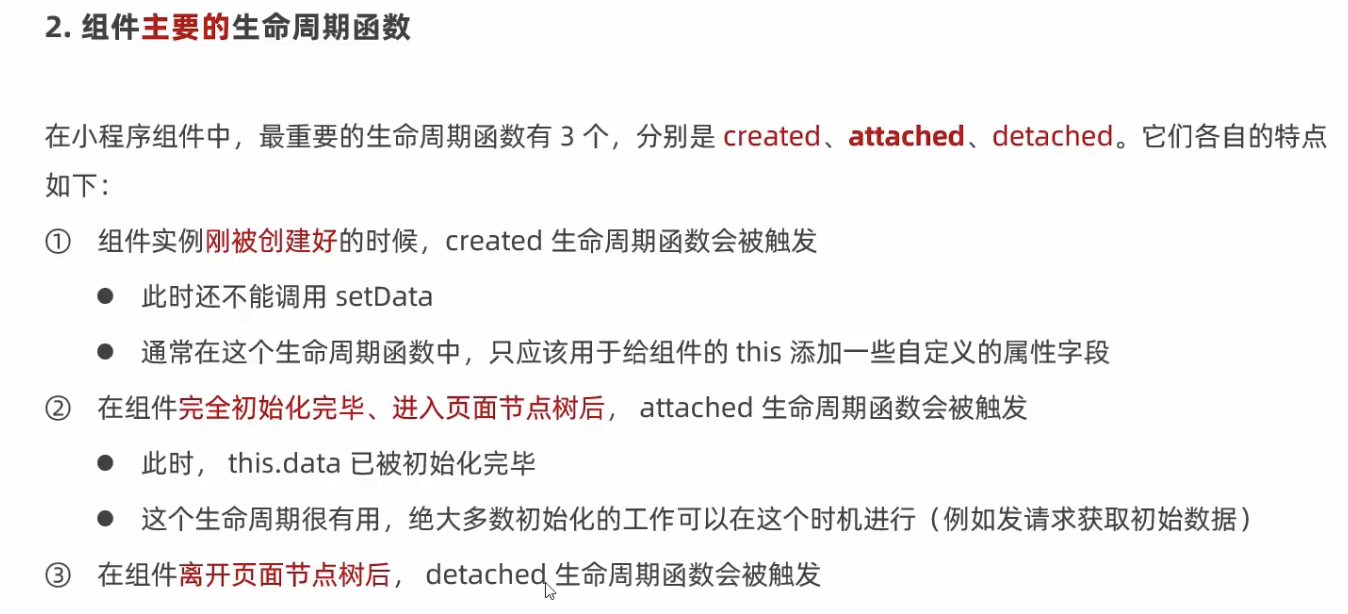
  lifetimes: {
    created(){},
    attached(){}
  }
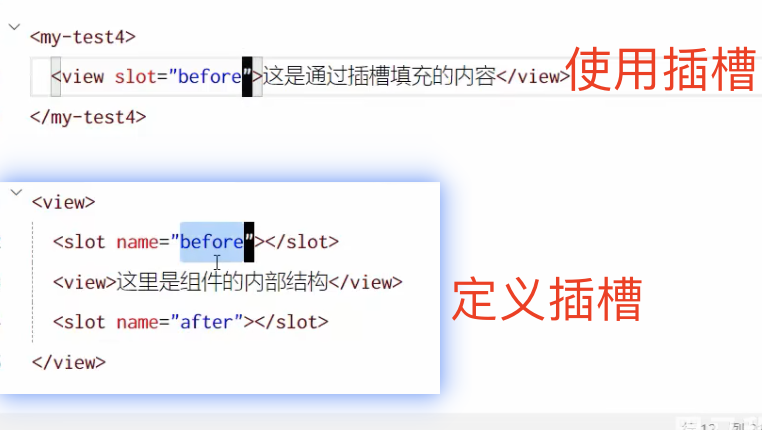
插槽
Component({
options: {
styleIsolation: 'apply-shared',
multipleSlots: true // 启用多插槽
},
父子通信
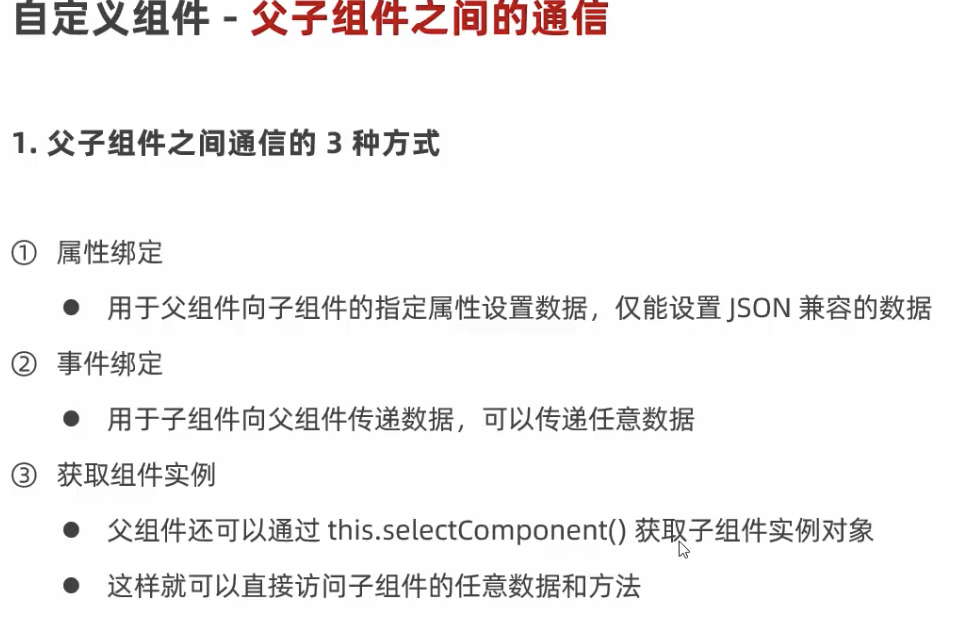
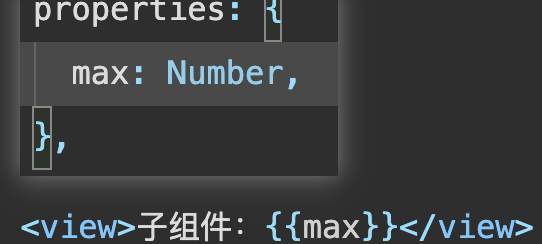
父给子传属性
父
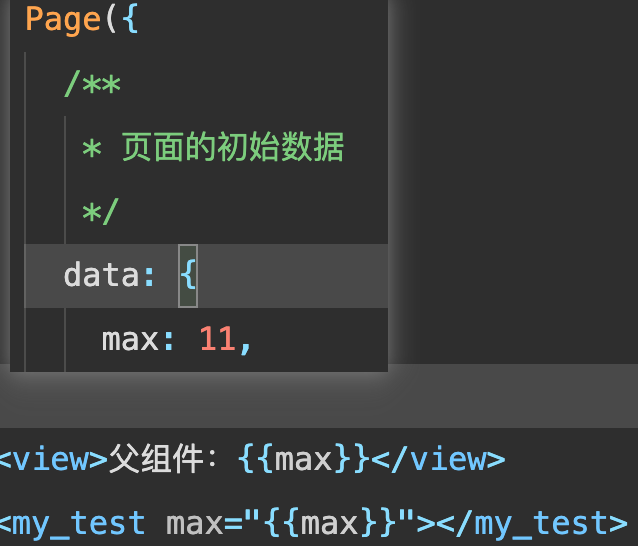
子
子给父亲传值
父
<my_test max="{{max}}" bind:tozi="tozi"></my_test>
tozi(e){
  console.log("tozi",e.detail)
  this.setData({
    max: e.detail.value
  })
},
子
<button bind:tap="add1">+</button>
add1(){
  this.setData({
  max: this.properties.max+1
  })
  this.triggerEvent('tozi',{value:this.properties.max})
},
第二种,类似于vue 的refs
父
<my_test class="ref"></my_test>
<button bind:tap="getZi">获取子组件的属性和方法</button>
getZi(){
const child = this.selectAllComponents('.ref')
console.log(child)
console.log(child[0].data)
}
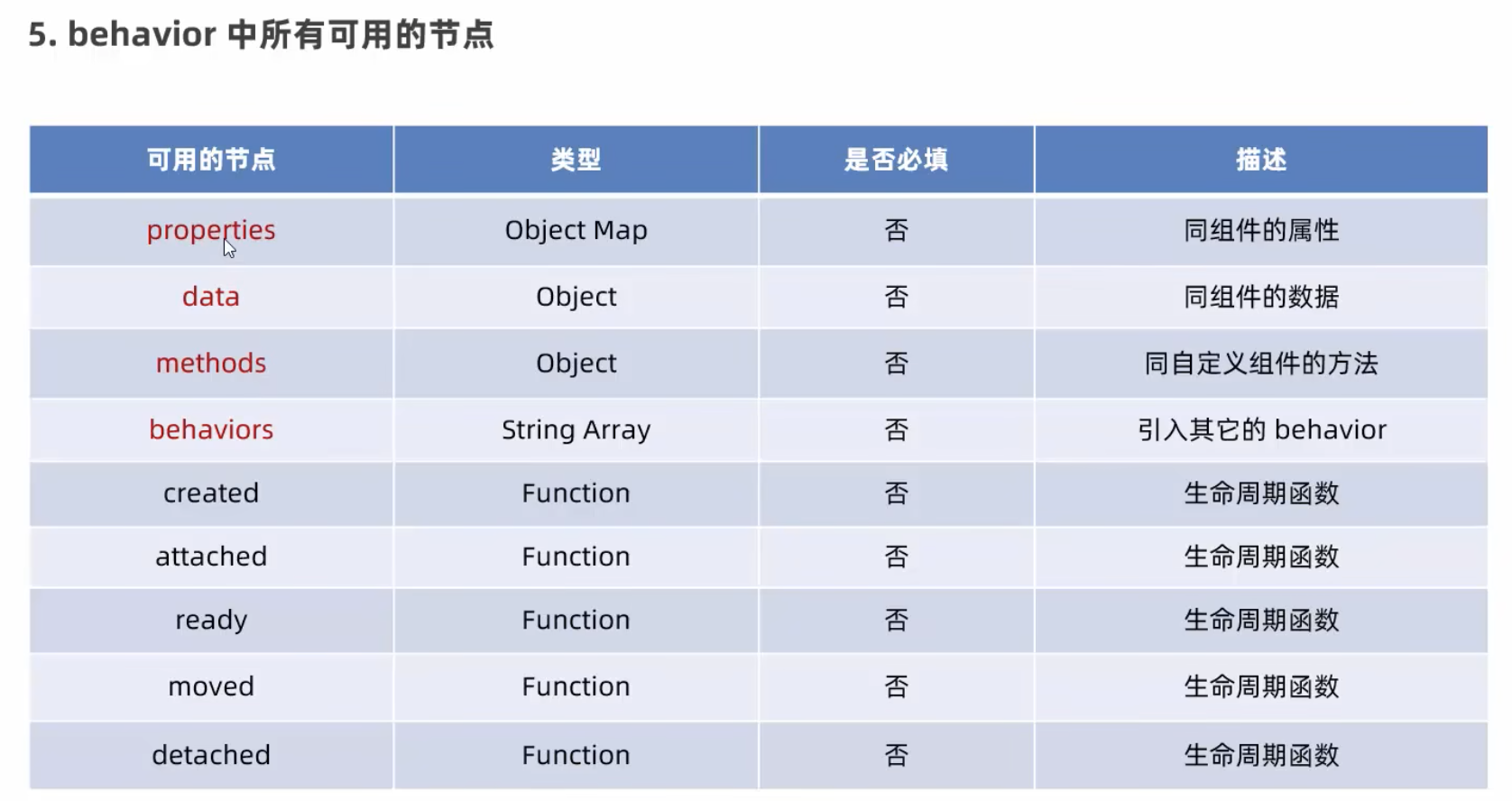
第二种,类似于vue 的injest 透传广播
创建文件夹behavior/my_behavior.js
module.exports = Behavior({
data:{
username: "zhangdan123"
},
properties: {
},
methods: {
}
})
组件里使用,注意是组件
const my_behave = require('../../behaviors/my_behave.js')
Component({
behaviors: [my_behave],
组件里直接使用
<view>{{username}}</view>
安装vant
vant 文档:https://vant-ui.github.io/vant-weapp/#/quickstart
1、npm init -y
2、推荐安装1.3.3
npm i @vant/weapp@1.3.3 -S --production
3、将 app.json 中的 "style": "v2" 去除
4、
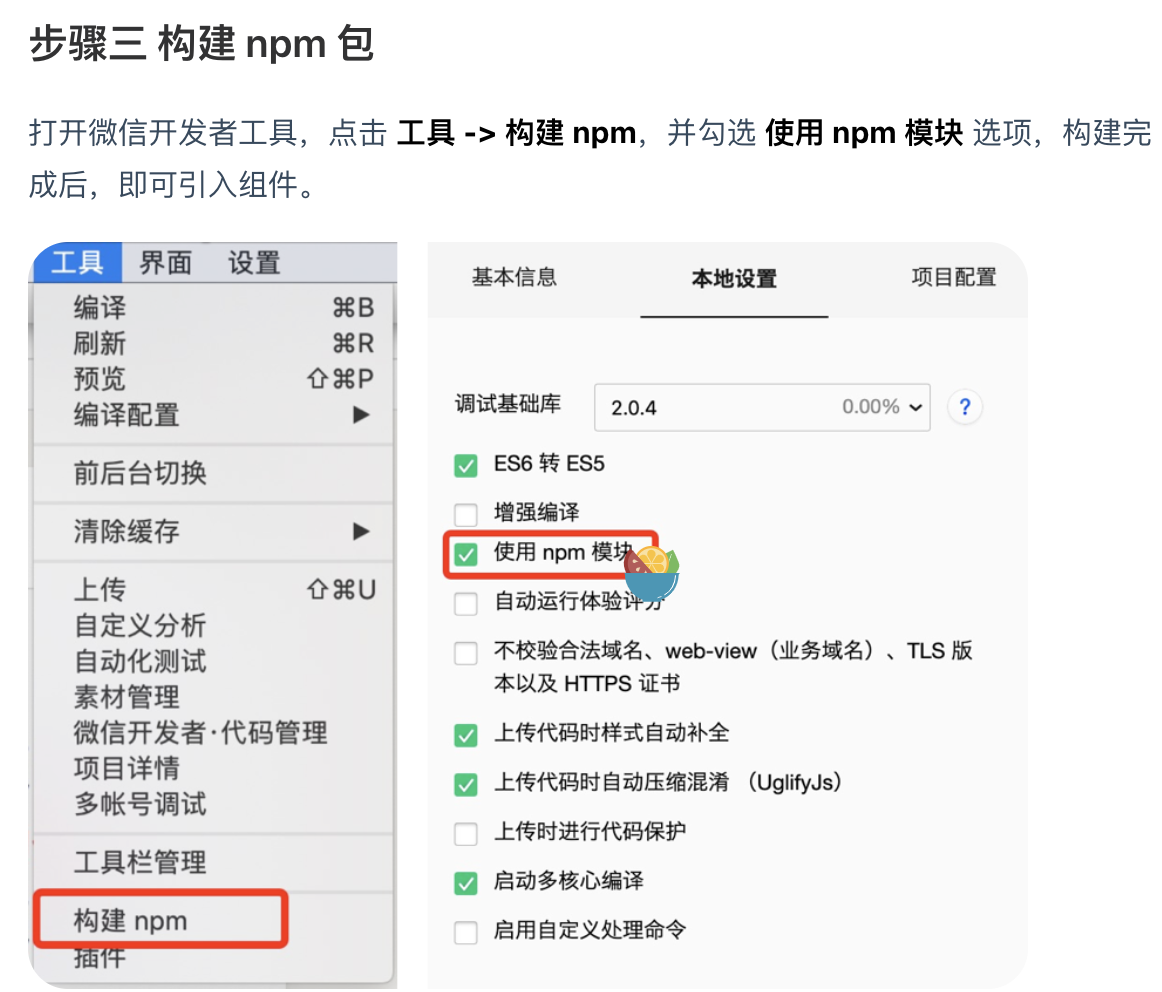
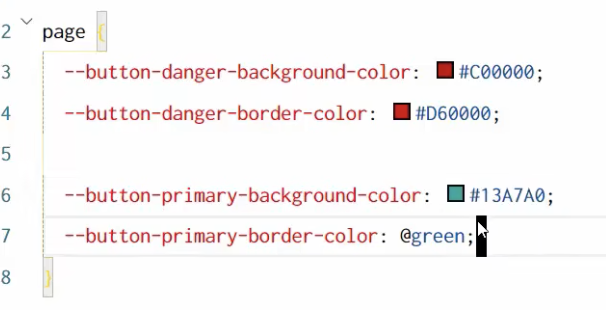
使用CSS变量&修改vant样式
https://developer.mozilla.org/zh-CN/docs/Web/CSS/Guides/Cascading_variables/Using_custom_properties
vant 的样式
https://github.com/youzan/vant-weapp/blob/dev/packages/common/style/var.less
修改vant 样式
promise
1、npm install --save miniprogram-api-promise@1.0.4
2、构建成功后,将文件夹删除
3、点击工具-npm 构建
4、// app.js
import { promisifyAll } from 'miniprogram-api-promise'
const wxp = wx.p = {}
promisifyAll(wx,wxp)
5、使用
async xx2(){
const res = await wx.p.request({
url: 'http://127.0.0.1:8000/youhuiquan',
data: {"page":1,"limit":100}
})
console.log(res)
},
全局共享数据
npm install --save mobx-miniprogram@4.13.2
npm install --save mobx-miniprogram-bindings@1.2.1
基本使用
store/store.js
import { observable,action } from 'mobx-miniprogram'

export const store = observable({
  // 数据字段
  numA: 1,
  numB: 2,
  // 计算属性
  get sumNum(){
    return this.numA+this.numB
  },
  // actions 方法,修改store数据
  updateNum1: action(function(step){
    this.numA+=step
  }),
  updateNum2: action(function(step){
    this.numB-=step
  })
})
index.js
import { createStoreBindings } from 'mobx-miniprogram-bindings'
import { store } from '../../store/store'

onLoad: function(){
    this.storeBindings = createStoreBindings(this,{
      store,
      fields: ['numA','numB','sumNum'],
      actions: ['updateNum1','updateNum2']
    })
  },
  onUnload: function(){
    this.storeBindings.destoryStoreBindings()
  }
index.xml
<view>{{numA}}+{{numB}}={{sumNum}}</view>
<button bind:tap="add" data-step="{{1}}">+</button>
<button bind:tap="jian" data-step="{{-1}}">-</button>
add(e){this.updateNum1(e.target.dataset.step)},
jian(e){this.updateNum1(e.target.dataset.step)},
组件中的使用
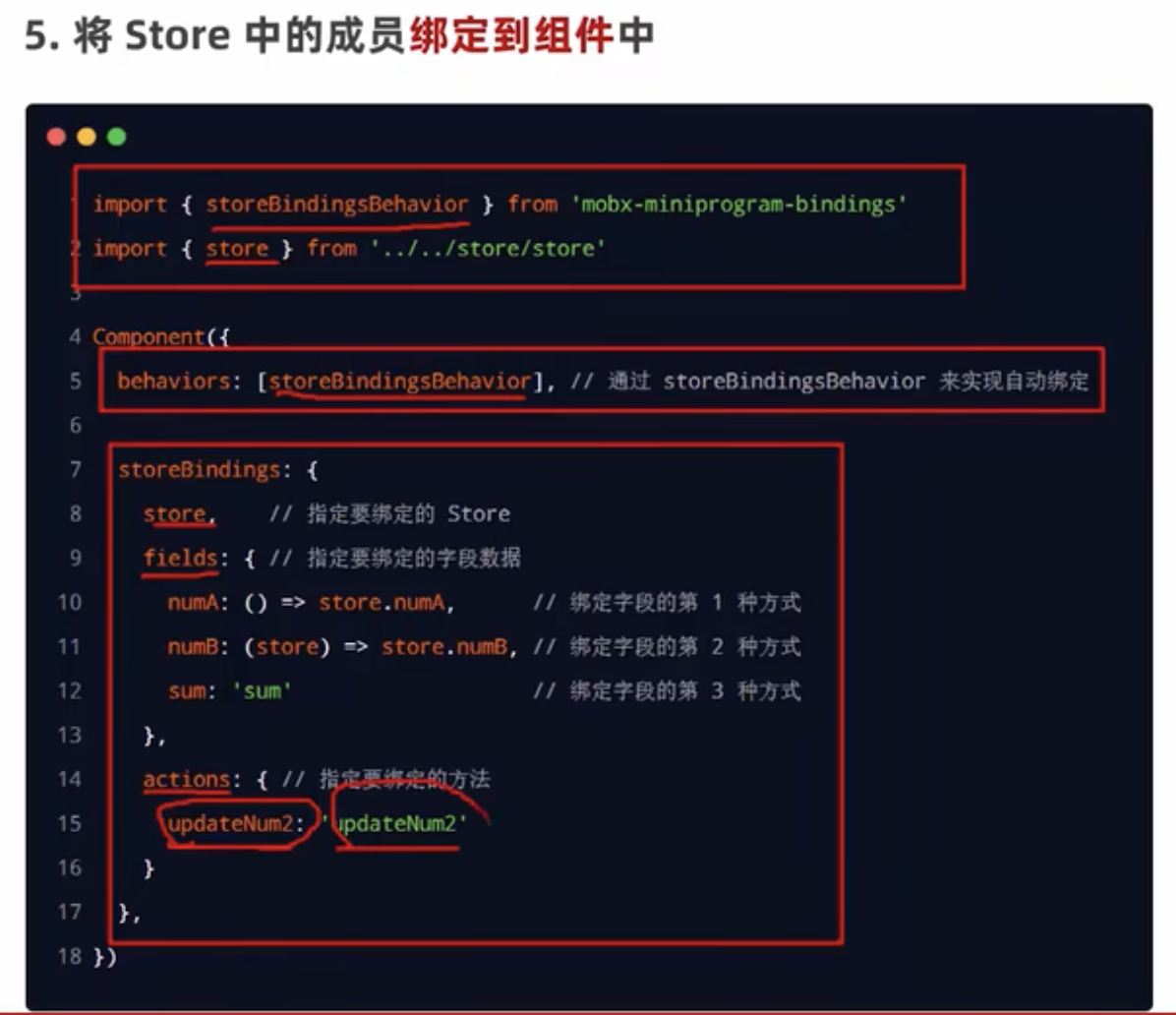
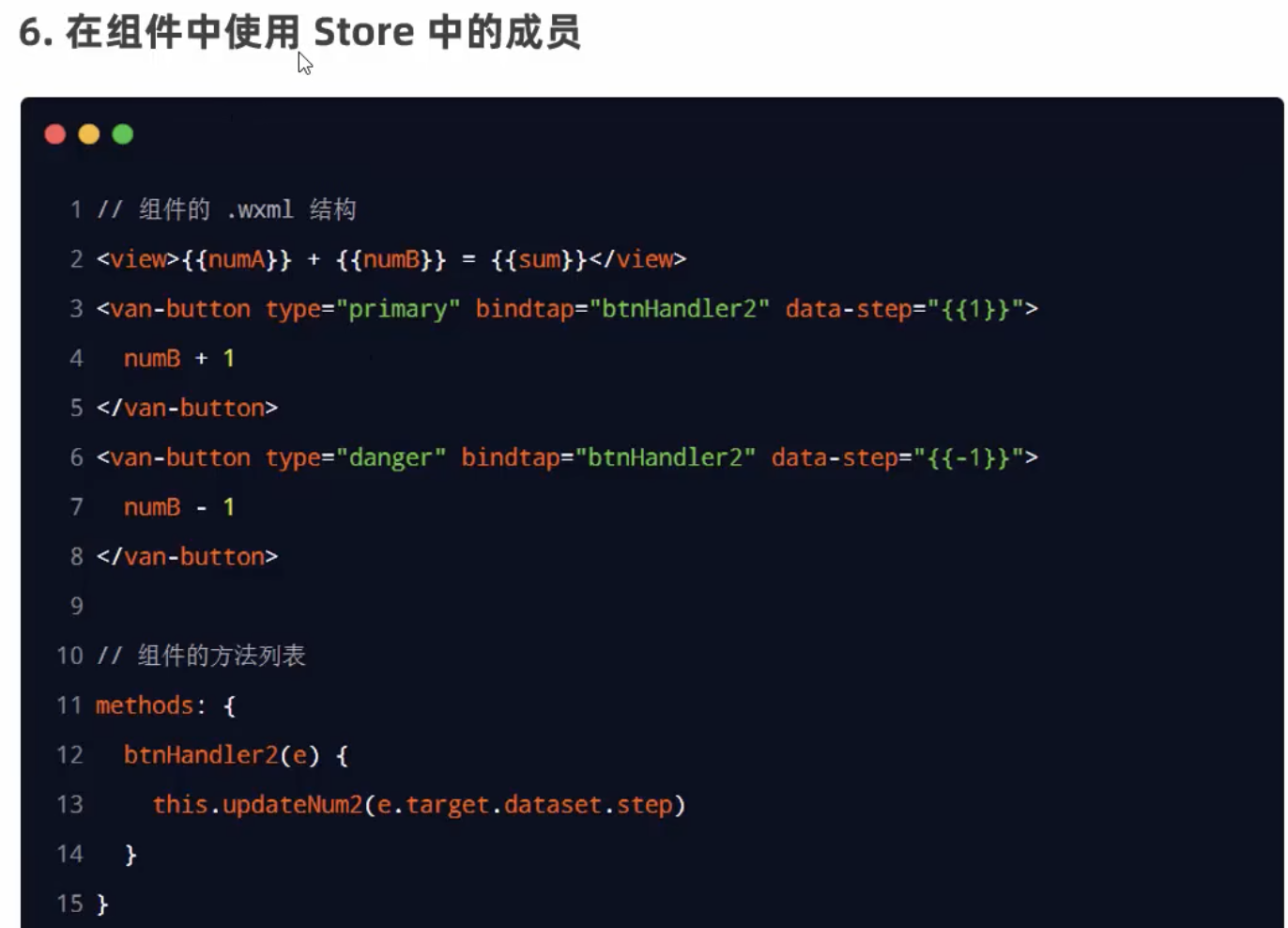
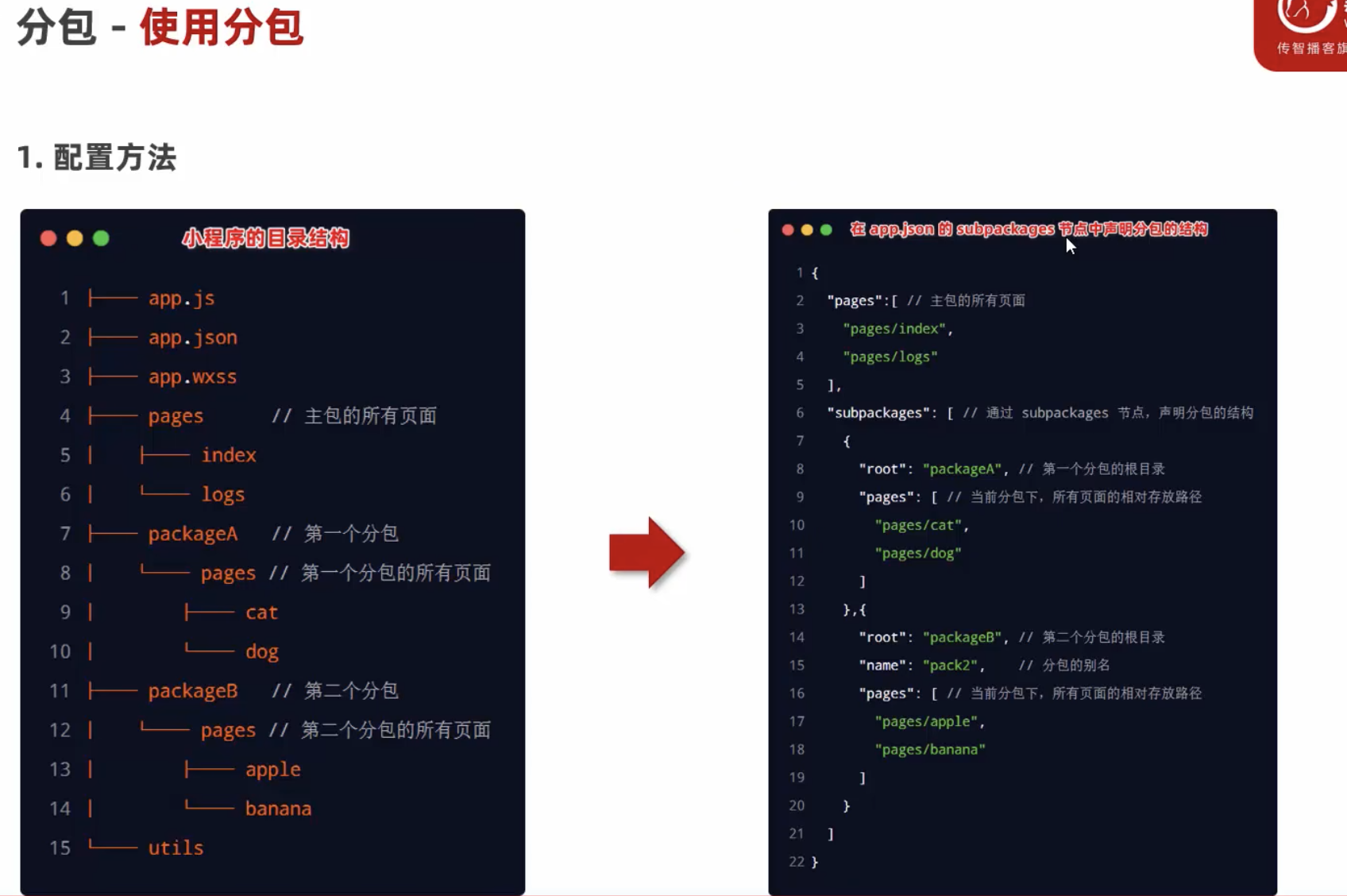
分包
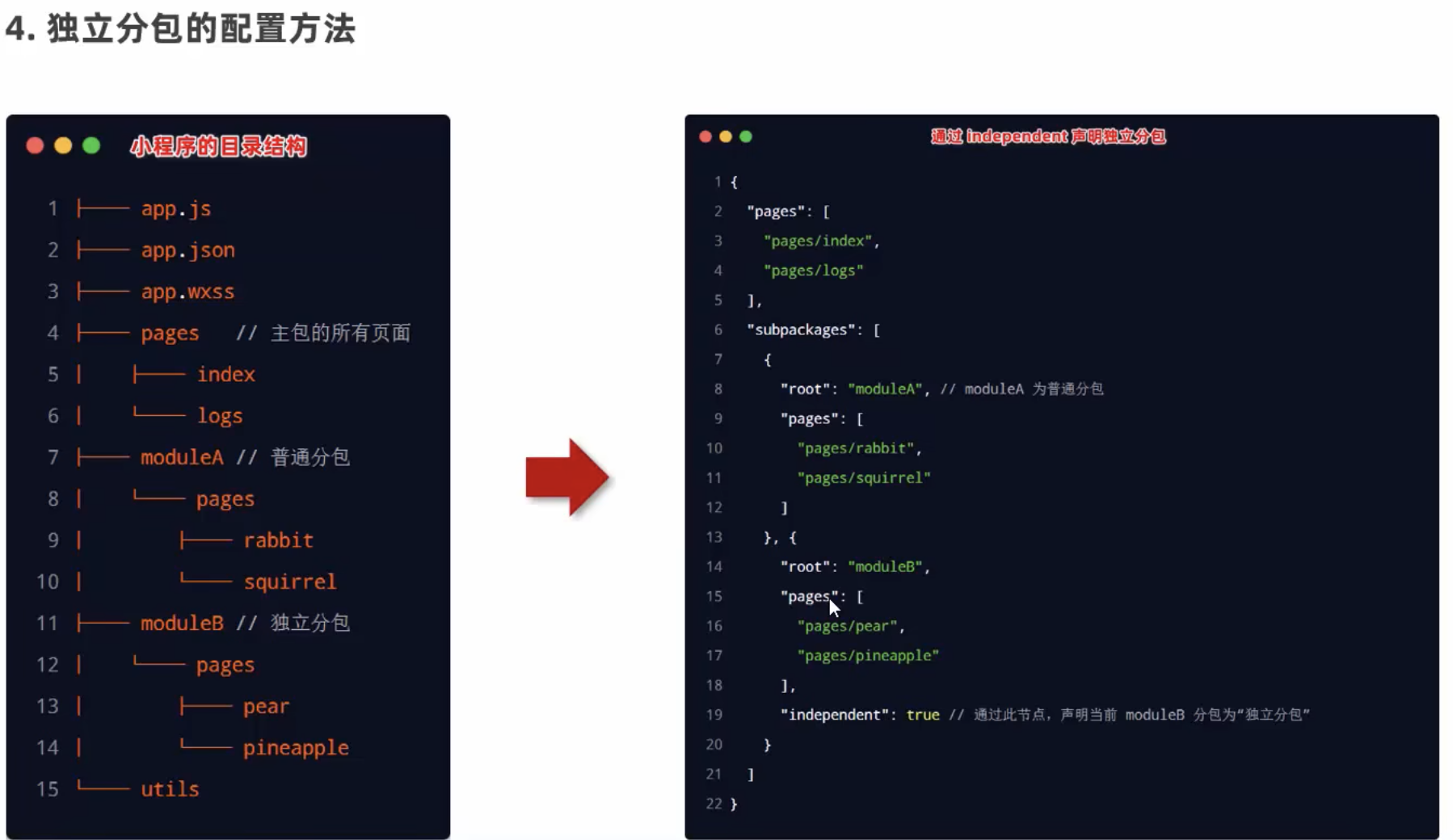
独立分包
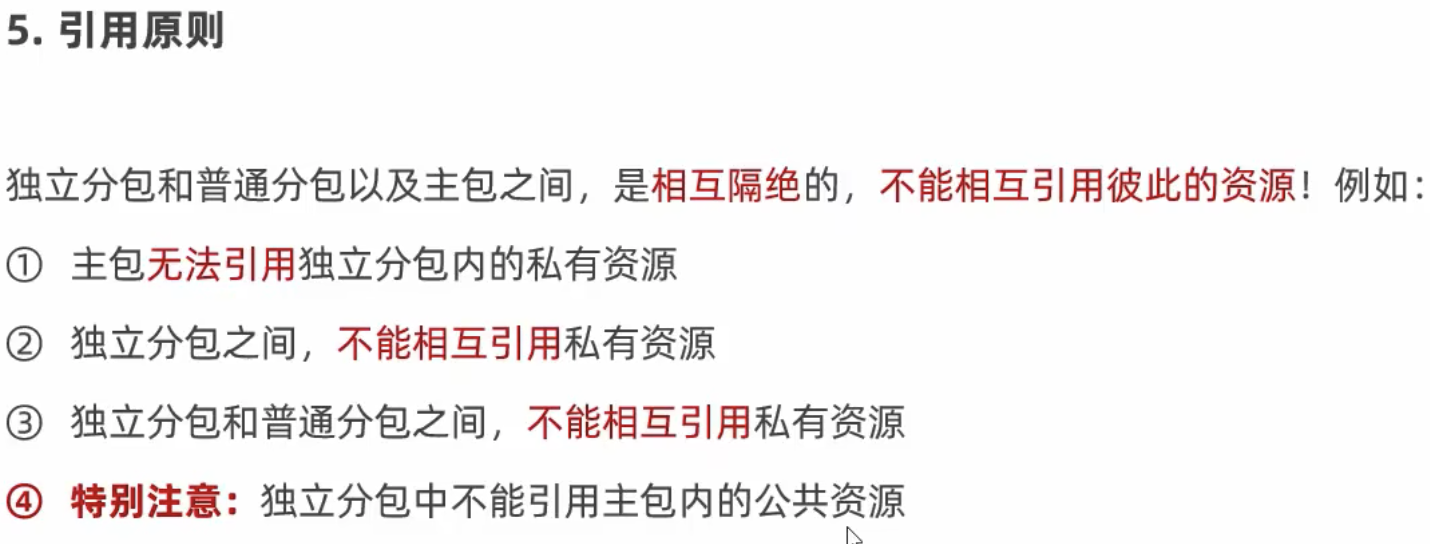
引用原则
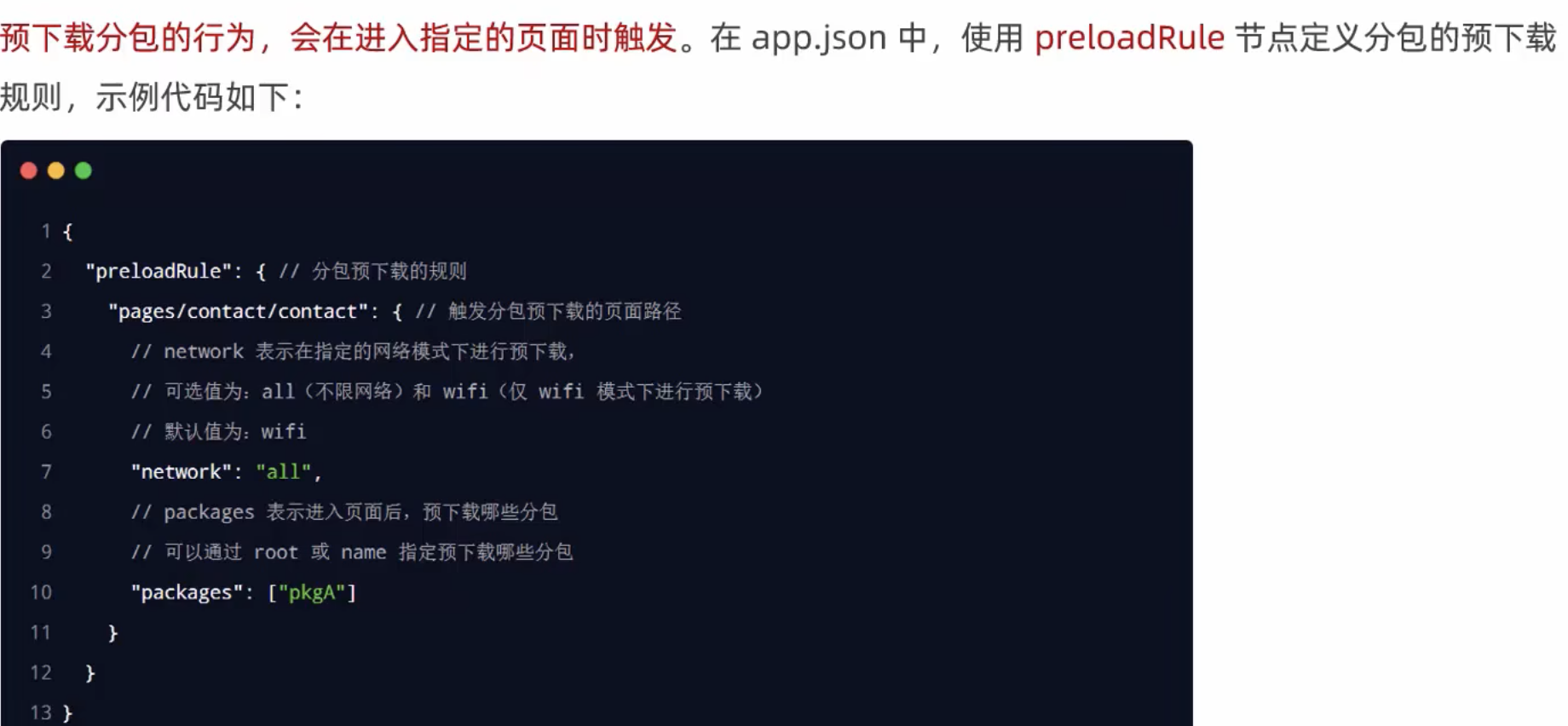
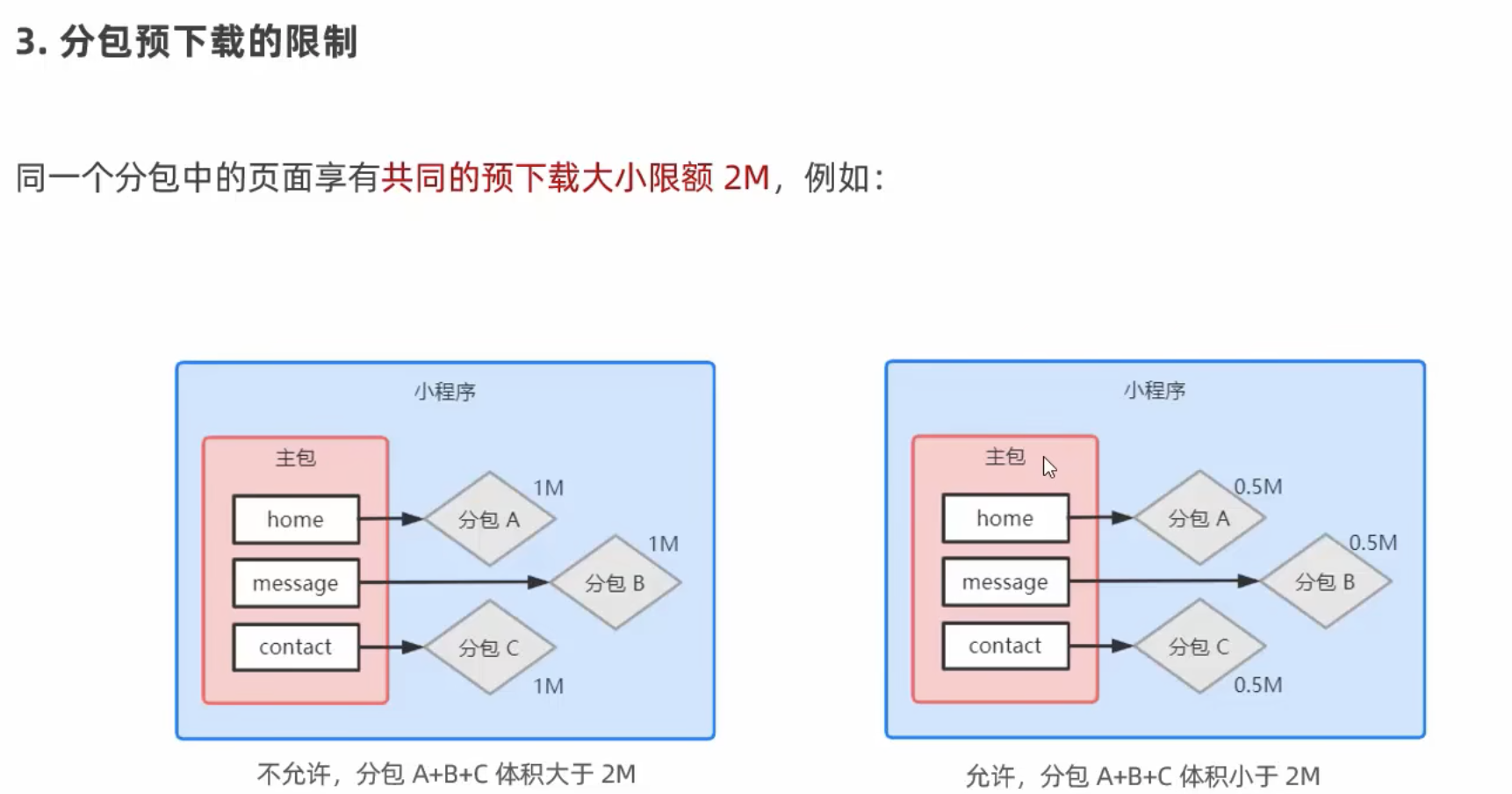
分包预下载

 浙公网安备 33010602011771号