


1、安装插件
npm i pdfh5
2、在页面内引入组件
import Pdfh5 from "pdfh5";
import "pdfh5/css/pdfh5.css";
3、写一个展示pdf文件的容器
<div id="pdfType"></div>
4、封装在事件中
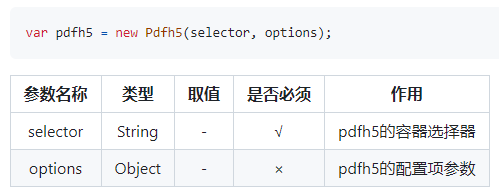
initPdf() {
this.pdfh5 = ''
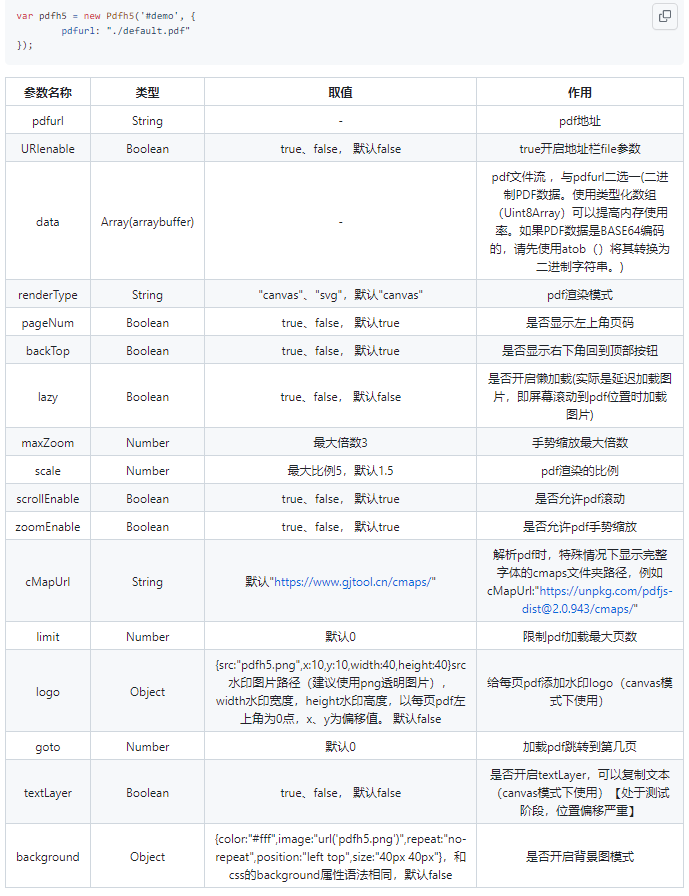
this.pdfh5 = new Pdfh5("#pdfType", {
pdfurl: this.dataObj.docFile, //pdf文件地址
lazy: true, //是否懒加载,默认false
renderType: 'canvas', // canvas、svg,默认canvas
maxZoom: 3, //手势缩放最大倍数,默认3
scrollEnable: true, //是否允许pdf滚动,默认true
zoomEnable: true,// 是否允许pdf手势缩放,默认true
limit: 0, //限制pdf加载最大页数,默认0不限制
})
//监听完成事件
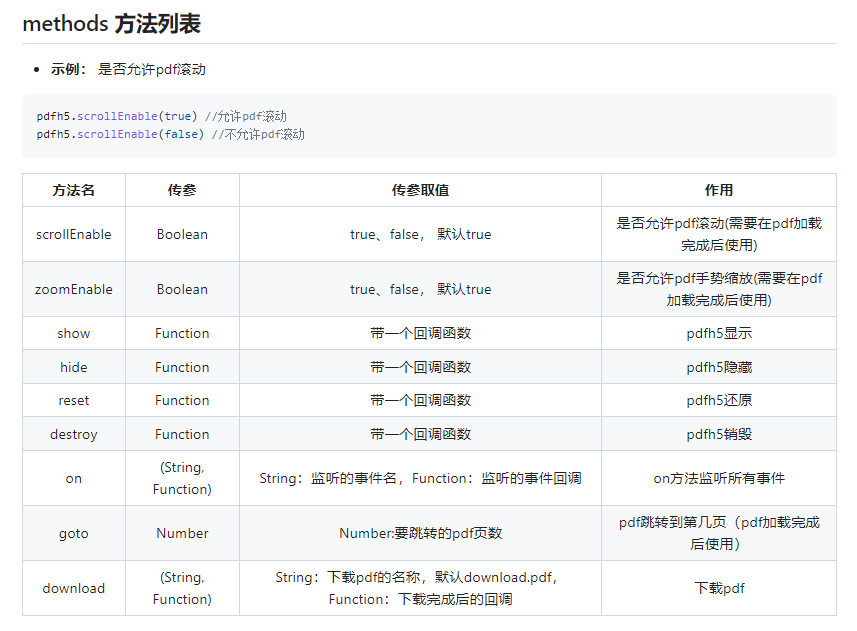
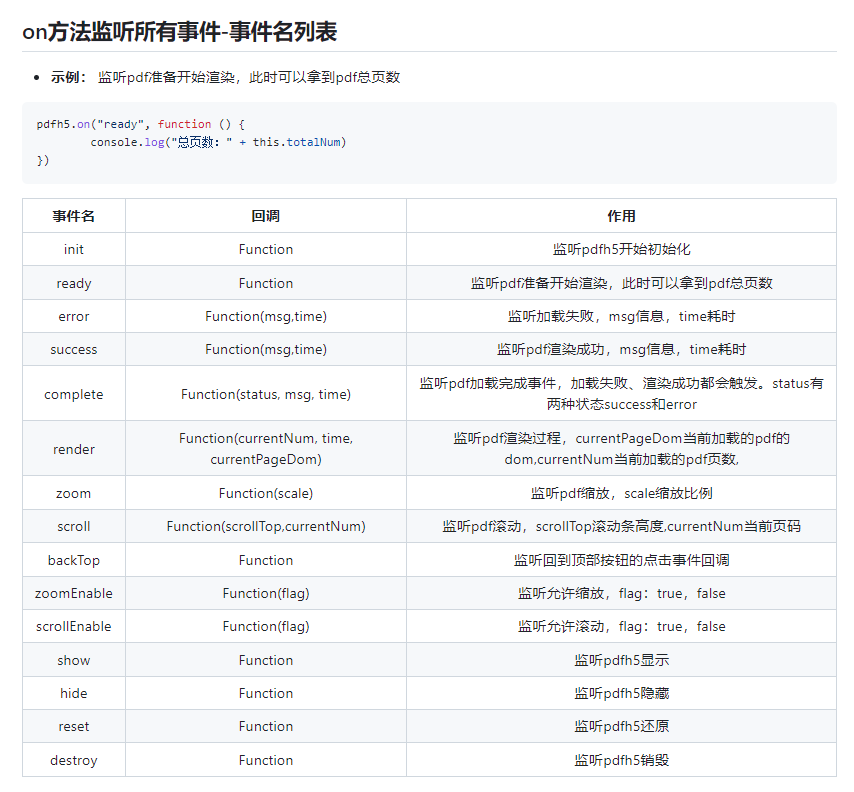
this.pdfh5.on("complete", function (status, msg, time) {
console.log("状态:" + status + ",信息:" + msg + ",耗时:" + time + "毫秒,总页数:" + this.totalNum)
})
},
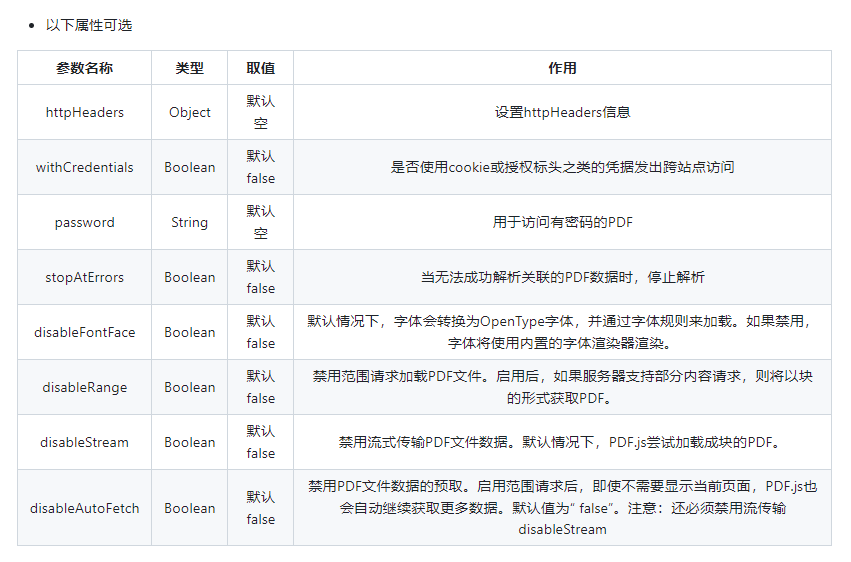
参数:
方法:
5、调用 initPdf() 事件
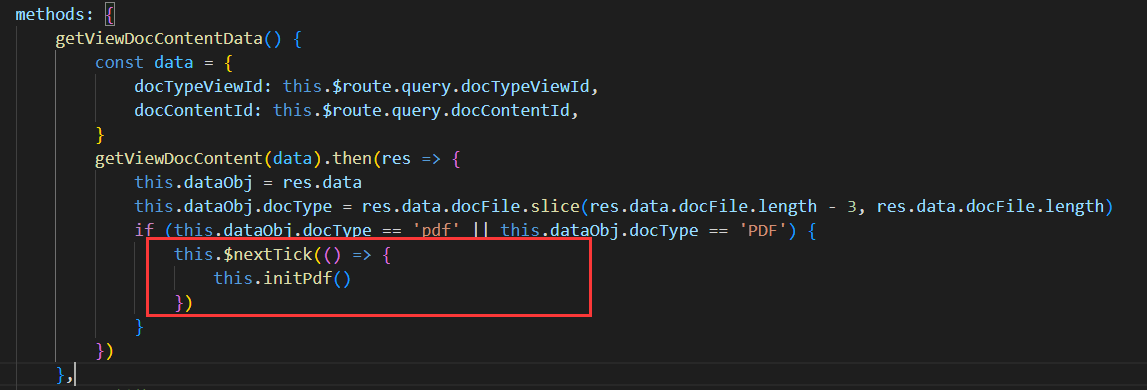
this.initPdf()
如果报错"TypeError: Cannot read properties of undefined (reading 'pdfLoaded')",
是因为异步原因报错,可在mounted或数据加载完成后调用

 浙公网安备 33010602011771号