
使用 WinSCP 下载 FTP 文件并用 计划任务 复制到 远程 共享目录
1:Sync the provider files from FTP server by using WinSCP
- Install the FTP syncing tool WinSCP.
- Create the WinSCP scripts.
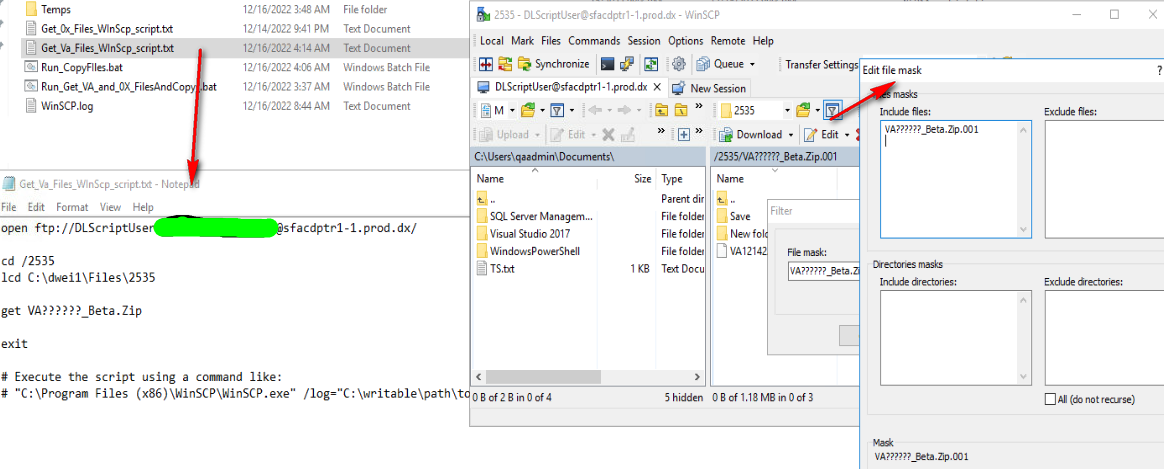
2 :Create the Windows batch file to run call WinSCP scripts.
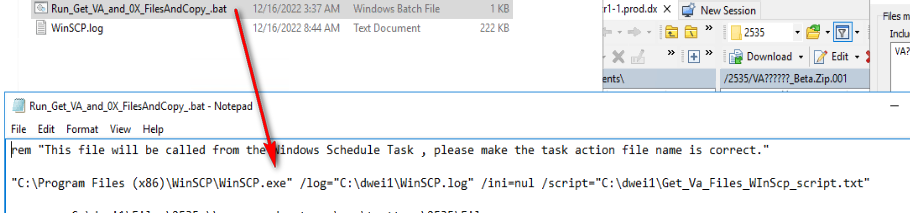
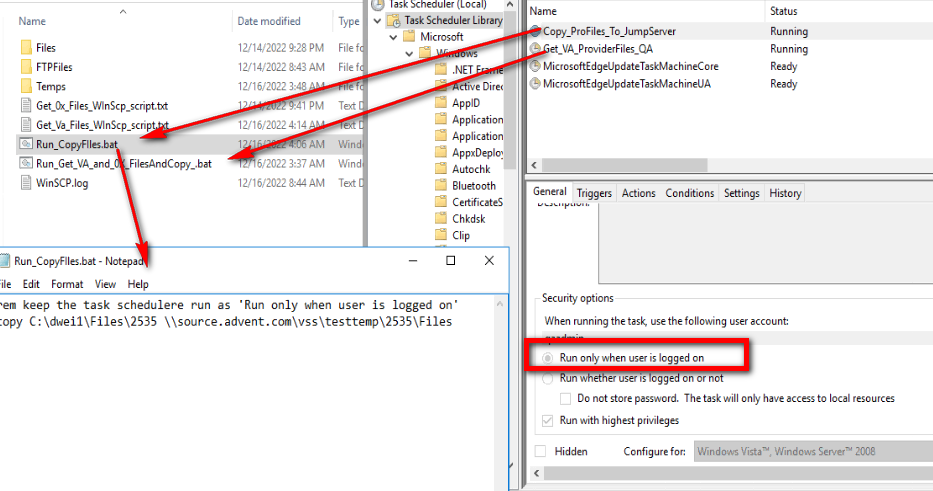
3:Create Windows Task Scheduler run file sync workflow.
Note: The scheduler task should be run as 'Run only when user is logged on' if we want to copy the files to one shared remoted folder. Refer to here
4:Copy the files in shared path to the target folder by PowerShell schedule task

- Make people around you successful is the biggest contribution to ourselves. -

 浙公网安备 33010602011771号