在windows上运行flume,解决Test Path:路径具有非法字符的问题
1.在windows上搭建flume:
官网下载, flume下载地址:http://www.apache.org/dyn/closer.lua/flume/1.7.0/apache-flume-1.7.0-bin.tar.gz
2.解压,无需安装。cmd启动命令:
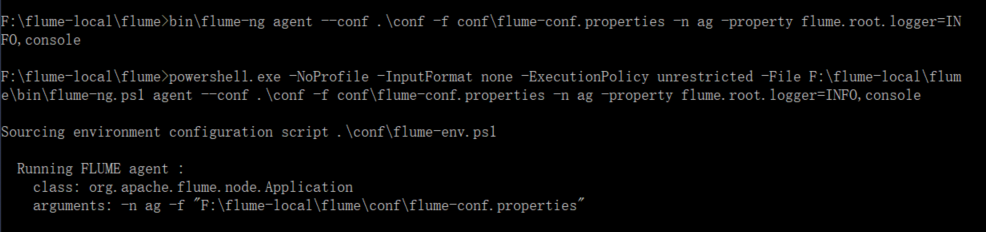
3.在cmd启动flume,提示:
Test-Path : 路径中具有非法字符。
所在位置 F:\flume-local\flume\bin\flume-ng.ps1:106 字符: 56
+ ... ? { "$_" -ne "" -and (Test-Path $_ )} |
+ ~~~~~~~~~~~~
+ CategoryInfo : InvalidArgument: (F:\flume-local\flume\bin\":String) [Test-Path],ArgumentException
+ FullyQualifiedErrorId : ItemExistsArgumentError,Microsoft.PowerShell.Commands.TestPathCommand
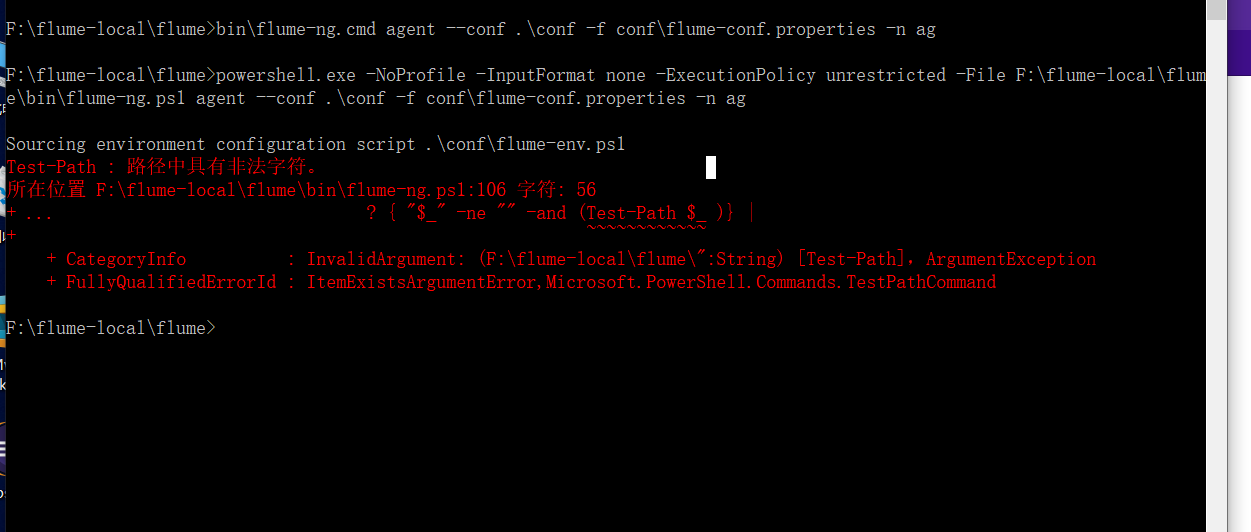
解决其实很简单:找到flume-ng.ps1文件,将报错的106行的getHadoopPath以及后面的两个类似的方法注释或者删掉;

 浙公网安备 33010602011771号