

属性选择器
css:
/*
CSS [attribute] 选择器
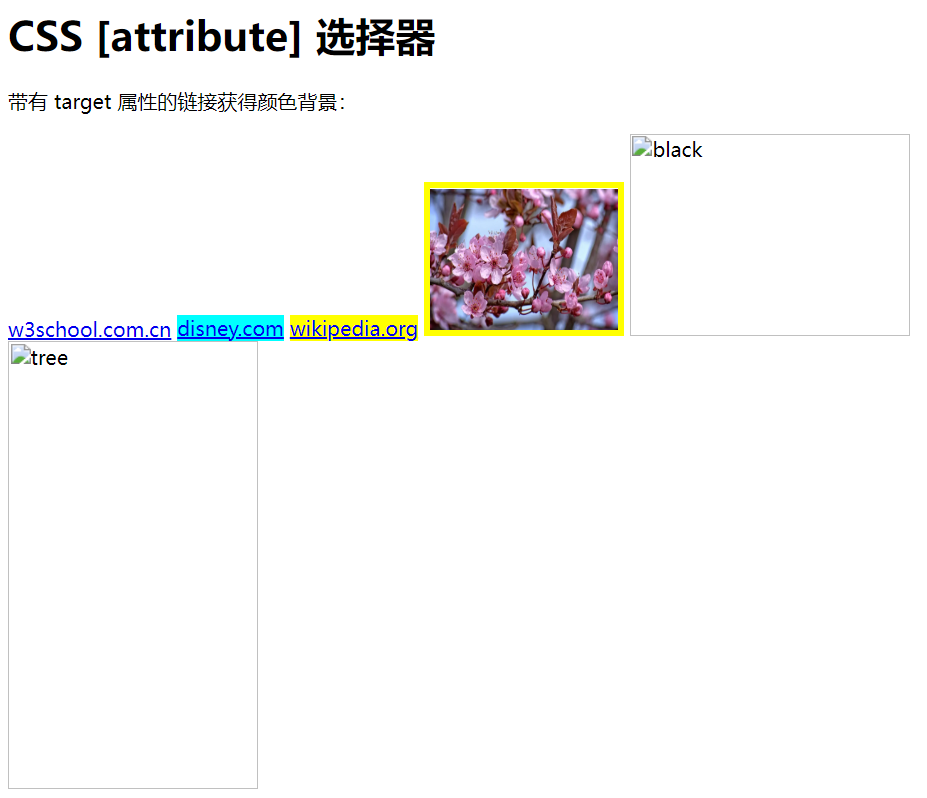
[attribute] 选择器用于选取带有指定属性的元素。
*/

a[target] {
    background-color: yellow;
}

/*[attribute="value"] 选择器用于选取带有指定属性和值的元素。*/
a[target=_blank] {
    background-color: aqua;
}

/*[attribute~="value"] 选择器选取属性值包含指定词的元素。*/
img[title~="flower"] {
    border: 5px solid yellow;
}

/*[attribute|="value"] 选择器用于选取指定属性以指定值开头的元素。*/

html:
<!DOCTYPE html>
<html lang="en">
<head>
    <meta charset="UTF-8">
    <title>属性选择器</title>

    <link rel="stylesheet" type="text/css" href="../css/属性选择器.css">
</head>
<body>

<h1>CSS [attribute] 选择器</h1>

<p>带有 target 属性的链接获得颜色背景:</p>

<a href="https://www.w3school.com">w3school.com.cn</a>
<a href="http://www.disney.com" target="_blank">disney.com</a>
<a href="http://www.wikipedia.org" target="_top">wikipedia.org</a>

<img src="../img/u.webp" title="flower" width="150" height="113">
<img src="../img/u.gif" title="black" width="224" height="162">
<img src="../img/u.png" title="tree" width="200" height="358">
</body>
</html>


效果:

 浙公网安备 33010602011771号