

css基本选择器
1、标签选择器
<style>
    /*基本选择器*/
    /*标签选择器:选择页面上所有的标签*/
    h1{
        color: red;
        background-color: grey;
        /*文本对齐方式*/
        text-align: center;
        /*圆角*/
        border-radius: 10px;
    }
</style>

页面上所有的h1标签都添加上样式。字体红色,背景颜色灰色,文本水平居中,圆角。
2、类选择器
<style>
    /*基本选择器*/
    /*类选择器   .class的名称*/
    .qinjiang{
        color: green;
        background-color: gold;
        /*文本对齐方式*/
        text-align: center;
        /*圆角*/
        border-radius: 20px;
        font-family: 楷体;
        font-size: 50px;
    }
</style>
对应元素
<h1 class="qinjiang">这是一个类选择器</h1>
<h1 class="qinjiang">这是一个类选择器</h1>
<p class="qinjiang">这是一个类选择器</p>
效果:
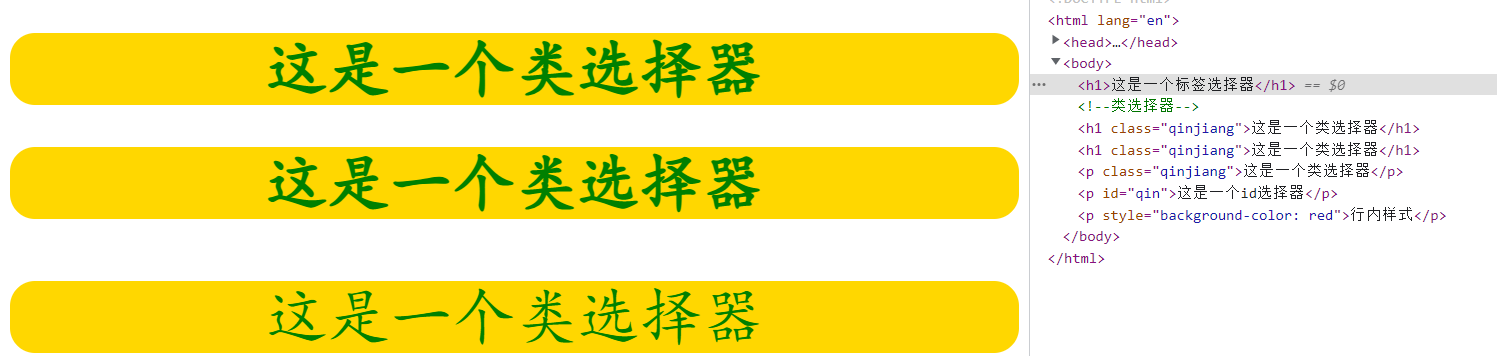
类名:qinjiang。
使用方式:在html标签中定义属性clss="qinjiang",在style标签中用.qinjiang {} 打括号中编写样式。
3、id选择器
css代码
<style>
/*id选择器  #id名称*/
    #qin{
        color: darkorange;
        background-color: brown;
    }

    /*id选择器>类选择器>标签选择器*/
</style>
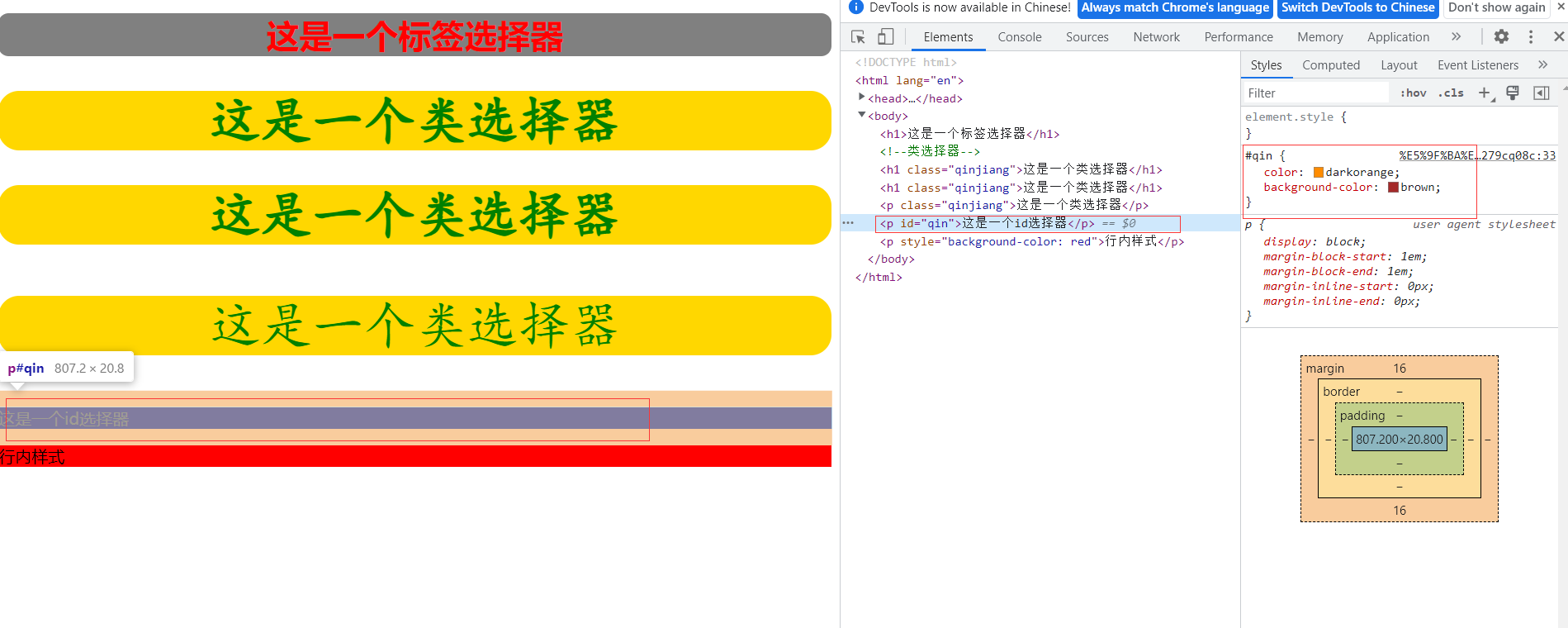
效果(红色框区域):

 浙公网安备 33010602011771号