

mid360跑通东北大学的REAL_DRONE_400
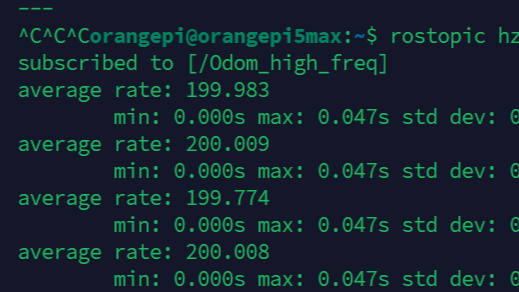 mid360跑通东北大学的REAL_DRONE_400打印出高频里程计
在编译过程中遇到一些问题,这里记录下来
前情提要,我这个板卡上已经部署完成fast-drone-250的环境了
使用香橙派5max ros1 noetic ubuntu20.04
东大的这个没有mid360的驱动,需要我们自己安装
1.livox_sdk2,livox_ros_driver2
建议都安在工作空间下,便于管理
安装livox_sdk2,按照Readme的过程进行安装
https://github.com/Livox-SDK/Livox-SDK2
安装livox_ros_driver2, 还是按照readme文件进行安装
https://github.com/Livox-SDK/livox_ros_driver2
有些人反应拷贝不下来,大家可以压缩包下载下来然后放到自己工作空间下,然后再编译
也可以从下面两个链接去下载
这是国内gitcode的livox_ros_driver2分支
https://gitcode.com/gh_mirrors/li/livox_ros_driver2?utm_source=csdn_github_accelerator&isLogin=1&from_link=169f004da7ba7757dc3b16e41aa88eee
这是国内gitcode的livox_sdk2分支
https://gitcode.com/gh_mirrors/li/Livox-SDK2?utm_source=csdn_github_accelerator&isLogin=1&from_link=e83667b0c2e34ce12924eb6fcbf2a5fc
2.自己新建一个工作空间 存放REAL_DRONE_400
然后catkin_make我们会遇到这些问题
问题1
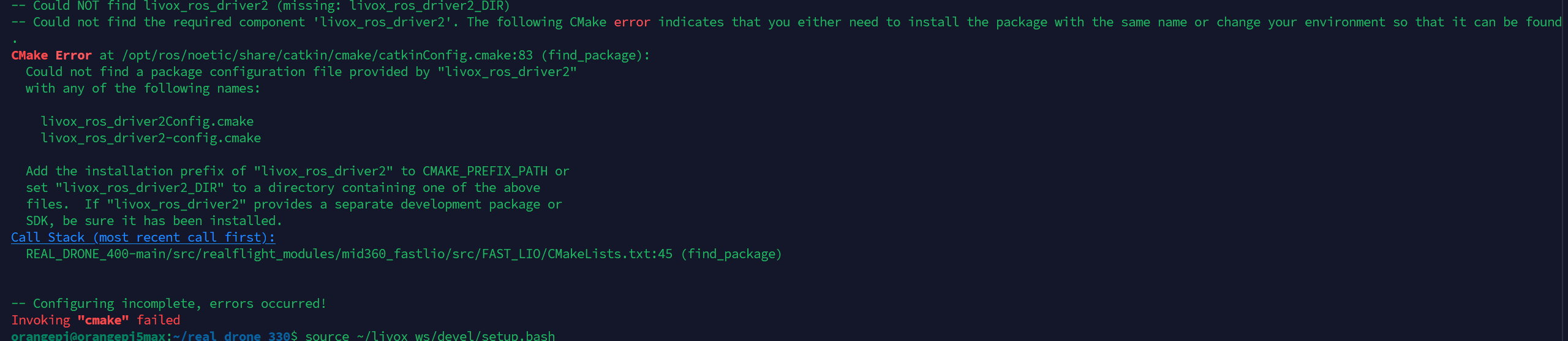
这个问题显然是没有找到livox_ros_driver2,我们这里需要source一下我们之前安装的livox_ros_driver2的这个工作空间
#这里换为你自己安装的路径 source ~/livox_ws/devel/setup.bash
问题2
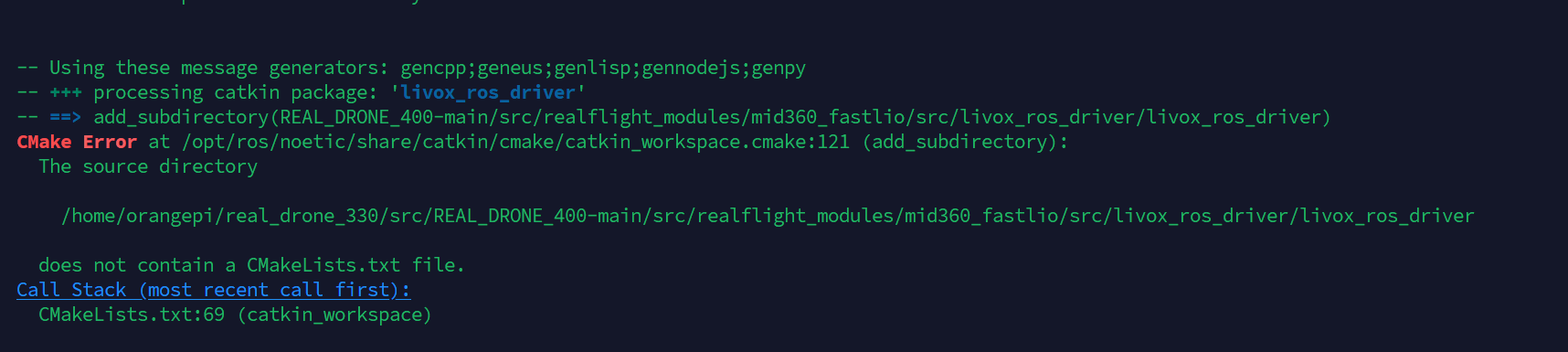
这个是因为他代码中的driver驱动
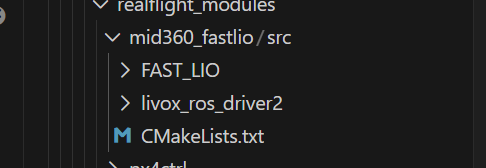
由于我使用的是livox_ros_driver2,他源码中driver和driver2都有 我就直接给driver删掉,如下图 只留了driver2
问题3

这个是没有定位到包
修改fastlio/CMakelist下的内容,找到find_package,在末尾加入genmsg
find_package(catkin REQUIRED COMPONENTS geometry_msgs nav_msgs sensor_msgs roscpp rospy std_msgs pcl_ros tf livox_ros_driver2 message_generation eigen_conversions genmsg )
同时,在这个CMakelist.txt文件结尾加入这个:
add_dependencies(fastlio_mapping fast_lio_generate_messages_cpp)
大家也可以参考这个大佬的博客https://blog.csdn.net/be_stronger/article/details/136242595
问题4

这个是我们在代码中的包用了driver,我们应该用driver2,我们把代码改一下,这里参考这个佬的博客https://blog.csdn.net/qq_16775293/article/details/132408005
问题5
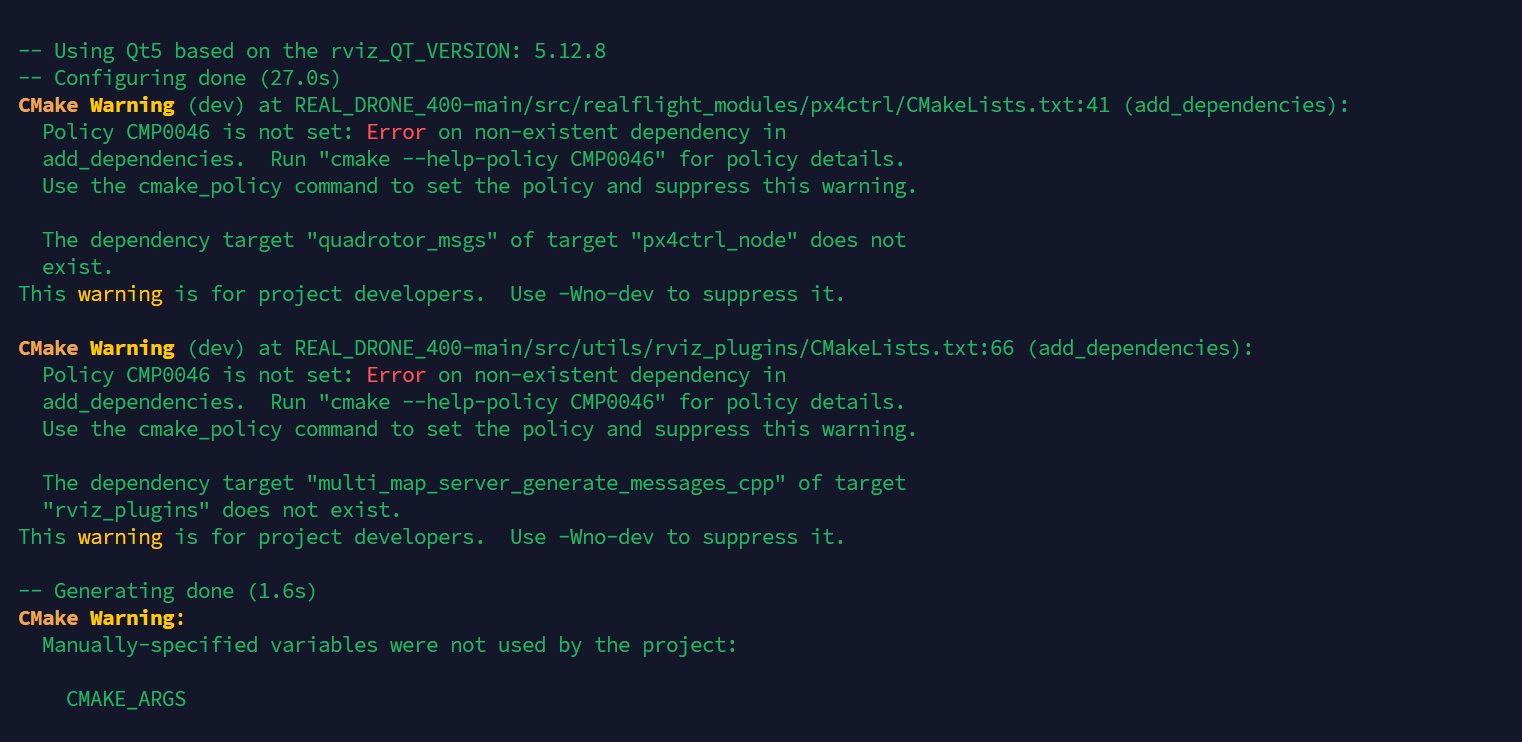
这个不用管
最后
此时我们编译成功后运行
我们将他发的话题hz打印出来
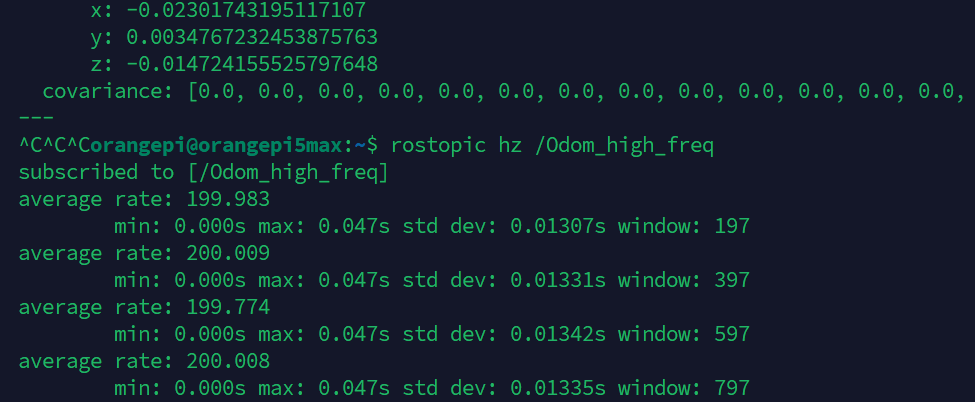
200hz!!!很厉害了,他这里用了插值的办法,大家有兴趣可以研究一下。
我们和我们fast-lio的对比
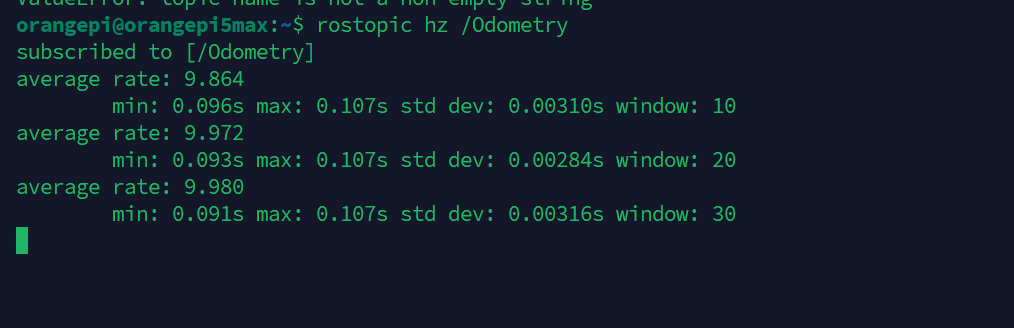
可以看到只有可怜的10hz
里程计话题频率的提升在我们的无人机实时避障场景中提升是非常显著的,祝大家少炸鸡。

 浙公网安备 33010602011771号