[转] VUE 的常用指令3
<!DOCTYPE html>
<html lang="en">
<head>
    <meta charset="UTF-8">
    <meta http-equiv="X-UA-Compatible" content="IE=edge">
    <meta name="viewport" content="width=device-width, initial-scale=1.0">
    <title>Document</title>
</head>
<body>
    <div id="app">
      <input type="text" @keyup.enter="submit" @keyup.esc="clearInput" />
    </div>

<script src="./lib/vue-2.6.12.js"></script>
<script>
    const vm = new Vue({
        el:'#app',
        data:{},
        methods:{
            submit(e){
                console.log('检测到 Enter 键被按下,最新的值是:' + e.target.value)
            },
            clearInput(e){
                e.target.value=''
            }
        }
    })
</script>

</body>
</html>
事件对象 event
事件不带 ()时,默认会传它所表示的对象
事件带参数后,要传它自己,可以使用 $event 来表示
<!DOCTYPE html>
<html lang="en">
<head>
    <meta charset="UTF-8">
    <meta http-equiv="X-UA-Compatible" content="IE=edge">
    <meta name="viewport" content="width=device-width, initial-scale=1.0">
    <title>Document</title>
</head>
<body>
    <div id="app">
      <h3>count 的值为:{{ count }}</h3>

      <button @click="addCount($event,3)">+3</button>
    </div>

<script src="./lib/vue-2.6.12.js"></script>
<script>
    const vm = new Vue({
        el:'#app',
        data:{
            count: 0
        },
        methods:{
            addCount(e,step){
                const bg = e.target.style.backgroundColor
                e.target.style.backgroundColor = bg == 'red' ? '' : 'red'
                this.count += step
            }
        }
    })
</script>

</body>
</html>
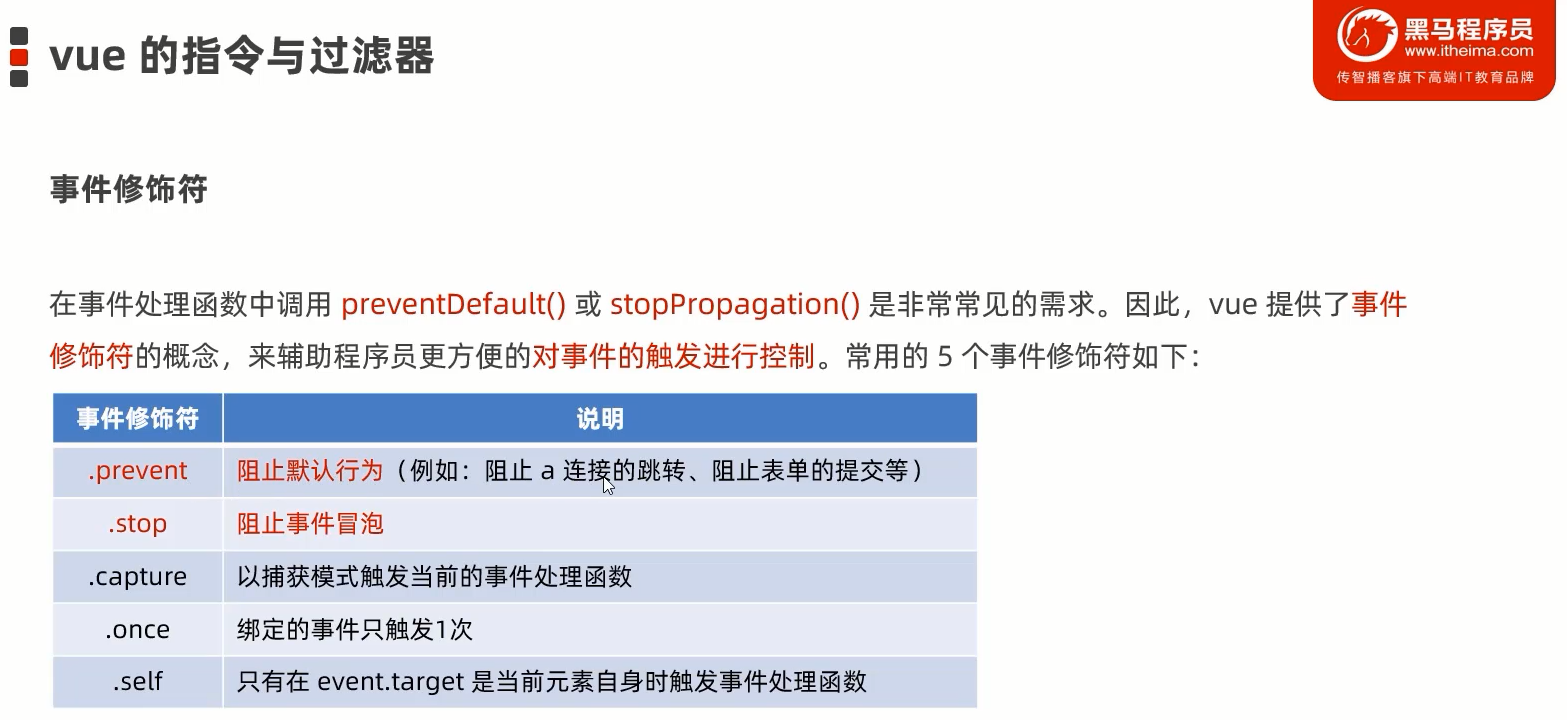
preventDefault() 或 stopPropagation() 阻止事件继续传递
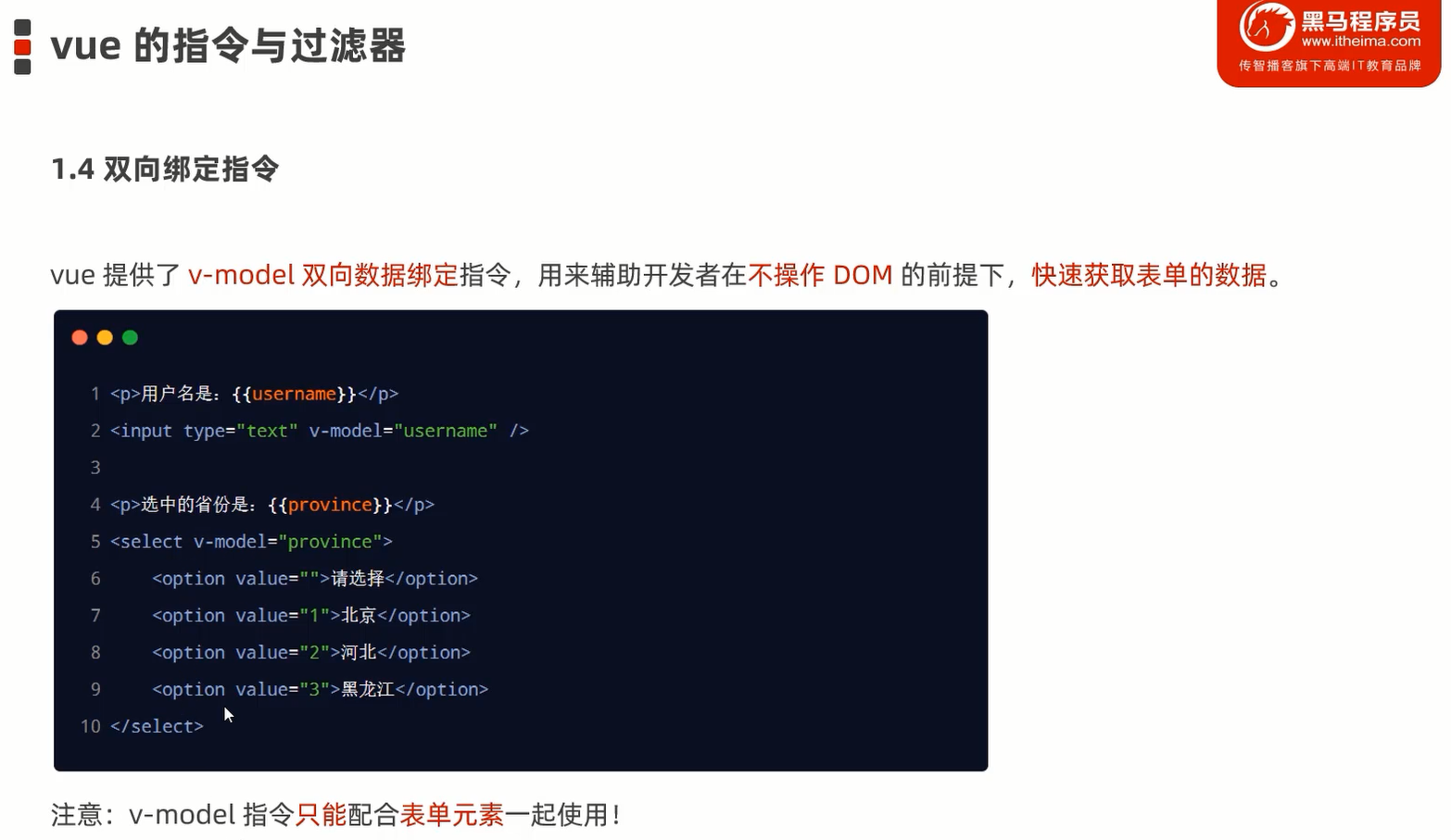
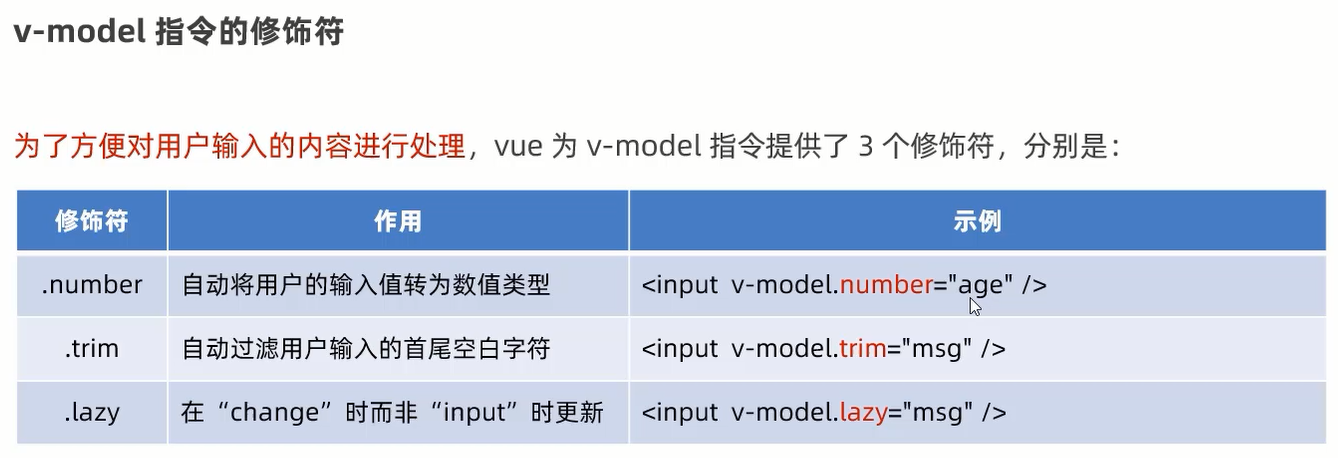
注意: v-model 指令只能配合表单元素一起使用!
<!DOCTYPE html>
<html lang="en">
<head>
    <meta charset="UTF-8">
    <meta http-equiv="X-UA-Compatible" content="IE=edge">
    <meta name="viewport" content="width=device-width, initial-scale=1.0">
    <title>Document</title>
</head>
<body>
    <div id="app">
      <p>用户名是:{{ username }}</p>
      <input type="text" v-model="username" />

      <p>选中的省份是:{{ province }}</p>
      <select v-model="province">
        <option value="">请选择</option>
        <option value="1">北京</option>
        <option value="2">河北</option>
        <option value="3">黑龙江</option>
      </select>
    </div>

<script src="./lib/vue-2.6.12.js"></script>
<script>
    const vm = new Vue({
        el:'#app',
        data:{
            username: 'zs',
            province: ''
        }
    })
</script>

</body>
</html>

 浙公网安备 33010602011771号