
CentOS7 Oracle19c rpm安装
| 软件 | 下载地址 |
|---|---|
| CentOS-7-x86_64-Minimal-2009.iso | http://mirrors.163.com/centos/7.9.2009/isos/x86_64/CentOS-7-x86_64-Minimal-2009.iso |
| oracle-database-preinstall-19c-1.0-1.el7.x86_64.rpm | https://www.aliyundrive.com/s/F9ziMB6nPbp |
| oracle-database-ee-19c-1.0-1.x86_64.rpm | https://www.aliyundrive.com/s/E6m5e8CCGq2 |
一. 环境配置
虚拟机安装建议分2G内存,30G硬盘。
-
关闭防火墙(或放行相关端口)
systemctl stop firewalld systemctl disable firewalld -
关闭selinux
-
修改
SELINUX=disabledvi /etc/selinux/config# This file controls the state of SELinux on the system. # SELINUX= can take one of these three values: # enforcing - SELinux security policy is enforced. # permissive - SELinux prints warnings instead of enforcing. # disabled - No SELinux policy is loaded. SELINUX=disabled # SELINUXTYPE= can take one of three values: # targeted - Targeted processes are protected, # minimum - Modification of targeted policy. Only selected processes are protected. # mls - Multi Level Security protection. SELINUXTYPE=targeted -
重启
reboot
-
-
将
oracle-database-ee-19c-1.0-1.x86_64.rpm和oracle-database-preinstall-19c-1.0-1.el7.x86_64.rpm上传到/opt下
二. 依赖安装
-
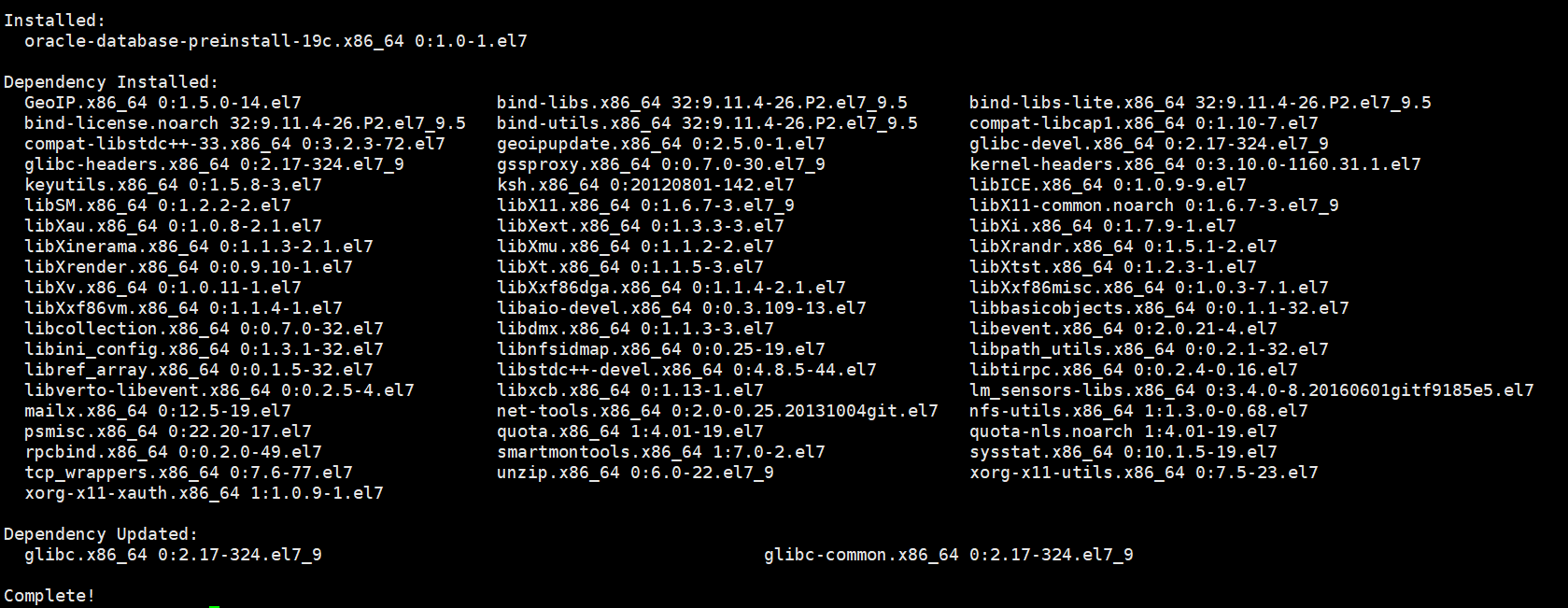
安装
oracle-database-preinstall-19c-1.0-1.el7.x86_64.rpmyum -y localinstall /opt/oracle-database-preinstall-19c-1.0-1.el7.x86_64.rpm![avatar]()
三. 安装配置Oracle 19c
-
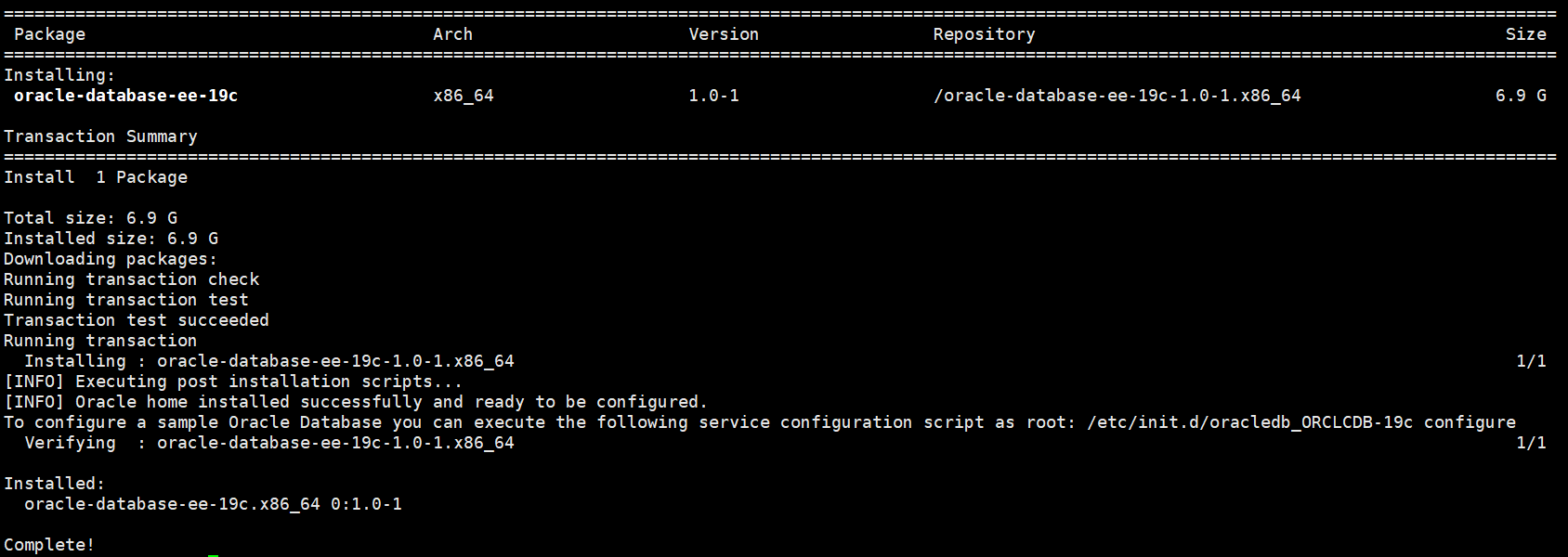
安装Oracle 19c
yum -y localinstall /opt/oracle-database-ee-19c-1.0-1.x86_64.rpm![avatar]()
-
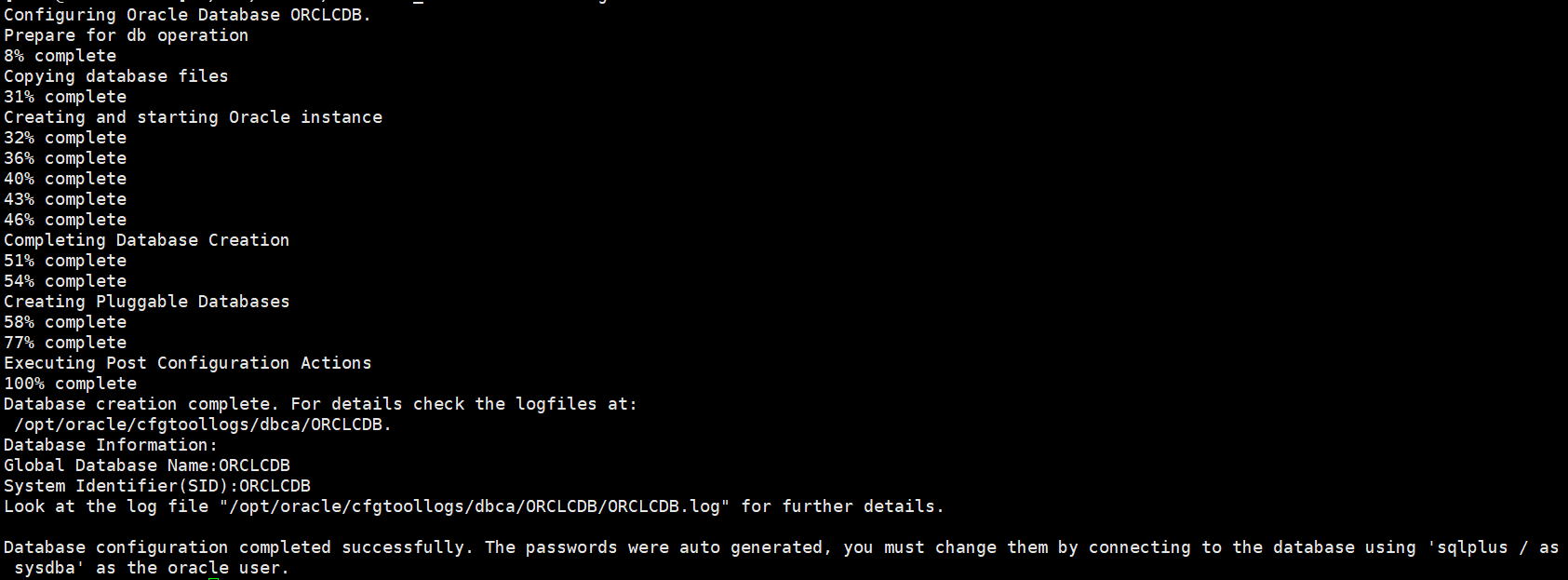
初始化Oracle数据库(时间较长)
/etc/init.d/oracledb_ORCLCDB-19c configure![avatar]()
-
配置环境变量
-
却换到
oracle用户su - oracle -
添加环境变量,在
/home/oracle/.bash_profile中添加export ORACLE_HOME=/opt/oracle/product/19c/dbhome_1和export PATH=$PATH:/opt/oracle/product/19c/dbhome_1/bin、export ORACLE_SID=ORCLCDBvi /home/oracle/.bash_profile# .bash_profile # Get the aliases and functions if [ -f ~/.bashrc ]; then . ~/.bashrc fi # User specific environment and startup programs PATH=$PATH:$HOME/.local/bin:$HOME/bin export PATH export ORACLE_HOME=/opt/oracle/product/19c/dbhome_1 export PATH=$PATH:/opt/oracle/product/19c/dbhome_1/bin export ORACLE_SID=ORCLCDB -
使环境变量生效
source /home/oracle/.bash_profile
-
-
登陆数据库
sqlplus / as sysdba![avatar]()
-
修改
system密码为123456alter user system identified by 123456; -
退出数据库
exit;

四. 设置数据库监听自启动
-
修改
/etc/oratab文件N为Yvi /etc/oratab# This file is used by ORACLE utilities. It is created by root.sh # and updated by either Database Configuration Assistant while creating # a database or ASM Configuration Assistant while creating ASM instance. # A colon, ':', is used as the field terminator. A new line terminates # the entry. Lines beginning with a pound sign, '#', are comments. # # Entries are of the form: # $ORACLE_SID:$ORACLE_HOME:<N|Y>: # # The first and second fields are the system identifier and home # directory of the database respectively. The third field indicates # to the dbstart utility that the database should , "Y", or should not, # "N", be brought up at system boot time. # # Multiple entries with the same $ORACLE_SID are not allowed. # # ORCLCDB:/opt/oracle/product/19c/dbhome_1:Y -
在
/etc/rc.local中添加su - oracle -c 'lsnrctl start'和su - oracle -c 'dbstart'su root # 却换为root用户 vi /etc/rc.local#!/bin/bash # THIS FILE IS ADDED FOR COMPATIBILITY PURPOSES # # It is highly advisable to create own systemd services or udev rules # to run scripts during boot instead of using this file. # # In contrast to previous versions due to parallel execution during boot # this script will NOT be run after all other services. # # Please note that you must run 'chmod +x /etc/rc.d/rc.local' to ensure # that this script will be executed during boot. touch /var/lock/subsys/local su - oracle -c 'lsnrctl start' su - oracle -c 'dbstart' -
修改
$ORACLE_HOME/bin/dbstart文件,修改ORACLE_HOME_LISTNER=$ORACLE_HOMEvi $ORACLE_HOME/bin/dbstart$ORACLE_HOME/bin/dbstart 文件局部
... ##################################### LOGMSG="logger -puser.alert -s " trap 'exit' 1 2 3 # for script tracing case $ORACLE_TRACE in T) set -x ;; esac # Set path if path not set (if called from /etc/rc) SAVE_PATH=/bin:/usr/bin:/etc:${PATH} ; export PATH SAVE_LLP=$LD_LIBRARY_PATH # First argument is used to bring up Oracle Net Listener ORACLE_HOME_LISTNER=$ORACLE_HOME if [ ! $ORACLE_HOME_LISTNER ]; then echo "Since ORACLE_HOME is not set, cannot auto-start Oracle Net Listener." echo "Usage: $0 ORACLE_HOME" else ... -
设置CentOS7,8开机执行
/etc/rc.local文件(CentOS7,8开机不执行/etc/rc.local文件)-
给
/etc/rc.d/rc.local添加 可执行权限chmod a+x /etc/rc.d/rc.local -
将 rc-local 服务设置成开机启动(默认状态是 static,会被其他service服务调用执行。不过还是修改一下,以防那个服务被停用就牵连了)
systemctl enable rc-local -
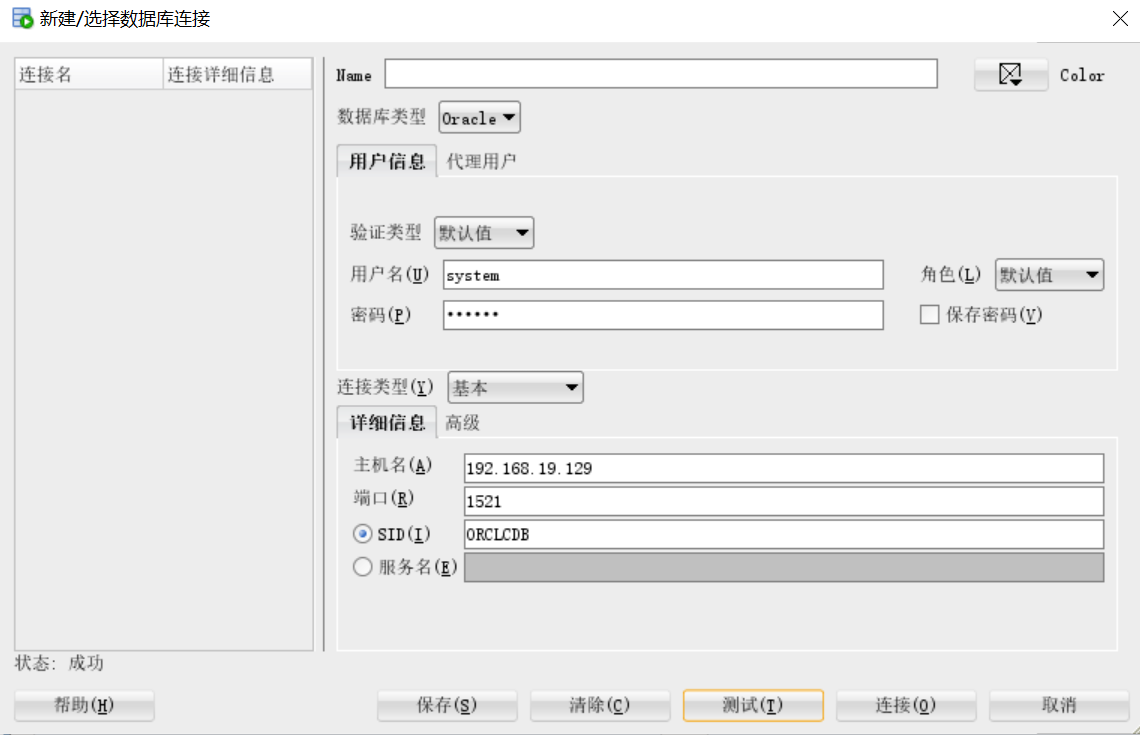
重启,用
sqldeveloper链接,验证是否成功reboot![avatar]()
-
删除
/opt下oracle-database-ee-19c-1.0-1.x86_64.rpm和oracle-database-preinstall-19c-1.0-1.el7.x86_64.rpmrm /opt/oracle-database-ee-19c-1.0-1.x86_64.rpm /opt/oracle-database-preinstall-19c-1.0-1.el7.x86_64.rpm
-
本文来自博客园,作者:不太冷007,转载请注明原文链接:https://www.cnblogs.com/z212021/p/14989385.html

 浙公网安备 33010602011771号