
'''
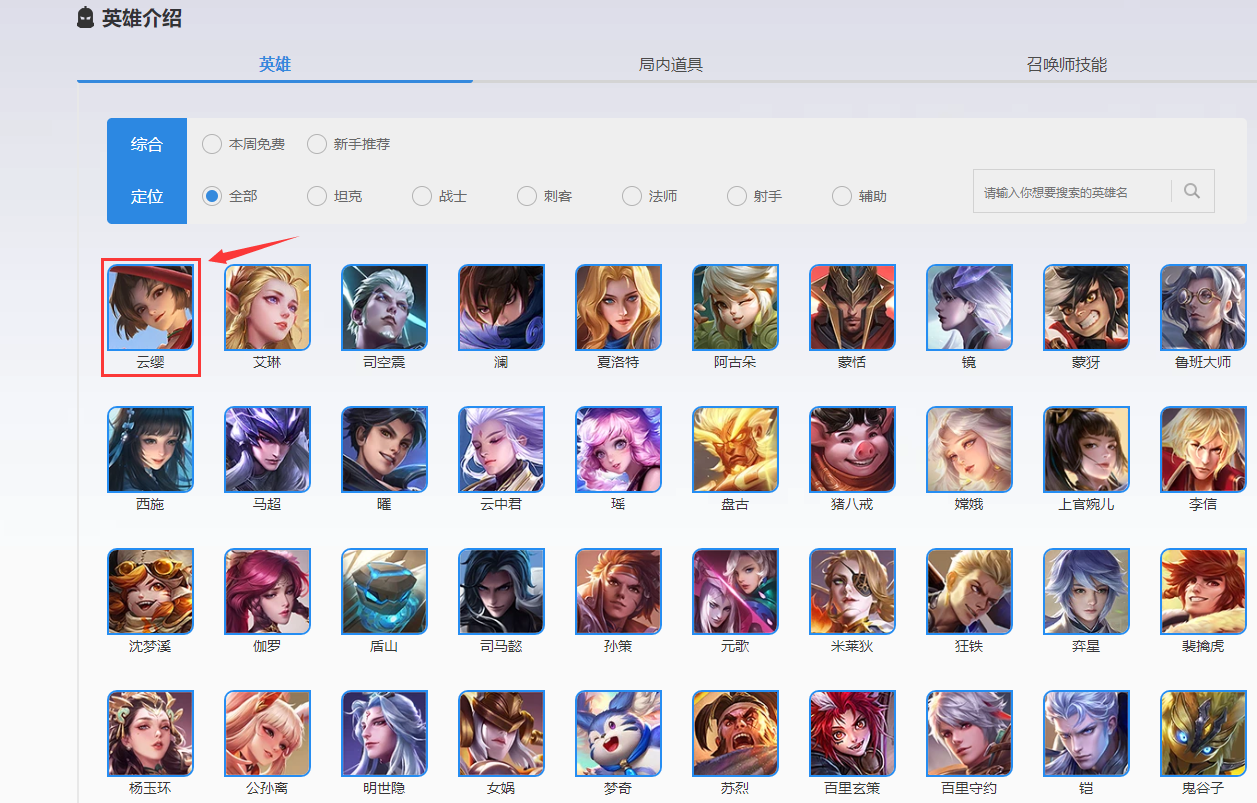
整体思路:
第一步获取英雄名称和对应的详情页的网址
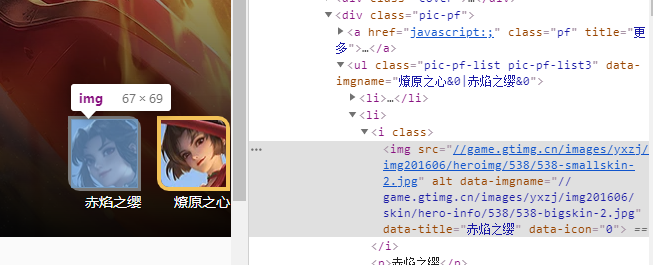
第二步获取英雄详情页皮肤的网址
第三步根据皮肤网址爬取图片
然后根据第二步 循环第一步用xpath得到的网址列表
再用第二步得到的皮肤网址列表做第三步的循环
'''
 1 #!/user/bin/env python
 2 # -*- coding:utf-8 -*-
 3 import requests
 4 from lxml import etree
 5 from selenium import webdriver
 6 from openpyxl import Workbook
 7 import random # 产生随机数(避免反扒)用于sleep的延迟
 8 import time
 9 # 用到selenium 是因为显示的网址里面的图片链接 和 浏览器里面用F12分析 看到的后台网址里面的不一样
10 # 而图片的Xpath地址都一样 用Xpath能获取到几个就是几个
11 # 自动是为了获取到的网页源代码和页面上显示的一模一样 如果用requests获取网页源代码和页面显示的是不一样的
12 # 简言之 用requests 获取到的皮肤 网址是不对的
13 url = 'https://pvp.qq.com/web201605/herolist.shtml'
14 chromeOptions = webdriver.ChromeOptions()
15 chromeOptions.add_argument('disable-infobars') # 浏览器后台运行模式
16 # chromeOptions.add_argument('--headless')
17 driver = webdriver.Chrome(options=chromeOptions)
18 driver.get("https://pvp.qq.com/web201605/herolist.shtml")
19 html = driver.page_source
20 res = le.HTML(html)
21 name = res.xpath("/html/body/div[3]/div/div/div[2]/div[2]/ul/li/a/text()")
22 hrefs = res.xpath("/html/body/div[3]/div/div/div[2]/div[2]/ul/li/a/@href")
23 # wb = Workbook()
24 # ws =wb.active
25 headers = {
26     'user-agent': 'Mozilla/5.0 (Linux; Android 6.0; Nexus 5 Build/MRA58N) AppleWebKit/537.36 (KHTML, like Gecko) Chrome/94.0.4606.71 Mobile Safari/537.36'
27 }
28 path = r'D:\untitled\10\11'
29 for i in range(0,len(hrefs)):
30     b = 'https://pvp.qq.com/web201605/'+hrefs[i]
31     # ws.append([name[i],b])
32     driver.get(b)
33     html2 = driver.page_source
34     res2 = le.HTML(html2)
35     pics = res2.xpath("/html/body/div[3]/div[1]/div/div/div[2]/ul/li/i/img/@src")
36     pname = res2.xpath("/html/body/div[3]/div[1]/div/div/div[2]/ul/li/p/text()")
37     for j in range(0,len(pics)):
38         c = "https:"+pics[j]
39         res3 = requests.get(url=c, headers=headers)
40         time.sleep(random.randrange(3, 5))
41         if res3.status_code == 200:
42             name2 = path + pname[j] + '.jpg'
43             with open(name2, 'wb') as f:
44                 f.write(res3.content)
45         time.sleep(random.randrange(1, 3))
46 # wb.save("yingxiong_list.xlsx")
47 driver.close()
