
Latex插图操作
Latex插图操作
1.竖排插入两张图

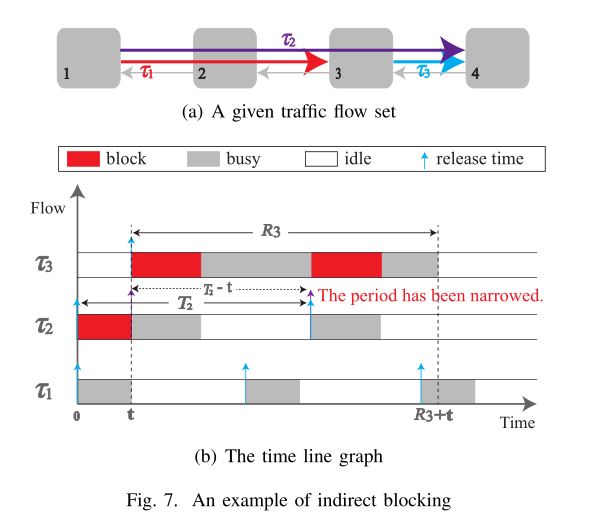
 1 \begin{figure}[h]  //放在当前位置
 2 \centering
 3 \subfigure[A given traffic flow set]{
 4   \includegraphics[width=2.2in]{image/7_IndirectBlocking.eps}}
 5
 6 \centering
 7 \subfigure[The time line graph]{
 8   \includegraphics[width=2.7in]{image/8_IndirectBlockingTimeGraph.eps}}
 9 \caption{An example of indirect blocking}
10 \end{figure}
2.横排插入两张图
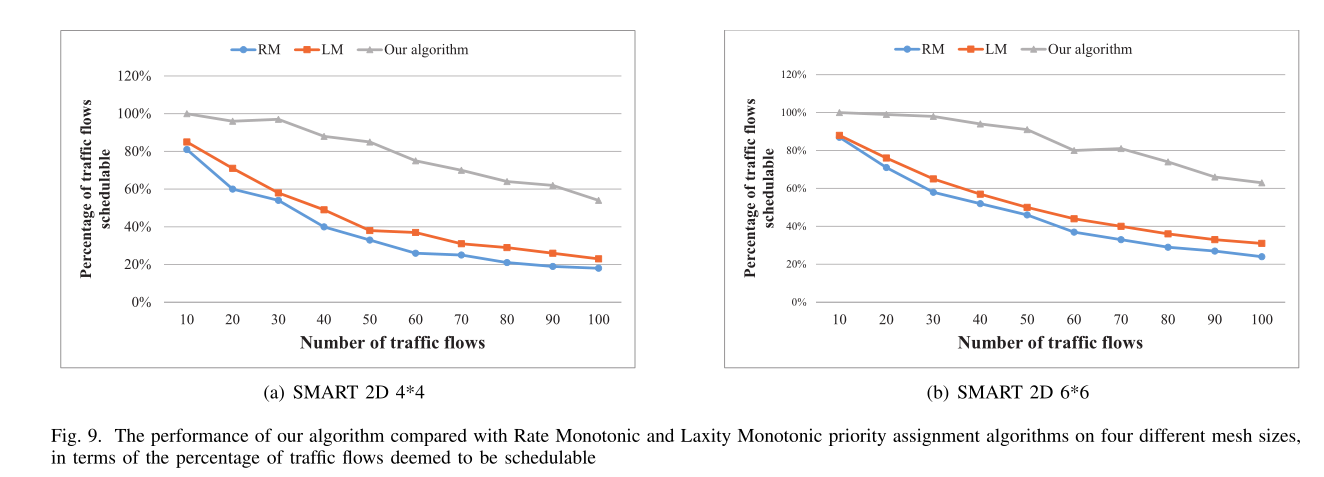
 1 \begin{figure*}[t]   //*表示可跨栏,如果不需要可去掉
 2 \centering
 3 \subfigure[SMART 2D 4*4]{
 4   \includegraphics[width=3.3in]{figure/figure3.eps}}
 5 \hfill
 6 \centering
 7 \subfigure[SMART 2D 6*6]{
 8   \includegraphics[width=3.3in]{figure/figure4.eps}}
 9 \caption{The performance of our algorithm compared with Rate Monotonic and Laxity Monotonic priority assignment algorithms on four different mesh sizes, in terms of the percentage of traffic flows deemed to be schedulable}
10 \end{figure*}
3.插入2*2图
 1 \begin{figure*}[t]
 2 \centering
 3 \subfigure[SMART 2D 4*4]{
 4   \includegraphics[width=3.3in]{figure/figure3.eps}}
 5 \hfill
 6 \centering
 7 \subfigure[SMART 2D 6*6]{
 8   \includegraphics[width=3.3in]{figure/figure4.eps}}
 9 \vfill
10 \centering
11 \subfigure[SMART 2D 8*8]{
12   \includegraphics[width=3.3in]{figure/figure5.eps}}
13 \hfill
14 \centering
15 \subfigure[SMART 2D 10*10]{
16   \includegraphics[width=3.3in]{figure/figure6.eps}}
17
18 \caption{The performance of our algorithm compared with Rate Monotonic and Laxity Monotonic priority assignment algorithms on four different mesh sizes, in terms of the percentage of traffic flows deemed to be schedulable}
19 \end{figure*}


 浙公网安备 33010602011771号