
Gitlab批量创建同步项目和分支
效果
创建一个组,并把一个模板组下面的项目全部同步到新创建的这个组中
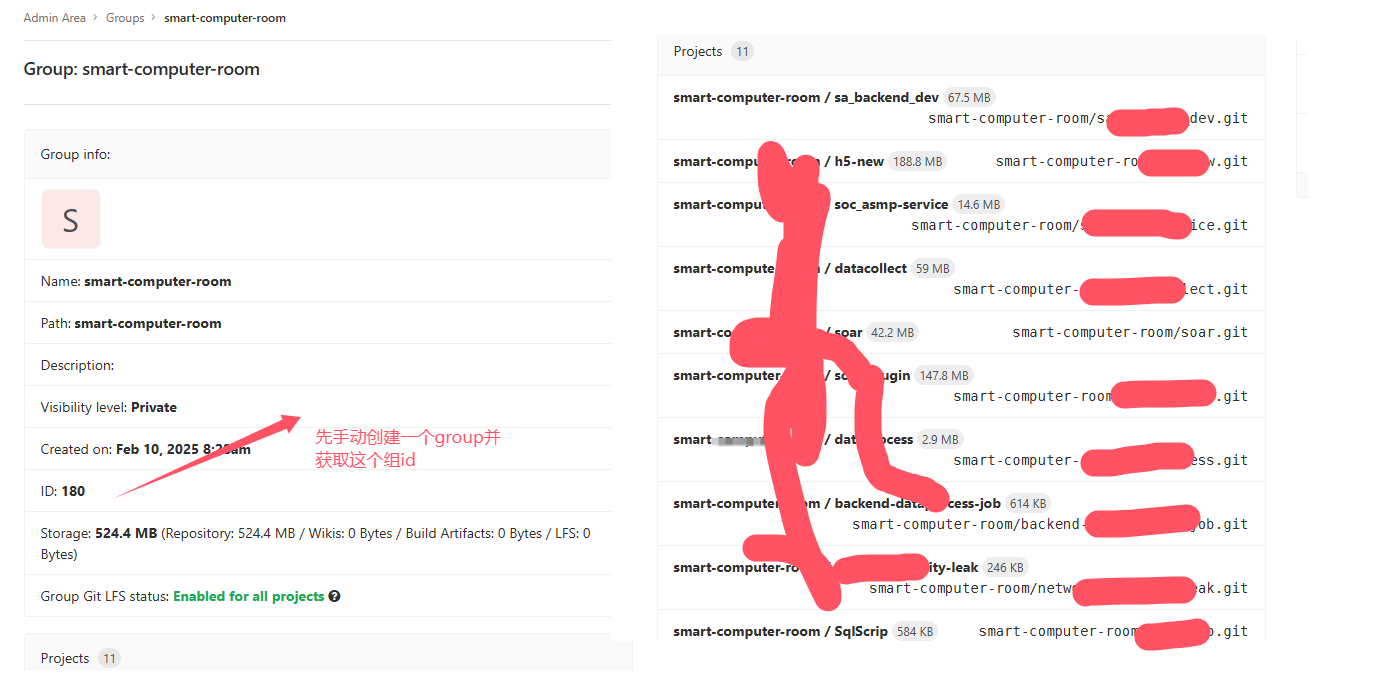
批量创建项目仓库


#!/bin/bash

# GitLab API URL
GITLAB_URL="https://192.168.30.111:8090/api/v4"

# API Token
API_TOKEN="345345345345345345345"

#这是手动创建的group id
GROUP_ID=180

PROJECTS=("sa_backend_dev" "h5-new" "soc_asmp-service" "datacollect" "soar" "soar_plugin" "dataprocess" "backend-dataprocess-job" "network-security-leak" "SqlScrip" "soc_ai")

for project in "${PROJECTS[@]}"; do
    if [[ -n $GROUP_ID ]]; then
        GROUP_PARAM="group_id=$GROUP_ID"
    else
        GROUP_PARAM="path=$GROUP_PATH"
    fi

    curl -k --request POST "$GITLAB_URL/projects" \
         --header "PRIVATE-TOKEN: $API_TOKEN" \
         --header "Content-Type: application/json" \
         --data "{ \"name\": \"$project\", \"namespace_id\": $GROUP_ID }"
done
批量同步分支代码
先创建完项目仓库后才能同步push分支代码
import json
import shlex
import subprocess
import os
import requests
import time


def getProjects(group_id=None):
    url = f"https://192.168.30.111:8090/api/v4/groups/163/projects?private_token=士大夫撒旦飞洒地方&per_page=100000"
    allProjectsDict = requests.get(url=url,verify=False).json()
    for thisProject in allProjectsDict:
        try:
            thisProjectURL = thisProject['http_url_to_repo']
            print(thisProjectURL)
            #target_path = full_path + '//' + thisProject['path']
            print(('git clone %s' % (thisProjectURL)))
            command = shlex.split('git clone %s' % (thisProjectURL))
            resultCode = subprocess.Popen(command)
            resultCode.wait()  # 等待子进程执行完毕
        except Exception as e:
            print("Error on {}: {}".format(thisProjectURL, str(e)))


def pushProjects(group_id=None):
    url = f"https://192.168.30.111:8090/api/v4/groups/163/projects?private_token=dfasdfsadfsadf&per_page=100000"
    allProjectsDict = requests.get(url=url,verify=False).json()
    for thisProject in allProjectsDict:
        try:
            thisProjectURL = thisProject['http_url_to_repo']
            thisProjectURL = thisProjectURL.replace("base-repo", "smart-computer-room")
            #print(thisProjectURL)
            #target_path = full_path + '//' + thisProject['path']
            #首先要切到相应的项目目录
            print(('git push %s' % (thisProjectURL)))
            last_index = thisProjectURL.rfind('/')
            if last_index != -1:
               result = thisProjectURL[last_index + 1:]
            else:
               result = "No '/' found"
            # print(result)
            dirname =  result.replace(".git","")
            # print(dirname)
            os.chdir("D:\\笔记\\2025\\gitlab\\%s" %(dirname))

            branchs= ["dev-v1.1","base-dev-v1.1","base-dev"]
            for branch in branchs:
                command = shlex.split('git checkout %s' %(branch))
                resultCode = subprocess.Popen(command)
                resultCode.wait()  # 等待子进程执行完毕

                command = shlex.split('git push %s' % (thisProjectURL))
                resultCode = subprocess.Popen(command)
                resultCode.wait()  # 等待子进程执行完毕
        except Exception as e:
            print("Error on {}: {}".format(thisProjectURL, str(e)))


if __name__ == "__main__":
    #getProjects()
    # time.sleep(30)
    pushProjects()
先克隆代码
git clone https://192.168.30.111:8090/base-repo/h5-new.git
提交多个分支
先切换分支然后再push
git checkout master
git push https://192.168.30.111:8090/xiangan/h5-new.git
git checkout test
git push https://192.168.30.111:8090/xiangan/h5-new.git
git checkout dev
git push https://192.168.30.111:8090/xiangan/h5-new.git
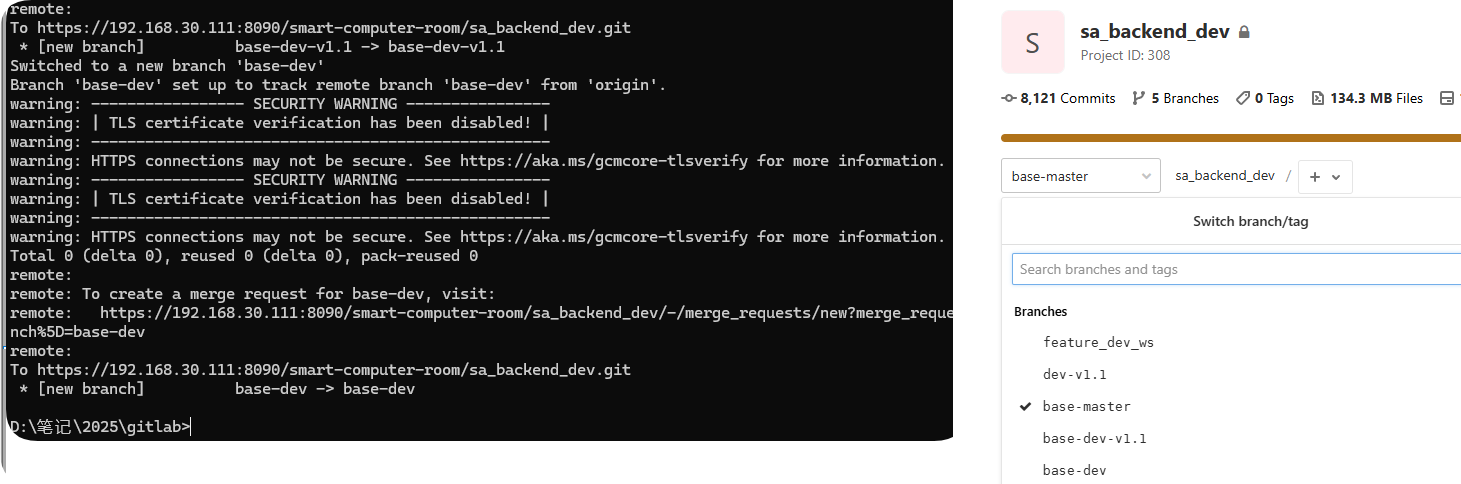
每次push只能推送一个分支,如果要同步多个分支必须采用循环推送的方式
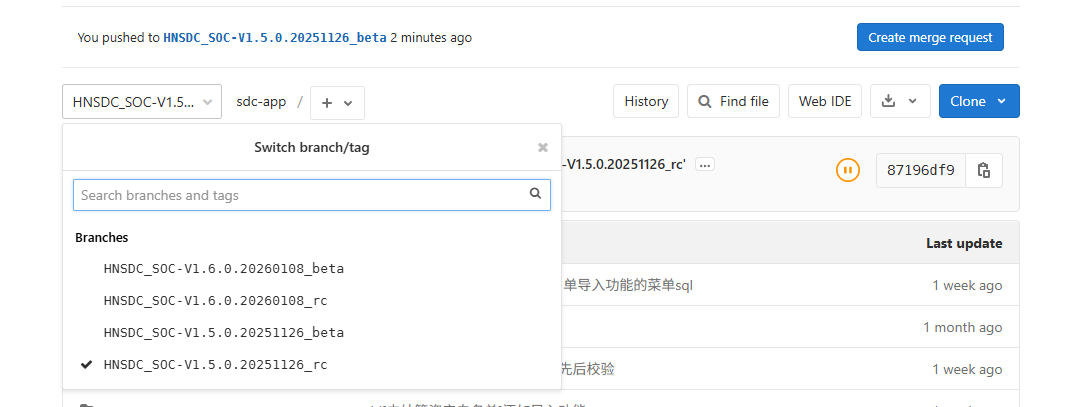
jenkins自动推送gitlab仓库分支
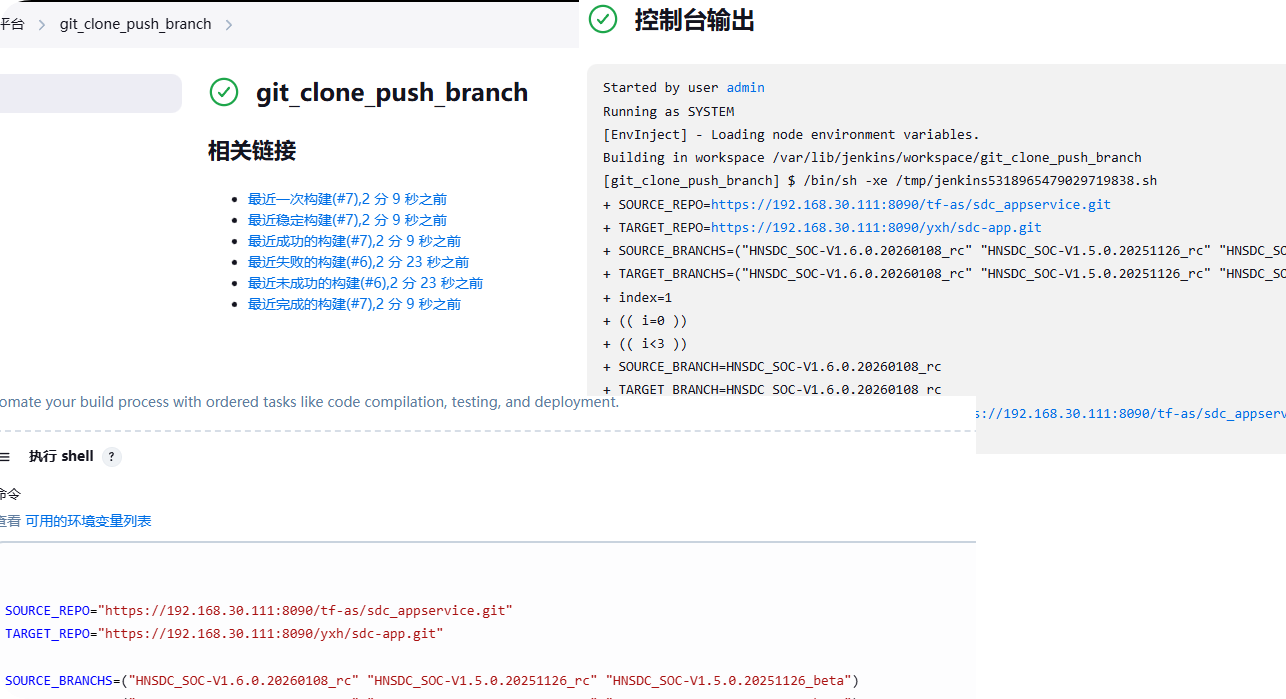
SOURCE_REPO="https://192.168.30.111:8090/tf-as/sdc_appservice.git"
TARGET_REPO="https://192.168.30.111:8090/yxh/sdc-app.git"

SOURCE_BRANCHS=("HNSDC_SOC-V1.6.0.20260108_rc" "HNSDC_SOC-V1.5.0.20251126_rc" "HNSDC_SOC-V1.5.0.20251126_beta")
TARGET_BRANCHS=("HNSDC_SOC-V1.6.0.20260108_rc" "HNSDC_SOC-V1.5.0.20251126_rc" "HNSDC_SOC-V1.5.0.20251126_beta")
index=1

for ((i=0; i<${#SOURCE_BRANCHS[@]}; i++)); do

  # 克隆源仓库的指定分支
  SOURCE_BRANCH=${SOURCE_BRANCHS[$i]}
  TARGET_BRANCH=${TARGET_BRANCHS[$i]}
  git clone -b $SOURCE_BRANCH $SOURCE_REPO temp_repo

  # 进入克隆目录
  cd temp_repo

  # 创建目标分支
  # 检查分支是否已存在,如果存在则切换到该分支
  if git show-ref --verify --quiet refs/heads/$TARGET_BRANCH; then
     echo "分支已存在,直接切换"
     git checkout $TARGET_BRANCH
  else
    echo "创建新分支"
    git checkout -b $TARGET_BRANCH
  fi

  # 添加目标仓库远程
  git remote add target_repo $TARGET_REPO

  # 推送新分支到目标仓库
  git push -u target_repo $TARGET_BRANCH

  # 清理临时目录
  cd ..
  rm -rf temp_repo
done
成功推送
本文来自博客园,作者:不懂123,转载请注明原文链接:https://www.cnblogs.com/yxh168/p/18715741

 浙公网安备 33010602011771号