
GitLab扩展功能
重启后访问项目URL返回404
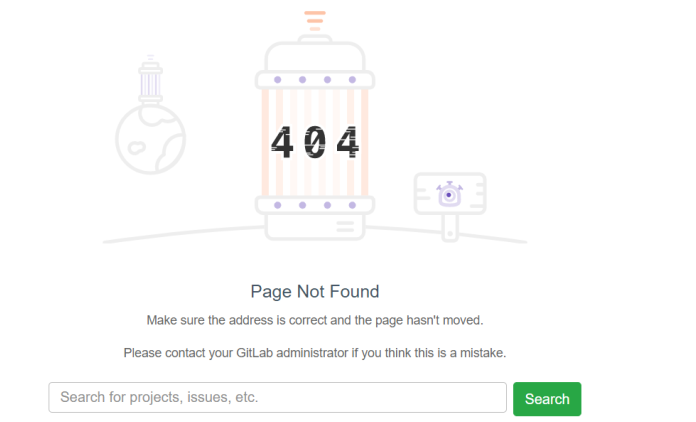
解决方法:
gitlab-rake cache:clear
立即解决了这个问题,因此问题显然是缓存不一致。
它是可重现的,以前重命名或删除的项目会触发缓存的404
重新配置gitlab
gitlab-ctl reconfigure
gitlab-ctl restart
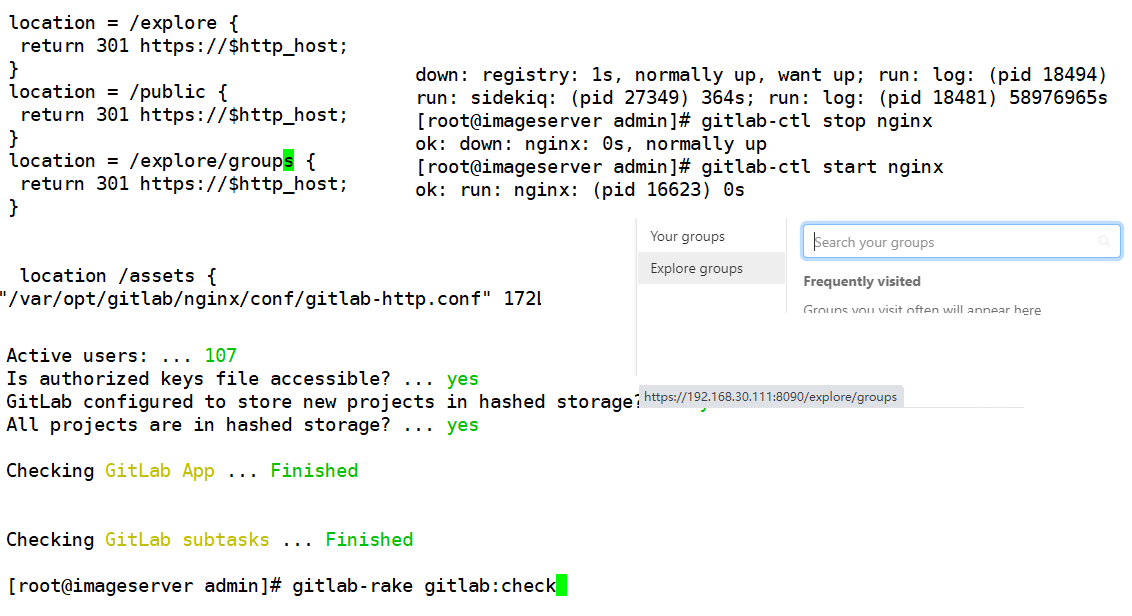
禁用explore和help
vi /var/opt/gitlab/nginx/conf/gitlab-http.conf
location = /explore {
return 301 https://$http_host;
}
location = /public {
return 301 https://$http_host;
}
gitlab-ctl stop nginx
gitlab-ctl start nginx
每次重启gitlab都需要等待几十分钟,前期nginx启动后访问首页正常,但是访问项目路径会提示503.等待一段时间等其数据加载入缓存即可正常访问
修改nginx的配置文件后,只需要重启nginx组件即可.不需要把所有组件都重启
执行gitlab-ctl reconfigure后会把nginx组件的配置文件重新生成会覆盖自己新加的配置
登录后访问icon提示404
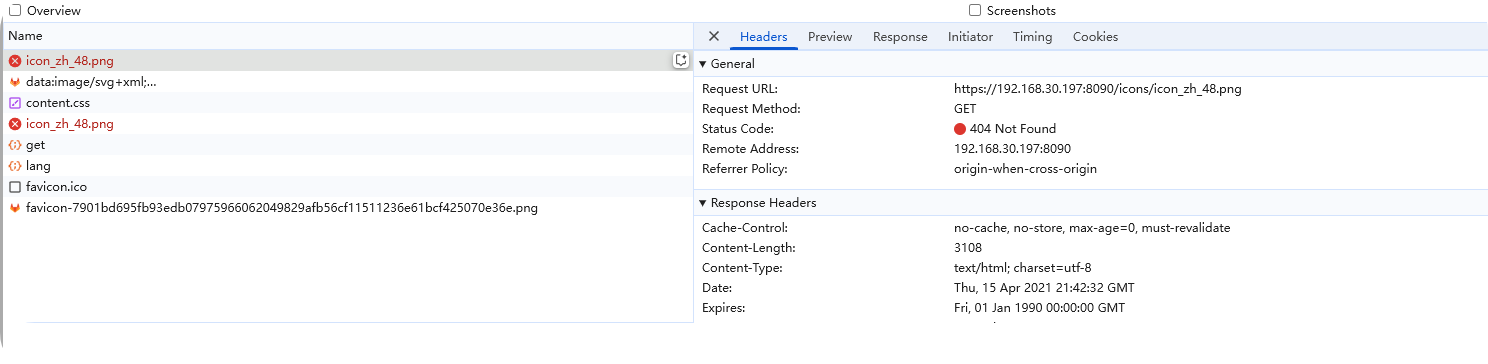

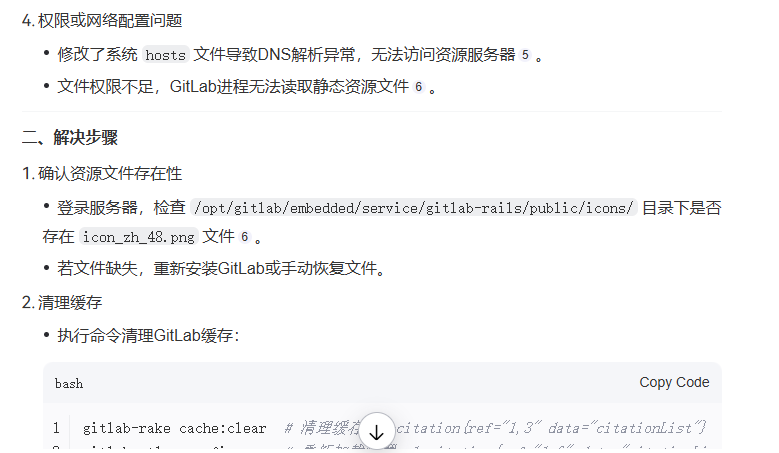
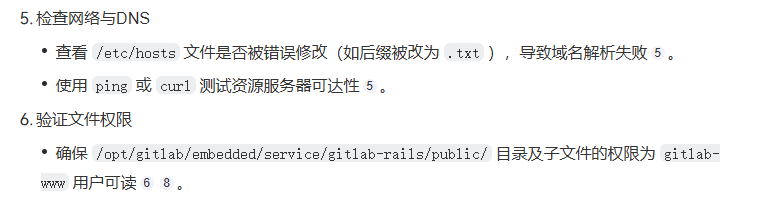
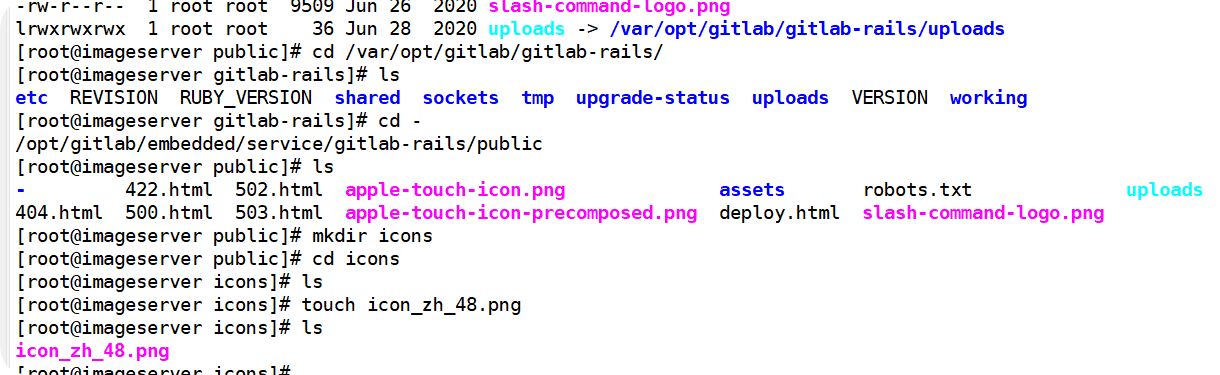
再次刷新页面登录就不会再提示404响应码
配置http和https访问端点
1.手动添加一个nginx配置文件
cd /var/opt/gitlab/nginx/conf



# This file is managed by gitlab-ctl. Manual changes will be
# erased! To change the contents below, edit /etc/gitlab/gitlab.rb
# and run `sudo gitlab-ctl reconfigure`.

## GitLab
##
## Lines starting with two hashes (##) are comments with information.
## Lines starting with one hash (#) are configuration parameters that can be uncommented.
##
##################################
##        CHUNKED TRANSFER      ##
##################################
##
## It is a known issue that Git-over-HTTP requires chunked transfer encoding [0]
## which is not supported by Nginx < 1.3.9 [1]. As a result, pushing a large object
## with Git (i.e. a single large file) can lead to a 411 error. In theory you can get
## around this by tweaking this configuration file and either:
## - installing an old version of Nginx with the chunkin module [2] compiled in, or
## - using a newer version of Nginx.
##
## At the time of writing we do not know if either of these theoretical solutions works.
## As a workaround users can use Git over SSH to push large files.
##
## [0] https://git.kernel.org/cgit/git/git.git/tree/Documentation/technical/http-protocol.txt#n99
## [1] https://github.com/agentzh/chunkin-nginx-module#status
## [2] https://github.com/agentzh/chunkin-nginx-module
##
###################################
##         configuration         ##
###################################

## Redirects all HTTP traffic to the HTTPS host

server {
  listen *:8099;


  server_name 192.168.30.111-http;
  server_tokens off; ## Don't show the nginx version number, a security best practice

  ## Increase this if you want to upload large attachments
  ## Or if you want to accept large git objects over http
  client_max_body_size 0;

  ## Strong SSL Security
  ## https://raymii.org/s/tutorials/Strong_SSL_Security_On_nginx.html & https://cipherli.st/

  # GitLab needs backwards compatible ciphers to retain compatibility with Java IDEs


  ## Real IP Module Config
  ## http://nginx.org/en/docs/http/ngx_http_realip_module.html

  ## HSTS Config
  ## https://www.nginx.com/blog/http-strict-transport-security-hsts-and-nginx/


  ## Individual nginx logs for this GitLab vhost
  access_log  /var/log/gitlab/nginx/gitlab_access.log gitlab_access;
  error_log   /var/log/gitlab/nginx/gitlab_error.log;

  if ($http_host = "") {
    set $http_host_with_default "192.168.30.111:8099";
  }

  if ($http_host != "") {
    set $http_host_with_default $http_host;
  }

  gzip on;
  gzip_static on;
  gzip_comp_level 2;
  gzip_http_version 1.1;
  gzip_vary on;
  gzip_disable "msie6";
  gzip_min_length 10240;
  gzip_proxied no-cache no-store private expired auth;
  gzip_types text/plain text/css application/x-javascript text/xml application/xml application/xml+rss text/javascript application/json;

  ## https://github.com/gitlabhq/gitlabhq/issues/694
  ## Some requests take more than 30 seconds.
  proxy_read_timeout      3600;
  proxy_connect_timeout   300;
  proxy_redirect          off;
  proxy_http_version 1.1;

  proxy_set_header Host $http_host_with_default;
  proxy_set_header X-Real-IP $remote_addr;
  proxy_set_header X-Forwarded-For $proxy_add_x_forwarded_for;
  proxy_set_header Upgrade $http_upgrade;
  proxy_set_header Connection $connection_upgrade;

  location ~ (.git/git-receive-pack$|.git/info/refs?service=git-receive-pack$|.git/gitlab-lfs/objects|.git/info/lfs/objects/batch$) {
    proxy_cache off;
    proxy_pass http://gitlab-workhorse;
  }


  # health checks configuration
  include /var/opt/gitlab/nginx/conf/gitlab-health.conf;

  location / {
    proxy_cache off;
    proxy_pass  http://gitlab-workhorse;
  }

  location /assets {
    proxy_cache gitlab;
    proxy_pass  http://gitlab-workhorse;
  }

  error_page 404 /404.html;
  error_page 500 /500.html;
  error_page 502 /502.html;
  location ~ ^/(404|500|502)(-custom)?\.html$ {
    root /opt/gitlab/embedded/service/gitlab-rails/public;
    internal;
  }

}
2.修改默认的配置文件nginx.conf
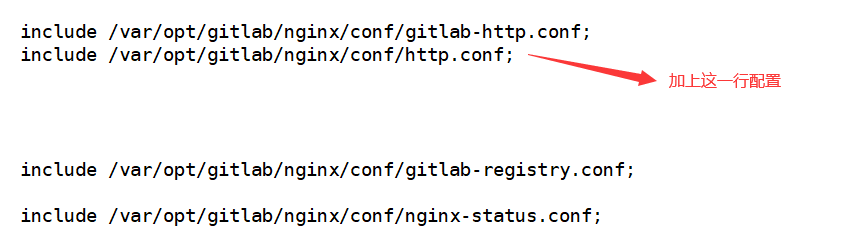
3.重启gitlab的nginx 不要重新生成配置文件 否则修改的配置会被还原
gitlab-ctl restart nginx
重新生成配置的命令是 gitlab-ctl reconfigure
4.浏览器测试
https显示正常 http访问不正常
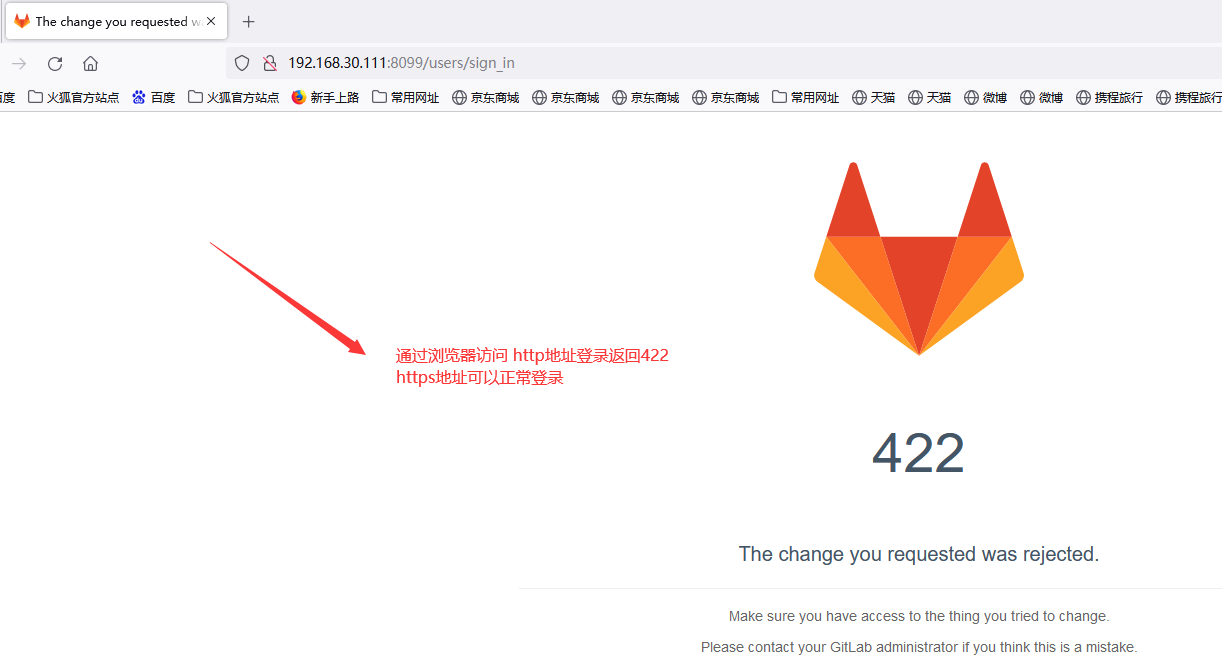
5.命令行测试
http访问正常 https访问不正常
1.http可以clone项目
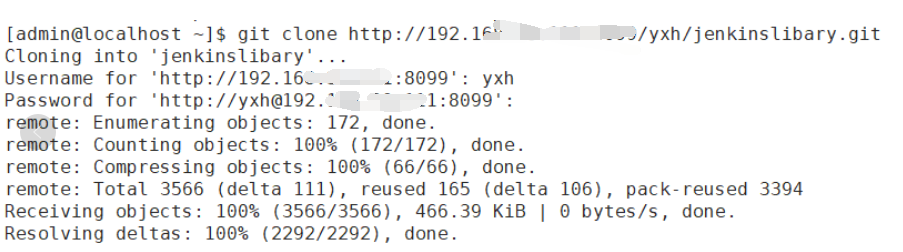
2.https不可以clone项目

tailf /var/log/gitlab/gitlab-rails/production.log
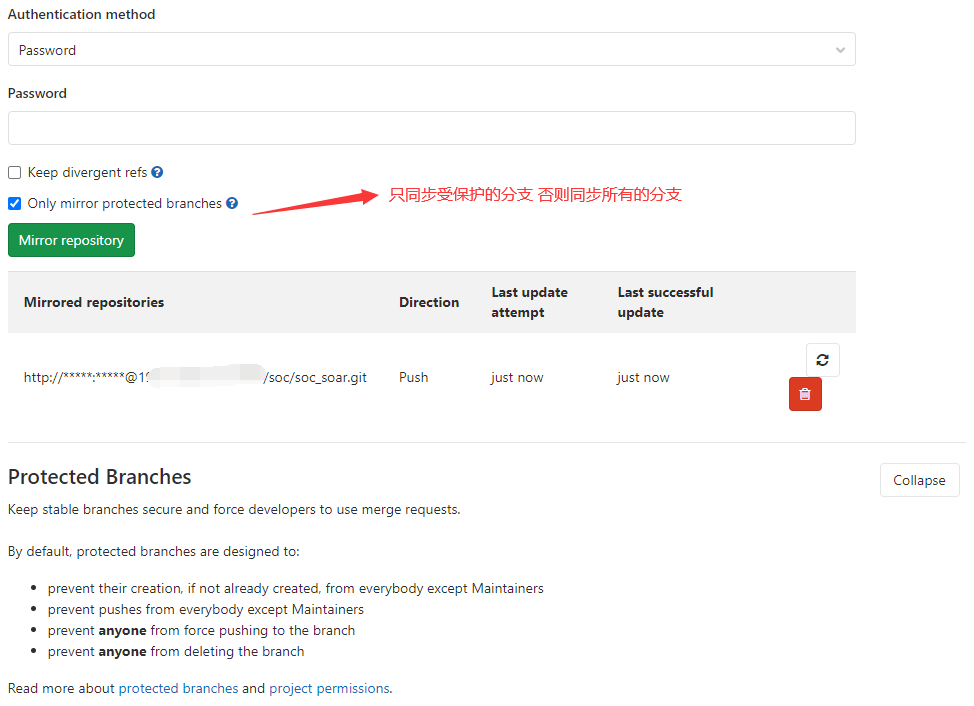
仓库镜像同步
http://username@192.168.30.191:8099/soc/soc_soar.git
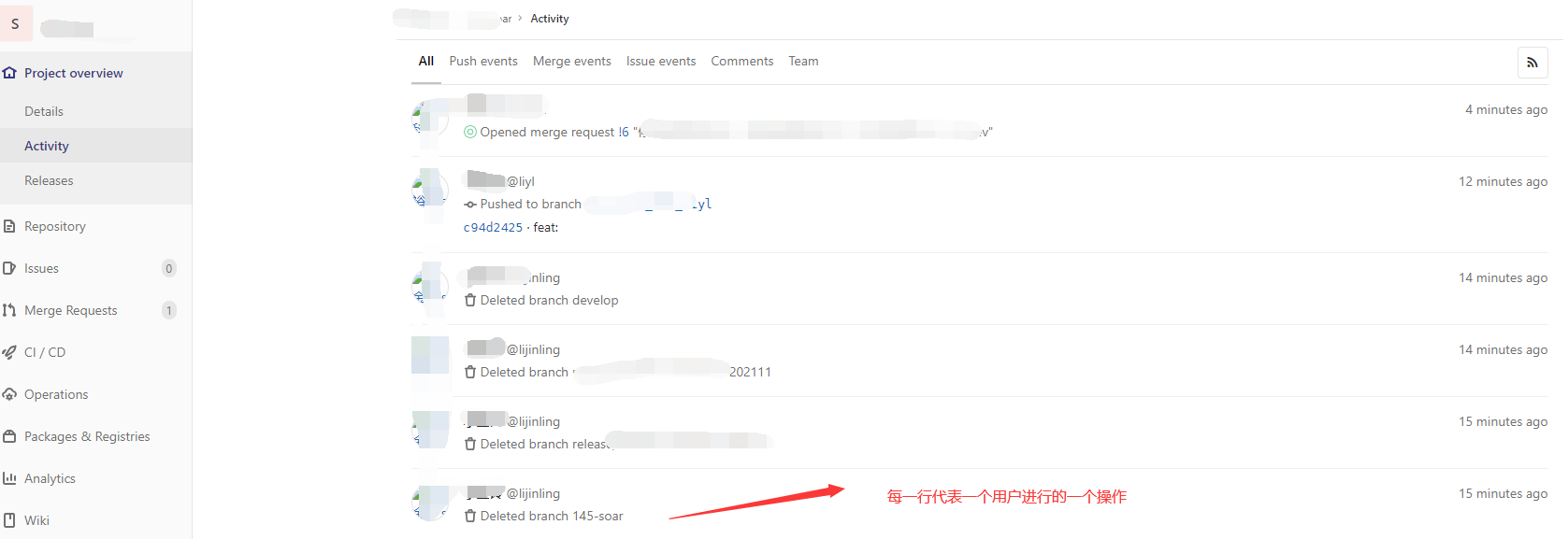
查看gitlab项目最近的操作记录
Project overview > Activity
这个菜单下可以看到哪个用户最近对这个项目做了哪些操作 如果需要看用户的某个操作有没有生效可以到这个菜单下来查询
Gitlab的备份和迁移
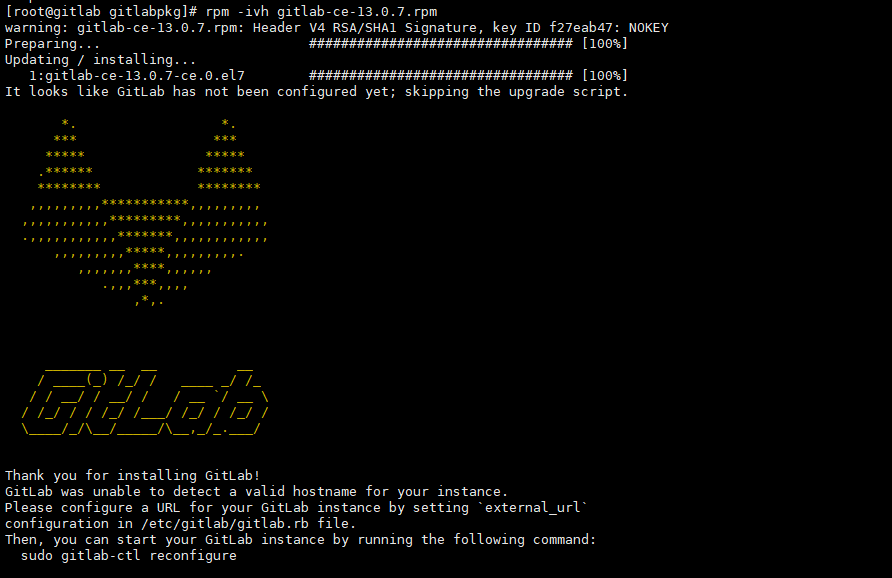
yum install policycoreutils-python
rpm -ivh gitlab-ce-13.0.7.rpm
rm -fr /etc/gitlab/*
cp -r * /etc/gitlab/
gitlab-ctl reconfigure
gitlab-ctl restart
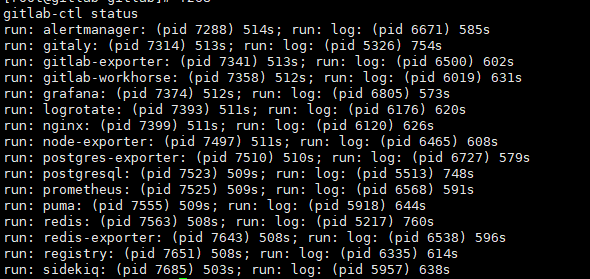

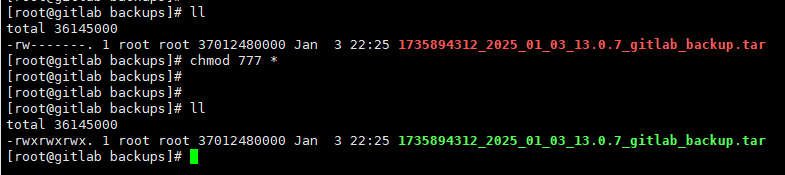
gitlab-rake gitlab:backup:create
cd /var/opt/gitlab/backups/
cp 1735894312_2025_01_03_13.0.7_gitlab_backup.tar /var/opt/gitlab/backups/
gitlab-rake gitlab:backup:restore BACKUP=最新备份文件的前缀
gitlab-rake gitlab:backup:restore BACKUP=1735894312_2025_01_03_13.0.7
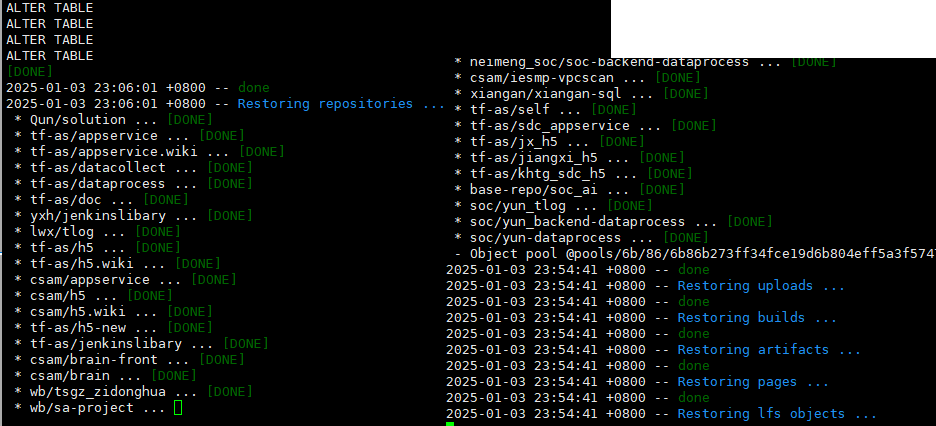
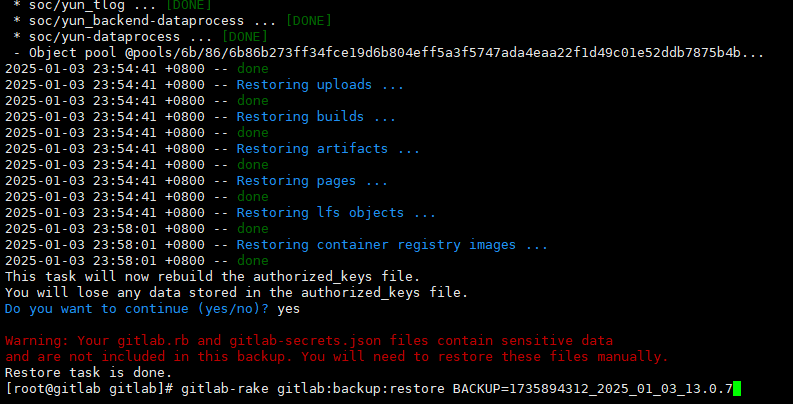
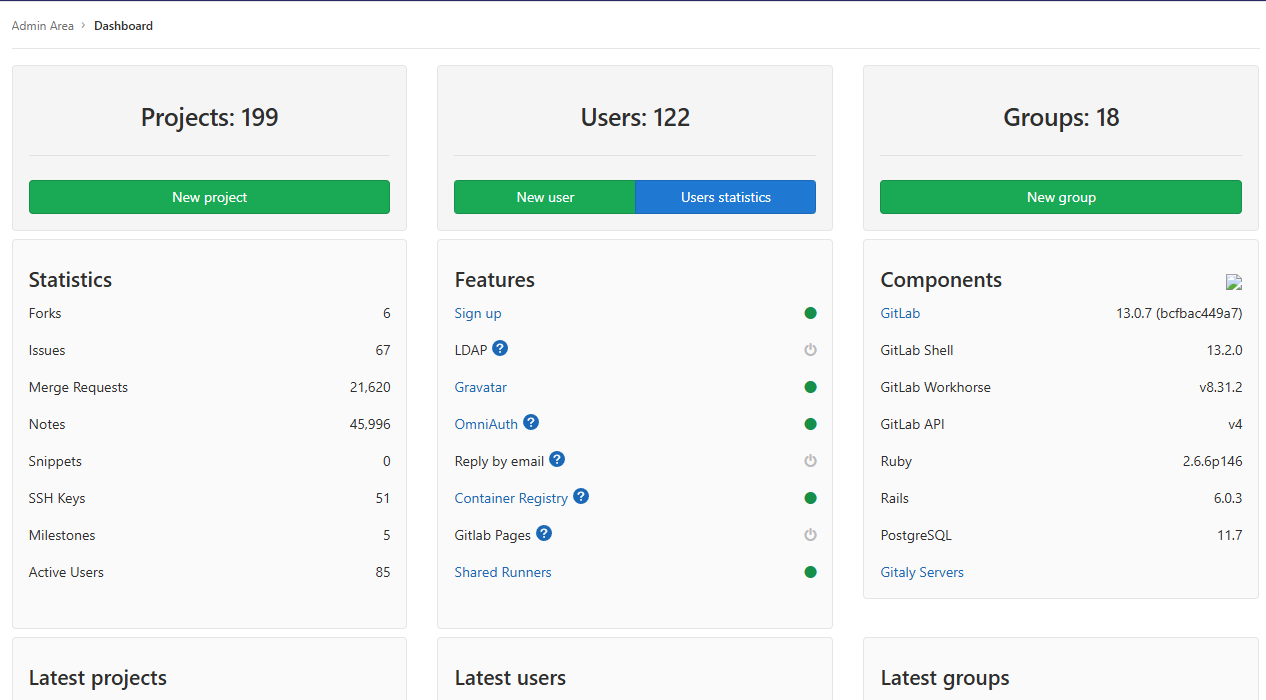
成功还原项目 仓库 群组 用户 权限等所有信息到新的gitlab服务
gitlab卸载重装
gitlab-ctl stop
rpm -e gitlab-ce-13.0.7-ce.0.el7.x86_64
rm -fr /var/opt/gitlab/*
本文来自博客园,作者:不懂123,转载请注明原文链接:https://www.cnblogs.com/yxh168/p/16292712.html

 浙公网安备 33010602011771号