nodejs项目打包提速
node打包耗时分析


插件安装
cnpm i hard-source-webpack-plugin
官方地址
https://www.npmjs.com/package/hard-source-webpack-plugin
配置之后初次打包会觉得没什么差异,主要是会先写编译文件到磁盘中(相当于第一次做了一次缓存)

vue集成插件


const HardSourceWebpackPlugin = require('hard-source-webpack-plugin');


 configureWebpack: (config) => {
    config.plugins.push(
      new MonacoWebpackPlugin({
        languages: ['python', 'javascript', 'css', 'html', 'json']
      })
    );
    //通过vue配置引入的webpack的配置模块中
    config.plugins.push(
       new HardSourceWebpackPlugin()
    );
}
启用缓存插件打包


pipeline {
   agent any

   tools {
      // Install the Maven version configured as "M3" and add it to the path.
      maven "M2"
   }

   stages {

        //拉取代码
        stage('GetCode'){
         steps {
            script {
                git branch: "${env.branch}".split("/")[1], credentialsId: 'yxhgitlab', url: 'https://192.168.30.999:8090/tf-as/h5-new.git'
            }
         }

         post {
            success {
              print("getCode success")
            }
         }
      }
       //构建
      stage("Build"){
           steps {
              script {
                //sh "cd /var/lib/jenkins/workspace/129-nginx/  && cnpm config set strict-ssl false &&  cnpm install && cnpm run build:prod"
                //sh " cd /var/lib/jenkins/workspace/129-nginx/   &&  cnpm run build:prod"
                sh "cp -r /var/lib/jenkins/workspace/vue.config.js  /var/lib/jenkins/workspace/129-nginx/ && cd /var/lib/jenkins/workspace/129-nginx/   &&  cnpm run build:prod"
              }
            }
           post {
              success {
                print("Build success......")
              }
           }
      }
      //部署
       stage("Deploy"){
           steps {
              script {
                 sh "rm -f ./dist/dist.zip"
                 sh "cd dist/ && zip -r dist.zip * "
                 sh "ansible appserver129 --user=admin -m copy -a 'src=/var/lib/jenkins/workspace/129-nginx/dist/dist.zip dest=/data1/taishi/nginx/'"
                 sh "ansible appserver129 --user=admin -m unarchive  -a 'src=/data1/taishi/nginx/dist.zip dest=/data1/taishi/nginx/ copy=no mode=0777'"

               }
           }

           post {
              success {
                print("Deploy success......")
              }
           }
      }
   }
}
缓存使用方式
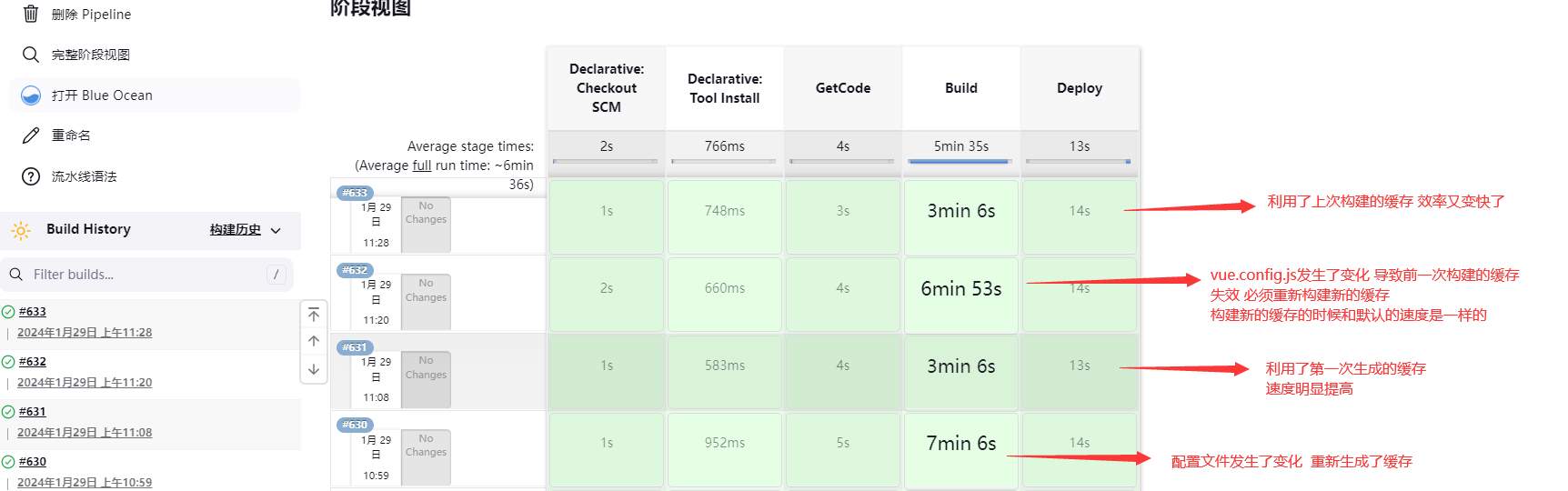
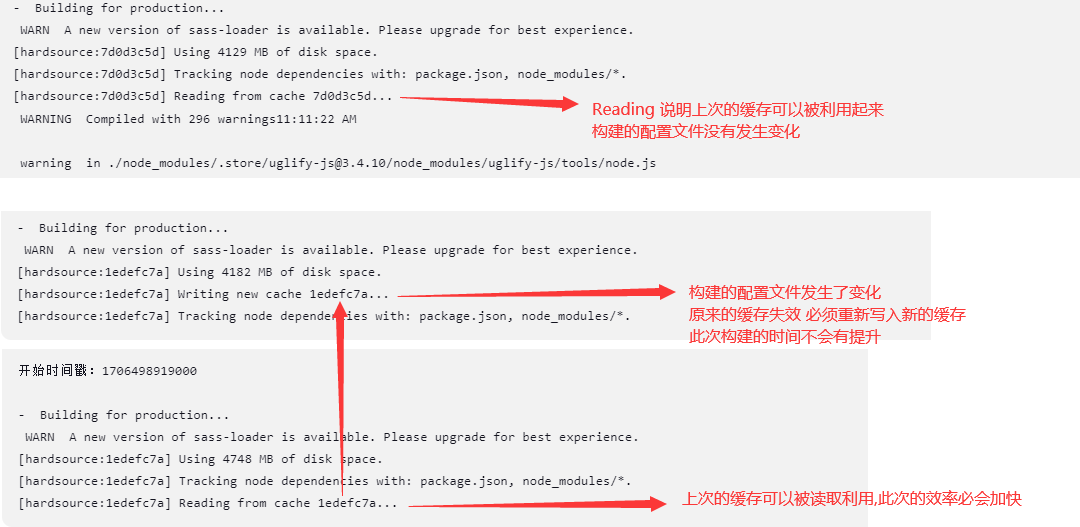
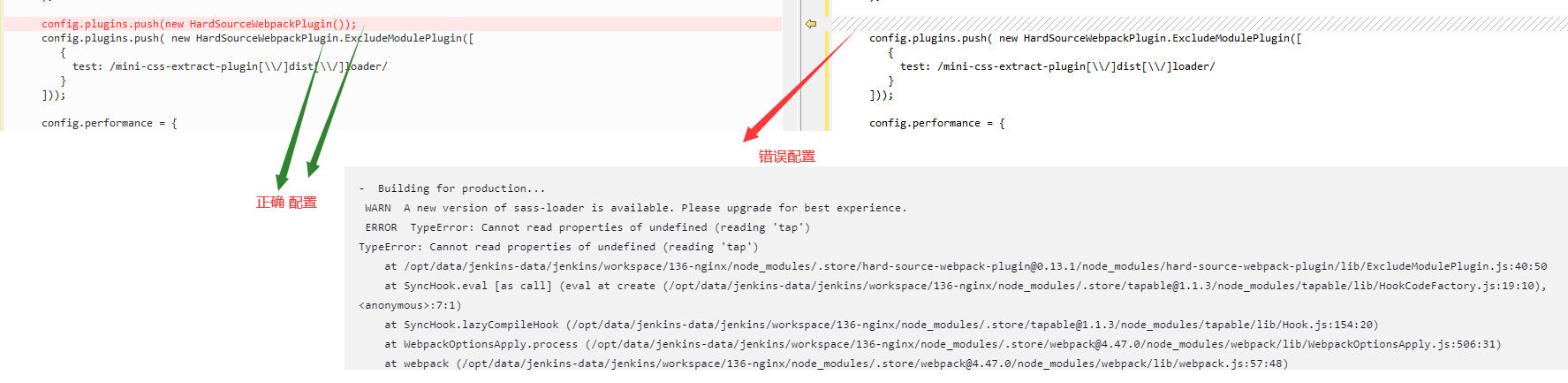
扩展编译内存设置
1.安装依赖包加速
npm install --max-old-space-size=8192
2.编译加速 由于编译命令不是直接执行的 而是通过package.json中来配置的 所以需要修改package.json的文件配置.然后执行npm run build:prod
[root@instance scop-251-h5]# vi package.json
{
"name": "vue-admin-template",
"version": "4.4.0",
"description": "A vue admin template with Element UI & axios & iconfont & permission control & lint",
"scripts": {
"dev": "vue-cli-service serve",
"build:prod": "NODE_OPTIONS=\"--max-old-space-size=8094\" vue-cli-service build"
}
npm run build:prod
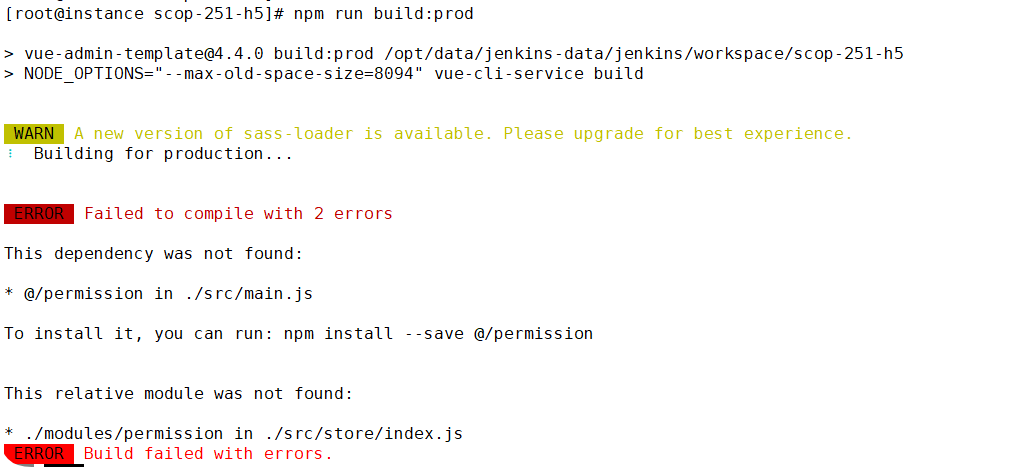
打包时间明显缩短
本文来自博客园,作者:不懂123,转载请注明原文链接:https://www.cnblogs.com/yxh168/articles/16202108.html

 浙公网安备 33010602011771号