

每日打卡
自我介绍:
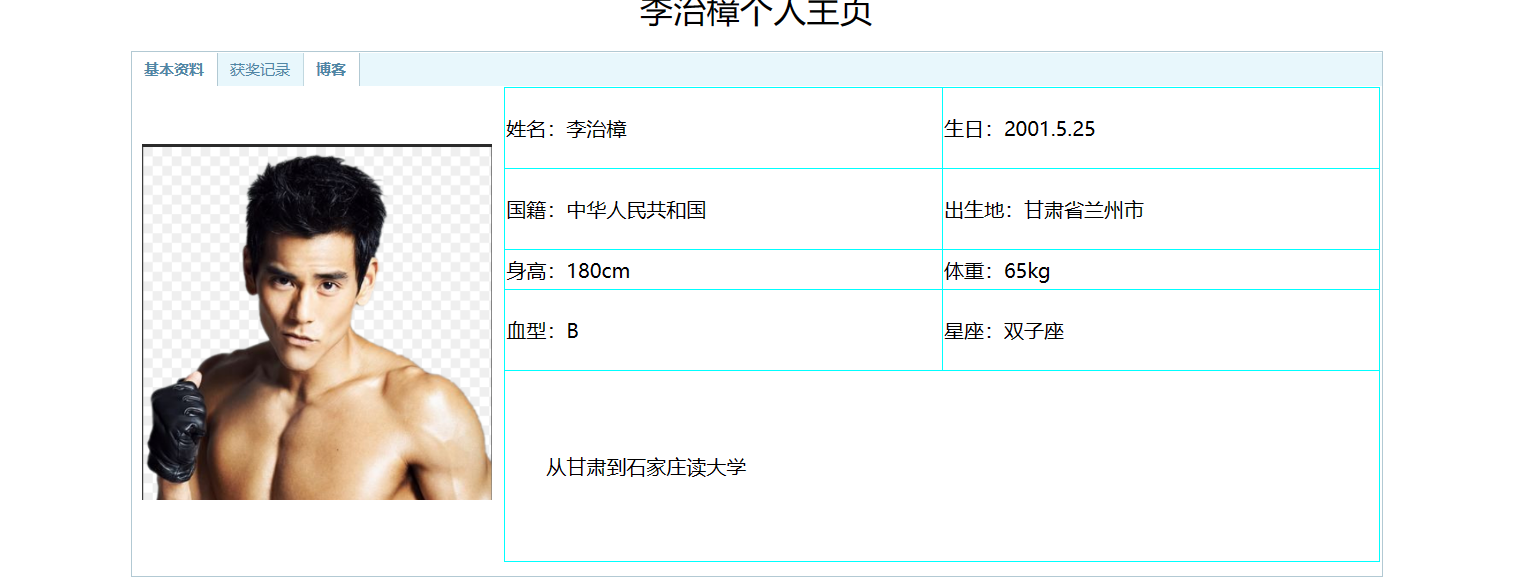
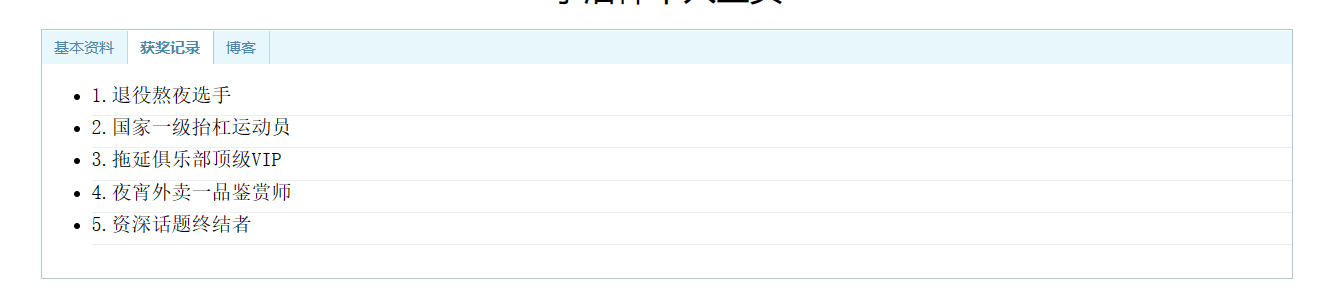
1.通过设计一个个人主页网站,学习常用的HTML标记,学习使用CSS对页面进行美化,掌握JavaScript的语法和常用的浏览器对象,初步学会使用Eclipse创建网站和编辑网页的方法。
源码:
<!DOCTYPE html>
<html>
<head>
<title>李治樟个人主页</title>
<meta http-equiv="content-type" content="text/html; charset=UTF-8">
<style type="text/css">
/*设置超链接样式*/
table {
border-collapse: collapse;
border-spacing: 0;
}
a {
color: #5086a5;
text-decoration: none;
font-size: 12px;
}
a:hover {
color: #5086a5;
text-decoration: underline;
font-size: 12px;
}
a:visited {
color: #5086a5;
font-size: 12px;
}
/*整个tab层居中,宽度为600px*/
#tabDiv {
width: 600px;
margin: 1em auto;
padding-bottom: 10px;
border-right: #b2c9d3 1px solid;
border-top: #b2c9d3 1px solid;
border-left: #b2c9d3 1px solid;
border-bottom: #b2c9d3 1px solid;
background: #ffffff;
}
/*tab头的样式*/
#tabsHead {
padding-left: 0px;
height: 26px;
background-color: #e8f7fc;
font-size: 1em;
margin: 1px 0px 0px;
color: #5086a5;
line-height: 26px;
}
/*已选tab头(超链接)的样式*/
.curtab {
padding-top: 0px;
padding-right: 10px;
padding-bottom: 0px;
padding-left: 10px;
border-right: #b2c9d3 1px solid;
font-weight: bold;
float: left;
cursor: pointer;
background: #ffffff;
}
/*未选tab头(超链接)的样式*/
.tabs {
border-right: #c1d8e0 1px solid;
padding-top: 0px;
padding-right: 10px;
padding-bottom: 0px;
padding-left: 10px;
font-weight: normal;
float: left;
cursor: pointer;
}
p {
font-size: 12pt;
text-indent: 2em;
}
li {
border-bottom-style: solid;
border-bottom-color: #EEE;
border-bottom-width: thin;
height: 25px;
font-family: "宋体";
font-size: 12pt;
}
</style>
<script type="text/jscript">
//显示tab(tabHeadId:tab头中当前的超链接;tabContentId要显示的层ID)
function showTab(tabHeadId,tabContentId)
{
//tab层
var tabDiv = document.getElementById("tabDiv");
//将tab层中所有的内容层设为不可见
//遍历tab层下的所有子节点
var taContents = tabDiv.childNodes;
for(i=0; i<taContents.length; i++)
{
//将所有内容层都设为不可见
if(taContents[i].id!=null && taContents[i].id != 'tabsHead')
{
taContents[i].style.display = 'none';
}
}
//将要显示的层设为可见
document.getElementById(tabContentId).style.display = 'block';
//遍历tab头中所有的超链接
var tabHeads = document.getElementById('tabsHead').getElementsByTagName('a');
for(i=0; i<tabHeads.length; i++)
{
//将超链接的样式设为未选的tab头样式
tabHeads[i].className='tabs';
}
//将当前超链接的样式设为已选tab头样式
document.getElementById(tabHeadId).className='curtab';
document.getElementById(tabHeadId).blur();
}
</script>
</head>
<body>
<div style="width: 100%; font-family: 微软雅黑; text-align: center; font-size: 20pt;">李治樟个人主页</div>
<div id="tabDiv" style="width: 1000px">
<div id="tabsHead">
<a id="tabs1" class="curtab" href="javascript:showTab('tabs1','tabContent1')">基本资料</a> <a id="tabs2" class="tabs" href="javascript:showTab('tabs2','tabContent2')">获奖记录</a>
<a id="tabs3" class="curtab" href="javascript:showTab('tabs3','tabContent3')">博客</a>
</div>
<div id="tabContent1" style="display: block">
<table style="border-width: 0; width: 100%">
<tr>
<td rowspan="3" style="width: 300px; text-align: center"><img alt="李治樟" src="images/lizhizhang.jpg" style="width: 280px" /></td>
<td colspan="3" rowspan="3">
<table border="1" style="border-left-color: aqua; border-bottom-color: aqua; width: 701px; border-top-style: solid; border-top-color: aqua; border-right-style: solid; border-left-style: solid; height: 380px; border-right-color: aqua; border-bottom-style: solid">
<tr>
<td style="width: 50%">姓名:李治樟</td>
<td style="width: 50%">生日:2001.5.25</td>
</tr>
<tr>
<td style="width: 50%">国籍:中华人民共和国</td>
<td style="width: 50%">出生地:甘肃省兰州市</td>
</tr>
<tr>
<td style="width: 50%; height: 29px">身高:180cm</td>
<td style="width: 50%; height: 29px">体重:65kg</td>
</tr>
<tr>
<td style="width: 50%">血型:B</td>
<td style="width: 50%">星座:双子座</td>
</tr>
<tr>
<td colspan="2">
<p>从甘肃到石家庄读大学</p>
</tr>
</table>
</td>
</tr>
<tr>
</tr>
<tr>
</tr>
</table>
</div>
<!--以下为获奖记录部分内容-->
<div id="tabContent2" style="display: none">
<ul>
<li>1.退役熬夜选手</li>
<li>2.国家一级抬杠运动员</li>
<li>3.拖延俱乐部顶级VIP</li>
<li>4.夜宵外卖一品鉴赏师</li>
<li>5.资深话题终结者</li>
</ul>
</div>
<div id="tabContent3" style="display: none">
<ul>
<li>https://home.cnblogs.com/u/yunbianshangdadun</li>
</ul>
</div>
</div>
<hr />
<div style="text-align: center; width: 100%; font-size: 12px; color: #333;">©版权所有:石家庄铁道大学信息科学与技术学院</div>
</body>
</html>
运行结果:


 浙公网安备 33010602011771号